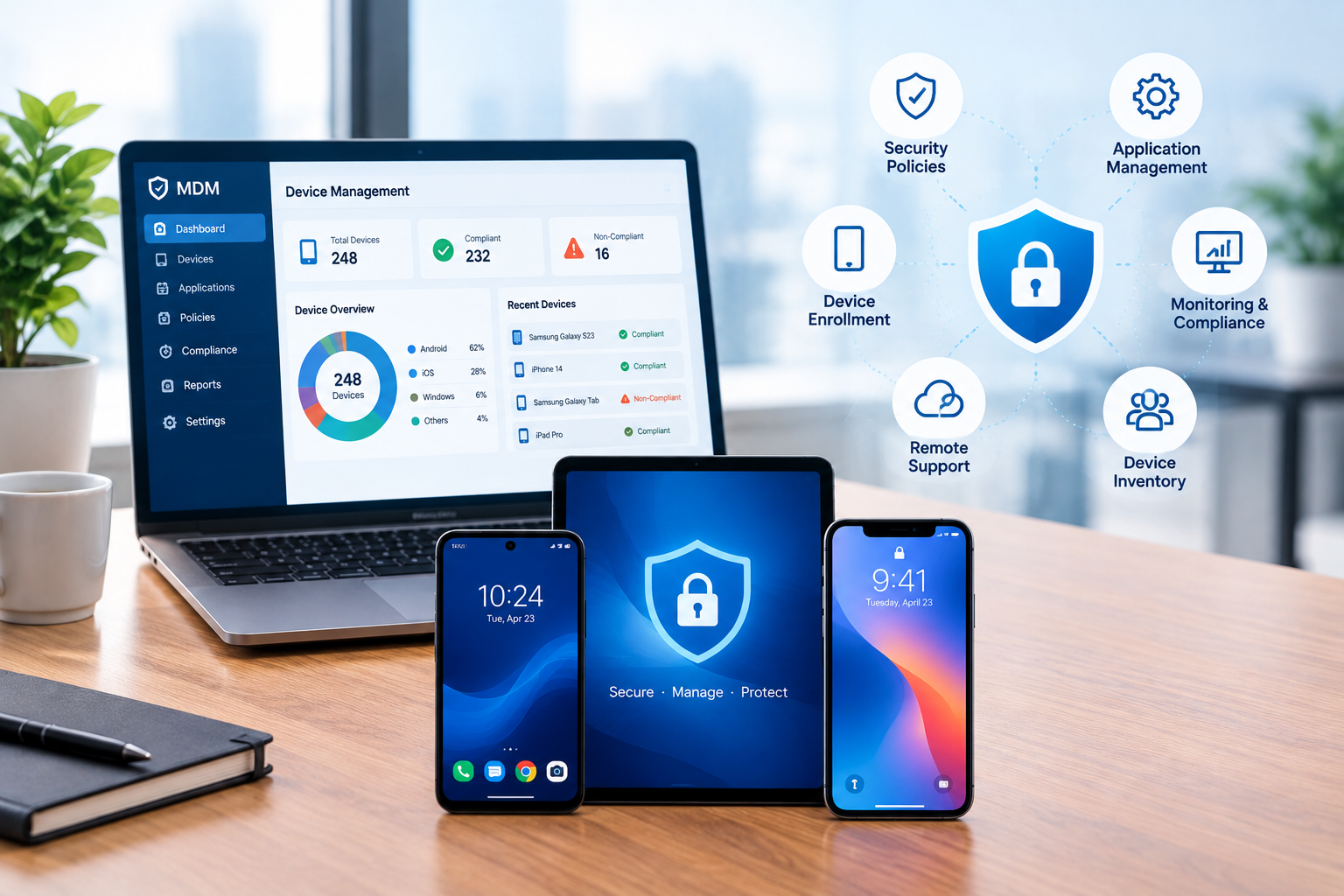
What Is Mobile Device Management (MDM)?
Mobile Device Management (MDM) is a technology and administrative approach that allows organizations to centrally enroll, configure, monitor, secure, and manage mobile devices used for business purposes. These devices can include smartphones, tablets, and, depending on the platform, other managed endpoints.
As organizations increasingly rely on mobile devices to access business applications, corporate data, email, cloud services, and internal systems, managing those devices manually becomes difficult. MDM provides a centralized way for IT and security teams to apply policies, control device settings, distribute applications, and respond to security risks.
In simple terms, MDM gives an organization centralized control over the mobile devices it manages while helping employees use those devices productively and securely.
Why Do Enterprises Need Mobile Device Management?
Enterprise mobility introduces several security and management challenges. Organizations may have hundreds or thousands of smartphones and tablets distributed across offices, remote locations, field teams, and different business units.
Without centralized management, IT teams may struggle to maintain consistent security policies, configure devices correctly, deploy required applications, or determine whether devices remain compliant with company requirements.
MDM addresses these challenges by providing a centralized management layer for supported devices.
- Centralized device enrollment and provisioning
- Consistent security and configuration policies
- Remote application deployment and management
- Device inventory and visibility
- Remote actions for supported security and operational scenarios
- Control over selected device capabilities and settings
- Compliance monitoring
- Support for corporate-owned and, depending on the platform, personally owned devices
How Does MDM Work?
An MDM deployment generally consists of managed devices, an MDM management platform, an administrative console, and the device-management capabilities provided by the underlying operating system and enterprise management framework.
1. Device Enrollment
The first step is enrolling a device with the organization's management platform. Enrollment establishes the management relationship between the device and the organization's MDM system.
Depending on the operating system, ownership model, and deployment method, enrollment may use methods such as QR code provisioning, zero-touch provisioning, enrollment tokens, enterprise accounts, or other supported enrollment mechanisms.
2. Policy Configuration
After enrollment, administrators can assign policies to managed devices. These policies define security, application, connectivity, and device-use requirements according to organizational needs.
- Password and screen-lock requirements
- Application installation and management rules
- Network and connectivity configuration
- Camera and other device-function restrictions where supported
- Security configuration
- Compliance requirements
- Kiosk or dedicated-device settings where supported
3. Application Management
MDM platforms can help organizations manage applications on enrolled devices. Administrators may deploy required applications, control application availability, and manage application-related policies depending on the operating system and management capabilities.
For organizations using Android Enterprise, application management can be integrated with Google's enterprise management framework and managed Google Play capabilities.
4. Monitoring and Compliance
A central management console gives IT administrators visibility into managed devices. The information available depends on the operating system and the permissions and management mode used.
Administrators can use this information to identify devices that do not meet organizational requirements and take appropriate management actions.
5. Remote Management
MDM platforms can provide remote management capabilities for enrolled devices. Available actions vary by operating system, device ownership model, management mode, and platform capabilities.
These capabilities can help IT teams respond to operational and security requirements without requiring every device to be physically present.
Key Features of Mobile Device Management
Device Enrollment and Provisioning
A strong MDM solution simplifies the process of bringing devices under organizational management. Automated or guided enrollment can reduce manual configuration and help ensure that devices receive the correct policies from the beginning.
Device Inventory
MDM provides centralized visibility into managed devices. Administrators can typically view information such as device identifiers, operating system details, ownership information, enrollment status, and other data exposed by the management platform.
Security Policies
Organizations can define policies that establish minimum security requirements for managed devices. Depending on platform capabilities, these can include screen-lock requirements, password policies, encryption requirements, application restrictions, and other security controls.
Application Management
Application management allows IT teams to distribute and manage business applications on supported devices. This can help standardize the software available to employees and reduce the risks associated with unmanaged applications.
Configuration Management
Administrators can centrally configure supported device settings instead of manually configuring each device. Configuration capabilities depend on the device operating system and management framework.
Remote Actions
MDM platforms may provide remote actions for supported devices, allowing administrators to respond to situations such as device loss, security incidents, or operational requirements.
Kiosk and Dedicated Device Management
Some organizations use mobile devices for a specific business function rather than as general-purpose employee devices. Examples include point-of-sale systems, digital signage, inventory devices, shared workstations, and field-service terminals.
MDM can support dedicated-device scenarios by restricting the device to approved applications or functions where the platform supports these controls.
Benefits of Mobile Device Management
Improved Security
MDM helps organizations apply consistent security policies across managed devices. Centralized management reduces reliance on users manually configuring security settings.
Centralized Administration
Instead of managing every device independently, IT teams can administer supported devices from a central console. This becomes particularly valuable as the number of managed endpoints increases.
Faster Device Deployment
Enrollment and automated configuration can reduce the time required to prepare devices for employees. Standardized provisioning also helps organizations maintain consistent configurations.
Better Device Visibility
A centralized device inventory helps IT teams understand which devices are enrolled, what operating systems they use, and whether they meet defined management requirements.
Reduced Operational Effort
Automating repetitive configuration, application deployment, and device-management tasks can reduce the administrative workload for IT teams.
Support for Remote Work
MDM allows organizations to manage devices even when employees are working outside the corporate office, provided the devices have the required connectivity and management relationship.
MDM for Android Enterprise
Android Enterprise provides a set of management capabilities designed for organizations managing Android devices. MDM platforms can integrate with Android Enterprise to support different deployment scenarios and management modes.
Organizations can use Android Enterprise capabilities to manage corporate-owned devices, dedicated devices, and work profiles according to their business requirements and supported deployment model.
Corporate-Owned Devices
Corporate-owned devices are purchased or controlled by the organization and are typically configured according to company security and operational policies.
Organizations can apply stricter controls to corporate-owned devices when the business requires greater management authority.
Work Profile
A work profile separates work applications and data from personal applications and data on supported Android devices. This model can be useful when organizations need to protect corporate information while allowing employees to retain personal use of their devices.
Dedicated Devices
Dedicated devices are configured for specific business purposes. They can be used in scenarios such as kiosks, logistics, retail, healthcare workflows, and field operations where users may need access to a limited set of applications.
MDM Deployment Models
Cloud-Based MDM
Cloud-based MDM is hosted by the service provider and accessed through web-based management interfaces and APIs. It can simplify infrastructure management and make centralized administration accessible across distributed teams.
On-Premises MDM
An on-premises deployment is hosted within an organization's own infrastructure. This model can provide greater control over the hosting environment but may require additional infrastructure, maintenance, security operations, and administrative resources.
Hybrid Deployment
Some organizations use a combination of cloud and on-premises technologies to meet specific operational, regulatory, or infrastructure requirements.
MDM vs Mobile Security
MDM and mobile security are related but are not the same thing.
MDM primarily focuses on managing devices, enforcing configuration policies, controlling applications and settings, and maintaining organizational visibility over managed endpoints.
Mobile security can include a broader set of controls designed to detect and protect against threats such as malicious applications, phishing, network attacks, exploitation, and other security risks.
This distinction is important because device management does not automatically provide complete protection against every mobile threat.
MDM vs MTD
Mobile Threat Defense (MTD) focuses specifically on detecting and responding to mobile security threats. Depending on the solution, MTD capabilities may include detection of malicious applications, phishing attempts, risky network connections, and other mobile threats.
MDM and MTD therefore address different layers of the enterprise mobile security problem. MDM manages the device and its configuration, while MTD focuses on identifying and responding to threats.
For organizations with higher security requirements, combining device management with mobile threat defense can provide broader protection than relying on either capability alone.
MDM vs UEM
Unified Endpoint Management (UEM) extends the concept of centralized endpoint management across multiple device types and operating systems.
While MDM is primarily associated with mobile device management, UEM can provide a broader management approach that may include smartphones, tablets, laptops, desktops, rugged devices, and other supported endpoints.
The exact capabilities of a UEM platform depend on the products, operating systems, and integrations involved.
How to Choose an MDM Solution
Organizations should evaluate an MDM platform according to their device types, operating systems, security requirements, business workflows, and management needs.
- Identify the device types and operating systems that need to be managed.
- Define the organization's security and compliance requirements.
- Determine the required enrollment and provisioning methods.
- Evaluate application management capabilities.
- Check the available device configuration and policy controls.
- Review reporting, monitoring, and compliance capabilities.
- Evaluate remote management and troubleshooting features.
- Assess integration with identity, security, and enterprise systems.
- Consider scalability, administration, and total cost of ownership.
- Test the platform with representative devices and business workflows before a wider deployment.
MDM Best Practices for Enterprises
- Define clear device ownership and usage policies before deployment.
- Use standardized enrollment and provisioning processes.
- Apply the principle of least privilege when assigning administrative access.
- Separate personal and corporate data where the deployment model requires it.
- Keep device operating systems and business applications updated.
- Regularly review security and compliance policies.
- Monitor device enrollment and compliance status.
- Remove management access from devices that are no longer authorized.
- Document procedures for lost, stolen, or compromised devices.
- Regularly review the MDM configuration as business and security requirements change.
Common MDM Challenges
User Adoption
Employees may resist device restrictions when they do not understand the reason behind them. Clear communication and appropriate policies can help organizations balance security with usability.
Device Diversity
Organizations may have multiple operating systems, device manufacturers, ownership models, and device generations. Management capabilities can vary across these environments, so organizations should validate requirements before deployment.
Privacy Considerations
Organizations should clearly define what information is collected from managed devices and how that information is used. Privacy requirements can vary by jurisdiction, organization, device ownership model, and deployment configuration.
Overly Restrictive Policies
Security policies that are unnecessarily restrictive can interfere with employee productivity. Organizations should design policies based on actual business and security requirements rather than restricting every available device capability.
Frequently Asked Questions About MDM
What does MDM stand for?
MDM stands for Mobile Device Management. It refers to technologies and processes used by organizations to centrally manage supported mobile devices.
What is MDM software?
MDM software provides a centralized platform for enrolling, configuring, monitoring, securing, and managing mobile devices according to organizational policies.
Is MDM only for company-owned devices?
No. MDM technologies can support different ownership and deployment models. Depending on the platform, organizations can manage corporate-owned devices as well as support work-profile or other approaches for personally owned devices.
Can MDM protect a device from malware?
MDM can enforce security policies and control device configuration, but MDM alone should not be considered a complete mobile threat detection solution. Dedicated mobile security or Mobile Threat Defense capabilities may be required for detecting and responding to specific threats.
Can MDM remotely wipe a device?
Many MDM platforms support remote device actions, including wipe capabilities for supported management modes. The exact behavior and available actions depend on the operating system, enrollment mode, ownership model, and platform.
Is MDM the same as UEM?
No. MDM generally focuses on mobile devices, while UEM provides a broader endpoint-management approach that can cover multiple endpoint types and operating systems.
Is MDM the same as EMM?
Not exactly. Enterprise Mobility Management (EMM) is a broader concept that traditionally combines mobile device management with capabilities such as mobile application management and mobile content management. Modern endpoint-management platforms may incorporate many of these capabilities.
Conclusion
Mobile Device Management provides enterprises with a centralized way to manage and secure supported mobile devices. By combining enrollment, configuration, application management, security policies, monitoring, and remote management capabilities, MDM can help organizations maintain greater control over their mobile environment.
However, MDM should be viewed as one part of a broader enterprise security strategy. Organizations should combine device management with appropriate identity, application, endpoint, network, and threat-defense controls based on their risk profile and business requirements.
For organizations building a modern mobile security strategy, understanding the difference between MDM, Mobile Threat Defense, and Unified Endpoint Management is an important first step.
Explore MobiSec's enterprise mobility and security solutions to understand how modern organizations can manage and protect their mobile environments.
Recommended Solution
See how MOBISEC solves this in practice
Topics