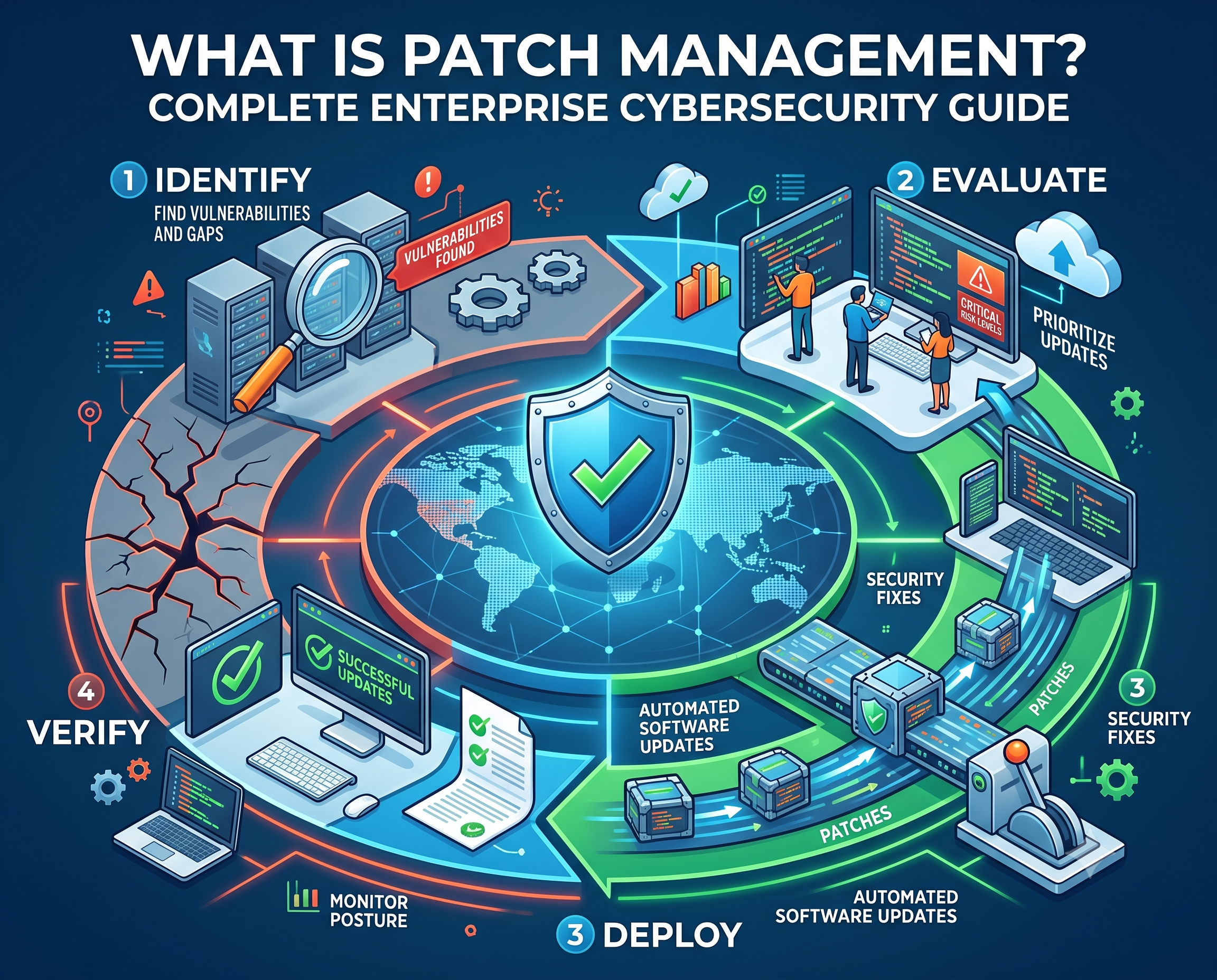
What Is Patch Management?
Patch management is the process of identifying, evaluating, acquiring, testing, deploying, and verifying software updates and security patches across an organization's systems and devices.
Software vendors regularly release updates to fix security vulnerabilities, address software defects, improve stability, and introduce new functionality.
Patch management helps organizations ensure that important updates are identified and applied to systems within an appropriate timeframe.
In enterprise environments, patch management can cover operating systems, applications, servers, workstations, laptops, mobile devices, network components, and other supported technology assets.
Why Is Patch Management Important?
Unpatched software can contain known vulnerabilities that attackers may attempt to exploit.
Organizations often operate large numbers of devices and applications, making manual tracking and patching difficult.
A structured patch management process helps organizations maintain visibility into software versions, identify missing updates, prioritize security patches, and verify that updates have been successfully applied.
- Reduces exposure to known software vulnerabilities
- Improves endpoint security
- Helps maintain supported software versions
- Supports cybersecurity risk reduction
- Improves visibility into patch status
- Supports compliance requirements
- Helps standardize software update processes
- Reduces dependence on manual patching
- Supports security monitoring and reporting
How Does Patch Management Work?
Patch management typically follows a lifecycle that begins with identifying systems and software and continues through patch assessment, prioritization, testing, deployment, and verification.
The exact process depends on the organization's technology environment, risk requirements, software vendors, and patch-management capabilities.
1. Discovering Devices and Software
Organizations first need visibility into the devices, operating systems, applications, and software versions in their environment.
An accurate inventory helps security and IT teams understand which systems may require specific patches.
- Workstations
- Laptops
- Servers
- Mobile devices
- Operating systems
- Business applications
- Security software
- Network devices
- Cloud workloads
- Other supported enterprise systems
2. Identifying Available Patches
Organizations monitor software vendors and trusted update sources to identify available patches and security updates.
Patch information may include the affected software, supported versions, security issues addressed, severity, release date, and deployment requirements.
3. Assessing Patch Risk
Not every patch has the same level of urgency.
Organizations should evaluate patches according to factors such as vulnerability severity, exploitability, affected assets, business importance, exposure, and available mitigations.
4. Testing Patches
Organizations may test patches before deploying them broadly to reduce the risk of compatibility problems or unexpected operational impact.
Testing can be performed on representative systems or controlled environments before wider deployment.
5. Deploying Patches
After appropriate testing and approval, patches can be deployed to affected systems.
Organizations may use centralized patch-management tools, endpoint-management platforms, operating-system management systems, or other supported deployment mechanisms.
6. Verifying Patch Installation
Patch deployment should be followed by verification.
Organizations should confirm whether the required patch was successfully installed and whether affected systems are now operating with the expected software version or security update.
7. Monitoring and Reporting
Patch status should be monitored continuously or at defined intervals.
Security and IT teams can use patch-management information to identify systems that remain unpatched, failed installations, overdue updates, and recurring patching problems.
What Types of Patches Exist?
Software updates can address different types of issues depending on the vendor and product.
- Security patches
- Operating system updates
- Application updates
- Bug fixes
- Stability updates
- Feature updates
- Firmware updates
- Emergency security updates
- Cumulative updates
Security patches are particularly important because they may address vulnerabilities that could expose systems to exploitation.
What Is Security Patch Management?
Security patch management focuses specifically on identifying and deploying updates that address security vulnerabilities and weaknesses.
The objective is to reduce the period during which enterprise systems remain exposed to known security issues.
Security patch management is closely related to vulnerability management because vulnerability information can help organizations determine which patches should receive higher priority.
Patch Management vs Vulnerability Management
Patch management and vulnerability management are related but different cybersecurity processes.
Vulnerability management focuses on identifying, assessing, prioritizing, and managing security vulnerabilities.
Patch management focuses on applying appropriate software updates and security patches to address vulnerabilities and maintain supported systems.
- Vulnerability management identifies and evaluates vulnerabilities.
- Patch management identifies and deploys applicable patches.
- Vulnerability management prioritizes security risks.
- Patch management implements software updates.
- Vulnerability management can identify vulnerabilities without available patches.
- Patch management can address software issues beyond security vulnerabilities.
Organizations often use both processes together as part of a broader cybersecurity risk-management program.
Why Vulnerability Management and Patch Management Work Together
A vulnerability assessment may identify a high-risk vulnerability affecting multiple enterprise endpoints.
The organization can then determine whether a security patch is available and prioritize deployment based on the risk associated with the affected systems.
After deployment, the organization can verify whether the vulnerability has been addressed and whether affected systems remain compliant with the required security state.
Patch Management for Enterprise Endpoints
Enterprise environments can contain thousands of endpoints running different operating systems, applications, and software versions.
Managing patches at this scale requires centralized visibility and repeatable processes.
- Maintain an accurate endpoint inventory
- Identify software versions
- Detect missing patches
- Prioritize critical updates
- Deploy patches centrally where supported
- Monitor deployment status
- Identify failed installations
- Verify patch compliance
- Track remediation
- Generate security reports
Patch Management and Endpoint Security
Endpoint security depends on maintaining secure configurations, supported software, security controls, and appropriate update levels.
Unpatched endpoints may remain exposed to known vulnerabilities even when other security controls are implemented.
Patch management should therefore be integrated with broader endpoint-security processes.
Patch Compliance
Patch compliance refers to the extent to which systems have received the required software updates according to organizational policies.
Organizations can define patch-compliance requirements based on risk, system type, vulnerability severity, business importance, and applicable security policies.
- Percentage of endpoints fully patched
- Number of missing patches
- Number of critical missing patches
- Number of overdue patches
- Patch installation failures
- Average time to remediate patches
- Systems outside the approved patch baseline
- Patch compliance by department or device group
Patch Management and Security Baselines
Security baselines define expected security configurations and software conditions for systems or device groups.
Patch requirements can form part of an organization's endpoint security baseline.
Continuous or periodic monitoring can compare the current patch state against the required baseline and identify systems that are not compliant.
Patch Management and Configuration Drift
Configuration drift occurs when systems gradually move away from their approved configuration or security state.
Patch status can also change over time as new updates are released, new systems are deployed, or updates fail.
Monitoring patch compliance can help organizations identify endpoints that have moved away from their expected security baseline.
Automated Patch Management
Automated patch management uses software tools and centralized management capabilities to identify, deploy, and monitor patches with reduced manual intervention.
Automation can help organizations manage large numbers of endpoints and standardize patching processes.
- Automated patch discovery
- Centralized patch deployment
- Patch scheduling
- Patch approval workflows
- Deployment status monitoring
- Failed patch detection
- Patch compliance reporting
- Automated remediation where supported
- Policy-based patch management
Automation should still include appropriate testing, approval, monitoring, and exception-handling processes.
Benefits of Patch Management
Reduced Vulnerability Exposure
Applying security patches can reduce exposure to vulnerabilities that have been addressed by software vendors.
Improved Security Posture
Maintaining current software versions and security updates can contribute to a stronger overall security posture.
Better Endpoint Visibility
Patch-management systems can provide information about software versions, missing updates, installation status, and compliance.
Improved Compliance
Patch-management processes can help organizations demonstrate that security updates are being managed according to defined policies and requirements.
Faster Remediation
Centralized and automated patch management can help organizations respond to important software vulnerabilities more efficiently.
Reduced Manual Work
Automation can reduce repetitive patch-identification, deployment, and reporting activities for IT and security teams.
Challenges of Enterprise Patch Management
Large Number of Endpoints
Organizations may have thousands of endpoints distributed across offices, remote locations, cloud environments, and other infrastructure.
Managing patches consistently across such environments can be difficult without centralized management.
Different Operating Systems
Enterprise environments may include multiple operating systems and operating-system versions.
Each platform can have different patching mechanisms, update schedules, and compatibility requirements.
Application Compatibility
Some patches can affect application behavior or compatibility.
Organizations should evaluate important updates before broad deployment when the operational risk justifies testing.
Legacy Systems
Some organizations continue to operate legacy systems that may no longer receive regular updates or may require specialized patching procedures.
These systems should be identified and managed according to their risk and business requirements.
Remote Devices
Remote and distributed endpoints can make patch deployment and verification more difficult.
Organizations need appropriate connectivity, management capabilities, and monitoring processes to maintain patch visibility across remote systems.
Failed Patch Installation
Patches may fail because of insufficient storage, compatibility problems, network issues, device state, software dependencies, or other operational conditions.
Failed installations should be identified and remediated rather than being treated as completed deployments.
Patch Management Challenges in BYOD Environments
Bring Your Own Device environments can introduce additional challenges because organizations may have limited control over personally owned devices.
Organizations should define clear policies regarding which devices, applications, and corporate resources are required to meet security requirements.
Where supported, mobile and application-management technologies can provide additional controls for protecting corporate resources.
Patch Management and Compliance
Many organizations need to demonstrate that software vulnerabilities and security updates are being managed as part of their cybersecurity and compliance programs.
Patch-management records can provide useful evidence about update status, remediation activities, exceptions, and security processes.
- Patch deployment records
- Patch compliance reports
- Missing-patch reports
- Remediation records
- Approved exceptions
- Patch policies
- Testing records
- Failed deployment records
- Verification results
The exact evidence requirements depend on the applicable regulation, framework, contract, or internal security policy.
Patch Management and Audit Readiness
Effective patch management can support cybersecurity audit readiness by maintaining current information about software versions, missing updates, remediation activities, and patch compliance.
Instead of collecting patch information only before an audit, organizations can maintain patch-management records throughout the year.
- Maintain current endpoint inventories
- Track missing security patches
- Monitor patch compliance
- Document remediation activities
- Track approved exceptions
- Maintain patch policies
- Monitor critical vulnerabilities
- Retain relevant patch evidence
Patch Management Metrics
Organizations can use patch-management metrics to measure the effectiveness of their patching processes.
- Patch compliance percentage
- Critical patch compliance
- Average patch deployment time
- Average remediation time
- Number of missing critical patches
- Number of failed deployments
- Number of vulnerable endpoints
- Number of overdue patches
- Patch compliance by device group
- Patch compliance over time
Patch Management Best Practices
- Maintain an accurate inventory of enterprise devices and software.
- Identify critical and high-risk vulnerabilities quickly.
- Prioritize patches based on security risk and business impact.
- Establish documented patch-management policies.
- Test important patches before broad deployment where appropriate.
- Automate patch deployment where practical.
- Monitor patch deployment results.
- Verify successful patch installation.
- Track failed and overdue patches.
- Maintain approved exceptions for systems that cannot be patched immediately.
- Review patch compliance regularly.
- Integrate patch management with vulnerability management.
- Use security baselines to define expected patch states.
- Maintain evidence of patching and remediation activities.
- Continuously improve the patch-management process.
How to Build an Enterprise Patch Management Process
- Create an inventory of devices and software.
- Identify operating systems and application versions.
- Monitor trusted sources for available patches.
- Identify vulnerabilities addressed by available patches.
- Assess patch severity and business risk.
- Prioritize critical and high-risk patches.
- Test patches where appropriate.
- Approve patches according to organizational policies.
- Deploy patches to affected systems.
- Monitor deployment status.
- Identify failed or incomplete installations.
- Remediate systems that remain unpatched.
- Verify the final patch state.
- Update compliance records.
- Review patch-management performance and improve the process.
Patch Management for Critical Vulnerabilities
Critical vulnerabilities may require accelerated patching because exploitation can create significant security risk.
Organizations should evaluate the affected systems, vulnerability severity, exposure, exploit availability, business impact, and available mitigations when determining patching priority.
Emergency patching procedures may be appropriate when delaying a security update creates unacceptable risk.
What If a System Cannot Be Patched?
Not every system can always be patched immediately.
Organizations may encounter legacy applications, vendor restrictions, compatibility issues, operational dependencies, or systems that cannot be taken offline.
When patching is not immediately possible, organizations should document the exception and apply appropriate compensating controls based on the risk.
- Restrict network access
- Limit application exposure
- Apply additional security controls
- Increase monitoring
- Disable unnecessary services
- Restrict user privileges
- Schedule remediation
- Document the exception
- Review the exception regularly
Patch Management and Continuous Security Monitoring
Patch management determines whether software updates need to be applied and helps organizations deploy those updates.
Continuous security monitoring provides ongoing visibility into the current security state of endpoints and systems.
Combining the two approaches can help organizations identify systems that fall out of patch compliance after an update becomes available or after deployment fails.
Continuous monitoring can therefore help maintain visibility between formal assessments and patch-management activities.
Patch Management and Security Posture
Patch status is one of the factors that can influence an organization's security posture.
A high number of unpatched systems may indicate increased exposure to known vulnerabilities.
Monitoring patch compliance over time can help security teams understand whether the organization's remediation process is improving or whether recurring patching issues remain.
Patch Management and Risk Reduction
Patch management contributes to cybersecurity risk reduction by reducing exposure to known software vulnerabilities and maintaining supported software versions.
However, patching alone does not eliminate all cybersecurity risks.
Organizations should combine patch management with vulnerability management, endpoint security, identity security, security monitoring, secure configuration, access controls, and other appropriate security measures.
Patch Management and Zero Trust
Zero Trust security emphasizes continuous evaluation of access and security conditions rather than automatically trusting users or devices.
Patch compliance can be one of the signals considered when evaluating device security posture and access decisions where supported.
- Verify device identity
- Evaluate device security state
- Monitor patch compliance
- Apply appropriate access policies
- Restrict access from high-risk devices
- Continuously evaluate security conditions where supported
Patch Management for Remote and Hybrid Work
Remote and hybrid work environments increase the importance of centralized endpoint visibility and patch management.
Employees may connect from different networks and locations, making traditional office-based patching processes less effective.
Centralized management and monitoring can help organizations maintain patch visibility across distributed endpoints.
Patch Management and Incident Response
Patch management can also support incident response activities.
If a vulnerability is associated with an active security incident or suspected compromise, security teams may need to identify affected systems and determine whether the required security update has been applied.
- Identify affected systems
- Determine current patch status
- Prioritize vulnerable endpoints
- Apply available security updates
- Monitor remediation
- Verify patch installation
- Continue security monitoring
Patch Management and Software Lifecycle
Patch management should be considered throughout the software and system lifecycle.
- Identify the software or system.
- Deploy the approved version.
- Monitor available updates.
- Evaluate security patches.
- Apply required updates.
- Verify patch status.
- Monitor for new vulnerabilities.
- Replace unsupported software when required.
- Retire systems that are no longer required.
Simple Example of Enterprise Patch Management
Consider an organization with thousands of Windows endpoints used by employees across multiple locations.
A security vulnerability is identified in a commonly used enterprise application.
The software vendor releases a security patch that addresses the vulnerability.
The organization's patch-management process identifies affected endpoints, evaluates the risk, tests the update on representative systems, and deploys the patch according to the defined priority.
After deployment, the organization verifies which endpoints successfully installed the update.
Systems where the patch failed or was not installed can then be identified for additional remediation.
This process helps the organization reduce exposure while maintaining visibility into patch compliance.
Common Patch Management Mistakes
- Maintaining incomplete device inventories
- Ignoring application patches
- Patching without understanding business impact
- Failing to prioritize critical vulnerabilities
- Deploying patches without appropriate testing
- Assuming deployment means successful installation
- Failing to monitor patch compliance
- Ignoring failed installations
- Allowing exceptions to remain indefinitely
- Collecting patch evidence only before audits
- Relying entirely on manual processes
- Failing to review unsupported software
How to Improve Patch Management
- Maintain accurate device and software inventories.
- Centralize patch visibility where possible.
- Prioritize patches based on risk.
- Automate repetitive patch-management tasks.
- Monitor critical vulnerabilities continuously.
- Establish clear patching timelines.
- Test important updates appropriately.
- Track failed and overdue deployments.
- Verify patch installation.
- Integrate patch management with vulnerability management.
- Monitor patch compliance over time.
- Review and improve patch policies regularly.
Frequently Asked Questions About Patch Management
What is patch management?
Patch management is the process of identifying, evaluating, deploying, and verifying software updates and security patches across an organization's systems and devices.
Why is patch management important?
Patch management helps organizations reduce exposure to known vulnerabilities, maintain supported software versions, improve endpoint security, and support cybersecurity and compliance requirements.
What is security patch management?
Security patch management focuses on identifying and deploying software updates that address security vulnerabilities and weaknesses.
What is the difference between patch management and vulnerability management?
Vulnerability management focuses on identifying and prioritizing security vulnerabilities, while patch management focuses on applying appropriate software updates and security patches.
Should all patches be installed immediately?
Not necessarily. Organizations should prioritize patches based on risk, affected systems, vulnerability severity, business impact, testing requirements, and available mitigations.
Can patch management be automated?
Yes. Many enterprise environments use centralized and automated patch-management capabilities to discover missing updates, deploy patches, monitor results, and report compliance.
What happens when a patch fails?
A failed patch installation should be identified, investigated, and remediated. The affected system should not be considered fully patched until the required update has been successfully applied or an approved exception has been documented.
How often should organizations patch systems?
Patch frequency depends on the organization's risk profile, software environment, vulnerability severity, vendor release schedules, and internal security policies. Critical security updates may require accelerated deployment.
Does patch management improve compliance?
Patch management can support compliance by helping organizations maintain security updates, document remediation activities, and provide evidence of patch status and security processes.
Can patch management prevent cyberattacks?
Patch management can reduce exposure to known vulnerabilities, but it cannot prevent every type of cyberattack. Organizations need multiple security controls to address different attack techniques and risks.
What should organizations do when a system cannot be patched?
Organizations should document the exception, assess the associated risk, apply appropriate compensating controls, and establish a plan to remediate or replace the affected system.
Conclusion
Patch management is an essential part of enterprise cybersecurity and endpoint security.
A structured patch-management process helps organizations identify available updates, prioritize security patches, deploy updates, verify installation, and maintain visibility into patch compliance.
Effective patch management should not operate as an isolated IT activity. It should work alongside vulnerability management, security monitoring, endpoint management, configuration management, and broader cybersecurity processes.
Organizations should maintain accurate asset and software inventories, prioritize patches based on risk, automate appropriate activities, monitor deployment results, and verify that systems remain compliant with required security baselines.
By treating patch management as a continuous security process rather than an occasional maintenance task, enterprises can reduce exposure to known vulnerabilities and maintain a stronger, more measurable security posture.
Recommended Solution
See how MOBISEC solves this in practice
Topics