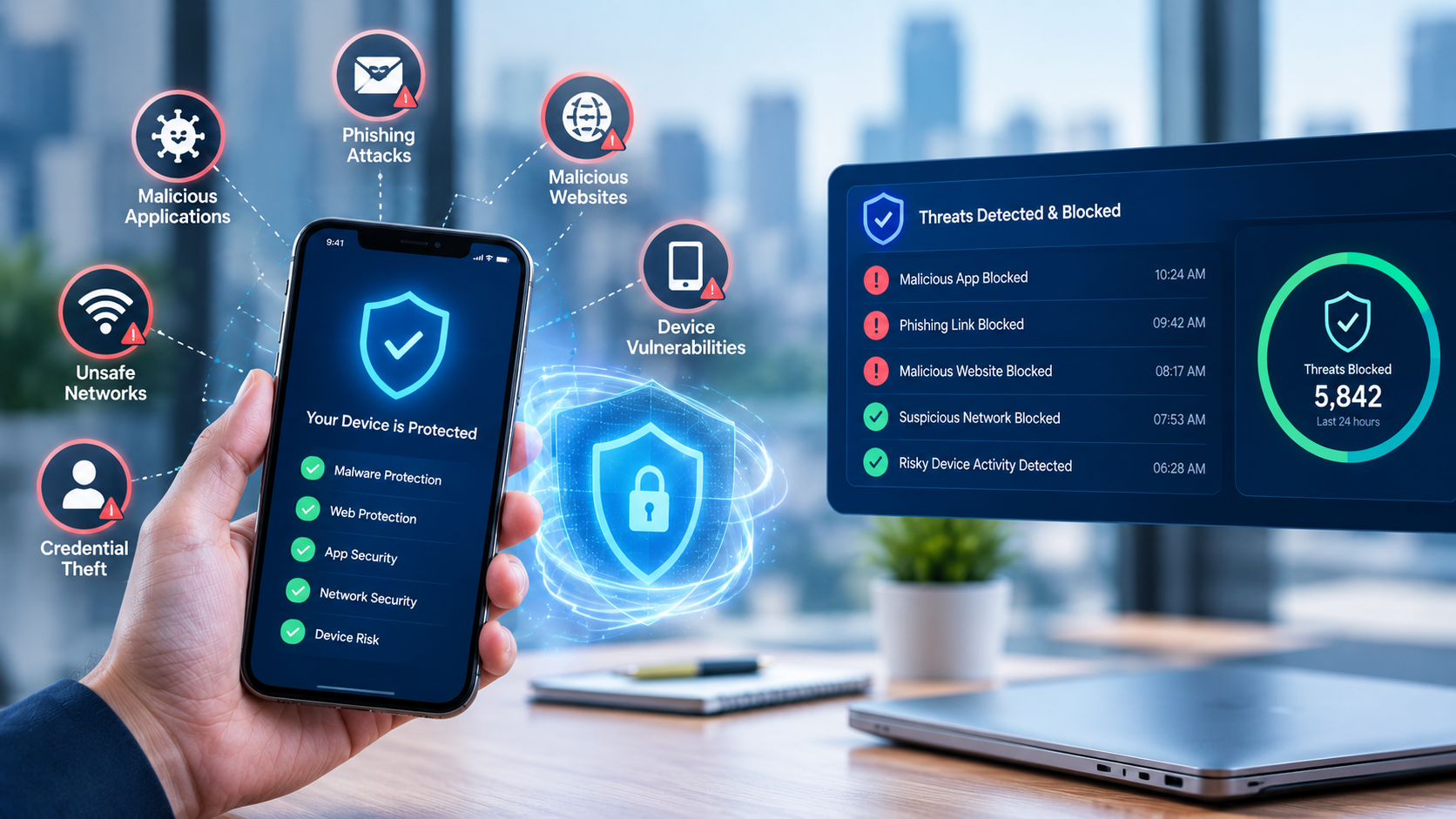
What Is Mobile Threat Defense (MTD)?
Mobile Threat Defense (MTD) is a security capability focused on identifying and responding to cyber threats that target mobile devices, applications, networks, and the users who access business resources from smartphones and tablets.
Modern mobile devices are no longer used only for calls, messaging, and basic productivity. Employees use smartphones and tablets to access email, cloud applications, business systems, customer information, authentication services, and sensitive corporate data.
This makes mobile devices an important part of the enterprise security environment. A device can be properly managed by an MDM platform and still encounter a malicious application, phishing attempt, unsafe network, compromised website, or other security threat.
MTD complements device management by adding a security layer focused on detecting and responding to mobile threats.
Why Do Enterprises Need Mobile Threat Defense?
Mobile devices operate across environments that organizations do not fully control. Employees may connect from home networks, public Wi-Fi, cellular networks, hotels, airports, customer locations, and other external environments.
At the same time, attackers can target mobile users through malicious applications, phishing campaigns, fraudulent websites, social engineering, compromised accounts, unsafe networks, and vulnerabilities in applications or operating systems.
NIST's guidance on enterprise mobile security treats mobile security as a broader discipline that includes centralized device management, endpoint protection, mobile threat defense, and other security controls. :contentReference[oaicite:4]{index=4}
- Mobile devices can access sensitive corporate information.
- Employees frequently work outside traditional corporate networks.
- Phishing and social engineering attacks can target mobile users.
- Malicious or unwanted applications can create security risks.
- Untrusted or compromised networks can expose users to attacks.
- Mobile operating systems and applications can contain vulnerabilities.
- Traditional enterprise security controls may not provide complete visibility into mobile-specific risks.
How Does Mobile Threat Defense Work?
An MTD solution typically operates through a combination of mobile-device signals, application analysis, network and web security information, threat intelligence, and behavioral or risk analysis.
The exact architecture differs between security products and operating systems. MTD should therefore be evaluated according to the specific threats, integrations, detection capabilities, privacy model, and response mechanisms supported by the solution.
1. Collecting Security Signals
MTD solutions can evaluate security-related information from the mobile environment. Depending on the platform and available permissions, signals may include application characteristics, device security posture, network information, operating-system information, and indicators associated with suspicious activity.
Android Enterprise also provides device trust signals that can be used by security and identity systems to evaluate device posture. Examples include operating-system version, security patch level, network status, and screen-lock status. :contentReference[oaicite:5]{index=5}
2. Detecting Suspicious Activity
The collected information can be analyzed to identify indicators associated with potentially malicious or risky activity.
Detection techniques vary between products and may include threat intelligence, rules, reputation analysis, behavioral analysis, machine learning, application analysis, and other security mechanisms.
3. Assessing Risk
Not every security signal represents an active attack. MTD solutions can use multiple signals to determine whether a device, application, network connection, or activity represents an elevated security risk.
This risk-based approach can help security teams prioritize events instead of treating every security signal as an equally serious incident.
4. Alerting Security Teams
When a potentially significant threat is identified, the security solution can generate an alert or security event.
Depending on the product and integration, security events may be forwarded to security operations platforms, identity systems, endpoint-management platforms, or other enterprise security tools.
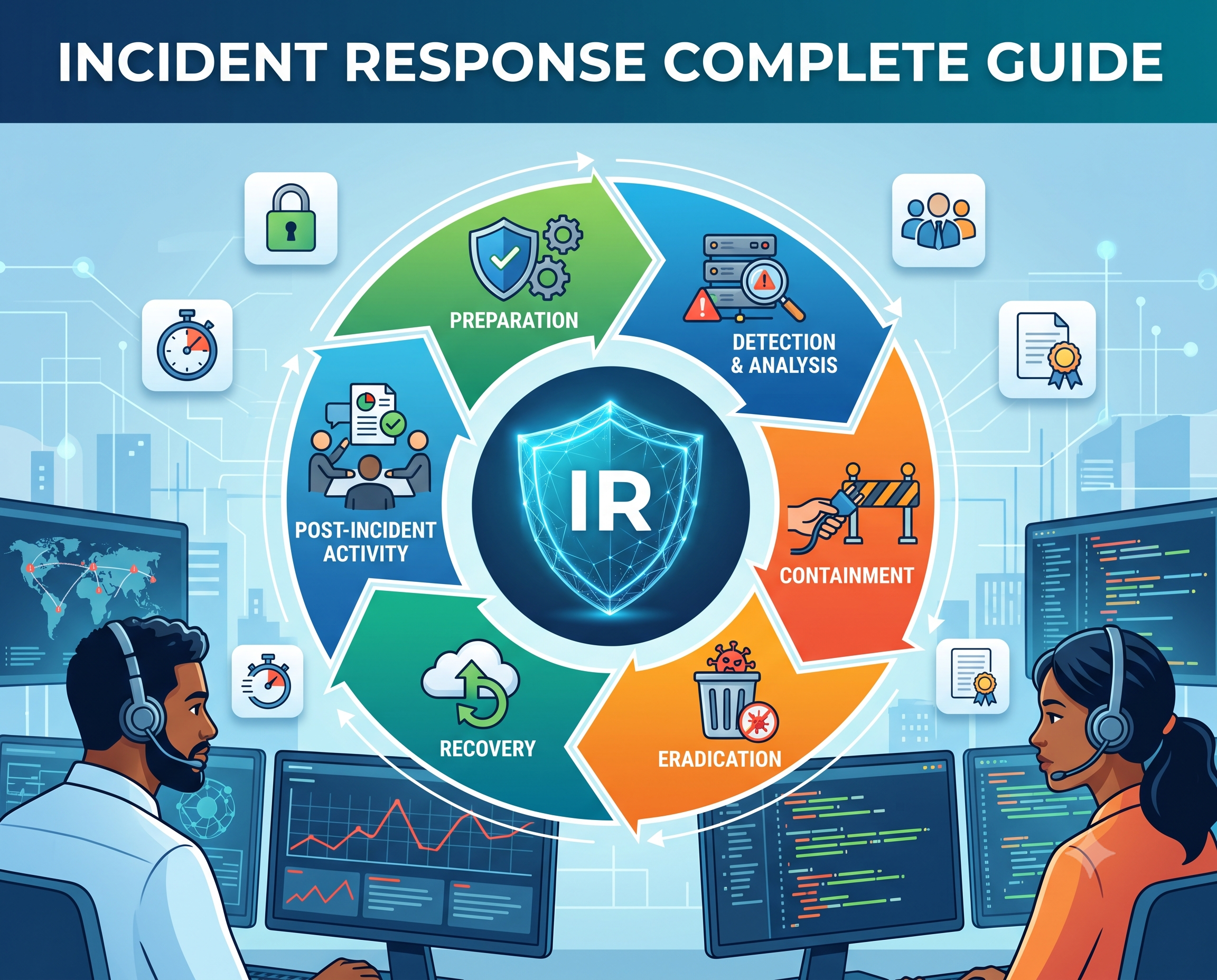
5. Responding to Threats
Response capabilities depend on the MTD product, operating system, device-management integration, and organizational policies.
- Alerting the user or administrator
- Blocking or restricting access to a risky resource
- Restricting access to corporate applications or data
- Recommending remediation actions
- Integrating with identity or access-control systems
- Sharing threat information with security operations platforms
- Working with an MDM or UEM platform to apply an appropriate device-management action
What Threats Can Mobile Threat Defense Detect?
The exact threat coverage depends on the MTD solution and operating system. However, enterprise mobile security programs commonly consider several categories of threats.
Mobile Malware
Malicious applications can attempt to steal information, abuse device capabilities, compromise accounts, or perform other unauthorized activities.
Android includes built-in security mechanisms such as Google Play Protect, which helps detect potentially harmful applications and provides protection against certain malware and phishing threats. :contentReference[oaicite:6]{index=6}
MTD can provide an additional enterprise security layer by integrating mobile threat detection with organizational security policies and workflows.
Phishing and Malicious Websites
Mobile users can be targeted through phishing links delivered by email, messaging applications, social platforms, or other communication channels.
A malicious link may attempt to steal credentials, redirect users to fraudulent websites, or persuade users to install malicious software.
Mobile security controls can help identify known malicious websites, suspicious links, phishing indicators, or other risky activity.
Malicious Applications
Applications can introduce security risks when they contain malicious functionality, abuse permissions, compromise user data, or originate from untrusted sources.
Application security is particularly important on mobile devices because applications may have access to sensitive device capabilities and information.
Network-Based Threats
Mobile devices frequently connect to networks outside the organization's direct control. Public or untrusted networks can introduce additional security risks.
Depending on the solution, mobile security technologies can evaluate network conditions and identify potentially unsafe connections or suspicious network activity.
Operating System and Application Vulnerabilities
Mobile applications and operating systems can contain vulnerabilities that attackers may attempt to exploit.
Organizations should therefore maintain supported operating-system versions, apply security updates, and monitor device security posture as part of a broader mobile security strategy.
Account and Credential Attacks
Mobile devices are commonly used for authentication and access to business applications. Attackers may attempt to steal credentials through phishing, malicious applications, social engineering, or compromised websites.
Mobile threat defense can contribute to a broader identity-security strategy by identifying risky device or activity signals and integrating them with access-control decisions where supported.
Mobile Threat Defense vs Mobile Device Management
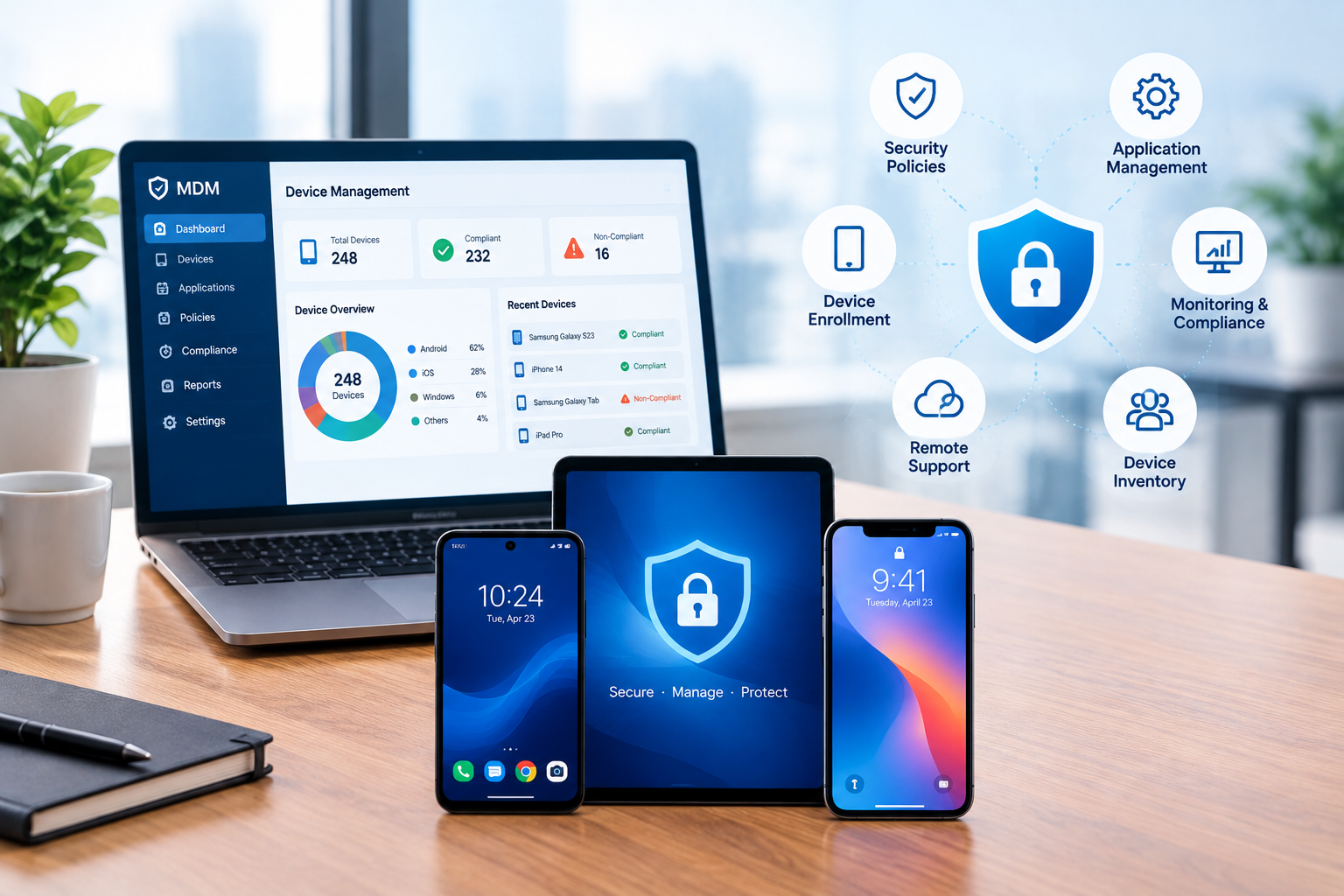
MDM and MTD solve different problems and should not be treated as interchangeable technologies.
MDM primarily manages the device. MTD primarily focuses on detecting and responding to threats.
- MDM handles device enrollment and provisioning.
- MDM applies supported device and security configurations.
- MDM manages supported applications and device policies.
- MDM provides centralized device inventory and management.
- MTD focuses on identifying mobile security threats.
- MTD analyzes security signals and potential malicious activity.
- MTD can provide threat alerts and security response capabilities.
- MTD can integrate with MDM, UEM, identity, and security platforms.
An organization can therefore use both technologies as complementary layers in its mobile security architecture.
MDM Alone Is Not the Same as Mobile Threat Defense
A common misconception is that enrolling a device into an MDM platform automatically protects it against every mobile security threat.
MDM can enforce security policies and manage device configuration, but device management does not automatically provide complete threat detection.
For example, an enrolled device could still encounter a phishing website, malicious application, unsafe network, or compromised account.
NIST's mobile security guidance recognizes the need for a broader set of technologies and controls, including centralized device management and endpoint protection technologies. :contentReference[oaicite:7]{index=7}
This is why organizations with elevated security requirements should consider how device management, mobile threat defense, identity security, endpoint security, and other controls work together.
Key Capabilities to Look for in an MTD Solution
Threat Detection
An MTD solution should provide meaningful detection capabilities for the mobile threats relevant to the organization's users, applications, devices, and operating environments.
Application Threat Detection
Evaluate whether the solution can identify malicious, suspicious, or risky applications and how it handles application-related security events.
Phishing and Web Protection
Organizations should evaluate protection against malicious websites, phishing links, and other web-based threats that can target mobile users.
Network Security
Review how the solution evaluates network conditions and whether it can identify suspicious or unsafe network activity relevant to the organization's risk model.
Device Risk Assessment
A useful MTD platform should provide security-relevant information that helps administrators understand the risk associated with a mobile device.
Device posture can include factors such as operating-system version, security patch status, device configuration, and other available trust signals.
Threat Intelligence
Threat intelligence can help security solutions identify known malicious applications, domains, indicators, and other threats.
Organizations should evaluate how frequently threat intelligence is updated and how effectively it is incorporated into detection and response workflows.
Integration with MDM and UEM
Integration with device-management platforms is important because threat detection and device management serve complementary purposes.
When an MTD platform identifies a significant security risk, integration with MDM or UEM can help organizations apply an appropriate management or access-control response.
Security Operations Integration
Enterprise security teams may need mobile security events to be visible alongside other security events.
Integration with security information and event management platforms, security orchestration systems, identity platforms, or other security tools can help organizations incorporate mobile threats into broader security operations.
Mobile Threat Defense and Zero Trust
Zero Trust security assumes that access should not be granted based solely on network location or the fact that a device was previously trusted.
A mobile Zero Trust approach can consider the identity of the user, the security posture of the device, the requested resource, and other contextual signals before allowing access.
Android Enterprise describes Device Trust as a way to use device trust signals for access decisions and integrate mobile security information with identity, endpoint, and threat-defense systems. :contentReference[oaicite:8]{index=8}
- Verify the user's identity.
- Evaluate device security posture.
- Consider the sensitivity of the requested resource.
- Use risk signals when making access decisions.
- Apply the minimum access required.
- Continuously evaluate security conditions where supported.
Mobile Threat Defense for Android Enterprise
Android provides multiple layers of built-in security, including application sandboxing, encryption, verified boot, Google Play Protect, and other platform security mechanisms. :contentReference[oaicite:9]{index=9}
Enterprise security solutions can build on these platform capabilities to provide additional detection, monitoring, and response capabilities.
Android Work Profile
Android Work Profile separates work applications and data from personal applications and data on supported devices. This separation helps organizations manage corporate information while maintaining a distinct personal environment.
The exact management and security capabilities depend on the Android version, device, enterprise configuration, and management solution.
Corporate-Owned Devices
Organizations can use Android Enterprise management capabilities for corporate-owned devices where the business requires stronger administrative control.
These devices can be configured according to organizational security, application, connectivity, and operational requirements.
Dedicated Devices
Dedicated Android devices are intended for specific business purposes rather than general employee use.
Examples include kiosks, retail terminals, logistics devices, shared devices, field-service equipment, and other specialized workflows.
Combining dedicated-device management with appropriate security controls can help organizations reduce unnecessary functionality and maintain a more controlled operating environment.
MTD and the Mobile Security Lifecycle
Mobile security should not begin only when an attack is detected. Organizations should consider security throughout the mobile-device lifecycle.
- Define mobile security requirements before deployment.
- Select supported devices and operating systems.
- Establish enrollment and management controls.
- Apply appropriate security configurations.
- Deploy required security and business applications.
- Monitor device and security posture.
- Detect and investigate suspicious activity.
- Respond to confirmed or high-risk events.
- Review security policies and lessons learned.
- Retire and securely dispose of devices when they reach the end of their lifecycle.
NIST recommends considering security throughout the mobile-device lifecycle, including deployment, use, and disposal. :contentReference[oaicite:10]{index=10}
How to Choose a Mobile Threat Defense Solution
Organizations should select an MTD solution based on their threat model, device ecosystem, regulatory requirements, security architecture, and operational capabilities.
- Identify the mobile operating systems and device types used by the organization.
- Document the mobile threats most relevant to the business.
- Evaluate application and malware detection capabilities.
- Review phishing and malicious-web protection.
- Evaluate network and connection security capabilities.
- Check device-risk and posture information.
- Review integration with MDM or UEM platforms.
- Evaluate identity and access-control integrations.
- Check security operations and event-management integrations.
- Review privacy, data collection, and administrative controls.
- Test the solution against representative devices and real business workflows.
- Measure detection quality, response time, administrative effort, and user impact.
Mobile Threat Defense Best Practices
- Keep supported mobile operating systems and applications updated.
- Use MDM or UEM to establish consistent device-management policies.
- Use strong authentication for corporate applications and services.
- Train employees to recognize phishing and social-engineering attempts.
- Restrict installation of unauthorized or unnecessary applications where appropriate.
- Monitor device security posture and investigate high-risk conditions.
- Integrate mobile security alerts with broader security operations where appropriate.
- Define response procedures for lost, stolen, compromised, or high-risk devices.
- Review mobile security policies regularly.
- Balance security controls with employee privacy and usability requirements.
Common Challenges in Mobile Threat Defense
Privacy
Mobile security solutions can process sensitive security information. Organizations should understand what data a solution collects, why it is collected, how long it is retained, and who can access it.
Privacy requirements may differ depending on the country, organization, employee relationship, and device ownership model.
False Positives
Security detection systems can sometimes identify legitimate activity as suspicious. Excessive false positives can create unnecessary alerts and reduce the effectiveness of security operations.
Organizations should evaluate detection quality and establish appropriate response workflows.
Device and OS Diversity
Mobile security capabilities can differ between operating systems, OS versions, manufacturers, and device-management modes.
Organizations should validate the exact capabilities available for the devices they intend to protect rather than assuming that every feature works identically across the entire fleet.
User Experience
Security controls that interfere excessively with normal employee workflows may lead to resistance or attempts to bypass organizational policies.
Effective mobile security should provide strong protection while maintaining an appropriate user experience.
Frequently Asked Questions About Mobile Threat Defense
What does MTD stand for?
MTD stands for Mobile Threat Defense. It refers to security capabilities designed to detect, assess, and respond to threats targeting mobile devices and their users.
Is MTD the same as antivirus?
No. Antivirus is generally focused on detecting and preventing malicious software. MTD can address a broader range of mobile threats, potentially including malicious applications, phishing, risky websites, network threats, device-risk signals, and other mobile-specific security conditions.
Is MTD the same as MDM?
No. MDM primarily focuses on managing devices, applying policies, configuring supported settings, and maintaining centralized device administration. MTD focuses on identifying and responding to security threats.
Do enterprises need both MDM and MTD?
They can be complementary. MDM provides centralized device management, while MTD adds security capabilities focused on mobile threats. The appropriate combination depends on the organization's risk profile, device environment, security architecture, and requirements.
Does Android already provide mobile security?
Yes. Android includes multiple built-in security mechanisms, including application sandboxing, encryption, verified boot, Google Play Protect, and other security controls. :contentReference[oaicite:11]{index=11}
Enterprise MTD solutions can provide additional capabilities and integrate mobile threat information into broader enterprise security workflows.
Can MTD protect against phishing?
MTD solutions may provide phishing and malicious-web detection capabilities, depending on the product and operating system. Android also provides built-in protections such as Google Safe Browsing and Google Play Protect that help protect users against certain phishing and malicious-content threats. :contentReference[oaicite:12]{index=12}
Can MTD block a compromised device?
The response depends on the MTD product and its integrations. Some solutions can integrate with identity, MDM, UEM, or other security platforms to restrict access or trigger appropriate remediation actions.
Does MTD replace MDM?
No. MTD and MDM address different security and management requirements. An organization may use MDM or UEM for centralized device management and MTD for mobile threat detection and response.
Conclusion
Mobile Threat Defense is an important component of a modern mobile security strategy. As smartphones and tablets become increasingly important for accessing business applications and sensitive information, organizations need visibility into more than device configuration alone.
MTD focuses on identifying and responding to threats such as malicious applications, phishing, risky websites, unsafe network activity, and other security conditions that can affect mobile users.
However, MTD should not be viewed as a replacement for device management or other enterprise security controls. The strongest mobile security strategy combines device management, threat defense, identity security, application security, and appropriate access controls according to the organization's risk profile.
For enterprises using Android devices, platform security capabilities such as Android Enterprise and Google Play Protect provide an important foundation, while MTD and other security integrations can add additional detection, visibility, and response capabilities. :contentReference[oaicite:13]{index=13}
Understanding the relationship between MDM and MTD is therefore essential for organizations building a secure and manageable mobile environment.
Recommended Solution
See how MOBISEC solves this in practice
Topics