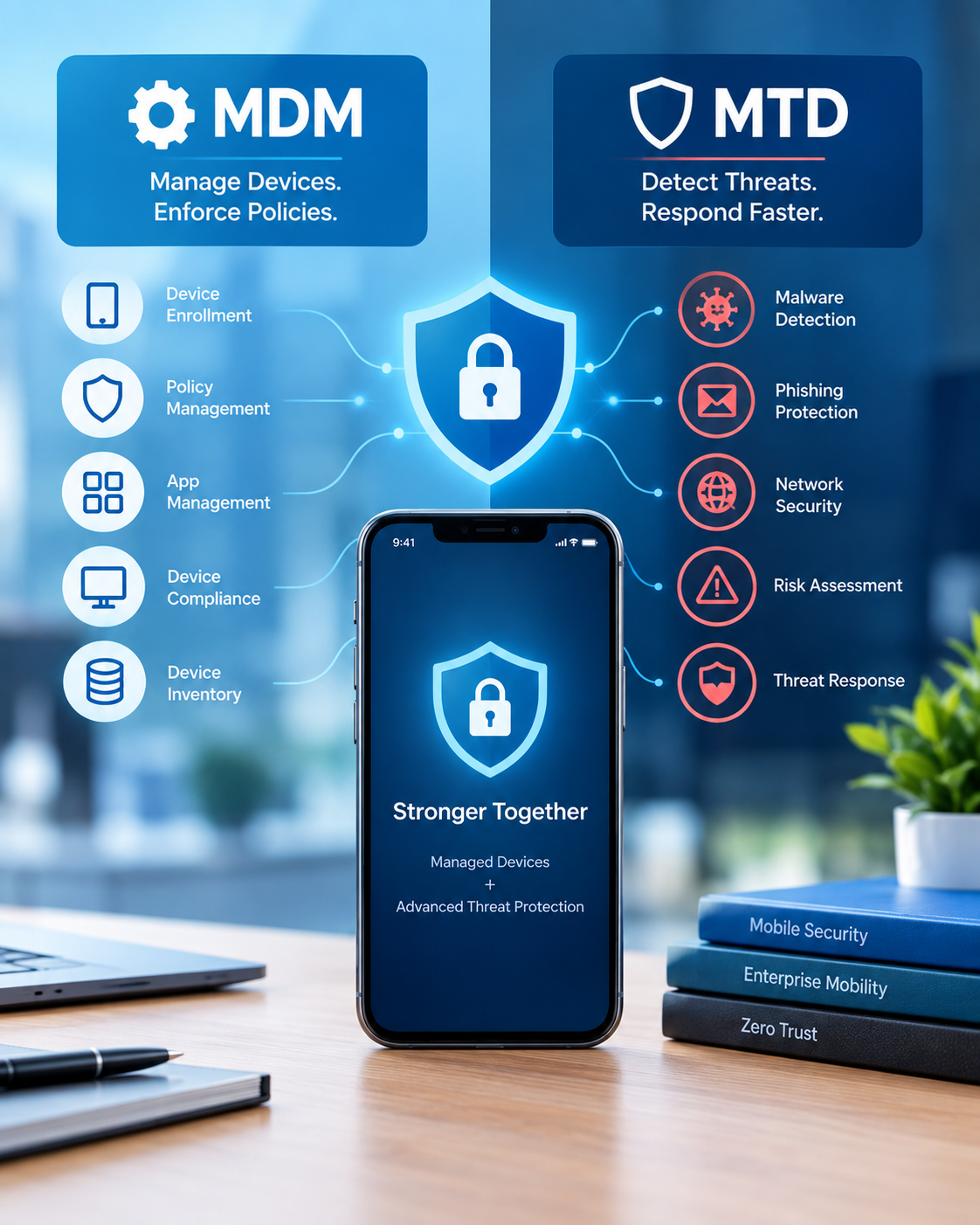
MDM vs MTD: Understanding the Difference
Mobile devices have become an important part of modern business operations. Employees use smartphones and tablets to access corporate applications, communicate with customers, work remotely, and access sensitive business information. As mobile usage increases, enterprises need controls that can both manage these devices and protect them from evolving cyber threats. Two technologies frequently discussed in enterprise mobile security are Mobile Device Management (MDM) and Mobile Threat Defense (MTD). Although MDM and MTD are related, they are not the same technology and they solve different security problems. MDM focuses primarily on managing devices, configuring policies, controlling applications, enforcing security requirements, and maintaining visibility across a device fleet. MTD focuses primarily on identifying and responding to security threats affecting mobile devices, applications, networks, and users. For many organizations, the strongest approach is not choosing between MDM and MTD, but using both as complementary layers of mobile security.
What Is Mobile Device Management (MDM)?
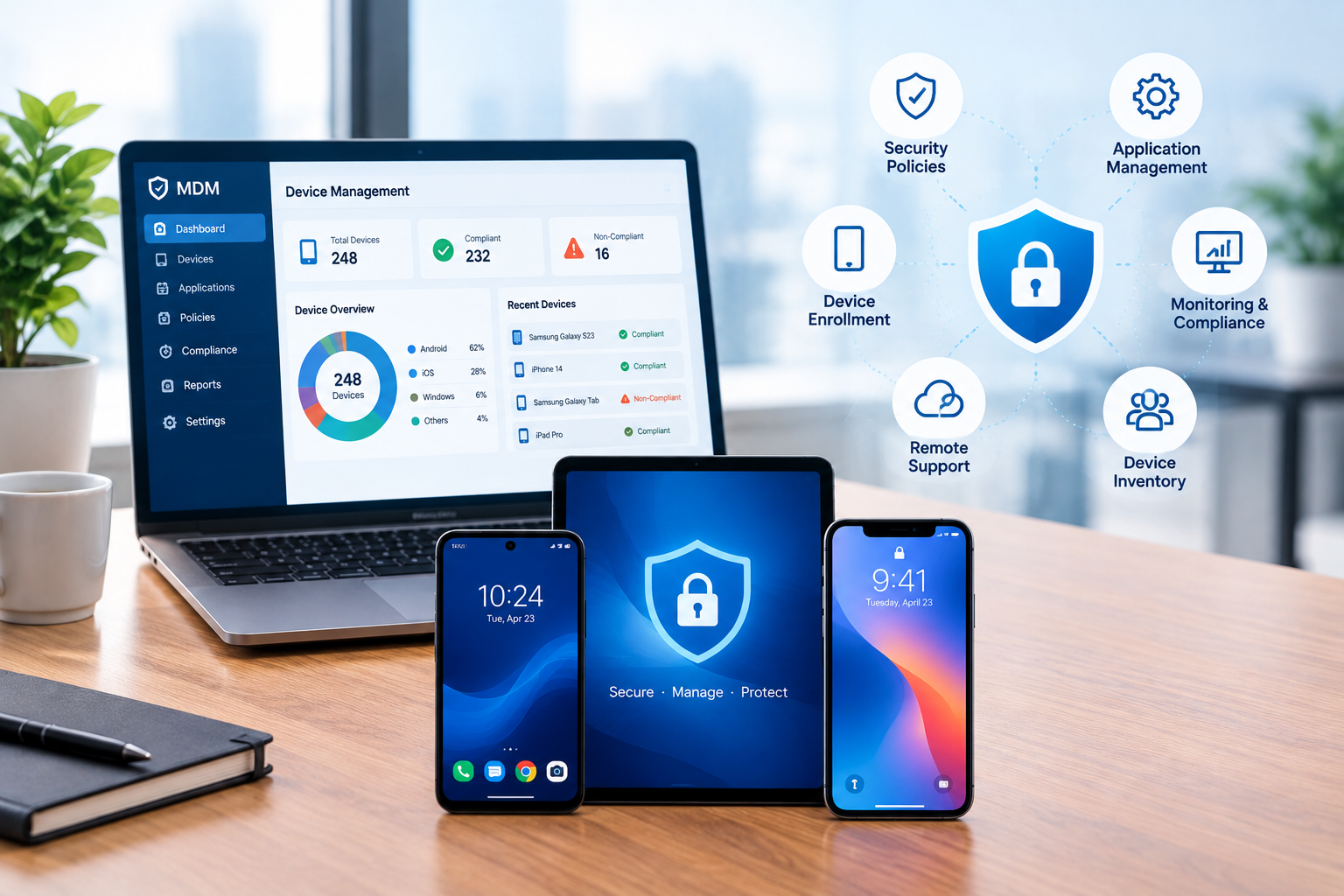
Mobile Device Management is a centralized technology used by organizations to enroll, configure, monitor, and manage mobile devices such as smartphones and tablets. An MDM platform gives IT administrators a central location from which they can apply organizational policies and manage devices throughout their lifecycle. Depending on the platform and operating system, MDM can support capabilities such as device enrollment, security configuration, application management, compliance policies, device inventory, remote actions, and device restrictions. MDM can be used for different deployment scenarios, including corporate-owned devices, personally owned devices, and dedicated devices used for specific business purposes.
For example, an organization may use MDM to require a screen lock, configure Wi-Fi settings, deploy approved applications, restrict certain device functions, monitor compliance, and remotely lock or wipe a lost corporate device. Android Enterprise also provides enterprise management capabilities such as zero-touch enrollment, Work Profile, managed applications, and centralized policy configuration. These capabilities help organizations manage devices at scale.
What Is Mobile Threat Defense (MTD)?
Mobile Threat Defense is a security technology focused on detecting and responding to threats targeting mobile devices and their users. While MDM primarily provides management and control, MTD provides an additional security layer that can analyze device and security signals to identify potentially malicious activity. NIST describes MTD as technology that can detect malicious applications and other threats, including network-based attacks, app-based attacks, platform-based attacks, and phishing attacks.
An MTD solution can provide information about the security risk of a mobile device and alert users or security teams when suspicious activity is detected. Depending on the implementation, MTD capabilities can include detection of malicious applications, phishing attempts, risky network connections, device vulnerabilities, suspicious behavior, and other mobile security threats.
MDM vs MTD: The Core Difference
The simplest way to understand the difference is to think about management versus threat protection. MDM answers questions such as:
- Which devices belong to the organization?
- Which users are assigned to those devices?
- Is the device enrolled and compliant?
- Which applications should be installed?
- Which security policies should be enforced?
- Can a device be remotely locked or wiped?
- Which device configurations should be allowed?
MTD answers a different set of questions:
- Is the device currently exposed to a security threat?
- Is a malicious application present?
- Is the user being targeted by a phishing attempt?
- Is the device connecting to a risky or malicious network?
- Does the device show signs of compromise?
- Is a vulnerability creating security risk?
- What action should be taken when a threat is detected?
In simple terms, MDM helps organizations control and manage their mobile fleet, while MTD helps organizations detect and respond to threats affecting that fleet.
MDM and MTD Solve Different Problems
MDM and MTD should not be treated as competing technologies. Their responsibilities overlap in some areas, but their primary objectives are different.
MDM Focuses on Device Management
- Device enrollment
- Device inventory
- Configuration management
- Security policy enforcement
- Application deployment
- Application restrictions
- Compliance monitoring
- Device restrictions
- Remote lock and wipe
- Device lifecycle management
MTD Focuses on Threat Detection and Response
- Mobile malware detection
- Phishing detection
- Malicious application detection
- Network threat detection
- Risk and security posture analysis
- Detection of suspicious activity
- Device compromise indicators
- Security alerts
- Threat response and remediation
The exact capabilities available depend on the operating system, MDM or UEM platform, MTD product, integrations, and deployment model.
Why MDM Alone May Not Be Enough
MDM is an important foundation for enterprise mobile security, but device management and threat detection are different functions. An MDM platform can enforce a security policy such as requiring a screen lock, restricting applications, configuring network settings, or preventing certain device functions. It can also provide administrators with visibility into device status and compliance. However, a device can remain compliant with management policies while still encountering a security threat.
For example, a device may satisfy an organization's password and configuration requirements while a user receives a phishing message, connects to a malicious network, or installs a risky application. This is where a dedicated threat defense capability can provide additional visibility. NIST specifically identifies MTD as a technology capable of detecting threats such as malicious applications, network-based attacks, phishing attacks, and platform-level attacks.
Therefore, MDM should be viewed as a device management and policy enforcement layer rather than a complete replacement for specialized mobile threat detection.
Why MTD Alone May Not Replace MDM
MTD and MDM also have different responsibilities in the opposite direction. A threat defense solution can identify suspicious activity or determine that a device presents a security risk, but organizations still need a management layer to consistently enroll devices, configure them, distribute applications, enforce organizational policies, maintain inventory, and perform administrative actions.
For example, an MTD system may identify that a device has been exposed to a high-risk threat. An integrated device management platform can then help enforce the organization's response policy, depending on the capabilities and integration available. NIST notes that MTD can provide enhanced security when integrated with mobile device management, allowing detected risks to be reported to management software and enabling actions based on enterprise security policies.
How MDM and MTD Work Together
The strongest value comes from combining device management with threat detection. A typical enterprise workflow can look like this:
- The device is enrolled into the organization's management platform.
- Security and compliance policies are applied.
- Approved applications and configurations are deployed.
- The device is monitored for compliance and security state.
- MTD evaluates relevant security signals and detects potential threats.
- A security event is reported to the user, administrator, or management system.
- The organization evaluates the risk according to its security policy.
- Appropriate remediation can be applied, such as restricting access, removing a risky application, isolating a device, or requiring corrective action.
This creates a security model in which MDM provides centralized control while MTD adds specialized threat visibility and detection. The exact response capabilities depend on the products and integrations being used.
MDM vs MTD: Example Scenario
Consider an employee who uses a company-managed Android smartphone to access corporate email, business applications, and internal resources. The organization's MDM platform can enroll the device, configure security policies, deploy approved applications, and monitor compliance. Now suppose the employee receives a phishing message containing a malicious link. MDM may already know that the device is enrolled and compliant, but that does not by itself mean the link is safe. An MTD solution can provide an additional security layer focused on identifying the suspicious link or related threat.
If the threat is detected, the organization can take action according to its security policy. Depending on the available integrations, the device management platform may also be used to enforce additional controls or change the device's access status. This example demonstrates why device compliance and real-time threat detection are complementary concepts.
MDM and MTD in Android Enterprise Environments
Android Enterprise provides enterprise management capabilities that allow organizations to manage different types of work devices and usage scenarios. Organizations can use Work Profile for separating work data from personal usage, fully managed configurations for corporate-owned devices, and dedicated device configurations for specialized business use cases. Android Enterprise also supports centralized policy and application management through enterprise management solutions.
MTD can complement these management capabilities by providing additional threat detection and security-risk information. For organizations managing Android devices at scale, combining strong device management with mobile threat defense can provide both administrative control and security visibility.
Key Differences Between MDM and MTD
Primary Purpose
MDM is primarily designed to manage and control mobile devices. MTD is primarily designed to detect and respond to security threats affecting mobile devices.
Main Focus
MDM focuses on devices, configurations, applications, policies, and compliance. MTD focuses on threats, suspicious activity, vulnerabilities, malicious applications, phishing, network risks, and device security posture.
Typical Users
MDM is commonly used by IT administrators, endpoint administrators, and mobility teams. MTD is commonly used by security teams, SOC analysts, IT security administrators, and organizations responsible for mobile threat monitoring.
Relationship
MDM and MTD are complementary technologies. An organization can use MDM to manage devices and MTD to provide additional threat detection and security intelligence.
Benefits of Combining MDM and MTD
Combining device management with mobile threat defense can provide a more complete mobile security strategy.
- Centralized device visibility
- Consistent security policy enforcement
- Better application control
- Continuous security monitoring
- Faster identification of mobile threats
- Improved device risk visibility
- More informed security response
- Stronger protection for corporate data
- Better support for remote and distributed workforces
- Improved alignment between IT and security operations
This layered approach is particularly useful for organizations that rely heavily on mobile devices to access business applications and sensitive information.
MDM, MTD, and Zero Trust
Modern security strategies increasingly use a Zero Trust approach in which access decisions are based on verified identity, device state, and other relevant security signals rather than automatically trusting a device because it is inside a corporate environment. Mobile device management can contribute to this model by maintaining device configuration and compliance. Mobile threat defense can contribute by providing additional information about current device risk and potential threats.
Together, these capabilities can help organizations make more informed decisions about whether a mobile device should be allowed to access sensitive resources.
When Should an Enterprise Use MDM?
Organizations should consider MDM when they need centralized management of mobile devices. Typical requirements include:
- Managing a large number of smartphones or tablets
- Enrolling corporate or employee-owned devices
- Applying security policies
- Managing enterprise applications
- Monitoring device compliance
- Managing device configurations
- Supporting remote device actions
- Maintaining an accurate device inventory
- Supporting dedicated or kiosk devices
For many enterprises, MDM provides the foundation for managing mobile endpoints throughout their lifecycle.
When Should an Enterprise Use MTD?
Organizations should consider MTD when they need additional protection against mobile-specific security threats and want greater visibility into device risk. Typical requirements include:
- Detecting mobile phishing threats
- Identifying malicious applications
- Monitoring network-related threats
- Detecting suspicious device activity
- Assessing mobile security risk
- Providing additional threat visibility
- Supporting security operations teams
- Protecting users who access sensitive business resources from mobile devices
Should You Choose MDM or MTD?
For most organizations, this should not be an either-or decision. MDM and MTD address different layers of the mobile security problem. If an organization only needs centralized device management, MDM may address its primary requirement. If an organization already has strong device management but needs additional mobile threat detection, MTD can provide another layer of protection. For organizations with higher security requirements, combining both technologies can provide stronger coverage across device management, compliance, threat detection, and response.
Best Practices for Combining MDM and MTD
- Define clear responsibilities for IT and security teams.
- Establish minimum device security requirements before allowing access to corporate resources.
- Use MDM to enforce baseline configuration and compliance policies.
- Use MTD to provide additional visibility into mobile threats.
- Integrate security alerts with existing security workflows where supported.
- Establish response procedures for compromised or high-risk devices.
- Keep mobile operating systems and applications updated.
- Restrict installation of untrusted or unnecessary applications.
- Review device compliance and security alerts regularly.
- Protect personal information and clearly define privacy boundaries for BYOD environments.
A successful mobile security strategy should also consider the complete device lifecycle, from enrollment and configuration through ongoing use, incident response, and eventual retirement or disposal. NIST recommends addressing mobile security throughout this lifecycle.
Common Misconceptions About MDM and MTD
MDM and MTD Are the Same
They are not. MDM is primarily focused on managing devices and enforcing policies, while MTD focuses on detecting and responding to mobile security threats.
An Enrolled Device Is Automatically Safe
Enrollment provides management and policy controls, but a managed device can still encounter phishing, malicious applications, risky networks, vulnerabilities, or other threats.
MTD Replaces Device Management
MTD provides threat-focused capabilities but does not necessarily replace the broader device lifecycle, configuration, application, and policy management functions provided by MDM or UEM platforms.
Only Corporate-Owned Devices Need Mobile Security
Organizations may also need controls for BYOD and other personally owned scenarios. The appropriate controls depend on business requirements, privacy expectations, regulatory obligations, and the type of access being provided.
How to Build a Strong Mobile Security Strategy
A practical enterprise mobile security strategy should begin with understanding what devices are being used, who uses them, what resources they access, and what risks are relevant to the organization. The next step is establishing a management foundation that can enroll devices, apply policies, manage applications, and monitor compliance. Organizations can then add specialized security capabilities to detect threats and evaluate device risk.
The objective is not simply to control devices. The objective is to create a security architecture that combines management, visibility, detection, and response. For organizations with large mobile fleets, this layered approach can make it easier to maintain consistent security standards while responding to threats as they emerge.
MDM vs MTD: The Bottom Line
Mobile Device Management and Mobile Threat Defense are complementary technologies designed to solve different parts of the enterprise mobile security problem. MDM provides centralized control over devices, applications, configurations, policies, and compliance. MTD provides additional security visibility focused on identifying mobile threats such as malicious applications, phishing attempts, network attacks, and other indicators of compromise.
When used together, MDM and MTD can create a stronger mobile security architecture. MDM establishes the management and policy foundation. MTD adds specialized threat detection and risk visibility. Together, they help organizations manage mobile devices while improving their ability to identify and respond to security threats.
As mobile devices continue to become an essential part of enterprise operations, organizations should evaluate both device management and threat defense as complementary components of a broader mobile security strategy.
Frequently Asked Questions
Is MDM the same as MTD?
No. MDM focuses primarily on managing and controlling mobile devices, while MTD focuses on detecting and responding to mobile security threats.
Can MDM detect malware?
Some device management platforms and operating-system integrations may provide security-related signals or application controls, but MDM is primarily a management and policy technology. Dedicated MTD capabilities are designed specifically to provide additional mobile threat detection.
Do I need MDM if I already have MTD?
In many enterprise environments, yes. MTD and MDM have different responsibilities. MTD provides threat-focused security capabilities, while MDM provides centralized device management, configuration, application management, and policy enforcement.
Can MDM and MTD work together?
Yes. MTD can provide risk and threat information that can complement device management. NIST specifically describes the security benefits of integrating MTD with enterprise mobility management capabilities.
Is MTD useful for BYOD?
MTD can be relevant to BYOD environments, but organizations should carefully consider privacy, data collection, user consent, and access-control requirements when deploying security technologies on personally owned devices.
Which is more important, MDM or MTD?
Neither is universally more important. They address different security requirements. MDM provides the management foundation, while MTD adds specialized mobile threat detection. Organizations should assess their security requirements and consider how the two technologies can work together.
Conclusion
The difference between MDM and MTD comes down to their primary purpose. MDM helps organizations manage mobile devices, enforce policies, control applications, monitor compliance, and maintain centralized visibility. MTD helps organizations identify and respond to mobile security threats, including malicious applications, phishing attempts, network-based attacks, and other risky activity.
For modern enterprises, combining these capabilities can provide broader protection than relying on either technology alone. A well-designed mobile security strategy uses device management to establish control and compliance while using threat defense to improve detection and response.
As enterprise mobility continues to grow, organizations that combine management, security visibility, and threat detection are better positioned to protect mobile users, devices, applications, and corporate data.
Topics