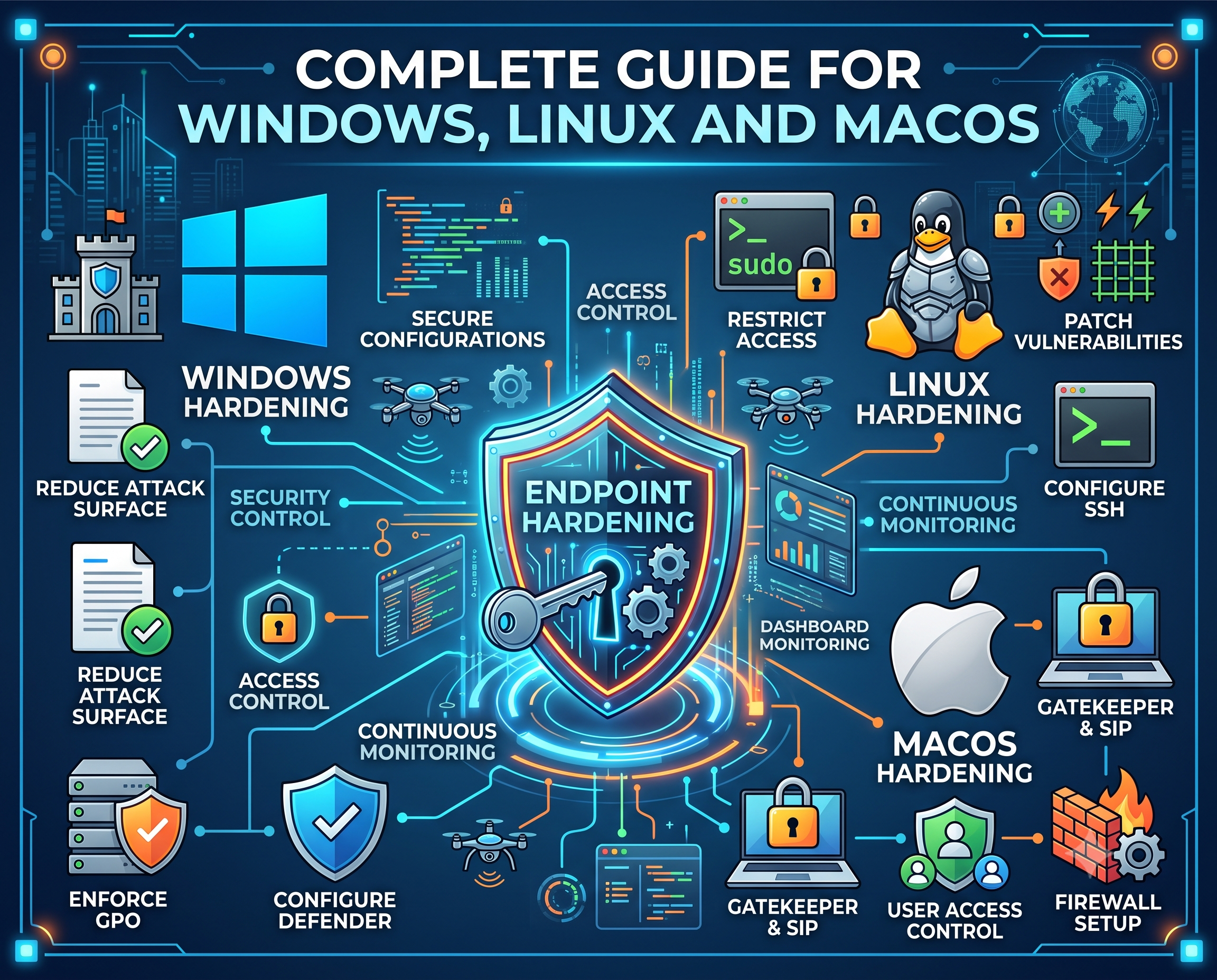
Endpoint Hardening: Complete Guide for Windows, Linux and macOS
Endpoint hardening is the process of strengthening computers and endpoint devices by reducing unnecessary attack surfaces, applying secure configurations, restricting unauthorized access, and maintaining appropriate security controls.
Enterprise endpoints such as laptops, desktops, workstations, and servers are common targets for cyberattacks because they provide access to applications, credentials, business information, and organizational resources.
A structured endpoint-hardening strategy helps organizations establish secure configurations and reduce the number of unnecessary services, applications, privileges, and access paths available to attackers.
Endpoint hardening applies to different operating systems, including Windows, Linux, and macOS. Although the specific security controls differ between platforms, the underlying objective is to establish and maintain a secure endpoint configuration.
Why Is Endpoint Hardening Important?
Endpoints can become vulnerable when unnecessary services are enabled, software is outdated, excessive privileges are granted, security controls are disabled, or systems are configured without appropriate security policies.
Endpoint hardening helps organizations reduce these risks by establishing security requirements and applying them consistently across managed systems.
- Reduce the endpoint attack surface
- Disable unnecessary services and features
- Restrict unauthorized access
- Apply secure operating-system configurations
- Reduce excessive privileges
- Strengthen authentication controls
- Improve application security
- Support patch management
- Protect sensitive data
- Improve endpoint visibility
- Support cybersecurity compliance
- Maintain consistent security baselines
What Is an Endpoint Security Baseline?
An endpoint security baseline is a defined set of security configurations and controls that an organization expects endpoints to maintain.
The baseline provides a reference for determining whether an endpoint is configured according to organizational security requirements.
Security baselines can include operating-system settings, authentication requirements, firewall configuration, application controls, security software, logging, encryption, and other endpoint-security controls.
Examples of Endpoint Security Baseline Controls
- Operating-system configuration
- Password and authentication policies
- Firewall settings
- Encryption settings
- Security software configuration
- Application restrictions
- User privilege settings
- Remote-access configuration
- Logging requirements
- Screen-lock settings
- Security update requirements
- Device-control settings
- Network-security settings
Core Principles of Endpoint Hardening
Effective endpoint hardening should follow a consistent set of security principles rather than relying on individual configuration changes.
- Reduce the attack surface
- Use secure default configurations
- Disable unnecessary services
- Apply least privilege
- Keep software and operating systems updated
- Restrict unauthorized applications
- Enable appropriate security controls
- Protect sensitive data
- Monitor security configurations
- Detect configuration changes
- Regularly review security baselines
- Remediate security deviations
Endpoint Hardening Process
Endpoint hardening should be implemented as a lifecycle rather than a one-time configuration activity.
- Identify the endpoints that require hardening.
- Identify the operating systems and software installed.
- Define security requirements.
- Establish endpoint security baselines.
- Identify insecure or unnecessary configurations.
- Apply required hardening controls.
- Test the hardened configuration.
- Deploy the configuration to applicable endpoints.
- Monitor endpoint compliance.
- Detect configuration deviations.
- Remediate security issues.
- Review and update the baseline regularly.
Windows Endpoint Hardening
Windows endpoints are widely used in enterprise environments and provide many configuration options that can be managed through centralized security and endpoint-management technologies.
Windows hardening should focus on reducing unnecessary exposure, protecting user accounts, controlling applications, strengthening system configuration, and maintaining appropriate security controls.
Windows User Account Security
User accounts should be configured according to the principle of least privilege.
Standard users should not receive administrative privileges unless they are required for legitimate business purposes.
- Use standard user accounts where possible
- Restrict local administrator access
- Use strong authentication
- Review privileged accounts
- Disable unnecessary accounts
- Remove inactive accounts
- Protect administrative credentials
- Monitor privileged activity
Windows Password and Authentication Security
Authentication settings should be aligned with the organization's security requirements.
- Use strong password policies
- Apply account lockout controls where appropriate
- Use multi-factor authentication where supported
- Protect privileged accounts
- Review authentication policies regularly
- Remove unnecessary authentication methods
Windows Firewall Configuration
The host-based firewall can help control network traffic to and from Windows endpoints.
Organizations should configure firewall policies according to business requirements and avoid allowing unnecessary inbound or outbound network connections.
- Enable the host firewall
- Restrict unnecessary inbound connections
- Review firewall rules
- Remove obsolete rules
- Use appropriate network profiles
- Monitor important firewall configuration changes
Windows Application Control
Application control can help organizations restrict unauthorized or unnecessary software from running on enterprise endpoints.
- Allow approved applications
- Restrict unauthorized software
- Review installed applications
- Remove unnecessary software
- Control administrative installation privileges
- Monitor application changes
Windows Security Updates
Windows endpoints should receive required operating-system and application security updates according to the organization's patch-management policies.
Patch management should be combined with endpoint monitoring to identify systems that remain outside the required security baseline.
Windows Security Logging
Security logging can provide information about authentication activity, system changes, security events, and other relevant endpoint activity.
Organizations should enable and protect appropriate logging according to their security and operational requirements.
Linux Endpoint Hardening
Linux systems are used across enterprise servers, workstations, cloud environments, and specialized infrastructure.
Linux hardening should focus on reducing unnecessary services, protecting privileged access, securing network configuration, maintaining software updates, and controlling permissions.
Linux User and Privilege Management
Linux systems should use appropriate user and privilege controls to reduce unnecessary administrative access.
- Use individual user accounts
- Restrict root access
- Use least privilege
- Review sudo permissions
- Remove inactive accounts
- Disable unnecessary accounts
- Protect privileged credentials
- Review administrative access regularly
Linux SSH Security
Secure Shell is commonly used for remote administration of Linux systems.
SSH configuration should be reviewed and hardened according to the organization's security requirements.
- Restrict SSH access
- Use strong authentication
- Use key-based authentication where appropriate
- Disable unnecessary remote-access methods
- Restrict administrative remote access
- Review authorized keys
- Monitor SSH authentication activity
Linux Service Hardening
Linux systems may run services that are not required for their intended purpose.
Unnecessary services can increase the attack surface and should be disabled or removed when they are not required.
- Identify running services
- Disable unnecessary services
- Remove unused packages
- Review network listeners
- Restrict exposed services
- Monitor important service changes
Linux File and Permission Security
Linux file permissions should prevent unauthorized users from accessing sensitive files and directories.
- Use appropriate file permissions
- Review sensitive directories
- Restrict access to configuration files
- Protect authentication information
- Review ownership settings
- Remove unnecessary write permissions
Linux Security Updates
Linux systems should receive security updates according to organizational patch-management policies.
Organizations should monitor software versions and identify systems that remain outside their approved security baseline.
macOS Endpoint Hardening
macOS endpoints should also be hardened to reduce attack surface, protect user accounts, secure applications, and maintain appropriate system-security controls.
The exact hardening controls depend on the macOS version, device-management platform, applications, and organizational requirements.
macOS User Account Security
Organizations should apply appropriate account and privilege controls to macOS devices.
- Use standard user accounts where possible
- Restrict administrative access
- Review privileged users
- Remove inactive accounts
- Use strong authentication
- Protect administrative credentials
- Apply organizational access policies
macOS Application Security
Applications installed on macOS endpoints should be reviewed according to organizational security requirements.
- Use trusted application sources
- Restrict unauthorized software
- Remove unnecessary applications
- Maintain supported application versions
- Review application permissions
- Monitor application changes
macOS System Security
macOS provides built-in security mechanisms that can help protect the operating system, applications, and user data.
Organizations should configure available security controls according to their endpoint-security policies and supported management capabilities.
- Enable appropriate firewall protections
- Use available disk-encryption capabilities
- Configure secure authentication
- Protect system settings
- Restrict unnecessary services
- Monitor important security configurations
macOS Software Updates
macOS operating-system and application updates should be managed according to organizational patch-management requirements.
Security teams should maintain visibility into update status and identify devices that remain outside the required security baseline.
Windows vs Linux vs macOS Hardening
Windows, Linux, and macOS provide different security architectures and configuration mechanisms, but the core endpoint-hardening objectives are similar.
- Windows hardening often focuses on identity, system policies, application control, firewall configuration, and centralized endpoint management.
- Linux hardening often focuses on user privileges, SSH security, services, permissions, packages, and system configuration.
- macOS hardening often focuses on account security, application control, system protections, encryption, and device-management policies.
- All three platforms require secure configuration, patch management, least privilege, monitoring, and regular security reviews.
Endpoint Hardening and Least Privilege
Least privilege means providing users, applications, and services only the permissions required to perform their intended functions.
Excessive privileges can increase the potential impact of compromised accounts or applications.
- Limit administrator access
- Use standard user accounts
- Review privileged groups
- Restrict application permissions
- Remove unnecessary service privileges
- Review access regularly
- Use role-based access where appropriate
Endpoint Hardening and Application Control
Unauthorized or unnecessary applications can introduce security risks and increase the endpoint attack surface.
Application-control policies can help organizations determine which applications are permitted to run or be installed.
- Maintain an approved application list
- Restrict unauthorized software
- Remove unused applications
- Monitor application installations
- Control administrative installation privileges
- Review application permissions
- Maintain supported application versions
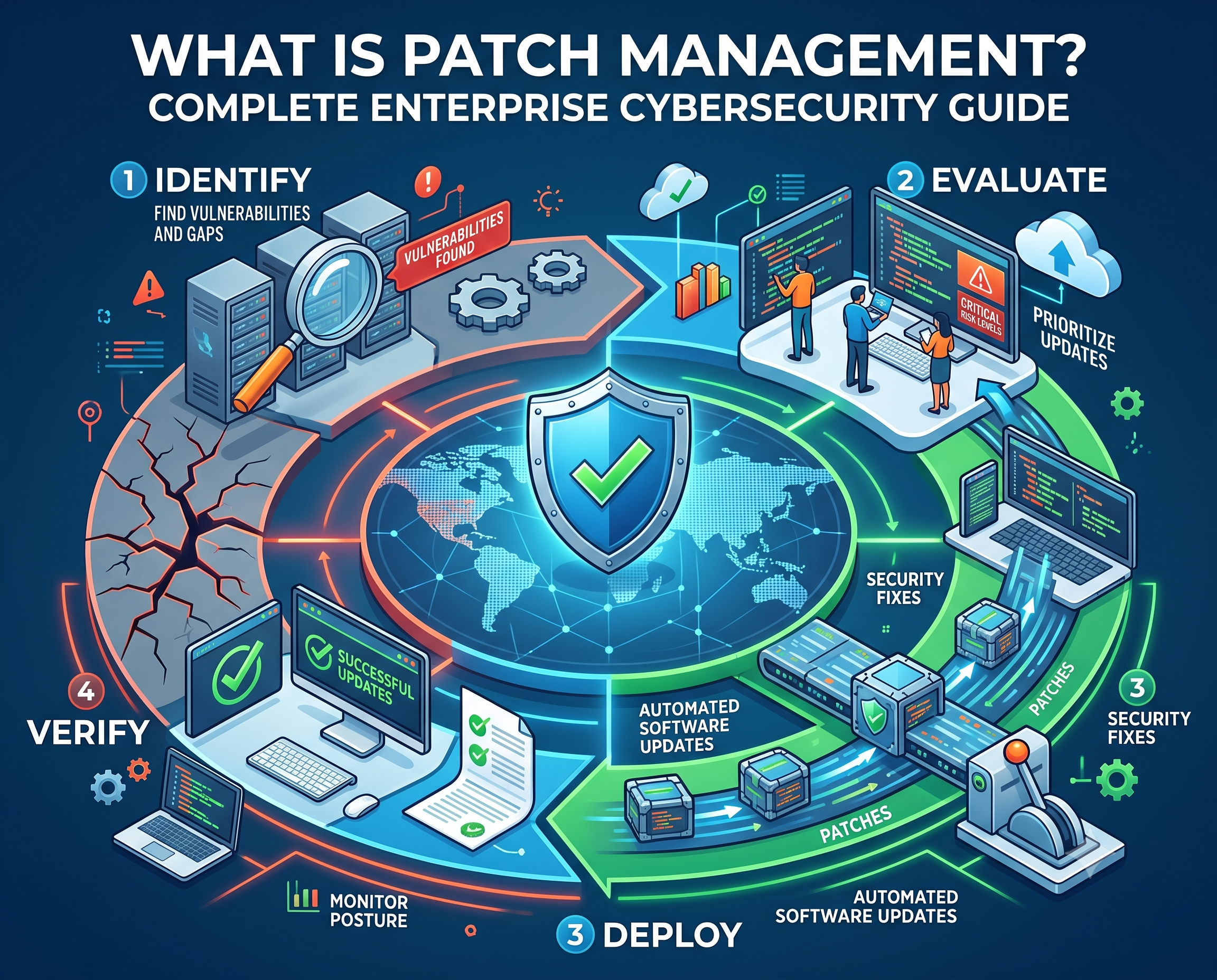
Endpoint Hardening and Patch Management
Hardening and patch management are closely related security processes.
A hardened endpoint can still be exposed if its operating system or applications contain known vulnerabilities that have not been addressed.
Organizations should therefore combine secure configuration with timely patch management.
- Maintain software inventories
- Monitor available security updates
- Prioritize critical patches
- Deploy security updates
- Verify successful installation
- Monitor patch compliance
- Remediate unpatched systems
Endpoint Hardening and Vulnerability Management
Vulnerability management identifies and prioritizes security weaknesses, while endpoint hardening reduces exposure by strengthening system configurations.
The two processes complement each other.
Vulnerability findings can identify systems requiring configuration changes, software updates, application removal, or additional security controls.
Endpoint Hardening and Security Monitoring
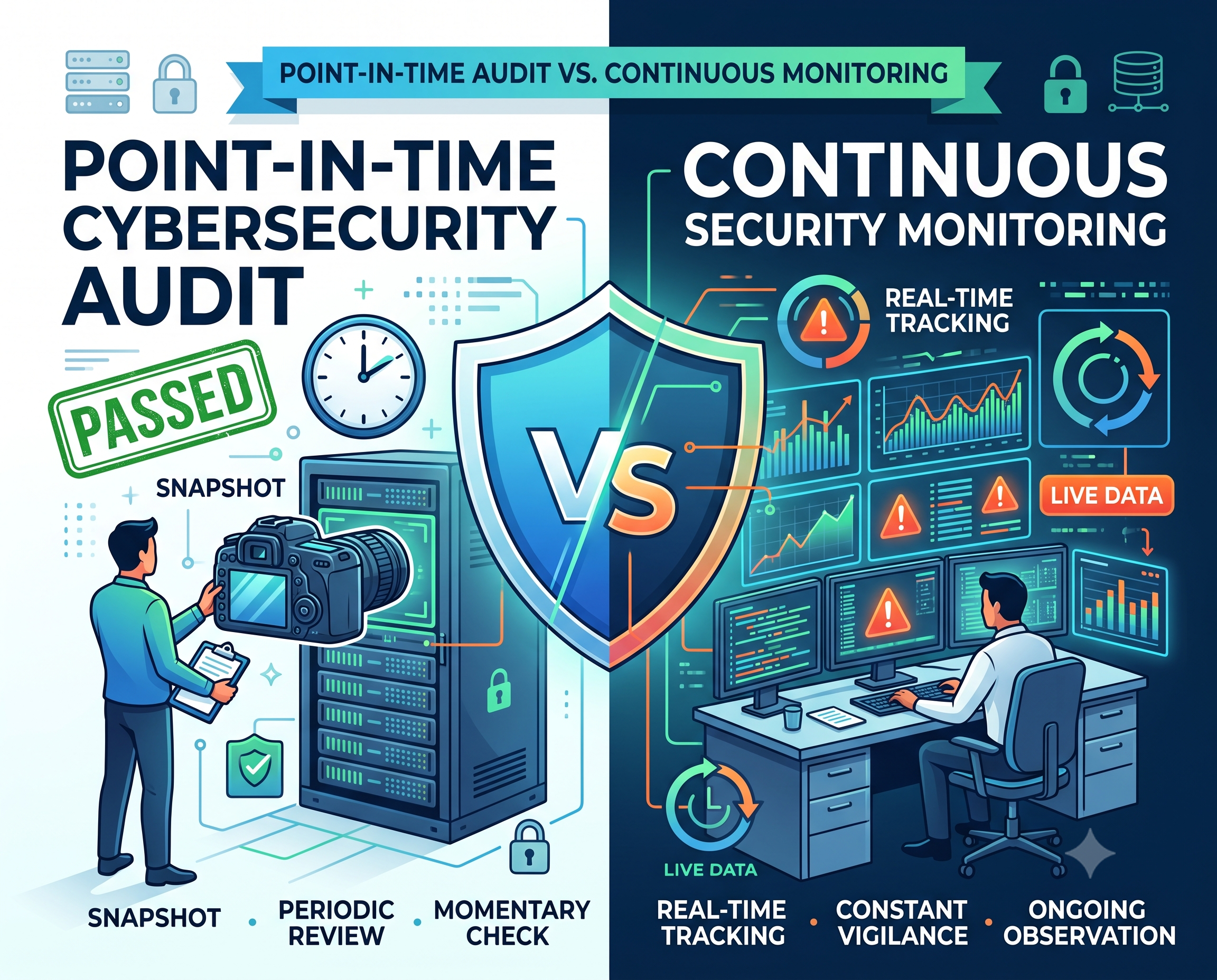
Endpoint hardening establishes the expected secure configuration, while security monitoring helps determine whether that configuration remains in place.
Continuous monitoring can identify configuration changes, disabled controls, unauthorized applications, and other deviations from the approved baseline.
- Monitor security configurations
- Detect configuration changes
- Identify disabled security controls
- Detect unauthorized software
- Monitor security-policy compliance
- Identify baseline deviations
- Track remediation status
What Is Configuration Drift?
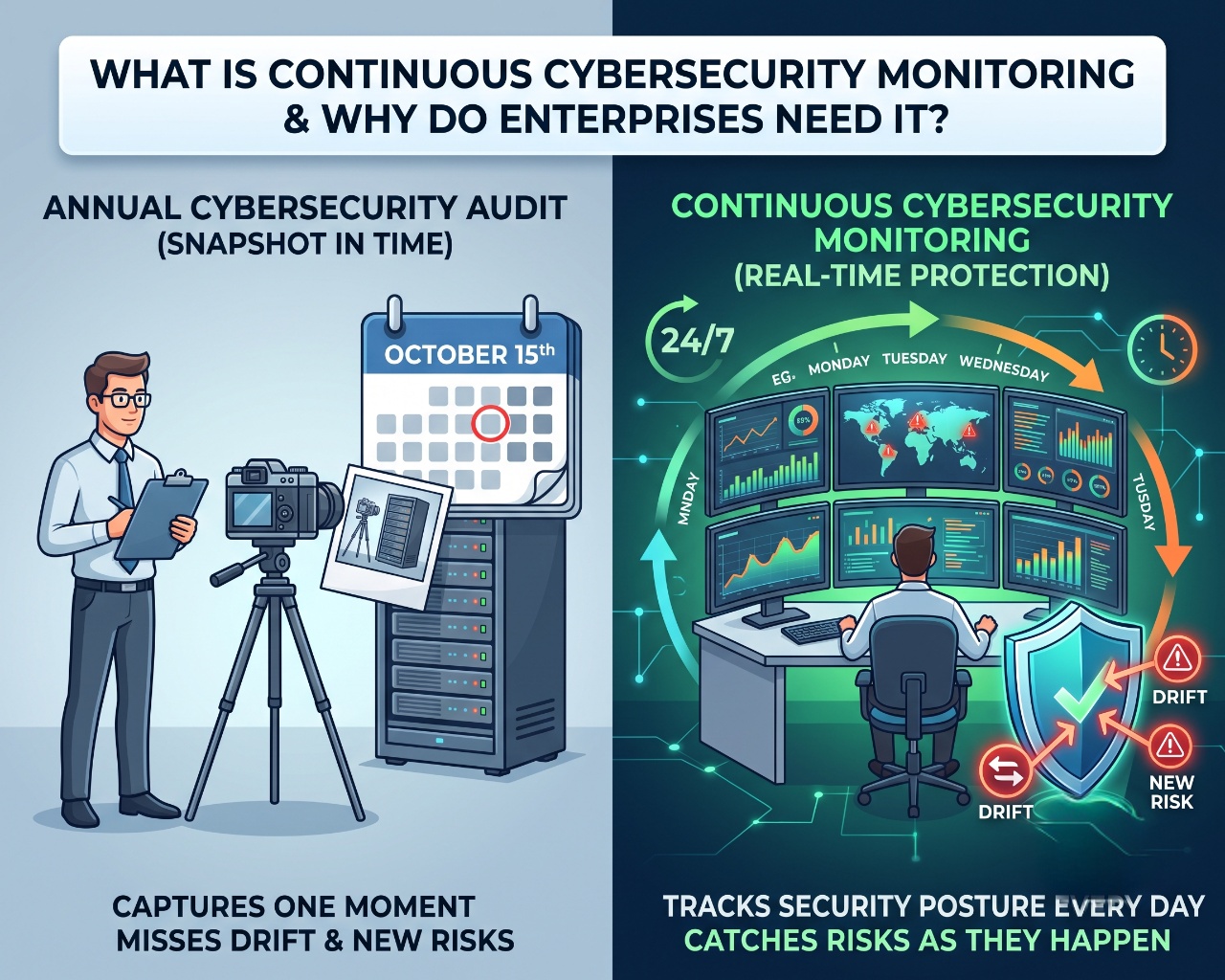
Configuration drift occurs when an endpoint gradually moves away from its approved security configuration.
Drift can occur because of software installations, administrator changes, operating-system updates, user activity, policy changes, or other system modifications.
Configuration drift can weaken security even when an endpoint was correctly hardened during its initial deployment.
Examples of Configuration Drift
- Firewall settings changed
- Security controls disabled
- Unauthorized software installed
- User privileges modified
- Security policies changed
- Security updates missing
- Remote-access settings changed
- Application restrictions removed
- Encryption settings changed
Why Continuous Hardening Matters
Endpoint hardening should not be treated as a one-time configuration exercise.
Enterprise environments change continuously. New applications are installed, operating systems are updated, users change roles, devices are added, and administrators modify configurations.
Continuous monitoring helps organizations identify whether endpoints remain aligned with their security baseline.
Endpoint Hardening for Enterprise Environments
Large organizations may have thousands of endpoints across offices, remote locations, departments, and different operating systems.
Manual hardening becomes difficult to maintain at this scale.
- Centralized endpoint management
- Standardized security baselines
- Automated configuration deployment
- Continuous compliance monitoring
- Centralized security reporting
- Automated remediation where appropriate
- Device-group policies
- Regular baseline reviews
Endpoint Hardening for Remote and Hybrid Work
Remote and hybrid work environments can make endpoint security more challenging because devices may operate outside traditional corporate networks.
Organizations should maintain security controls and visibility even when employees work remotely.
- Use centralized endpoint management
- Maintain security baselines
- Monitor remote devices
- Apply security policies
- Maintain patch compliance
- Protect remote access
- Use strong authentication
- Monitor security configuration changes
Endpoint Hardening and Zero Trust
Zero Trust security requires organizations to continuously evaluate access and security conditions rather than automatically trusting users or devices.
Endpoint hardening contributes to Zero Trust by helping organizations maintain secure device configurations and evaluate device security posture.
- Verify user identity
- Evaluate device security state
- Apply least privilege
- Maintain secure configurations
- Monitor endpoint compliance
- Restrict access from high-risk devices
- Continuously evaluate security conditions where supported
Endpoint Hardening and Data Protection
Endpoints may contain sensitive business information, credentials, customer information, documents, and other corporate data.
Hardening should therefore include controls that protect stored information and reduce unauthorized access.
- Use encryption where appropriate
- Restrict user access
- Protect authentication credentials
- Control removable media where required
- Restrict unauthorized applications
- Apply appropriate data-protection policies
- Monitor access to sensitive resources
Endpoint Hardening and Removable Media
Removable storage devices can introduce security and data-loss risks.
Organizations should establish policies for removable media based on their security requirements and business needs.
- Restrict unauthorized removable devices
- Control access to removable storage
- Use encryption where appropriate
- Monitor removable-media activity
- Define approved use cases
- Review removable-media policies regularly
Endpoint Hardening and Remote Access
Remote-access services can increase the attack surface of an endpoint when they are not properly configured.
Organizations should identify required remote-access services and restrict unnecessary access.
- Disable unnecessary remote-access services
- Restrict remote access to authorized users
- Use strong authentication
- Limit administrative remote access
- Monitor remote-access activity
- Review remote-access configurations
Endpoint Hardening Compliance Monitoring
Organizations need visibility into whether endpoints continue to comply with defined security baselines.
Compliance monitoring can compare the current endpoint state with the organization's required security configuration.
- Identify compliant endpoints
- Identify non-compliant endpoints
- Track baseline deviations
- Monitor security-control status
- Track remediation
- Generate compliance reports
- Review recurring deviations
Endpoint Hardening Metrics
Organizations can use endpoint-hardening metrics to measure security-baseline compliance and identify areas that require improvement.
- Endpoint compliance percentage
- Number of non-compliant endpoints
- Number of baseline deviations
- Number of disabled security controls
- Number of unauthorized applications
- Number of endpoints missing security updates
- Average remediation time
- Number of recurring configuration deviations
- Compliance by operating system
- Compliance trends over time
Common Endpoint Hardening Mistakes
- Using inconsistent security configurations
- Leaving unnecessary services enabled
- Giving users excessive privileges
- Failing to remove unused applications
- Ignoring software updates
- Not monitoring configuration changes
- Using outdated security baselines
- Failing to verify hardening changes
- Ignoring remote endpoints
- Relying entirely on manual configuration
- Failing to track remediation
- Treating hardening as a one-time activity
Endpoint Hardening Best Practices
- Maintain an accurate endpoint inventory.
- Create documented security baselines.
- Apply least-privilege principles.
- Disable unnecessary services and features.
- Restrict unauthorized applications.
- Maintain current operating-system and application versions.
- Enable appropriate firewall protections.
- Use strong authentication.
- Protect sensitive data.
- Monitor security configurations continuously.
- Detect configuration drift.
- Track endpoint compliance.
- Automate appropriate hardening activities.
- Document exceptions.
- Review security baselines regularly.
- Remediate security deviations promptly.
How to Build an Enterprise Endpoint Hardening Strategy
- Identify all managed endpoints.
- Categorize endpoints by operating system and business function.
- Identify important applications and services.
- Define security requirements.
- Establish platform-specific security baselines.
- Apply least-privilege policies.
- Disable unnecessary services and features.
- Configure application and network-security controls.
- Apply required security updates.
- Test the hardened configuration.
- Deploy the approved baseline.
- Continuously monitor endpoint compliance.
- Detect configuration drift.
- Investigate security deviations.
- Remediate non-compliant endpoints.
- Review and update the baseline regularly.
What If an Endpoint Cannot Meet the Security Baseline?
Some endpoints may not be able to meet every security requirement because of legacy applications, business dependencies, operating-system limitations, vendor requirements, or other technical constraints.
Organizations should document such exceptions and assess the associated risk.
- Document the exception
- Identify the affected endpoint
- Assess the security risk
- Apply compensating controls
- Increase monitoring
- Restrict unnecessary access
- Create a remediation plan
- Review the exception regularly
Endpoint Hardening and Incident Response
Endpoint-hardening information can also support incident-response activities.
When an endpoint is suspected of compromise, security teams may need to determine whether its configuration differs from the approved baseline.
- Identify the affected endpoint
- Review security configuration
- Check installed applications
- Review account privileges
- Check security-control status
- Review patch status
- Identify configuration changes
- Apply remediation
- Continue monitoring
Endpoint Hardening and Audit Readiness
Organizations may need to demonstrate that security configurations and endpoint controls are implemented and maintained.
Maintaining security baselines, compliance reports, remediation records, and configuration information can support cybersecurity audits and assessments.
- Maintain documented security baselines
- Track endpoint compliance
- Maintain configuration records
- Document exceptions
- Track remediation activities
- Monitor security-control status
- Maintain relevant audit evidence
Simple Example of Endpoint Hardening
Consider an organization with several thousand employee laptops running Windows, Linux, and macOS.
The security team defines a baseline that requires secure authentication, appropriate firewall configuration, supported software versions, restricted administrative privileges, approved applications, and other security controls.
The baseline is deployed to managed endpoints and the organization's monitoring system checks whether devices remain compliant.
If an endpoint disables an important security control or installs unauthorized software, the monitoring system can identify the deviation.
The security team can investigate the endpoint, apply the required remediation, and verify that the device has returned to the approved security state.
This approach helps the organization maintain endpoint security beyond the initial hardening process.
Endpoint Hardening vs Endpoint Security
Endpoint hardening is one component of a broader endpoint-security strategy.
Hardening focuses on strengthening configurations and reducing attack surfaces, while endpoint security can include additional technologies and processes for prevention, detection, response, monitoring, and data protection.
- Endpoint hardening strengthens configurations.
- Endpoint protection can detect and block threats.
- Endpoint monitoring provides security visibility.
- Vulnerability management identifies weaknesses.
- Patch management addresses software updates.
- Identity security protects user access.
- Incident response handles security incidents.
Frequently Asked Questions About Endpoint Hardening
What is endpoint hardening?
Endpoint hardening is the process of strengthening endpoint devices by reducing unnecessary attack surfaces, applying secure configurations, restricting unauthorized access, and maintaining appropriate security controls.
Why is endpoint hardening important?
Endpoint hardening helps reduce attack surfaces, strengthen device security, limit unauthorized access, and maintain consistent security configurations across enterprise systems.
What is a security baseline?
A security baseline is a defined set of security configurations and controls that an organization expects its endpoints or systems to maintain.
How do you harden Windows endpoints?
Windows hardening can include restricting administrative privileges, configuring firewall controls, managing applications, strengthening authentication, applying security updates, enabling appropriate logging, and maintaining secure system configurations.
How do you harden Linux systems?
Linux hardening can include restricting privileged access, securing SSH, disabling unnecessary services, controlling file permissions, removing unused software, applying security updates, and monitoring system configurations.
How do you harden macOS endpoints?
macOS hardening can include strengthening account security, controlling applications, enabling appropriate system protections, protecting data, managing software updates, and maintaining secure device configurations.
Is endpoint hardening a one-time activity?
No. Endpoint configurations can change over time. Continuous monitoring and regular security reviews are needed to identify configuration drift and maintain the required security baseline.
What is configuration drift?
Configuration drift occurs when an endpoint moves away from its approved security configuration because of software changes, administrative actions, policy changes, updates, or other modifications.
Does endpoint hardening prevent cyberattacks?
Endpoint hardening can reduce attack surfaces and limit opportunities for attackers, but it cannot prevent every type of cyberattack. It should be combined with other security controls.
How does patch management relate to endpoint hardening?
Patch management maintains required software and security updates, while endpoint hardening strengthens system configurations. Both processes contribute to a stronger endpoint-security posture.
Can endpoint hardening be automated?
Yes. Organizations can use endpoint-management and security platforms to deploy configurations, enforce policies, monitor compliance, detect deviations, and automate appropriate remediation activities.
What should organizations do when an endpoint cannot meet the security baseline?
The organization should document the exception, assess the risk, apply appropriate compensating controls, increase monitoring where necessary, and establish a remediation plan.
Conclusion
Endpoint hardening is a fundamental component of enterprise cybersecurity. It helps organizations reduce attack surfaces, strengthen system configurations, restrict unnecessary access, and maintain secure endpoint environments.
Windows, Linux, and macOS require different platform-specific controls, but the core principles remain consistent: least privilege, secure configuration, application control, patch management, data protection, and continuous monitoring.
Hardening should not be treated as a one-time configuration task. Enterprise endpoints continuously change as software is installed, configurations are modified, users change roles, and new security requirements emerge.
Organizations should establish clear security baselines, deploy appropriate hardening controls, continuously monitor endpoint compliance, detect configuration drift, and remediate security deviations.
By combining endpoint hardening with vulnerability management, patch management, continuous security monitoring, and other cybersecurity controls, enterprises can maintain a stronger and more measurable security posture across Windows, Linux, and macOS environments.
Recommended Solution
See how MOBISEC solves this in practice
Topics