What Is Unified Endpoint Management (UEM)?
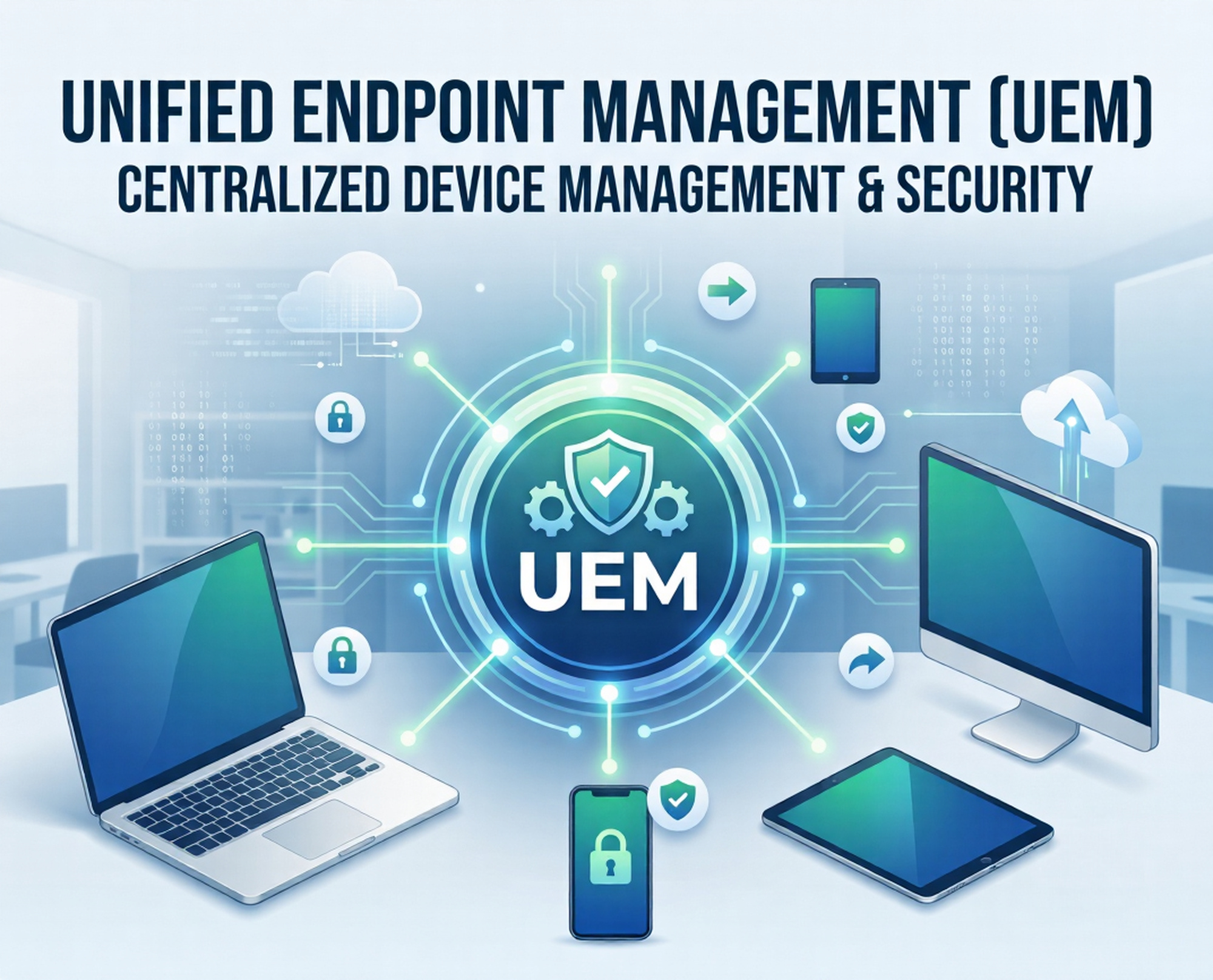
Unified Endpoint Management (UEM) is an enterprise technology approach used to centrally manage, configure, monitor, and secure a wide range of devices from a single management platform.
Modern organizations use many types of endpoints, including smartphones, tablets, laptops, desktops, rugged devices, shared devices, and specialized business devices.
Managing these devices through separate tools can increase administrative complexity and make it harder for security teams to maintain consistent policies.
UEM brings endpoint management capabilities together so organizations can manage supported devices, applications, configurations, compliance requirements, and security policies through a centralized platform.
UEM is closely related to Enterprise Mobility Management (EMM). NIST notes that EMM is sometimes referred to as UEM and may encompass technologies such as Mobile Device Management (MDM), Mobile Application Management (MAM), Mobile Threat Defense (MTD), and other management technologies.
Why Do Enterprises Need Unified Endpoint Management?
Enterprise environments are becoming increasingly distributed. Employees may use company-owned devices, personally owned devices, remote-work devices, mobile devices, laptops, and specialized endpoints to access business applications and corporate information.
Without centralized endpoint management, IT teams may need to use different tools for different operating systems, device types, and security requirements.
UEM helps organizations establish centralized management processes and consistent policies across supported endpoints.
- Organizations manage multiple device types and operating systems.
- Employees work from offices, homes, customer locations, and other remote environments.
- Business applications and corporate data are accessed from many types of endpoints.
- Security teams need visibility into device configuration and compliance.
- IT administrators need centralized device enrollment and management.
- Organizations need scalable endpoint management as the device fleet grows.
How Does Unified Endpoint Management Work?
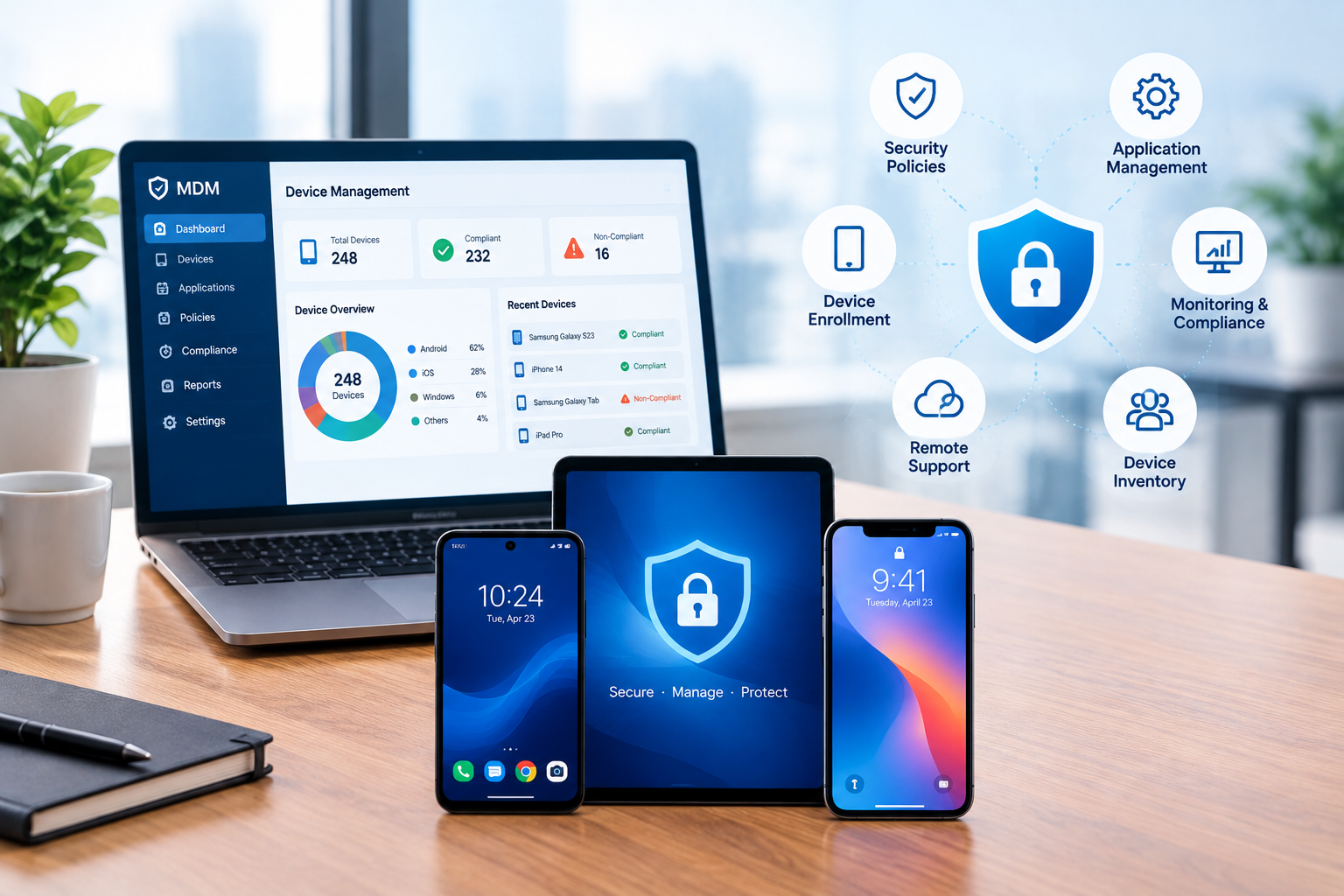
UEM platforms typically provide a centralized management console through which administrators can enroll devices, configure policies, deploy applications, monitor compliance, and manage endpoint settings.
The exact capabilities depend on the UEM platform, operating systems, device ownership model, and management APIs supported by each device.
1. Device Enrollment
The first step in endpoint management is enrolling devices into the organization's management platform.
Enrollment establishes a relationship between the endpoint and the UEM platform so that administrators can apply supported policies and management configurations.
Depending on the environment, organizations may support corporate-owned devices, personally owned devices, shared devices, or specialized business devices.
2. Device Configuration
After enrollment, administrators can apply configuration policies to supported endpoints.
These policies may include security settings, password requirements, connectivity settings, application restrictions, certificates, and other device configurations.
The available configuration options vary by operating system and device-management framework.
3. Application Management
UEM platforms can help organizations manage business applications across supported devices.
Administrators may deploy required applications, configure application settings, manage application access, and remove applications when necessary.
Application-management capabilities are especially important when employees use mobile devices and laptops to access business applications and corporate resources.
4. Compliance Monitoring
UEM can monitor whether managed endpoints meet organizational security and configuration requirements.
Compliance checks may include operating-system versions, security settings, encryption status, password requirements, application configuration, and other available device-security signals.
When a device becomes non-compliant, organizations can use supported workflows to notify administrators or users and apply appropriate remediation actions.
5. Ongoing Endpoint Management
Endpoint management does not end after enrollment.
Organizations need to continuously manage devices throughout their lifecycle, including configuration changes, application updates, security-policy changes, compliance monitoring, troubleshooting, and retirement.
What Devices Can UEM Manage?
The devices supported by a UEM platform depend on the product and its integrations.
Modern UEM platforms may support multiple categories of enterprise endpoints.
- Smartphones
- Tablets
- Windows laptops and desktops
- macOS computers
- Android Enterprise devices
- iPhones and iPads
- Rugged and specialized business devices
- Shared and dedicated devices
- Other supported enterprise endpoints
Organizations should verify the exact operating systems, device models, enrollment methods, and management capabilities supported by a UEM solution before deployment.
Key Capabilities of Unified Endpoint Management
Device Enrollment
UEM provides centralized enrollment capabilities that allow organizations to bring supported devices under management.
Enrollment methods can vary depending on device ownership, operating system, and deployment requirements.
Configuration Management
Administrators can centrally apply supported configuration policies to managed endpoints.
Centralized configuration helps organizations maintain consistent settings across devices and reduce manual administration.
Application Management
UEM can provide capabilities for deploying, updating, restricting, and managing applications on supported endpoints.
Application management helps organizations ensure that employees have access to required business applications while reducing unnecessary or unauthorized software.
Device Inventory
A centralized inventory gives administrators visibility into managed endpoints and their available device information.
Inventory information may include device model, operating-system version, ownership status, management status, and other supported attributes.
Compliance Management
UEM can evaluate devices against organizational policies and identify endpoints that do not meet required security or configuration conditions.
Compliance information can help administrators identify devices that require remediation.
Security Policy Management
UEM can help organizations enforce supported security policies across managed endpoints.
Policies may cover authentication, encryption, application access, device restrictions, connectivity, and other security controls supported by the platform.
Remote Management
Depending on the operating system and management capabilities, administrators may be able to perform remote management actions on enrolled devices.
These actions may include updating configurations, deploying applications, locking devices, or initiating other supported administrative actions.
Reporting and Monitoring
UEM platforms can provide centralized reporting and monitoring capabilities that help administrators understand device status, compliance, configuration, and management activity.
UEM vs MDM
UEM and MDM are closely related but they are not always interchangeable terms.
Mobile Device Management primarily focuses on managing mobile devices such as smartphones and tablets.
Unified Endpoint Management extends the management approach across a broader range of supported endpoints and may incorporate multiple management capabilities.
- MDM primarily focuses on mobile-device management.
- UEM can manage multiple endpoint types through a centralized platform.
- MDM commonly manages device configuration, policies, applications, and compliance.
- UEM can bring mobile and non-mobile endpoint management together.
- UEM may incorporate or integrate with MDM, MAM, MTD, and other endpoint-management technologies.
The exact scope of UEM depends on the product and the operating systems and integrations it supports.
UEM vs EMM
Enterprise Mobility Management (EMM) is a broader enterprise mobility-management approach that can include technologies such as MDM, MAM, and mobile security capabilities.
NIST notes that EMM is sometimes referred to as Unified Endpoint Management.
However, product terminology can differ between vendors. Organizations should evaluate the actual capabilities of a platform instead of relying only on the product name.
UEM vs MAM
Mobile Application Management (MAM) focuses primarily on managing applications and protecting business application data.
UEM can include application-management capabilities as part of a broader endpoint-management platform.
MAM can be particularly useful in scenarios where an organization wants to protect corporate applications and data without fully managing an employee's personal device.
UEM and BYOD
Bring Your Own Device (BYOD) allows employees to use personally owned devices to access business applications and services.
UEM can support BYOD scenarios through appropriate enrollment, application-management, security, and privacy controls.
The management approach should consider the separation of corporate and personal information and the privacy expectations of employees.
Organizations should clearly define what information is collected, what controls are applied, and what actions administrators can perform on personally owned devices.
UEM and Corporate-Owned Devices
Corporate-owned devices provide organizations with greater administrative control over the endpoint.
UEM can be used to configure these devices according to organizational security, application, connectivity, and operational requirements.
Corporate-owned devices can be particularly suitable for organizations that require standardized configurations and stronger control over device usage.
UEM for Remote and Hybrid Work
Remote and hybrid work environments increase the importance of centralized endpoint management.
Employees may access corporate applications and data from home networks, public networks, customer locations, and other environments outside the traditional corporate network.
UEM allows administrators to maintain centralized visibility and management of supported endpoints regardless of where those devices are being used.
- Centralized device management
- Remote configuration
- Application deployment
- Compliance monitoring
- Security policy enforcement
- Device inventory
- Remote administrative actions
- Endpoint reporting
UEM and Endpoint Security
UEM contributes to endpoint security by helping organizations configure devices, enforce policies, monitor compliance, and manage applications.
However, UEM should not be treated as a replacement for every endpoint-security technology.
Organizations may need additional security technologies such as endpoint detection and response, mobile threat defense, identity security, vulnerability management, and security monitoring.
UEM can work alongside these technologies to provide centralized management and security-policy enforcement.
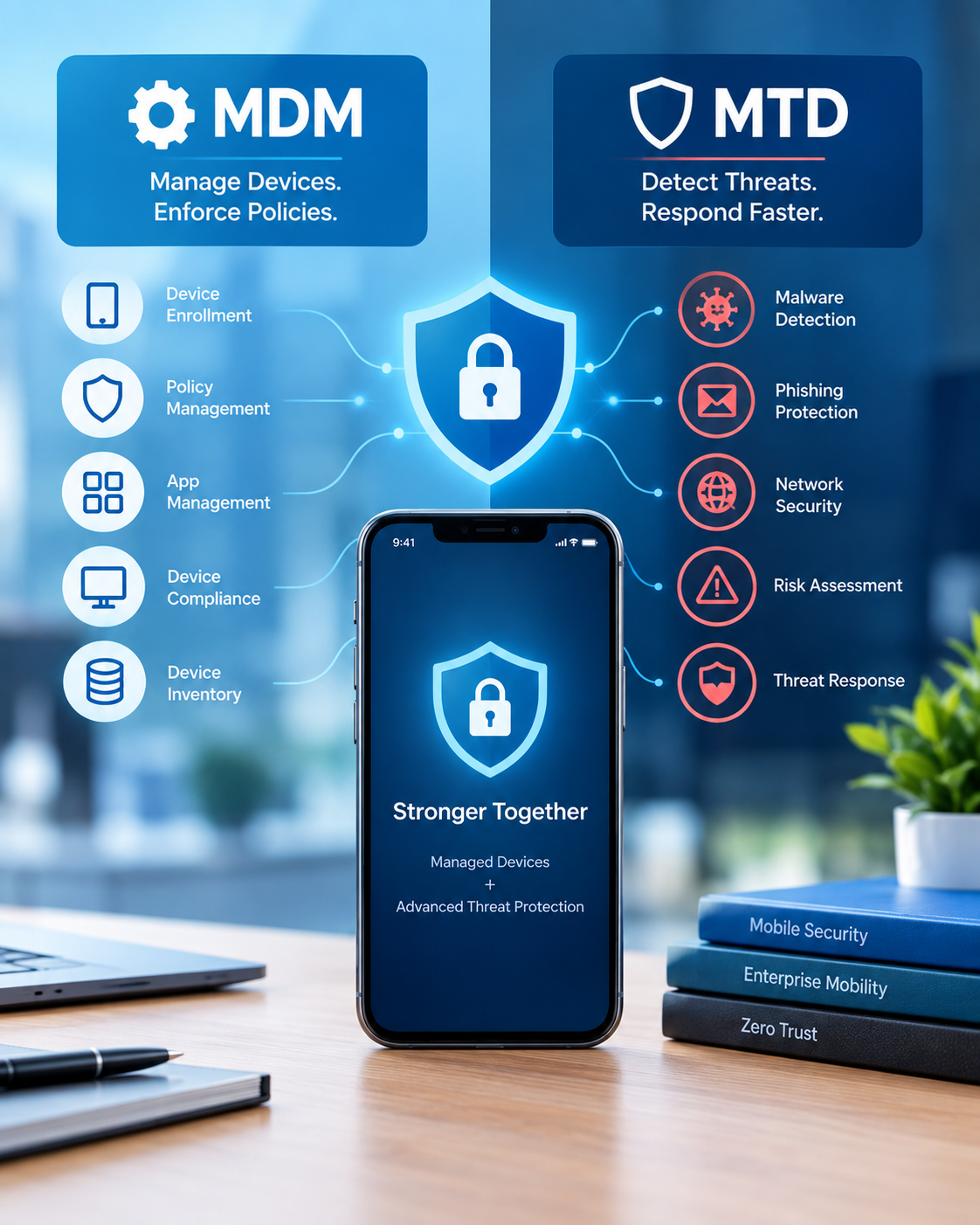
UEM and Mobile Threat Defense
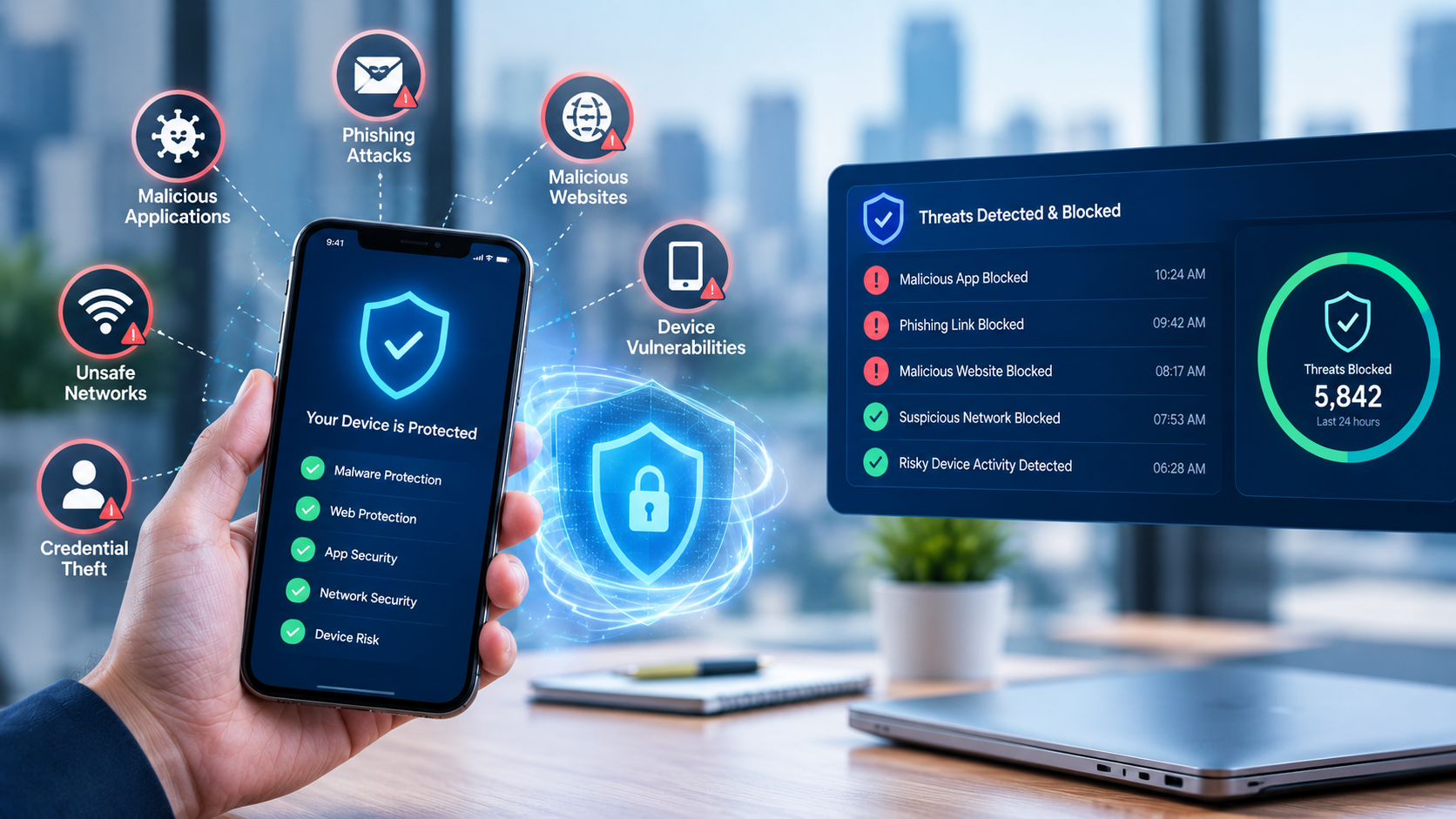
Mobile Threat Defense (MTD) focuses on detecting and responding to threats targeting mobile devices, applications, networks, and users.
UEM focuses primarily on endpoint management, configuration, application management, compliance, and administrative control.
The two technologies can complement each other.
- UEM manages supported endpoint configuration and policies.
- UEM provides device enrollment and administration.
- MTD focuses on detecting mobile security threats.
- MTD can analyze security-related signals and suspicious activity.
- MTD can integrate with endpoint-management platforms.
- UEM can help apply appropriate management actions when security conditions require remediation.
Benefits of Unified Endpoint Management
Centralized Management
UEM provides administrators with a centralized platform for managing supported endpoints instead of relying on separate management systems for every device category.
Improved Visibility
Centralized endpoint inventory and monitoring can help IT teams understand the devices connected to the organization's environment.
Consistent Security Policies
Organizations can establish standardized configuration and security policies for supported endpoints.
Reduced Administrative Complexity
Managing endpoints through a centralized platform can reduce repetitive administrative tasks and simplify endpoint-management workflows.
Better Compliance Monitoring
UEM can help organizations identify endpoints that do not meet required configuration or security conditions.
Scalability
A centralized endpoint-management approach can make it easier to manage a growing number of devices and users.
Support for Modern Work Environments
UEM can help organizations manage endpoints used across offices, remote locations, home networks, and other distributed environments.
Common Challenges in UEM
Operating System Differences
Different operating systems expose different management capabilities and APIs.
Organizations should therefore avoid assuming that the same management feature will work identically across every platform.
Device Diversity
Enterprise environments may contain devices from different manufacturers, operating systems, hardware generations, and ownership models.
Managing this diversity requires careful planning and validation.
Privacy
Privacy becomes particularly important when employees use personally owned devices.
Organizations should understand what device information is collected and ensure that management policies respect applicable privacy requirements.
Legacy Devices
Older devices may not support modern management capabilities or security controls.
Organizations should identify unsupported devices and define appropriate replacement or exception processes.
Integration Complexity
UEM platforms may need to integrate with identity systems, security platforms, application-management systems, directory services, and other enterprise technologies.
Poorly planned integrations can increase administrative complexity.
Policy Complexity
Organizations with different user groups, device types, and security requirements may need multiple policies.
Policies should be designed carefully to provide appropriate security without creating unnecessary restrictions.
How to Choose a UEM Solution
Organizations should select a UEM platform based on their endpoint environment, security requirements, operating systems, business applications, compliance needs, and operational capabilities.
- Identify the endpoint types used by the organization.
- Identify the operating systems and device versions that need management.
- Evaluate available enrollment methods.
- Review device configuration capabilities.
- Evaluate application-management features.
- Check compliance and reporting capabilities.
- Review security-policy management features.
- Evaluate support for BYOD and corporate-owned devices.
- Review identity and security integrations.
- Evaluate remote-management capabilities.
- Check scalability for future device growth.
- Test the platform with representative devices and business workflows.
- Review privacy and data-collection controls.
- Evaluate administrative complexity and user experience.
UEM Best Practices
- Define endpoint-management requirements before deployment.
- Create standardized enrollment processes.
- Use appropriate security and configuration policies.
- Maintain supported operating-system versions.
- Keep business applications updated.
- Monitor endpoint compliance regularly.
- Separate policies according to device ownership and business requirements.
- Limit administrative privileges according to organizational roles.
- Review device inventory regularly.
- Integrate endpoint management with identity and security systems where appropriate.
- Define procedures for lost, stolen, compromised, or retired devices.
- Review endpoint-management policies regularly.
UEM and Endpoint Lifecycle Management
Endpoint management should cover the complete device lifecycle rather than only the initial enrollment stage.
- Plan endpoint requirements.
- Select supported devices.
- Enroll devices into management.
- Apply configuration and security policies.
- Deploy required applications.
- Monitor device status and compliance.
- Perform maintenance and updates.
- Respond to security or compliance issues.
- Reconfigure devices when business requirements change.
- Retire and securely dispose of devices at the end of their lifecycle.
NIST recommends considering security throughout the mobile-device lifecycle, including deployment, use, and disposal.
UEM and Zero Trust Security
Zero Trust security does not assume that a device should automatically be trusted simply because it is connected to a known network.
Endpoint management can contribute to Zero Trust by providing information about device configuration, compliance, security posture, and management status.
Organizations can use this information together with identity and access-control systems to make more informed access decisions.
- Verify user identity.
- Evaluate endpoint security posture.
- Check device compliance.
- Consider the sensitivity of the requested resource.
- Apply appropriate access policies.
- Continuously evaluate security conditions where supported.
UEM vs MDM: A Simple Example
Consider an organization with Android smartphones, iPhones, Windows laptops, and macOS computers.
An MDM solution may primarily focus on managing the organization's mobile devices.
A UEM platform can provide centralized management across multiple supported endpoint categories.
The organization can use the platform to manage device configuration, applications, compliance, security policies, inventory, and other supported endpoint-management requirements.
The exact capabilities depend on the UEM platform and the management features provided by each operating system.
Is UEM a Security Solution?
UEM contributes to endpoint security, but it should not be considered a complete cybersecurity solution by itself.
UEM can help enforce security configurations, manage applications, monitor compliance, and provide centralized endpoint visibility.
Organizations may still require additional technologies for threat detection, identity security, vulnerability management, network security, security monitoring, and incident response.
UEM is therefore best viewed as an important component of a broader enterprise security architecture.
Frequently Asked Questions About Unified Endpoint Management
What does UEM stand for?
UEM stands for Unified Endpoint Management. It refers to a centralized approach for managing and securing supported enterprise endpoints.
Is UEM the same as MDM?
No. MDM primarily focuses on managing mobile devices, while UEM can provide broader endpoint-management capabilities across multiple supported device types and operating systems.
Does UEM replace MDM?
UEM can incorporate or provide MDM capabilities, but the exact relationship depends on the platform. Organizations should evaluate the actual device-management capabilities provided by the UEM solution.
Can UEM manage laptops?
Many UEM platforms can manage supported laptops and desktop operating systems in addition to mobile devices. The exact operating systems and management capabilities depend on the platform.
Can UEM support BYOD?
Yes. UEM platforms can support BYOD scenarios when the platform provides appropriate enrollment, application-management, privacy, and security capabilities.
Is UEM a cybersecurity solution?
UEM contributes to endpoint security and management but does not replace every cybersecurity technology. Organizations may need additional solutions for threat detection, identity security, vulnerability management, and security monitoring.
What is the difference between UEM and EMM?
EMM focuses primarily on enterprise mobility management and may include technologies such as MDM, MAM, and mobile security capabilities. UEM is often used to describe a broader endpoint-management approach.
What is the difference between UEM and MAM?
MAM focuses on managing applications and protecting business application data, while UEM can provide broader management of devices, applications, configurations, and compliance.
Why do enterprises use UEM?
Enterprises use UEM to centralize endpoint management, improve visibility, enforce policies, monitor compliance, manage applications, and simplify administration across supported devices.
Conclusion
Unified Endpoint Management provides organizations with a centralized approach to managing and securing supported enterprise endpoints.
As businesses adopt smartphones, tablets, laptops, remote-work devices, and specialized endpoints, centralized endpoint management becomes increasingly important.
UEM can help organizations manage device enrollment, configuration, applications, compliance, security policies, inventory, and remote administration through a centralized platform.
However, UEM should not be viewed as a replacement for every security technology. Organizations may need to combine UEM with mobile threat defense, identity security, endpoint protection, vulnerability management, and other security controls.
The most effective UEM strategy begins with understanding the organization's endpoint environment, security requirements, privacy expectations, and operational needs.
By combining centralized endpoint management with appropriate security controls, organizations can build a more consistent, scalable, and manageable endpoint environment.
Recommended Solution
See how MOBISEC solves this in practice
Topics