MDM vs UEM vs EMM: What Is the Difference?
Mobile device management, unified endpoint management, and enterprise mobility management are terms commonly used when discussing enterprise device and application management.
MDM, UEM, and EMM are related technologies, but they do not always mean exactly the same thing.
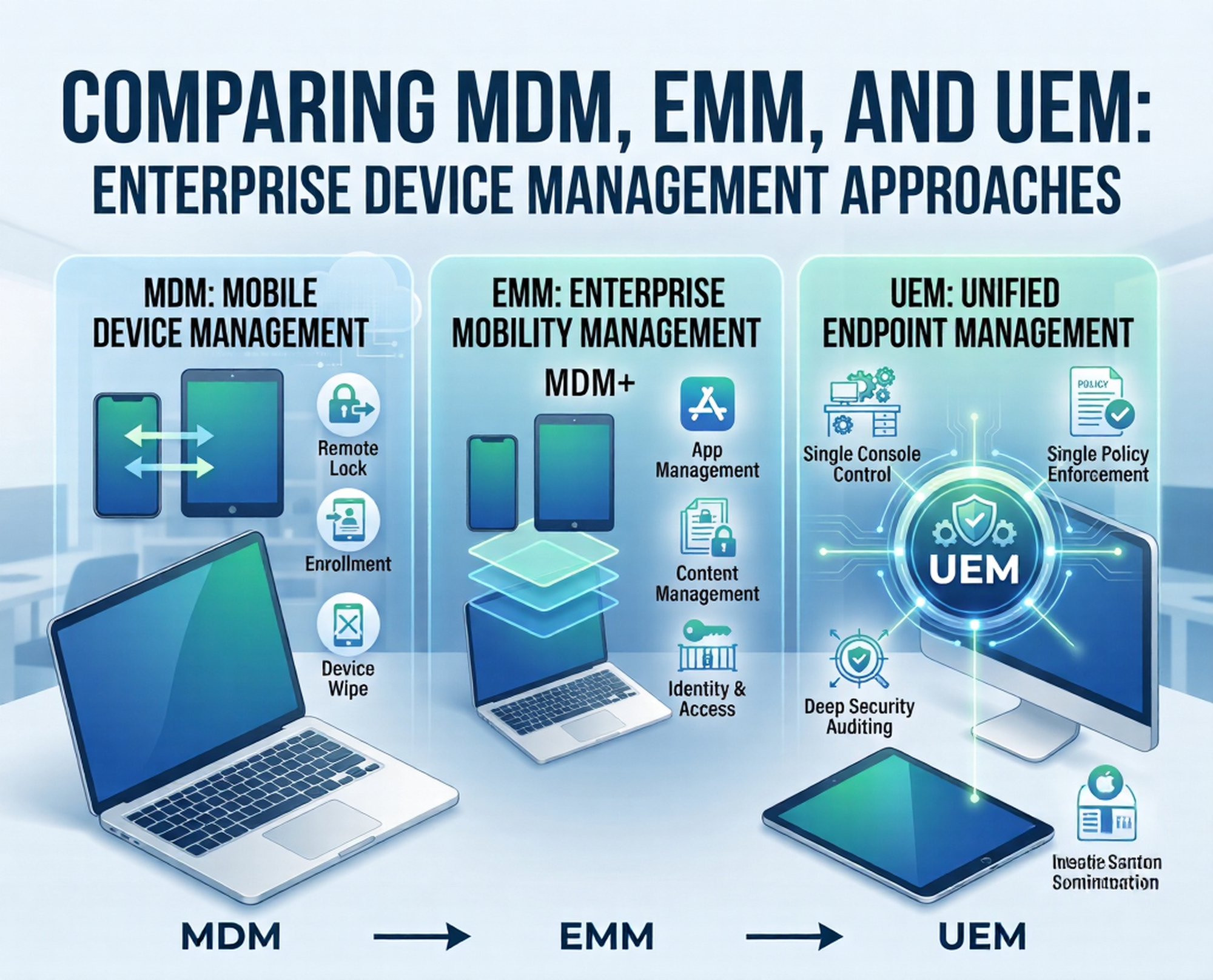
Mobile Device Management primarily focuses on managing and securing mobile devices. Unified Endpoint Management provides a broader approach to managing supported endpoints across different device categories and operating systems.
Enterprise Mobility Management is a broader enterprise mobility-management approach that can include technologies such as MDM, Mobile Application Management, and mobile security capabilities.
The terminology can vary between vendors, so organizations should evaluate the actual capabilities of a platform instead of selecting a solution based only on whether it is called MDM, UEM, or EMM.
What Is Mobile Device Management (MDM)?
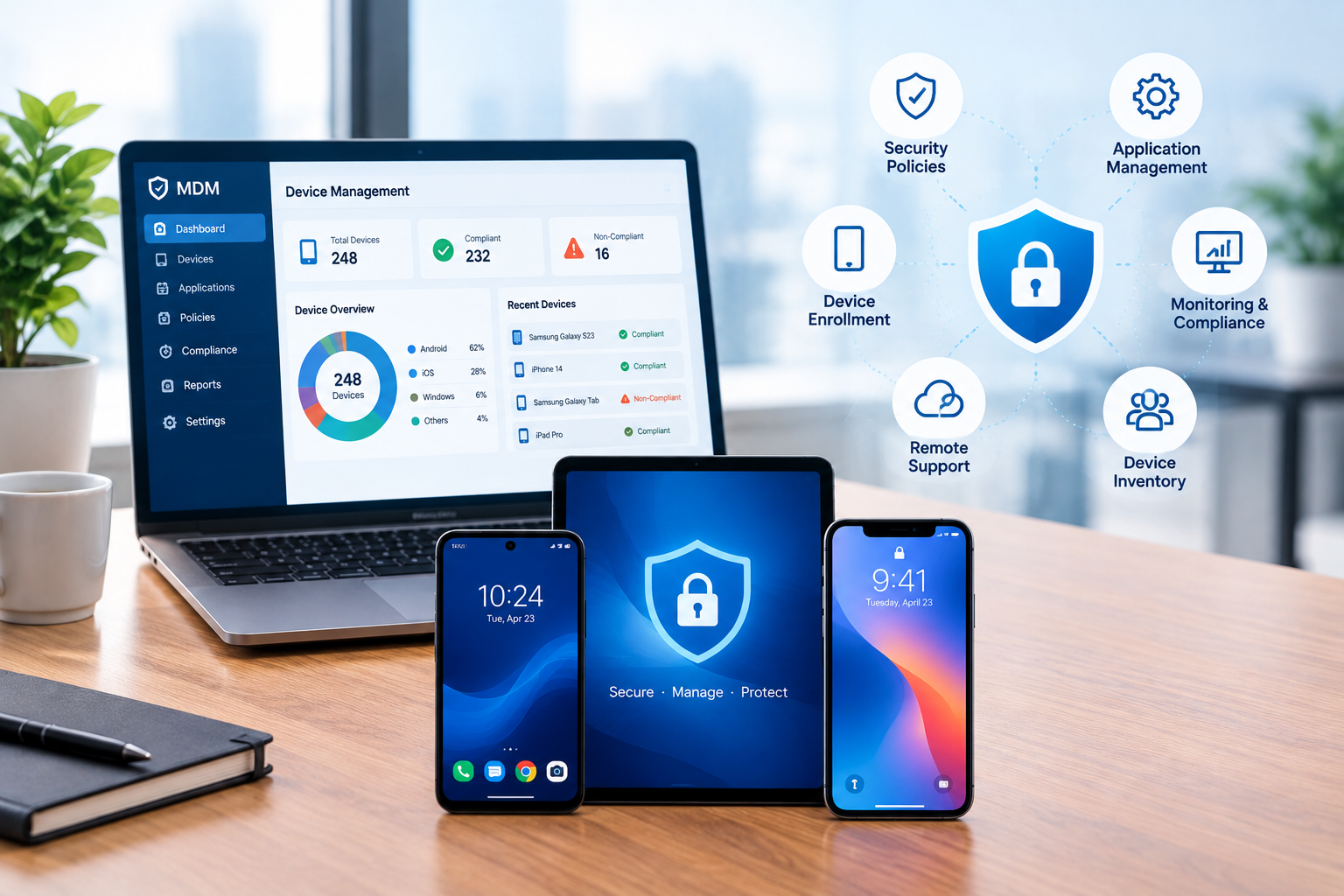
Mobile Device Management (MDM) is a technology used by organizations to centrally enroll, configure, manage, monitor, and secure mobile devices.
MDM is commonly used to manage smartphones and tablets that access enterprise applications, services, and corporate information.
Organizations can use MDM to apply device policies, deploy applications, configure supported settings, monitor compliance, and perform administrative actions on managed devices.
How Does MDM Work?
An MDM platform typically includes a centralized management console and device-management capabilities that communicate with supported mobile operating systems.
Administrators can enroll devices into the management platform and then apply policies and configurations according to organizational requirements.
- Enroll the mobile device.
- Apply device configuration policies.
- Configure security settings.
- Deploy required applications.
- Monitor device status and compliance.
- Update policies and applications when required.
- Perform remote management actions when supported.
- Retire or remove the device from management when its lifecycle ends.
What Can MDM Manage?
- Smartphones
- Tablets
- Device configurations
- Security settings
- Applications
- Device restrictions
- Certificates and credentials
- Connectivity settings
- Device compliance
- Device inventory
- Remote management actions
What Is Unified Endpoint Management (UEM)?
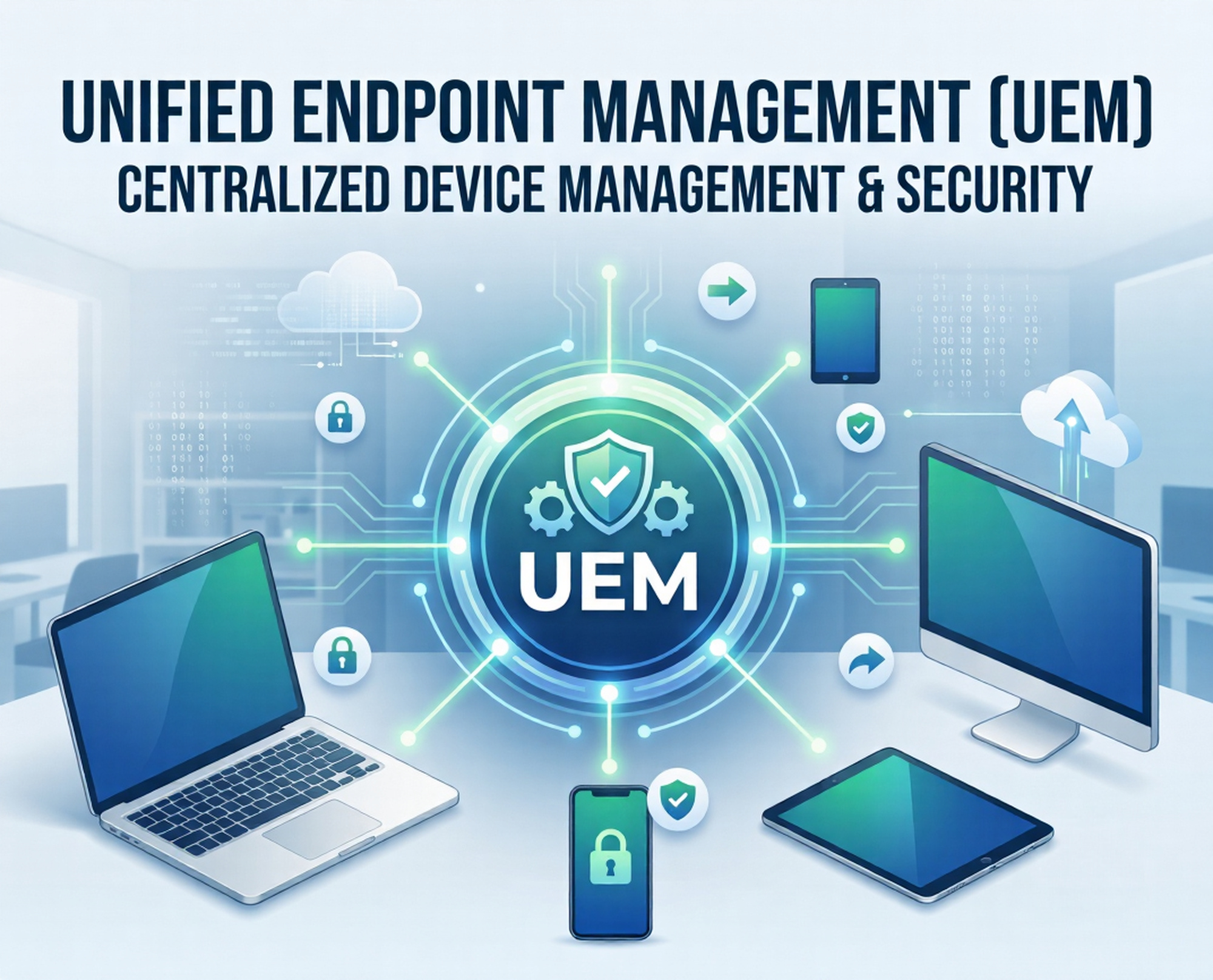
Unified Endpoint Management (UEM) is an approach for centrally managing and securing multiple categories of enterprise endpoints through a unified management platform.
Modern organizations may manage smartphones, tablets, laptops, desktops, rugged devices, kiosks, shared devices, and other specialized endpoints.
UEM attempts to bring management of these supported endpoints into a centralized platform instead of requiring separate management systems for every device category.
NIST notes that UEM is sometimes used as another term for Enterprise Mobility Management and that EMM suites may encompass MDM, MAM, MTD, and other management technologies.
How Does UEM Work?
UEM platforms provide centralized tools for enrolling devices, applying configurations, managing applications, monitoring compliance, maintaining inventory, and performing supported remote-management actions.
The exact capabilities depend on the UEM platform, operating systems, device types, management APIs, and integrations supported by the solution.
What Can UEM Manage?
- Android smartphones and tablets
- iPhones and iPads
- Windows laptops and desktops
- macOS devices
- Rugged enterprise devices
- Kiosks and dedicated devices
- Shared devices
- Specialized business endpoints
- Applications
- Endpoint configurations
- Compliance policies
The exact endpoint coverage varies between UEM platforms and should be evaluated before deployment.
What Is Enterprise Mobility Management (EMM)?
Enterprise Mobility Management (EMM) is a broader approach to managing and securing mobile technologies used by an organization.
EMM can include multiple technologies that address different parts of enterprise mobility.
- Mobile Device Management
- Mobile Application Management
- Mobile Threat Defense
- Mobile content and data protection capabilities
- Device configuration and policy management
- Mobile security controls
- Application deployment and management
- Compliance monitoring
NIST describes EMM as a common enterprise approach for deploying policies and monitoring mobile-device state.
NIST also notes that EMM is sometimes referred to as Unified Endpoint Management.
MDM vs UEM vs EMM: The Core Difference
The simplest way to understand the three terms is to look at their typical scope.
- MDM focuses primarily on managing mobile devices.
- EMM focuses on broader enterprise mobility management and may combine multiple mobile-management and security technologies.
- UEM focuses on centralized management of multiple supported endpoint categories.
However, these boundaries are not absolute.
Different vendors may use the terms differently, and one vendor's UEM platform may provide capabilities that another vendor describes as EMM.
For this reason, organizations should evaluate the actual capabilities of each platform instead of relying only on product terminology.
MDM vs UEM
MDM and UEM are closely related because UEM can include mobile device management capabilities.
The primary difference is the scope of endpoint management.
- MDM primarily focuses on mobile devices.
- UEM can manage mobile and non-mobile endpoints.
- MDM commonly manages device policies, configurations, applications, and compliance.
- UEM can provide centralized management across multiple supported endpoint types.
- MDM can be part of a broader UEM platform.
For an organization managing only smartphones and tablets, an MDM platform may provide the capabilities required.
For an organization managing smartphones, tablets, laptops, desktops, and specialized endpoints, a UEM platform may provide a more centralized approach.
MDM vs EMM
MDM is generally one component of a broader enterprise mobility-management strategy.
EMM can include MDM together with application management, security capabilities, and other technologies used to manage mobile environments.
- MDM manages mobile devices.
- EMM can combine multiple mobile-management capabilities.
- MDM focuses heavily on device configuration and administration.
- EMM can include application and data-management capabilities.
- EMM may integrate MTD and other mobile-security technologies.
Therefore, MDM can be viewed as a component within a broader EMM strategy rather than a direct replacement for EMM.
UEM vs EMM
UEM and EMM have significant overlap.
NIST specifically notes that EMM is sometimes referred to as UEM.
In practical terms, UEM is often used to describe a broader endpoint-management approach that extends beyond traditional mobile-device management.
However, vendor terminology can differ.
One vendor may describe its platform as UEM while another may describe a similar collection of capabilities as EMM.
Organizations should therefore compare features, supported operating systems, management capabilities, integrations, security controls, and deployment models instead of comparing product names alone.
MDM vs UEM vs EMM Comparison
The following comparison provides a simple way to understand the typical scope of each approach.
- MDM: Primarily focused on mobile-device management.
- UEM: Focused on centralized management of multiple supported endpoint types.
- EMM: Broader enterprise mobility-management approach that can combine multiple mobile technologies.
- MDM: Commonly manages device configuration, policies, applications, and compliance.
- UEM: Can extend device management across mobile and non-mobile endpoints.
- EMM: Can combine device management, application management, and mobile security capabilities.
What Is Mobile Application Management (MAM)?
Mobile Application Management (MAM) focuses on managing and protecting business applications and organizational data within those applications.
MAM is particularly useful when an organization needs to protect corporate information without necessarily taking complete control of an employee's personal device.
For example, an organization may apply application protection policies to business applications while allowing the employee to continue using the rest of the personal device normally.
MAM can therefore complement both MDM and UEM depending on the device-management strategy.
MDM, UEM, EMM and BYOD
Bring Your Own Device (BYOD) allows employees to use personally owned devices to access business applications and resources.
BYOD introduces additional privacy and security considerations because the device contains both personal and corporate information.
MDM, UEM, and EMM platforms may support different approaches to BYOD depending on their capabilities.
- Full device management for supported personal devices.
- Work-profile management.
- Application-level management.
- Protection of corporate application data.
- Selective management of business information.
- Compliance and access policies.
- Separation of personal and corporate data.
Organizations should clearly define what information is collected, what security controls are applied, and what actions administrators can perform on personally owned devices.
MDM, UEM, EMM and Corporate-Owned Devices
Corporate-owned devices generally allow organizations to apply stronger administrative controls.
Organizations can enroll these devices into an MDM, UEM, or EMM platform and apply security, application, configuration, and compliance policies.
Corporate-owned devices are commonly used when organizations require standardized configurations, centralized management, and stronger control over device usage.
How MDM, UEM and EMM Work With Mobile Security
Device management alone does not provide complete protection against every mobile security threat.
Organizations may need additional security technologies to detect malicious applications, phishing attacks, risky websites, network threats, compromised accounts, and other mobile-specific risks.
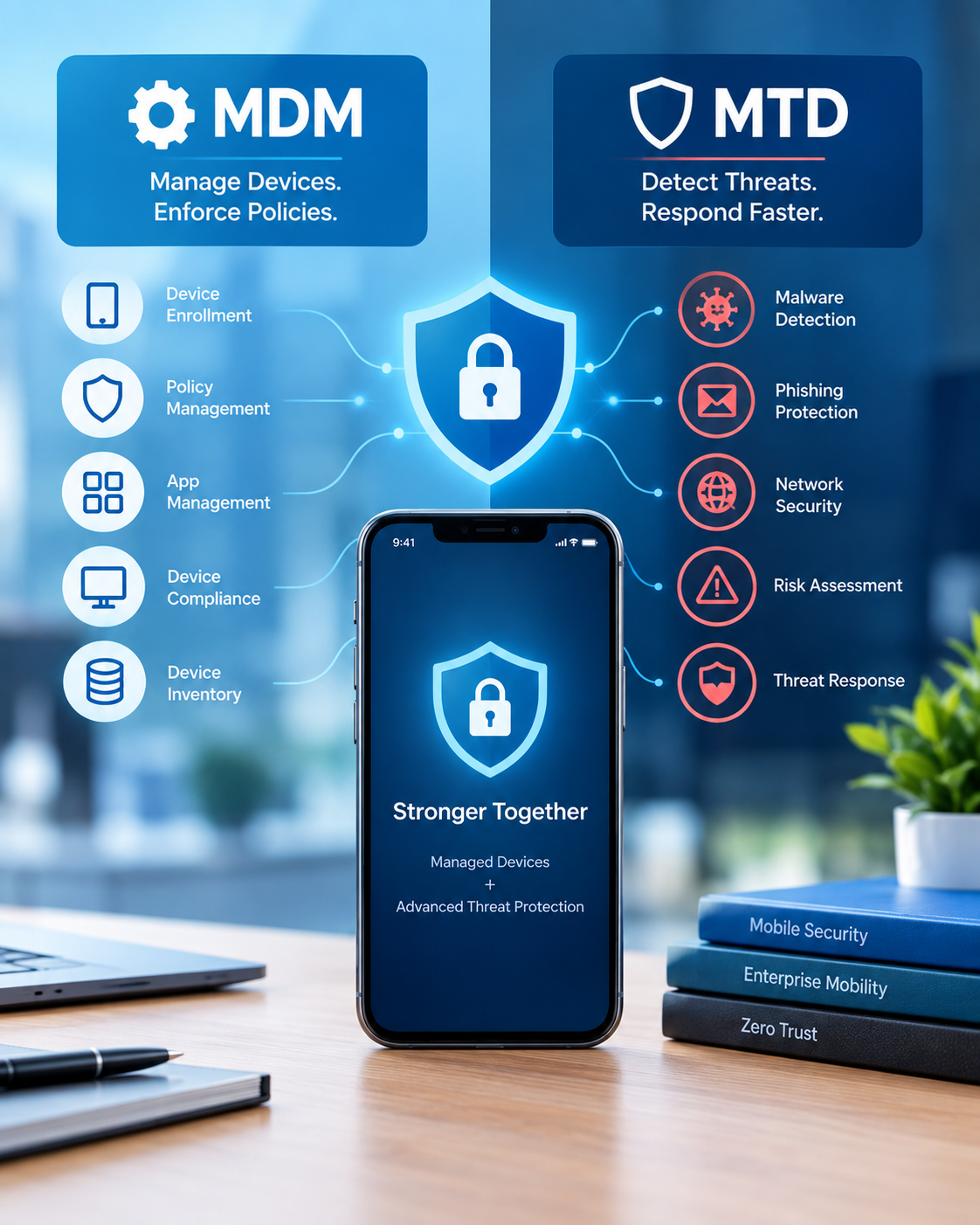
Mobile Threat Defense can complement MDM, UEM, and EMM by focusing on threat detection and response.
- MDM manages mobile-device configuration and policies.
- UEM manages supported endpoints and their configurations.
- EMM can combine multiple mobile-management capabilities.
- MAM protects business applications and data.
- MTD focuses on mobile threat detection and response.
- Identity systems help control access to enterprise resources.
Which One Does an Enterprise Need?
The right approach depends on the organization's device environment, security requirements, business applications, ownership model, and management strategy.
When MDM May Be Appropriate
MDM may be appropriate when an organization primarily needs to manage smartphones and tablets.
- The organization mainly uses mobile devices.
- Centralized mobile-device enrollment is required.
- Device configuration needs to be standardized.
- Mobile applications need to be managed.
- Device compliance needs to be monitored.
- The organization does not require broad management of non-mobile endpoints.
When UEM May Be Appropriate
UEM may be appropriate when an organization needs centralized management across multiple endpoint categories.
- The organization manages mobile devices and computers.
- Multiple operating systems need to be managed.
- IT teams want a centralized management console.
- Endpoint compliance needs to be monitored across device categories.
- Application management is required across multiple endpoint types.
- The organization wants to reduce the number of separate endpoint-management tools.
When EMM May Be Appropriate
EMM may be appropriate when an organization needs a broader mobile-management strategy that combines device management with application and security capabilities.
- Mobile devices are central to business operations.
- Mobile applications need centralized management.
- Corporate data needs additional protection.
- Mobile security capabilities need to be integrated.
- Device and application policies need to work together.
How to Choose Between MDM, UEM and EMM
Organizations should not choose a platform based only on whether the vendor calls it MDM, UEM, or EMM.
The better approach is to identify the organization's actual management and security requirements and then evaluate the capabilities provided by each platform.
- Identify the types of endpoints used by the organization.
- Identify the operating systems that need management.
- Determine whether devices are corporate-owned, personally owned, or shared.
- Define device enrollment requirements.
- Define application-management requirements.
- Identify security and compliance requirements.
- Evaluate device configuration capabilities.
- Evaluate application and data protection capabilities.
- Review mobile threat-defense integrations.
- Review identity and access-control integrations.
- Evaluate reporting and monitoring capabilities.
- Test the solution with representative devices.
- Review scalability and administrative requirements.
- Evaluate privacy and data-collection controls.
MDM vs UEM vs EMM for Remote Work
Remote and hybrid work environments make endpoint management more important because employees may access enterprise resources from different locations and networks.
A centralized management platform can help organizations maintain consistent endpoint configurations and security policies.
- Remote device enrollment
- Centralized configuration
- Application deployment
- Compliance monitoring
- Device inventory
- Security policy management
- Remote troubleshooting
- Supported remote-management actions
- Endpoint reporting
The specific capabilities depend on the platform and the operating systems being managed.
MDM vs UEM vs EMM and Zero Trust
Zero Trust security requires organizations to evaluate users, devices, applications, and access conditions rather than automatically trusting a device based only on its network location.
MDM and UEM can contribute to this approach by providing information about device configuration, management status, and compliance.
EMM and related mobile-security technologies can provide additional information about application and mobile-security conditions.
- Verify user identity.
- Evaluate device security posture.
- Check endpoint compliance.
- Protect business applications and data.
- Consider the sensitivity of the requested resource.
- Apply appropriate access policies.
- Continuously evaluate security conditions where supported.
Common Mistakes When Comparing MDM, UEM and EMM
Choosing Based Only on the Product Name
Organizations should not assume that every product labeled UEM, MDM, or EMM provides the same capabilities.
Feature sets can vary significantly between vendors and operating systems.
Assuming UEM Means Every Device Is Managed the Same Way
Different operating systems expose different management capabilities.
A UEM platform may provide different features for Android, iOS, Windows, macOS, and specialized devices.
Ignoring BYOD Requirements
Personal devices require different management and privacy considerations than corporate-owned devices.
Organizations should evaluate whether the platform can protect corporate data without applying unnecessary controls to personal information.
Treating Device Management as Complete Security
MDM, UEM, and EMM can provide important management and security capabilities, but they do not replace every cybersecurity control.
Organizations may still need identity security, mobile threat defense, endpoint protection, vulnerability management, and security monitoring.
Best Practices for Enterprise Endpoint Management
- Define endpoint-management requirements before selecting a platform.
- Document supported devices and operating systems.
- Separate corporate-owned and BYOD management strategies.
- Use standardized enrollment processes.
- Apply appropriate security configurations.
- Manage business applications centrally where supported.
- Monitor endpoint compliance.
- Keep operating systems and applications updated.
- Integrate endpoint management with identity and security systems.
- Limit administrative privileges.
- Review device inventory regularly.
- Define procedures for lost, stolen, compromised, and retired devices.
- Review privacy and data-collection policies.
- Test management policies before large-scale deployment.
Frequently Asked Questions About MDM vs UEM vs EMM
Is MDM the same as UEM?
No. MDM primarily focuses on managing mobile devices, while UEM generally provides a broader approach to managing multiple supported endpoint categories. MDM can be one component of a UEM platform.
Is UEM the same as EMM?
They can overlap significantly. NIST notes that EMM is sometimes referred to as UEM. However, vendors may use the terms differently, so organizations should compare the actual capabilities of each platform.
Is EMM broader than MDM?
Generally, yes. EMM can include MDM together with application-management, security, and other enterprise-mobility capabilities.
Can UEM manage smartphones and laptops?
Many UEM platforms can manage both mobile and non-mobile endpoints, including smartphones, tablets, laptops, and desktops. The exact capabilities depend on the platform and operating systems supported.
Does UEM replace MDM?
A UEM platform may include MDM capabilities, so organizations may not need a separate MDM platform when the UEM solution provides the required mobile-device management features.
Does EMM replace MDM?
EMM can include MDM capabilities, but the exact relationship depends on the platform. MDM is commonly considered one component of a broader enterprise mobility-management strategy.
Which is better, MDM or UEM?
Neither is universally better. MDM may be sufficient for organizations primarily managing mobile devices, while UEM may be more appropriate for organizations managing multiple endpoint categories through a centralized platform.
Can MDM, UEM and EMM work with MTD?
Yes. Mobile Threat Defense can complement device-management technologies by focusing on detecting and responding to mobile security threats. The technologies can work together when supported by the platform and integrations.
What is the difference between MDM and MAM?
MDM manages the device, including supported device settings and policies. MAM focuses on managing and protecting applications and the organizational data inside them.
Is MDM enough for enterprise security?
MDM provides important device-management and security-policy capabilities, but it is not a complete cybersecurity solution. Organizations may also need identity security, threat defense, endpoint protection, application security, and other controls.
Conclusion
MDM, UEM, and EMM are closely related approaches to enterprise device and mobility management, but they can have different scopes depending on the platform and vendor terminology.
MDM primarily focuses on managing mobile devices, including enrollment, configuration, applications, compliance, and device administration.
UEM provides a broader endpoint-management approach that can bring mobile and non-mobile endpoint management together through a centralized platform.
EMM represents a broader enterprise mobility-management approach that can combine technologies such as MDM, MAM, mobile security, and other management capabilities.
The right choice depends on the organization's device environment, operating systems, ownership models, security requirements, application needs, and management strategy.
Instead of choosing a platform based only on the terms MDM, UEM, or EMM, organizations should evaluate the actual capabilities, integrations, security controls, privacy model, scalability, and administrative experience provided by the solution.
For enterprises building a modern endpoint-management strategy, understanding the relationship between MDM, UEM, EMM, MAM, and mobile threat defense is an important step toward creating a manageable and secure device environment.
Recommended Solution
See how MOBISEC solves this in practice
Topics