What Is CIS Benchmark Compliance?
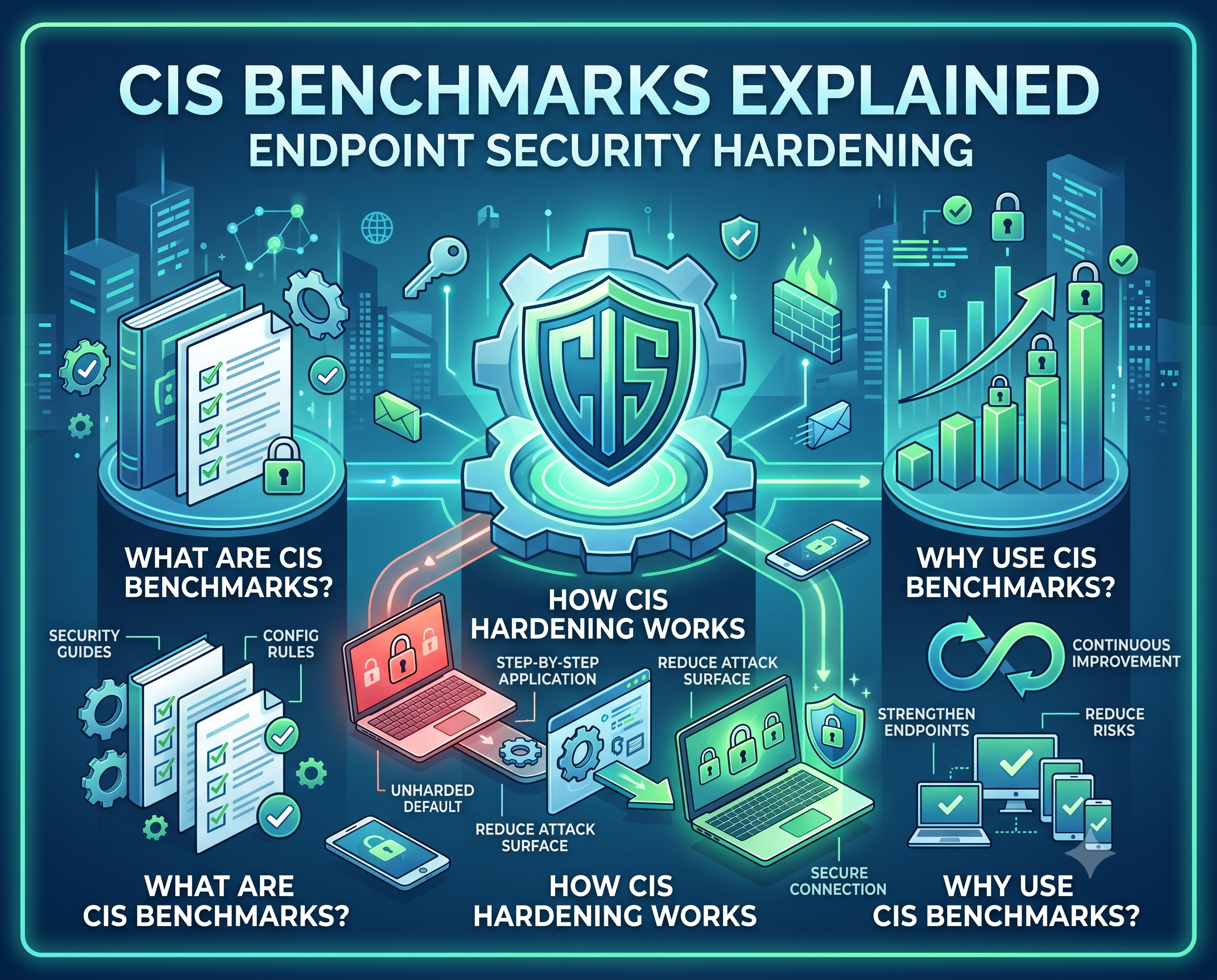
CIS Benchmark compliance means assessing technology configurations against applicable recommendations from the Center for Internet Security and identifying whether systems meet the organisation's approved secure configuration baseline.
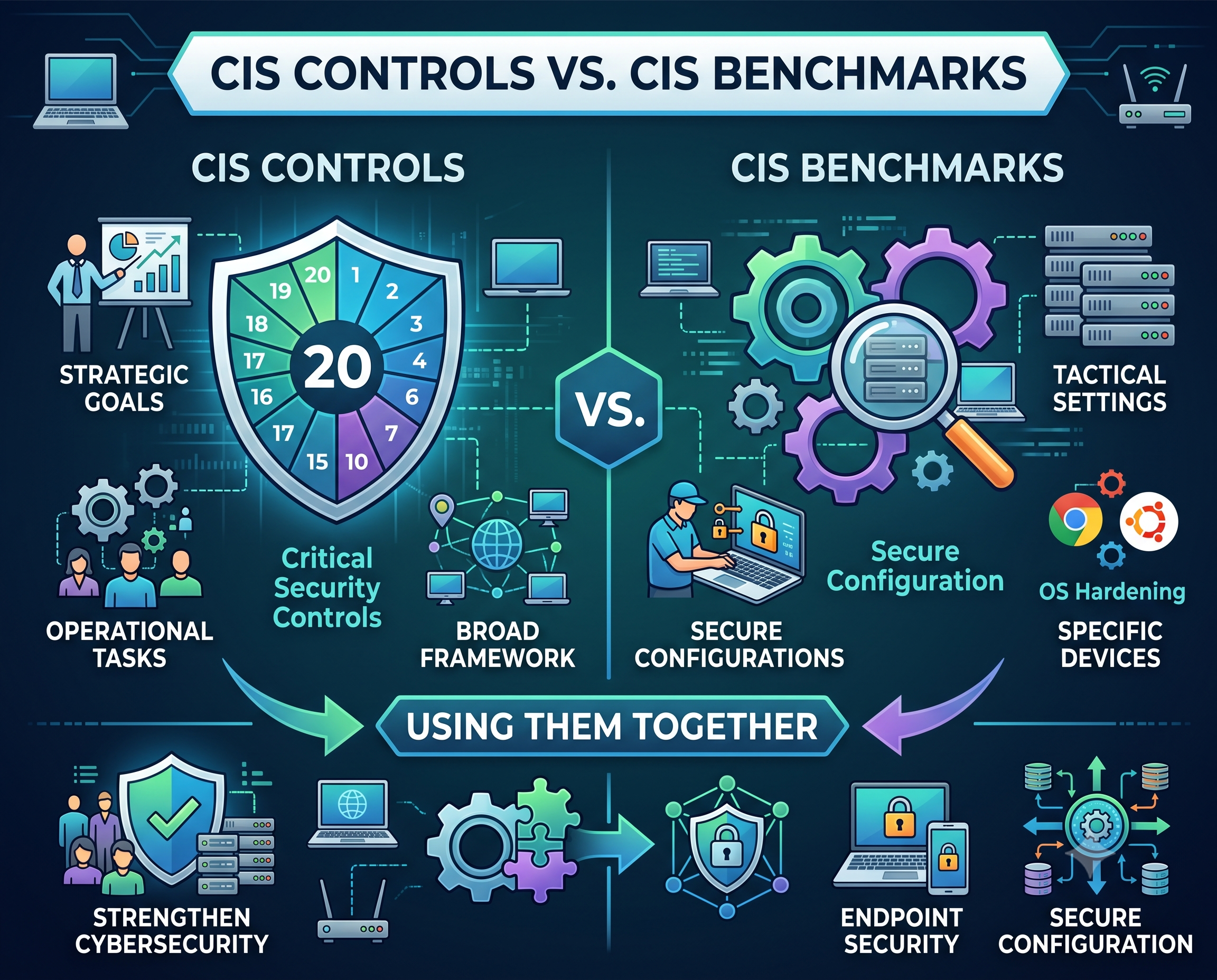
CIS Benchmarks provide detailed configuration recommendations for specific technologies. Organisations can use these recommendations to establish secure configuration standards for operating systems, applications, databases, cloud platforms, network devices, and other technologies.
For a small environment, manually checking configurations may be possible. For organisations managing thousands of endpoints, however, manual assessment becomes difficult to scale. Automated assessment can help security teams evaluate large endpoint populations consistently and identify configuration gaps more efficiently.
Why Manual CIS Compliance Does Not Scale
A large organisation may have thousands of laptops, desktops, servers, and other endpoints distributed across offices, remote locations, cloud environments, and business units. Each endpoint can have a different configuration, software inventory, user privilege level, and operational history.
Manual compliance checks can create several challenges.
- Large amounts of administrative effort
- Inconsistent assessment processes
- Slow identification of configuration weaknesses
- Limited visibility across distributed endpoints
- Difficulty tracking remediation progress
- Configuration changes between assessment cycles
- Manual reporting and evidence collection
- Difficulty identifying recurring compliance problems
The challenge becomes greater when endpoints are continuously changing. New applications are installed, security settings are modified, operating systems are updated, administrators make configuration changes, and users may introduce new software or devices.
Automation allows organisations to move from occasional manual checks toward repeatable and scalable configuration assessment.
How Automated CIS Compliance Works
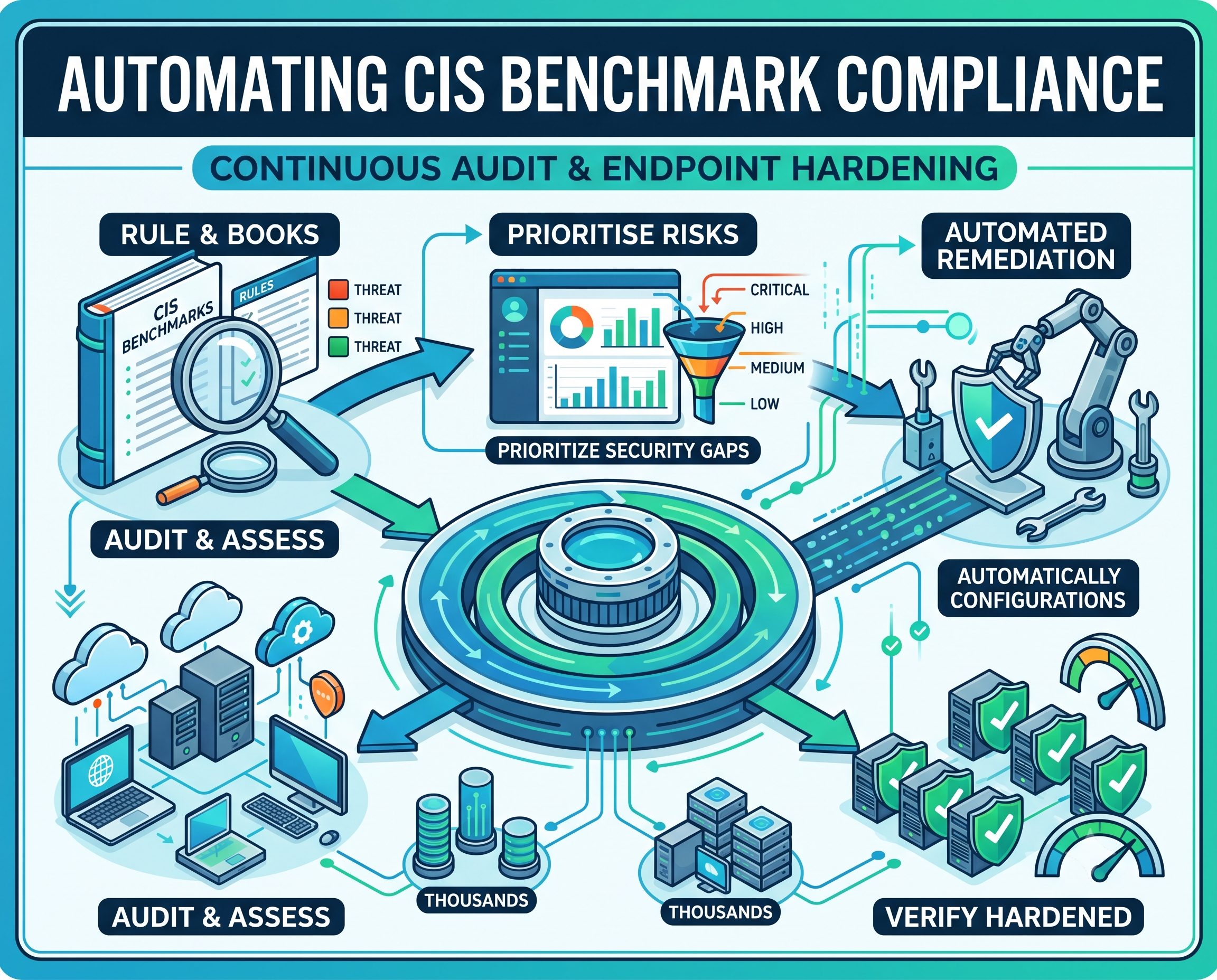
An automated CIS compliance process typically evaluates endpoint configurations against selected CIS recommendations, identifies deviations, assigns risk or priority, and provides a mechanism for remediation and verification.
The Automated Compliance Lifecycle
- Identify and inventory endpoints
- Select the appropriate CIS Benchmark
- Select the required security profile
- Assess endpoint configurations
- Identify non-compliant recommendations
- Prioritise findings
- Apply approved remediation
- Verify the resulting configuration
- Monitor for configuration drift
- Generate compliance and security reports
This creates a continuous workflow instead of treating CIS compliance as a one-time audit.
Step 1: Discover and Inventory Endpoints
Automation begins with visibility. Security teams need to know which endpoints exist, what operating systems they use, where they are located, and which systems require security assessment.
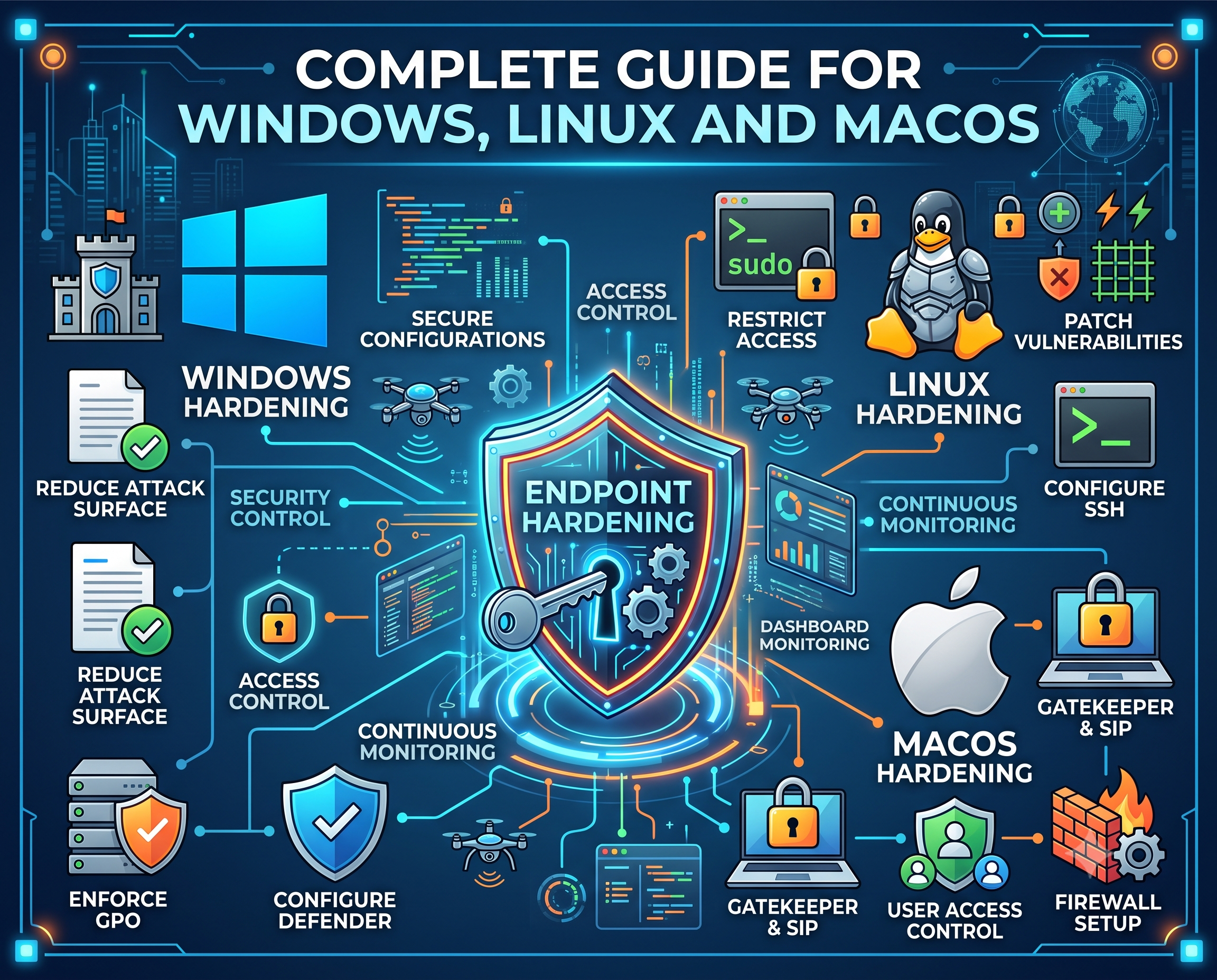
An accurate endpoint inventory helps organisations determine which CIS Benchmarks apply to different systems. A Windows workstation may require a different Benchmark from a Linux server, database platform, browser, or network device.
Endpoint Information to Track
- Hostname or endpoint identifier
- Operating system and version
- Device type
- Business or organisational unit
- Security classification
- Installed applications
- User or administrator privileges
- Network exposure
- Assigned security baseline
- Compliance status
- Last assessment time
Without accurate inventory, automated compliance can produce incomplete results because security teams may not know which systems require assessment.
Step 2: Select the Correct CIS Benchmark
CIS Benchmarks are technology-specific. The first requirement is therefore to identify the Benchmark applicable to each system.
Organisations should consider the technology version, operating system, application stack, deployment model, and relevant security requirements before selecting a Benchmark.
Why Benchmark Selection Matters
Applying the wrong Benchmark can result in inaccurate compliance assessments. The selected Benchmark should match the technology being evaluated and should be reviewed as technology versions and organisational requirements change.
Step 3: Select the Appropriate Security Profile
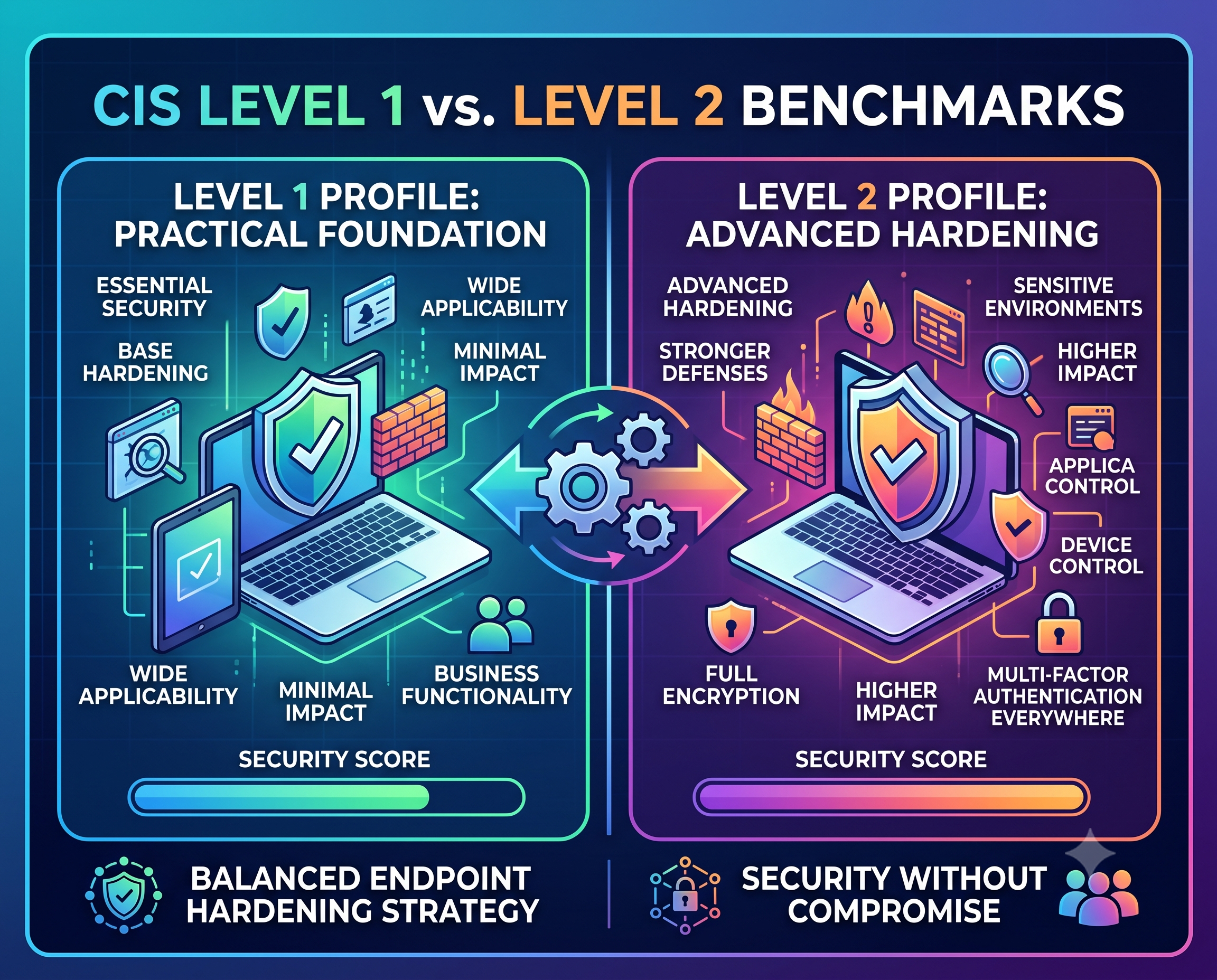
Where a CIS Benchmark provides multiple security profiles, organisations should select the profile according to system risk and operational requirements.
Level 1 can provide a practical security baseline for broad deployment, while Level 2 can provide additional defense in depth for systems where stronger security is justified.
Organisations can also use a risk-based strategy where different endpoint groups have different hardening requirements.
Step 4: Automatically Assess Endpoint Configurations
Once the applicable Benchmark and security profile are defined, an automated assessment process can evaluate endpoint settings against the selected recommendations.
Instead of manually opening configuration panels on individual machines, security teams can receive a centralised view of which endpoints meet the approved baseline and which configurations require attention.
Examples of Configuration Areas
- Password and authentication settings
- Account and privilege configuration
- Audit and logging settings
- Firewall configuration
- Network security settings
- Operating system security options
- Application configuration
- Remote access settings
- Security policy configuration
- System services
- File and directory permissions
- Device and removable media controls
Step 5: Identify CIS Non-Compliance
The assessment should translate configuration results into actionable findings. Security teams need to understand which recommendations are not satisfied, which endpoints are affected, and how significant each finding is.
Useful Compliance Finding Information
- Endpoint identifier
- Benchmark name
- Benchmark version
- Profile
- Recommendation identifier
- Current configuration
- Expected configuration
- Compliance status
- Risk or priority
- First detected time
- Last detected time
- Remediation status
- Exception status
Centralising this information makes it easier to move from raw configuration data to an actionable remediation process.
Step 6: Prioritise Security Findings
Not every configuration deviation has the same operational or security impact. Organisations should prioritise remediation according to risk, endpoint importance, exposure, data sensitivity, and business criticality.
For example, a deviation on a highly privileged administrative system may require more urgent attention than the same deviation on a lower-risk endpoint.
Factors for Prioritisation
- Severity of the security recommendation
- Business criticality of the endpoint
- Sensitivity of data
- Internet or network exposure
- User privilege level
- Exploitability
- Number of affected endpoints
- Presence of compensating controls
- Regulatory or internal security requirements
Step 7: Automatically Harden Endpoints
After identifying non-compliant configurations, organisations can determine which findings are appropriate for automated remediation.
Automated hardening can reduce the time between identifying a configuration weakness and applying the approved security configuration. However, remediation should be controlled carefully, especially when a configuration change could affect application compatibility or business functionality.
Safe Automated Hardening Process
- Identify the non-compliant recommendation
- Determine whether automated remediation is appropriate
- Validate the expected configuration
- Test the remediation where required
- Apply the approved configuration
- Verify the resulting state
- Record the remediation result
- Monitor the endpoint for future changes
The objective is not simply to change a setting. The objective is to make a controlled security improvement and confirm that the endpoint reaches the intended configuration state.
Why Remediation Verification Matters
A remediation action should not be considered successful simply because a command or configuration change was executed.
The endpoint should be assessed again to verify that the expected security configuration is actually present. Verification helps identify failed remediation, conflicting policies, application changes, permission issues, and other conditions that prevent the endpoint from reaching the intended state.
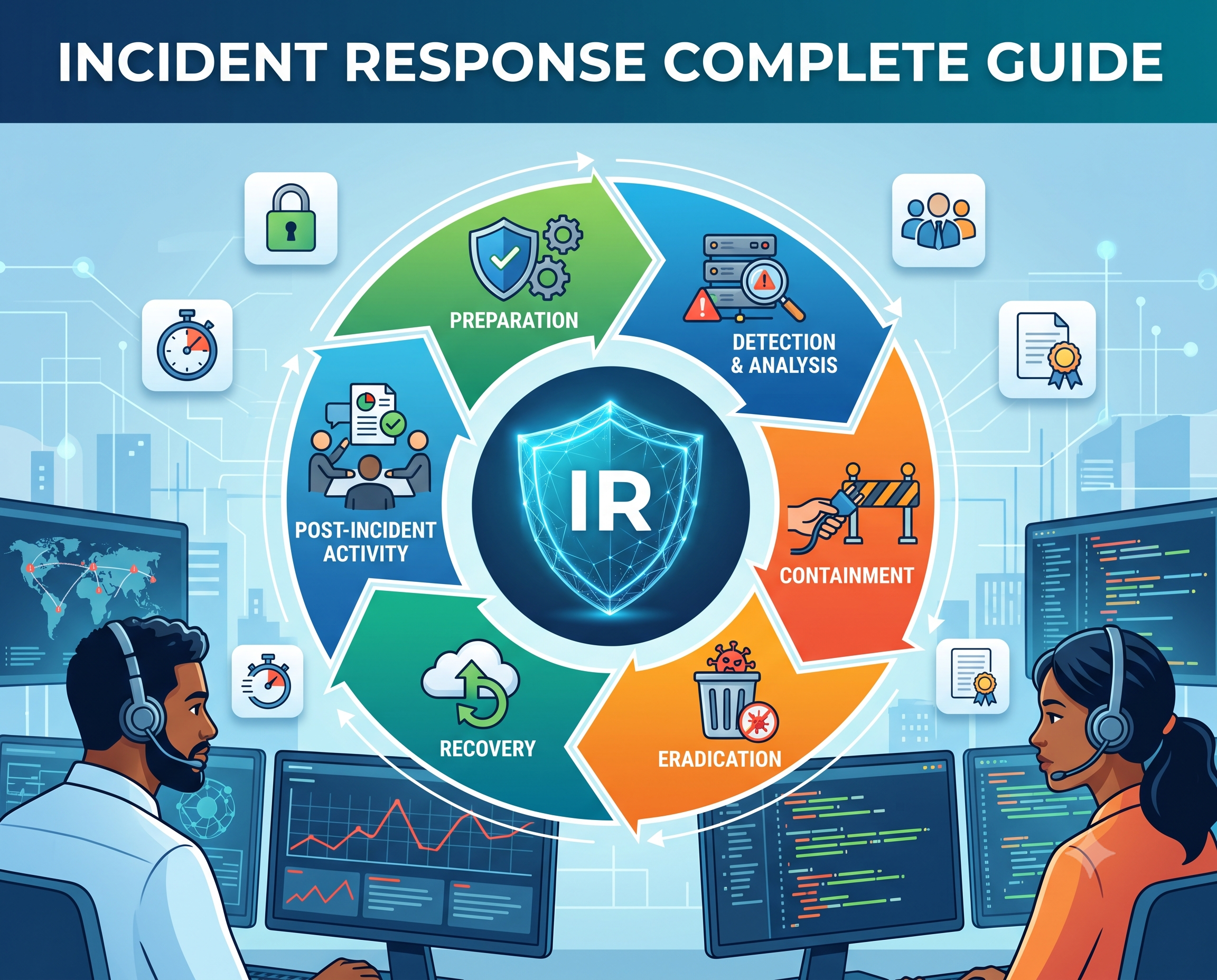
The Closed-Loop Compliance Process
- Detect
- Assess
- Prioritise
- Remediate
- Verify
- Monitor
- Reassess
This closed-loop approach is more reliable than applying configuration changes without confirming their outcome.
Managing Thousands of Endpoints With Centralised Compliance
At enterprise scale, the primary advantage of automation is consistency. A centralised compliance process can apply the same assessment logic across large numbers of endpoints while providing security teams with a unified view of the environment.
Centralised Visibility Can Help Teams
- Identify non-compliant endpoints
- Group findings by recommendation
- Compare compliance across departments
- Track remediation progress
- Identify recurring configuration problems
- Monitor high-risk systems
- Measure baseline compliance
- Generate security reports
- Investigate configuration changes
This allows security teams to focus their time on analysing and resolving important findings instead of manually collecting configuration information from individual machines.
CIS Compliance and Configuration Drift
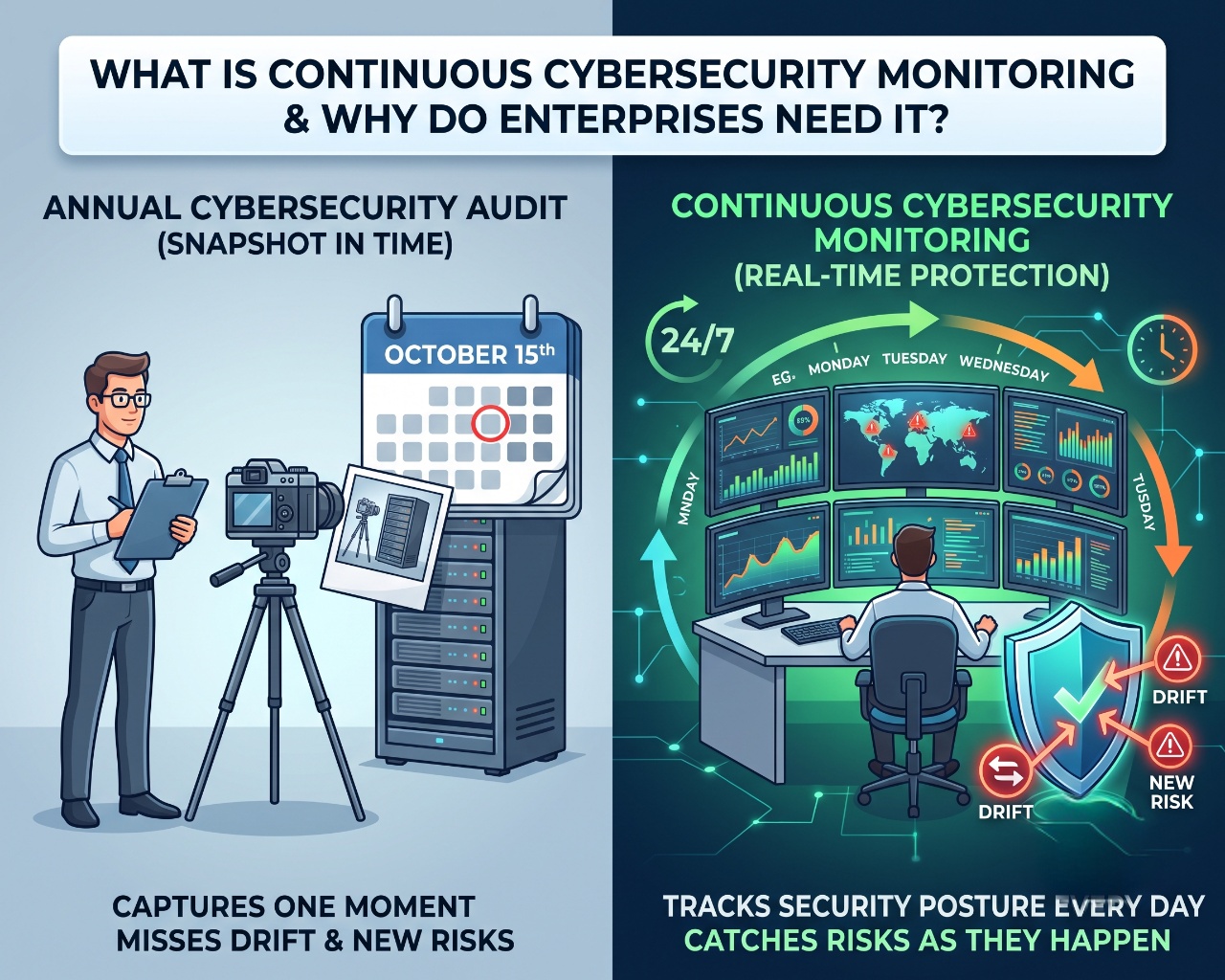
One of the biggest limitations of point-in-time CIS assessments is that endpoint configurations can change after the assessment has completed.
Configuration drift occurs when a system gradually moves away from its approved security baseline. Changes may result from software installation, administrative activity, operating system updates, application changes, policy modifications, or other operational events.
Continuous or scheduled assessment helps identify these deviations after the initial hardening process.
Example of Configuration Drift
An endpoint may pass a CIS assessment on Monday. Later, an administrator changes a security setting to troubleshoot an application. The endpoint may then become non-compliant even though the original assessment showed a healthy configuration.
If compliance is checked only during a quarterly audit, the deviation may remain undetected for weeks or months. Continuous monitoring can reduce this gap.
Automated CIS Compliance vs Point-in-Time Audits
Traditional security assessments provide a snapshot of system configuration at a particular moment. Automated compliance monitoring can provide a more continuous view of whether endpoints remain aligned with the approved security baseline.
Point-in-Time Assessment
- Provides a snapshot
- Requires periodic execution
- Can involve significant manual effort
- May miss changes between assessments
- Often produces periodic compliance reports
Continuous or Automated Assessment
- Regularly evaluates endpoint configuration
- Detects configuration changes sooner
- Scales across large endpoint populations
- Provides centralised visibility
- Supports faster remediation
- Helps track configuration drift
- Creates more current compliance information
Point-in-time assessments still have value, but automated monitoring can make secure configuration management more responsive.
Automating CIS Compliance for Remote and Distributed Endpoints
Modern organisations often have endpoints outside traditional office networks. Remote employees, branch offices, hybrid workforces, and distributed infrastructure make manual configuration assessment increasingly difficult.
A scalable compliance strategy should account for endpoints that may connect from different locations and networks.
Remote Endpoint Compliance Considerations
- Endpoint connectivity
- Secure communication
- Last-seen status
- Assessment frequency
- Configuration changes while remote
- Offline endpoints
- Remediation failure handling
- Centralised reporting
- Exception management
The goal is to maintain visibility into endpoint security posture even when devices are not physically present in a corporate office.
Handling CIS Exceptions
Not every CIS recommendation should necessarily be applied identically to every endpoint. Some systems may have legitimate business or technical requirements that conflict with a particular hardening recommendation.
An exception process allows organisations to document these situations rather than silently ignoring non-compliance.
What a CIS Exception Should Include
- Affected endpoint or endpoint group
- CIS recommendation
- Reason for exception
- Business owner
- Security owner
- Risk assessment
- Compensating control
- Approval
- Expiration or review date
- Monitoring requirements
Exceptions should be reviewed periodically. A temporary configuration exception should not become a permanent unmanaged security gap.
Automated CIS Compliance Reporting
Large-scale environments require reporting that allows security teams and management to understand the current state of endpoint compliance.
Useful CIS Compliance Metrics
- Overall compliance percentage
- Compliant endpoint count
- Non-compliant endpoint count
- Compliance by operating system
- Compliance by business unit
- Compliance by Benchmark
- Compliance by security profile
- Most common failed recommendations
- Critical or high-priority findings
- Open remediation items
- Remediation success rate
- Configuration drift rate
- Exception count
- Average remediation time
These metrics can help organisations measure whether their hardening programme is actually improving over time.
Using CIS Compliance to Improve Security Posture
CIS compliance should not be treated only as a checklist exercise. The results can provide useful information about the organisation's broader endpoint security posture.
Repeated failures may indicate weak configuration management processes, insufficient administrative controls, poor baseline enforcement, or a need for stronger monitoring.
From Compliance Findings to Security Improvement
- Identify recurring configuration weaknesses
- Determine the root cause
- Improve the security baseline
- Automate appropriate remediation
- Monitor the affected configuration
- Measure whether recurrence decreases
- Review the result periodically
This approach turns CIS compliance data into an ongoing security improvement process.
CIS Compliance and Vulnerability Management
Secure configuration and vulnerability management address related but different areas of endpoint security. Vulnerability management focuses on identifying and addressing known security weaknesses, while CIS hardening focuses on configuring systems according to security recommendations.
An endpoint can therefore be fully patched while still having insecure configuration settings. Conversely, an endpoint can have strong configuration controls while running vulnerable software.
Combining vulnerability management, patch management, CIS hardening, and continuous configuration monitoring provides broader endpoint security coverage.
CIS Compliance and Continuous Security Monitoring
Automated CIS compliance becomes more valuable when it is integrated into continuous security monitoring. Security teams can monitor configuration state alongside other endpoint security signals and investigate deviations as part of a broader security operations process.
This creates a connection between secure configuration, security posture, detection, and remediation.
How Cyber Auditor Can Support Automated CIS Compliance
Organisations managing thousands of endpoints need a scalable way to assess security configurations, identify deviations, prioritise findings, and track remediation.
Cyber Auditor can be positioned as part of this workflow to help organisations move from manual endpoint configuration checks toward centralised security assessment and continuous security posture management.
A Scalable CIS Compliance Workflow
- Discover and classify endpoints
- Define the appropriate CIS Benchmark
- Select the required security profile
- Assess endpoint configurations
- Identify compliance gaps
- Prioritise security findings
- Apply approved remediation
- Verify the configuration
- Monitor for configuration drift
- Generate compliance evidence and reports
The value of automation is not only speed. It is the ability to apply a consistent security process across a large endpoint population and maintain visibility as the environment changes.
Best Practices for Automated CIS Benchmark Compliance
- Maintain an accurate endpoint inventory
- Use the correct CIS Benchmark for each technology
- Define approved security profiles
- Start with practical baseline hardening
- Classify endpoints according to risk
- Test configuration changes before production deployment
- Automate only appropriate remediation actions
- Verify every remediation result
- Document and manage exceptions
- Continuously monitor configuration drift
- Track compliance trends
- Review Benchmark updates
- Integrate CIS compliance with vulnerability and patch management
- Maintain audit-ready evidence
- Periodically review the effectiveness of the hardening programme
Common Mistakes to Avoid
Mistake 1: Treating Compliance as a One-Time Audit
A one-time assessment cannot guarantee that endpoint configurations remain secure. Continuous or recurring assessment is necessary to identify configuration drift.
Mistake 2: Automating Every Remediation Immediately
Not every configuration change should be automatically applied. Changes that could affect applications or business operations should be tested and approved before deployment.
Mistake 3: Ignoring Exceptions
Unmanaged exceptions can create persistent security gaps. Exceptions should be documented, approved, monitored, and periodically reviewed.
Mistake 4: Measuring Only Overall Compliance
An overall compliance percentage can hide important details. Security teams should also examine critical findings, high-risk endpoints, recurring failures, and remediation effectiveness.
Mistake 5: Ignoring Configuration Drift
A hardened endpoint can become non-compliant after configuration changes. Monitoring should continue after the initial hardening process.
CIS Compliance Automation Checklist
- Inventory all relevant endpoints
- Identify the correct CIS Benchmark
- Select the appropriate security profile
- Define the approved security baseline
- Assess endpoint configurations
- Identify non-compliant settings
- Prioritise findings by risk
- Test remediation actions
- Automate approved hardening actions
- Verify remediation results
- Monitor configuration drift
- Manage exceptions
- Track compliance trends
- Generate reports and evidence
- Review and improve the process regularly
Frequently Asked Questions
Can CIS Benchmark compliance be automated?
Yes. Organisations can automate endpoint discovery, configuration assessment, compliance reporting, selected remediation actions, verification, and ongoing monitoring. The level of automation should depend on the technology and operational risk.
Can thousands of endpoints be assessed against CIS Benchmarks?
Yes. Automation is particularly valuable for large endpoint environments because it allows security teams to assess many systems consistently without manually checking each device.
Should CIS remediation always be automatic?
No. Some configuration changes can affect applications or business functionality. Organisations should test and approve higher-impact remediation actions before deploying them broadly.
How often should CIS compliance be checked?
CIS compliance should be assessed regularly, with more frequent or continuous monitoring for important and high-risk systems. The appropriate frequency depends on the organisation's risk, technology, and operational requirements.
What is configuration drift?
Configuration drift occurs when an endpoint moves away from its approved security configuration over time. Continuous monitoring can help detect these changes and initiate investigation or remediation.
Does CIS compliance mean an endpoint is completely secure?
No. CIS Benchmark compliance addresses secure configuration for the relevant technology, but endpoint security also requires controls such as vulnerability management, patch management, identity security, endpoint protection, monitoring, and incident response.
What is the difference between CIS compliance and CIS hardening?
CIS hardening is the process of applying security configuration recommendations to strengthen a system. CIS compliance is the process of assessing whether a system meets the selected CIS configuration requirements. Hardening improves the configuration, while compliance assessment measures it.
Key Takeaways
- Manual CIS assessments become difficult to scale across thousands of endpoints
- Automation enables consistent and repeatable configuration assessment
- The correct CIS Benchmark and security profile should be selected for each technology and risk level
- Automated assessment can identify non-compliant configurations quickly
- Approved remediation can reduce the time between detection and correction
- Remediation should be verified rather than assumed to be successful
- Configuration drift can cause previously compliant endpoints to become non-compliant
- Continuous monitoring helps maintain the approved security baseline
- Exceptions should be documented, approved, and periodically reviewed
- CIS compliance should complement vulnerability management, patch management, endpoint protection, and broader security monitoring
Conclusion
CIS Benchmarks provide organisations with detailed recommendations for establishing secure technology configurations, but maintaining compliance across thousands of endpoints is difficult when the process depends entirely on manual assessment.
Automation can transform CIS compliance from a periodic checklist into a scalable security process. By continuously assessing configurations, identifying deviations, prioritising findings, applying approved remediation, verifying results, and monitoring configuration drift, organisations can maintain stronger visibility across large endpoint environments.
The most effective approach is not simply to automate configuration changes. It is to build a controlled closed-loop process that connects assessment, risk prioritisation, remediation, verification, and continuous monitoring.
For organisations managing large and distributed endpoint environments, automated CIS compliance can provide a practical foundation for improving secure configuration, reducing configuration-related risk, and maintaining a measurable security posture over time.
Recommended Solution
See how MOBISEC solves this in practice
Topics