MDM + MAM + MTD: Building a Layered Enterprise Mobile Security Architecture
Mobile devices have become essential enterprise endpoints. Employees use smartphones and tablets to access corporate email, SaaS platforms, business applications, customer information, collaboration tools, cloud services, and other sensitive resources from almost anywhere.
This flexibility also expands the enterprise attack surface. A mobile device can be lost or stolen, targeted by phishing, exposed to malicious applications, connected to an unsafe network, or compromised through an operating-system or application vulnerability.
Managing the device alone is therefore not enough. Protecting applications and corporate data alone is also not enough. Organizations need a layered approach that combines device management, application and data protection, and active threat detection.
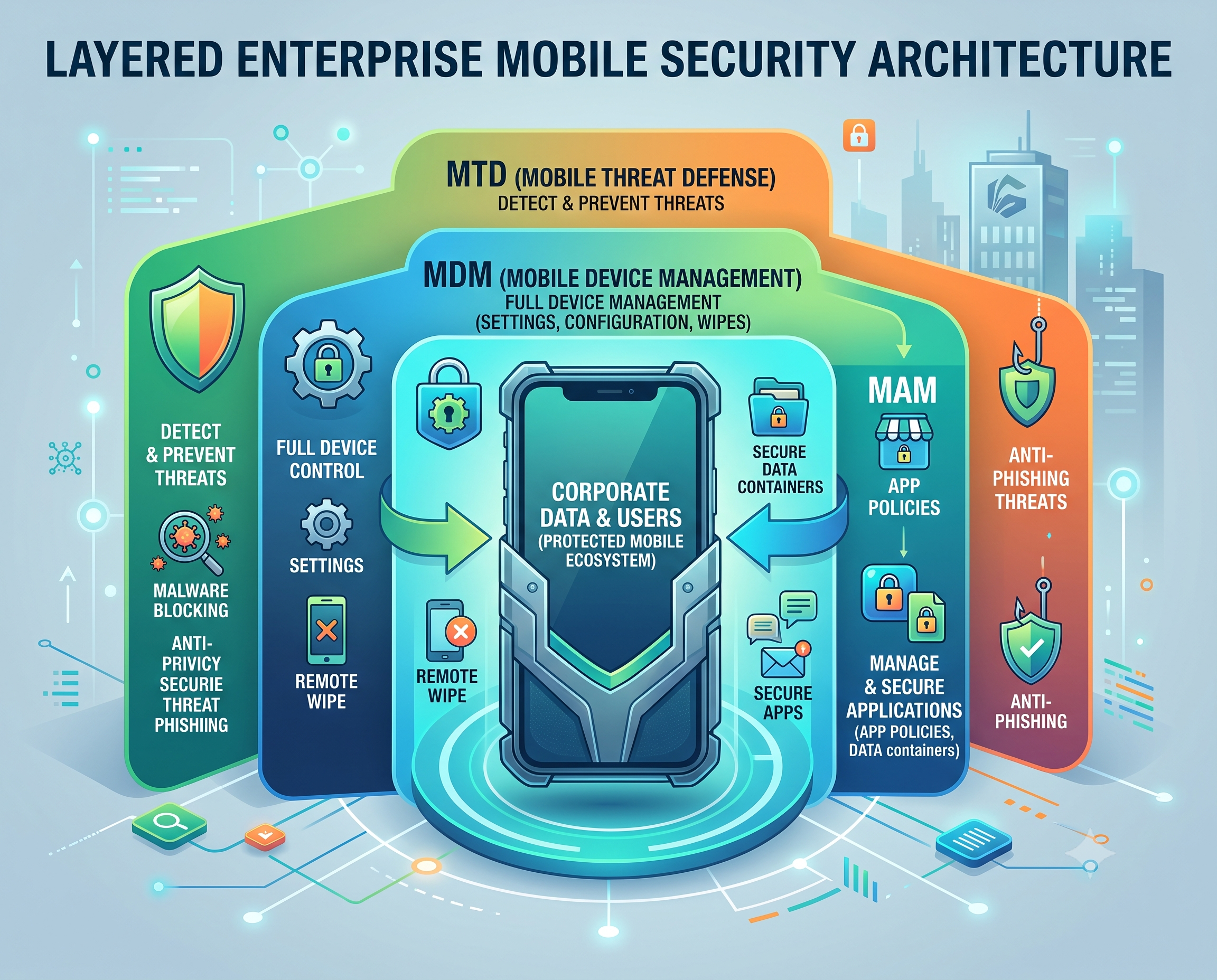
Mobile Device Management (MDM), Mobile Application Management (MAM), and Mobile Threat Defense (MTD) provide three complementary layers for building this architecture.
What Is a Layered Mobile Security Architecture?
A layered mobile security architecture uses multiple security controls to protect different parts of the enterprise mobile environment. Instead of depending on one technology, each layer addresses a specific part of the attack surface.
- MDM manages and secures the mobile device
- MAM protects enterprise applications and corporate data
- MTD detects mobile threats and suspicious activity
- Identity controls protect user authentication and access
- Security monitoring provides broader visibility
- Incident response provides remediation when a threat is confirmed
The objective is not to deploy three independent tools. The objective is to connect these capabilities so that device posture, application security, data protection, identity, and threat intelligence can influence security decisions together.
Why Enterprises Need More Than MDM
MDM provides an important foundation for enterprise mobility security. It can establish device policies, manage enrollment, configure security settings, distribute applications, evaluate compliance, and perform administrative actions.
However, a compliant device can still be exposed to a phishing attack, malicious application, risky network, credential theft attempt, or other active threat.
This creates an important distinction between device management and threat protection.
- Device compliance does not mean the device is completely threat-free
- A managed device can still encounter malicious content
- Approved applications can still contain vulnerabilities
- Users can still be targeted by phishing
- Mobile networks and Wi-Fi connections can introduce security risks
- Application data can still be exposed through unsafe sharing
MDM establishes a security baseline, while MAM and MTD extend protection beyond basic device configuration.
The Three Layers of Enterprise Mobile Security
MDM, MAM, and MTD address different security requirements and work best when they are treated as complementary controls.
- MDM provides device management and compliance
- MAM provides application and corporate-data protection
- MTD provides mobile threat detection and risk visibility
Together, these layers provide protection across the device, application, data, and active-threat portions of the mobile attack surface.
Layer 1: Mobile Device Management
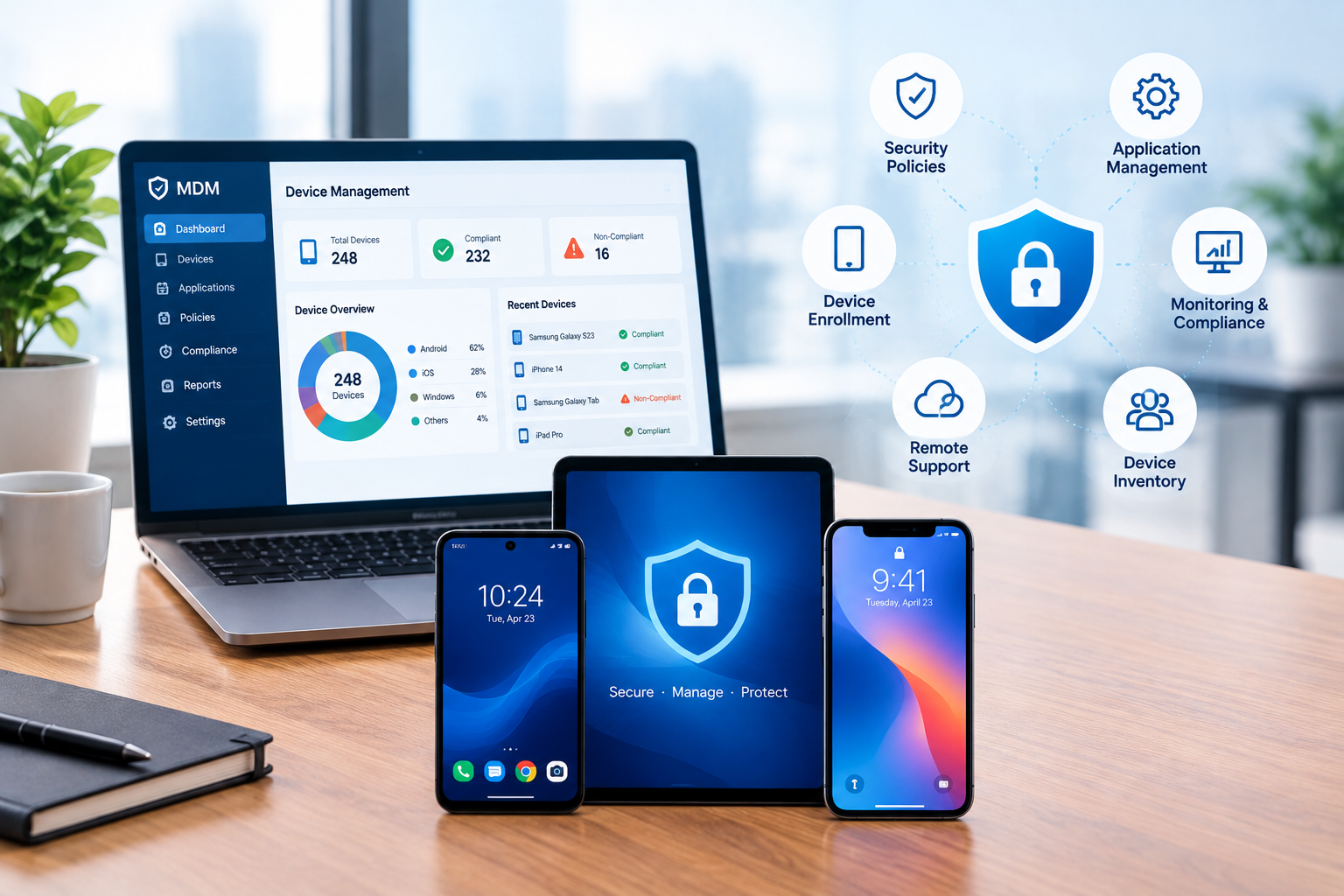
Mobile Device Management is the foundation of enterprise mobile security. MDM allows IT teams to enroll devices, establish security configurations, manage applications, monitor compliance, and control the device lifecycle.
The primary purpose of MDM is to ensure that devices accessing enterprise resources follow defined security requirements.
What MDM Provides
- Device enrollment and provisioning
- Device inventory
- Security configuration
- Password and screen-lock policies
- Encryption requirements
- Operating-system management
- Application deployment
- Wi-Fi and VPN configuration
- Certificate management
- Device compliance policies
- Remote lock
- Remote wipe
- Device retirement and unenrollment
For example, an organization can require a supported operating-system version, enforce a security configuration, deploy approved business applications, and prevent non-compliant devices from accessing sensitive resources.
MDM Security Question
MDM primarily answers one question: Is this device managed and configured according to enterprise security policy?
This makes MDM the device-control layer of the architecture.
Layer 2: Mobile Application Management
Mobile Application Management focuses on applications and the corporate information they access. This becomes especially important when employees use personal devices for business activities.
MAM allows organizations to apply security controls at the application and data level rather than relying only on complete device management.
What MAM Protects
- Enterprise applications
- Corporate documents
- Business email
- Application data
- Credentials and sessions
- Business files
- Data shared between applications
- Corporate information stored within managed applications
Depending on the platform and application architecture, MAM policies can control how business data is accessed, copied, shared, stored, and removed.
MAM and BYOD Security
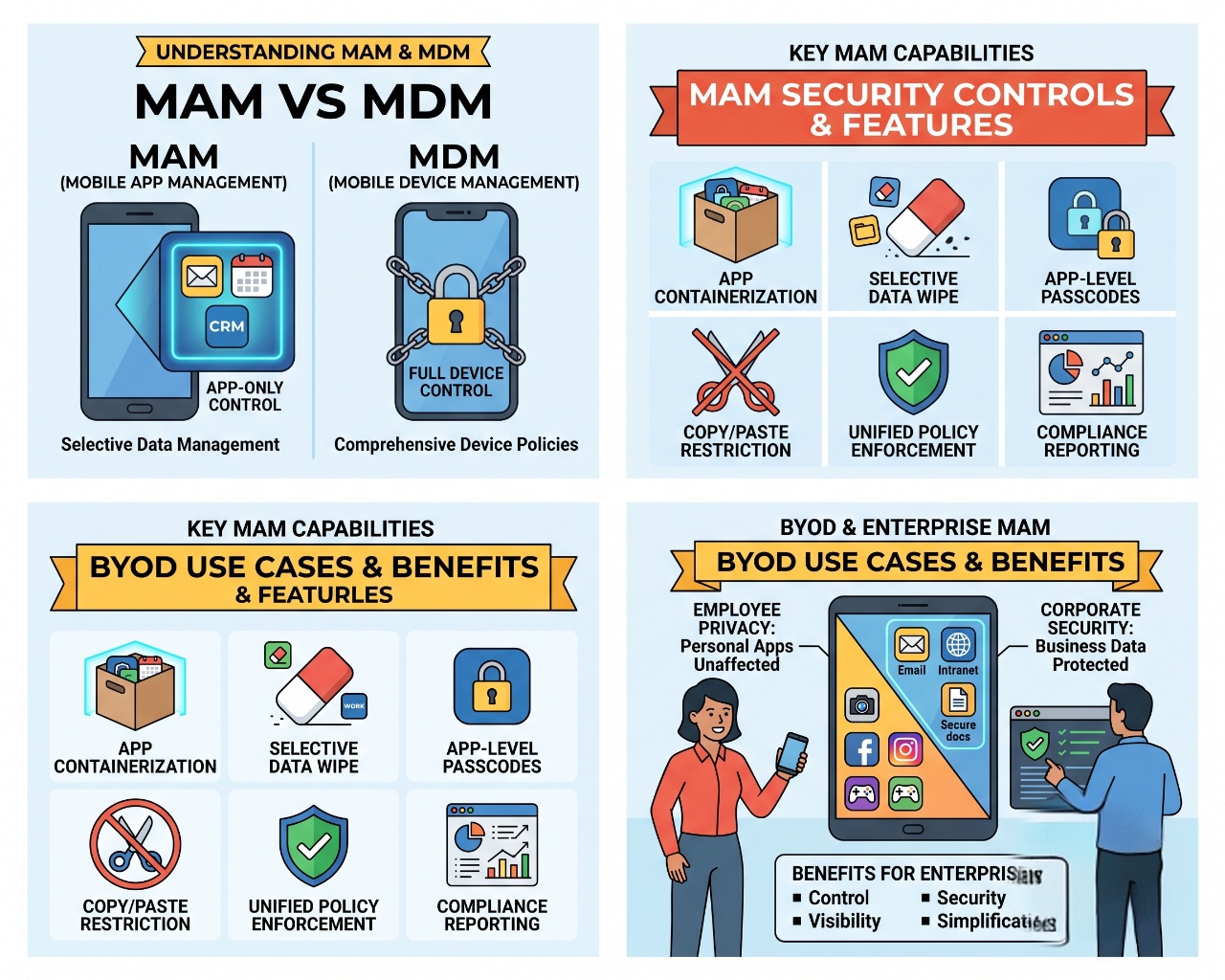
MAM is particularly useful for Bring Your Own Device environments. Employees may use their personal smartphones for work while the organization still needs to protect corporate information.
A well-designed MAM strategy can separate business information from personal information and apply security controls to managed applications without requiring the organization to control every aspect of the employee's personal device.
- Protect corporate applications
- Protect business data
- Limit unsafe data sharing
- Control application access
- Support selective removal of corporate information
- Reduce unnecessary access to personal information
- Improve BYOD security and privacy
MAM Security Question
MAM primarily answers the question: How should corporate applications and business data be protected on the mobile device?
This makes MAM the application and data protection layer of the architecture.
Layer 3: Mobile Threat Defense
Mobile Threat Defense adds active security monitoring to the mobile environment. Unlike a static configuration policy, MTD focuses on identifying threats and suspicious activity that may affect the device, application, network, or user.
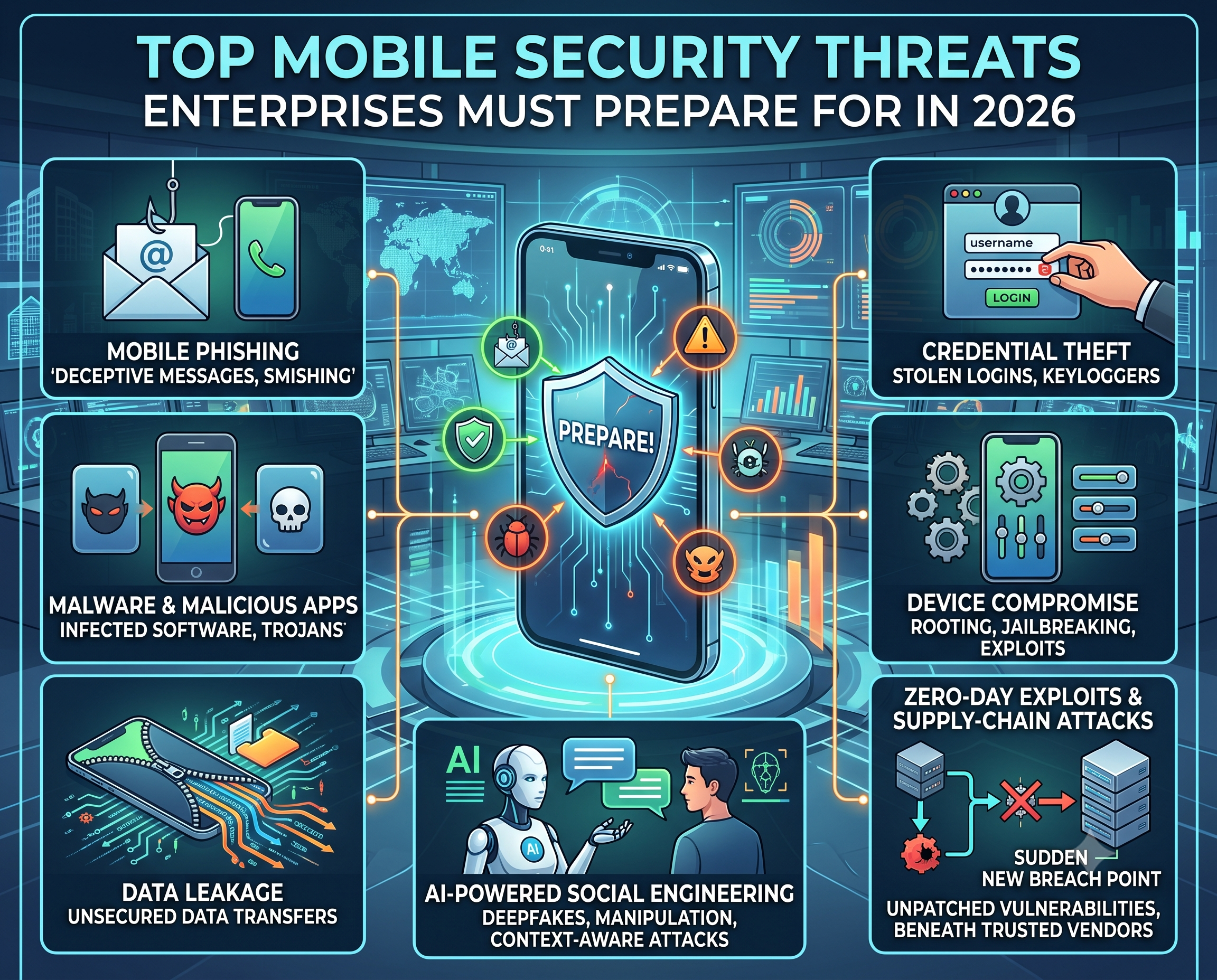
Modern mobile attacks can involve phishing, malicious applications, unsafe networks, credential theft, device compromise, and exploitation attempts.
What MTD Can Detect
- Mobile phishing
- Malicious websites
- Credential theft attempts
- Malicious applications
- Mobile malware
- Unsafe network connections
- Man-in-the-middle attacks
- Suspicious application behavior
- Device compromise
- Root or jailbreak indicators
- Exploitation attempts
- Other mobile-specific threats
NIST's mobile security guidance identifies MTD as a capability that can detect network-based, application-based, platform-based, and phishing attacks and can work with enterprise mobility management systems for remediation.
MTD Security Question
MTD primarily answers the question: Is this device, application, connection, or activity currently showing signs of a security threat?
This makes MTD the active threat-detection layer of the architecture.
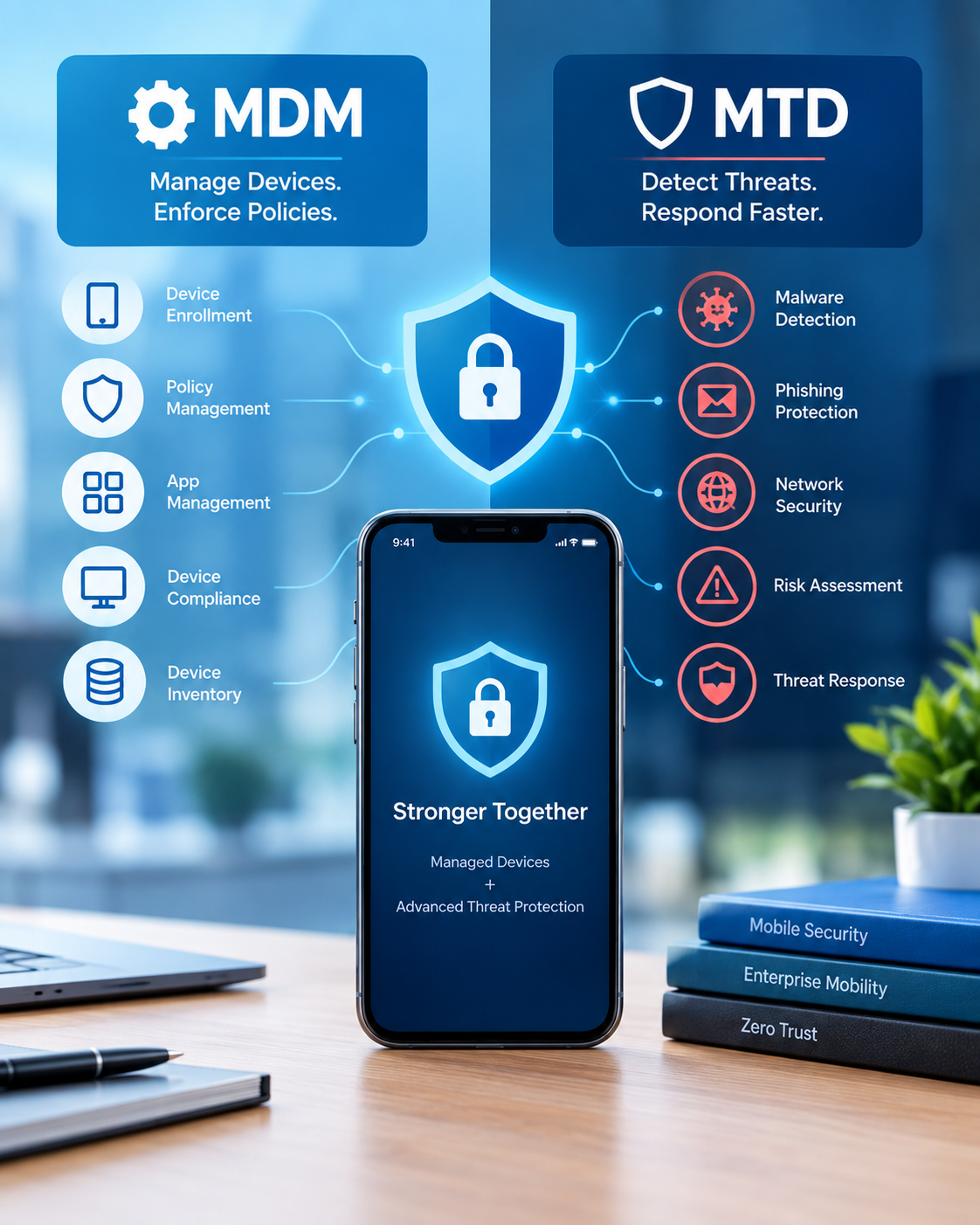
MDM vs MAM vs MTD
The three technologies should not be viewed as replacements for each other. Each addresses a different part of enterprise mobile security.
- MDM focuses on device enrollment, configuration, compliance, and lifecycle management
- MAM focuses on applications, corporate data, and application-level controls
- MTD focuses on threat detection, mobile risk, and active security events
A simple way to remember the model is: MDM manages the device, MAM protects the business application and data, and MTD detects threats.
How MDM, MAM, and MTD Work Together
The real value of this architecture comes from integrating the three layers.
- MDM enrolls the mobile device and establishes the required security baseline.
- MDM continuously evaluates whether the device meets defined compliance requirements.
- MAM provides managed business applications and applies controls to corporate data.
- The user authenticates to enterprise applications using organizational identity controls.
- MTD evaluates the device, applications, networks, and activities for mobile threats.
- A threat or elevated risk condition is communicated to the appropriate security or management system.
- The organization evaluates whether access should continue based on device compliance and current security risk.
- The device or application can be restricted, remediated, or blocked when required.
- Security teams investigate significant events through the organization's monitoring and incident-response processes.
This creates a security chain in which device management, application protection, and threat detection reinforce one another.
A Practical Layered Mobile Security Model
A mature enterprise mobile security architecture can be organized into several connected layers.
- Identity and Access
- Device Management
- Application and Data Protection
- Mobile Threat Defense
- Conditional Access
- Security Monitoring
- Incident Response
Identity and Access
Identity controls establish who is accessing enterprise resources. Strong authentication and authorization should work together with device and threat information.
- User authentication
- Multi-factor authentication
- Role-based access
- Conditional access
- Session controls
- Identity lifecycle management
- Privileged access controls
Device Management
The device-management layer uses MDM to establish and maintain the required security posture.
- Enrollment
- Device configuration
- Compliance
- OS management
- Security policies
- Application deployment
- Certificates
- Remote actions
- Device lifecycle management
Application and Data Protection
The application layer uses MAM and related controls to protect enterprise applications and business information.
- Managed applications
- Application policies
- Data separation
- Application authentication
- Copy and paste restrictions
- File-sharing controls
- Corporate data removal
- Application-level protection
Mobile Threat Defense
The threat-detection layer continuously evaluates mobile security conditions.
- Phishing detection
- Malware detection
- Network threat detection
- Application risk detection
- Device compromise detection
- Threat intelligence
- Risk scoring
- Security alerts
Conditional Access
Mobile security signals become more valuable when they influence access decisions. A device that is compliant and does not show significant security risk can receive appropriate access, while a device showing active risk can be challenged or restricted.
- Allow access
- Require additional authentication
- Restrict sensitive applications
- Require remediation
- Block access
- Remove corporate access
Security Monitoring and Incident Response
Important mobile security events should connect to the organization's wider security monitoring and incident-response processes.
Security teams can correlate mobile events with identity, endpoint, network, cloud, and application telemetry to determine whether a mobile alert represents an isolated event or part of a broader attack.
Why MAM Is Important for BYOD
Bring Your Own Device introduces a unique security challenge because organizations need to protect corporate resources without unnecessarily controlling an employee's personal information.
MAM provides a way to focus security controls on enterprise applications and business data.
- Protect corporate applications
- Protect business information
- Separate business and personal data
- Control corporate data sharing
- Support selective corporate-data removal
- Apply application-specific security policies
- Improve employee privacy
The exact capabilities available depend on the mobile operating system, application architecture, management platform, and organizational security policies.
Why MTD Is Important Even on Managed Devices
A managed device is not automatically a safe device. Security conditions can change after the device has successfully passed an MDM compliance check.
For example, a compliant device can later encounter a phishing campaign, connect to a malicious network, install a risky application, or become compromised through a vulnerability.
MTD provides an additional security layer that focuses on what is happening on and around the device rather than only whether the device configuration is compliant.
Using Device Risk to Strengthen Access Decisions
A layered architecture should consider both device posture and current threat conditions.
- MDM evaluates device compliance.
- MAM evaluates application and data controls.
- MTD evaluates current security threats.
- Identity systems evaluate the user and authentication context.
- Access-control policies combine relevant risk signals.
- High-risk conditions can trigger additional authentication, restricted access, or remediation.
- Security teams investigate significant security events.
This approach moves mobile security from a static compliance model toward continuous risk evaluation.
MDM + MAM + MTD for Corporate-Owned Devices
Corporate-owned devices generally provide organizations with greater control over the device lifecycle.
In this model, MDM can provide strong device management, MAM can protect business applications and information, and MTD can provide active threat detection.
- Centralized enrollment
- Strict device configuration
- Managed applications
- Corporate data protection
- Mobile threat detection
- Remote remediation
- Remote lock and wipe
- Centralized monitoring
MDM + MAM + MTD for BYOD
BYOD requires a more privacy-aware architecture. Organizations should focus on protecting corporate identities, applications, data, and access without collecting unnecessary personal information.
MAM can provide application-level data protection while MTD can provide mobile threat visibility and MDM can provide appropriate device-level controls where the deployment model permits them.
- Managed business applications
- Corporate data separation
- Conditional access
- Application-level protection
- Threat detection
- Selective corporate-data removal
- Privacy-aware device management
Common Gaps in Mobile Security Architecture
Organizations can still have significant mobile security gaps even after deploying an MDM platform.
- Using MDM without active mobile threat detection
- Managing devices without protecting application data
- Allowing corporate data to move into unmanaged applications
- Treating compliance as proof of security
- Ignoring mobile phishing
- Ignoring malicious applications
- Failing to monitor risky networks
- Not integrating mobile alerts with the SOC
- Not defining automated remediation actions
- Ignoring BYOD privacy requirements
- Failing to review mobile security policies
How to Build a Layered Mobile Security Architecture
Organizations can implement the architecture incrementally instead of attempting to deploy every security control at once.
- Inventory all mobile devices that access enterprise resources.
- Identify corporate-owned, BYOD, and other device-ownership models.
- Classify applications and mobile data according to business sensitivity.
- Define the minimum security baseline for mobile devices.
- Deploy MDM for enrollment, configuration, and compliance.
- Implement MAM for sensitive business applications and corporate data.
- Deploy MTD for mobile threat detection and risk visibility.
- Integrate mobile security signals with identity and access controls.
- Connect important mobile events with security monitoring.
- Define automated and manual remediation actions.
- Test the architecture against realistic mobile attack scenarios.
- Review mobile security policies and controls regularly.
Mobile Security Architecture Checklist
- Maintain an accurate mobile-device inventory
- Define corporate-owned and BYOD policies
- Establish a mobile security baseline
- Enforce device security configurations
- Manage operating-system updates
- Control application installation
- Protect enterprise applications
- Protect corporate data
- Implement strong authentication
- Use conditional access
- Deploy mobile threat defense
- Monitor phishing threats
- Monitor malicious applications
- Monitor network risks
- Monitor device compromise
- Define device-risk policies
- Integrate security alerts with incident response
- Define remote lock and wipe procedures
- Test lost-device scenarios
- Protect employee privacy
- Review mobile security policies regularly
MDM + MAM + MTD: Key Benefits
Combining MDM, MAM, and MTD creates a broader security model than relying on device management alone.
- Stronger device compliance
- Improved application security
- Better corporate data protection
- Better BYOD security
- Improved mobile threat visibility
- Faster threat detection
- Better access-control decisions
- Reduced mobile attack surface
- Improved incident response
- Better security monitoring
- Clearer separation of security responsibilities
- More consistent enterprise mobility policies
Connecting Mobile Security With Continuous Monitoring
Mobile security should not operate as an isolated IT function. Device posture, application security, and mobile threat events can contribute to an organization's broader security posture.
Continuous monitoring can help organizations identify changes in device compliance, security configuration, threat conditions, and endpoint risk over time.
This is especially important for large environments where mobile devices change frequently and security teams cannot rely on periodic manual checks.
A layered mobile security architecture should therefore connect naturally with broader continuous security monitoring and endpoint assurance processes.
MobiSec Approach to Layered Mobile Security
MobiSec's mobile security approach can be viewed as a combination of device management and mobile threat protection. Organizations can use device-management capabilities to establish security policies while using mobile threat defense capabilities to identify active risks.
The objective is to provide security teams with greater control over mobile endpoints while extending visibility beyond basic device configuration.
A practical enterprise strategy should evaluate MDM, MAM, and MTD together and determine how they can integrate with identity, access control, security monitoring, and incident response.
Frequently Asked Questions
Is MDM the same as MAM?
No. MDM primarily manages the mobile device, its configuration, compliance, and lifecycle. MAM focuses on enterprise applications and the corporate data handled by those applications.
Is MTD a replacement for MDM?
No. MTD and MDM address different security requirements. MDM provides device management and compliance controls, while MTD focuses on detecting active mobile threats.
Do enterprises need MDM, MAM, and MTD?
Not every organization requires the same combination of controls. Requirements depend on the organization's device ownership model, data sensitivity, applications, threat environment, and existing security architecture. However, organizations with significant mobile exposure should evaluate all three security layers.
Why is MAM important for BYOD?
MAM can protect enterprise applications and corporate data without requiring the organization to manage every aspect of an employee's personal device.
Can MDM and MTD work together?
Yes. MDM can provide device-management and compliance capabilities while MTD provides threat detection. Integration can allow detected security risks to influence device access or trigger remediation actions.
Does MDM protect against phishing?
MDM provides device and policy controls but should not be considered a complete phishing-defense solution. MTD can provide additional detection for phishing and malicious content.
What is the difference between device compliance and device security?
Device compliance describes whether a device meets defined organizational policies. Device security is broader and includes the device's current threat condition, application behavior, network activity, identity context, and other security signals.
How does this architecture support Zero Trust?
A layered mobile architecture supports Zero Trust by avoiding automatic trust based solely on device enrollment. User identity, device posture, application context, resource sensitivity, and current security risk can all contribute to access decisions.
Key Takeaways
- MDM provides the device-management and compliance foundation.
- MAM protects enterprise applications and corporate data.
- MTD provides active mobile threat detection and risk visibility.
- The three technologies address different parts of the mobile attack surface.
- MDM compliance should not be treated as proof that a device is completely secure.
- MAM is particularly valuable for protecting corporate data in BYOD environments.
- MTD provides additional protection against phishing, malicious applications, network attacks, and other mobile threats.
- Identity and conditional access can use mobile security signals to improve access decisions.
- Mobile security events should integrate with broader security monitoring and incident response.
- Layered mobile security should connect with continuous monitoring and enterprise security operations.
Conclusion
Enterprise mobile security requires more than device management. Smartphones and tablets now provide access to applications, identities, business data, cloud services, and other sensitive enterprise resources, creating an attack surface that must be protected across multiple layers.
MDM, MAM, and MTD provide complementary capabilities for addressing this challenge. MDM establishes device control and compliance. MAM protects enterprise applications and corporate information. MTD identifies active threats and provides additional security visibility.
When these capabilities work together with identity, conditional access, continuous monitoring, and incident response, organizations can build a stronger and more adaptive mobile security architecture.
The goal is not simply to deploy more security tools. The goal is to create clearly defined security layers that work together to protect devices, applications, data, users, and enterprise resources throughout the mobile device lifecycle.
Recommended Solution
See how MOBISEC solves this in practice
Topics