What Is Mobile Application Management (MAM)?
Mobile Application Management (MAM) is an enterprise technology approach used to manage, secure, and protect business applications and corporate data accessed through mobile devices.
Organizations increasingly rely on smartphones and tablets to access email, collaboration tools, customer applications, business systems, cloud services, and other enterprise resources.
MAM allows organizations to apply management and security controls at the application level instead of relying only on complete device management.
This approach can be especially useful when employees use personally owned devices and organizations need to protect corporate applications and data without taking complete control of the personal device.
MAM is commonly used as part of a broader enterprise mobility-management strategy and can work alongside technologies such as MDM, UEM, EMM, identity security, and mobile threat defense.
Why Do Enterprises Need Mobile Application Management?
Mobile applications have become an important way for employees to access business information and services.
A mobile device may contain both personal and corporate applications, making it difficult for organizations to apply the same management approach to every part of the device.
MAM focuses on the applications and corporate data that an organization needs to protect.
- Employees access business applications from smartphones and tablets.
- Corporate data can be accessed outside traditional corporate networks.
- Employees may use personally owned devices for work.
- Organizations need to protect business information without unnecessarily managing personal data.
- Business applications may require additional security controls.
- Organizations need to control access to corporate applications and data.
- Mobile application security is an important part of enterprise security.
How Does Mobile Application Management Work?
MAM solutions apply management and security policies to supported business applications and the corporate data handled by those applications.
The exact capabilities depend on the MAM platform, mobile operating system, application architecture, identity system, and management integrations.
1. Identifying Managed Applications
The organization first identifies the applications that contain or access corporate information.
These may include email applications, collaboration tools, document-management applications, CRM applications, productivity applications, and custom business applications.
2. Applying Application Policies
Administrators can apply supported security and management policies to business applications.
Policies may control how applications access corporate data, how users authenticate, and how data can be transferred between applications.
3. Protecting Corporate Data
MAM can help separate corporate information from personal information within supported applications and management models.
This can reduce the risk of accidental data sharing and help organizations maintain greater control over business information.
4. Controlling Application Access
Organizations can use identity and access controls to determine which users are allowed to access business applications.
Access decisions may consider user identity, application status, device security posture, and organizational policies where supported.
5. Monitoring Application Compliance
MAM can provide administrators with information about the management and security status of supported business applications.
Organizations can use this information to identify applications or users that require additional action.
Key Capabilities of Mobile Application Management
Application Deployment
MAM solutions can help organizations distribute required business applications to users through supported application-management systems.
Application deployment capabilities depend on the operating system, application type, management platform, and enterprise application store or distribution mechanism.
Application Configuration
Administrators may be able to configure supported business applications according to organizational requirements.
Configuration options can include application settings, authentication requirements, account configuration, and other supported controls.
Application Protection Policies
Application protection policies can help control how corporate data is accessed and handled within supported applications.
These policies can help reduce the risk of unauthorized data transfer or accidental sharing.
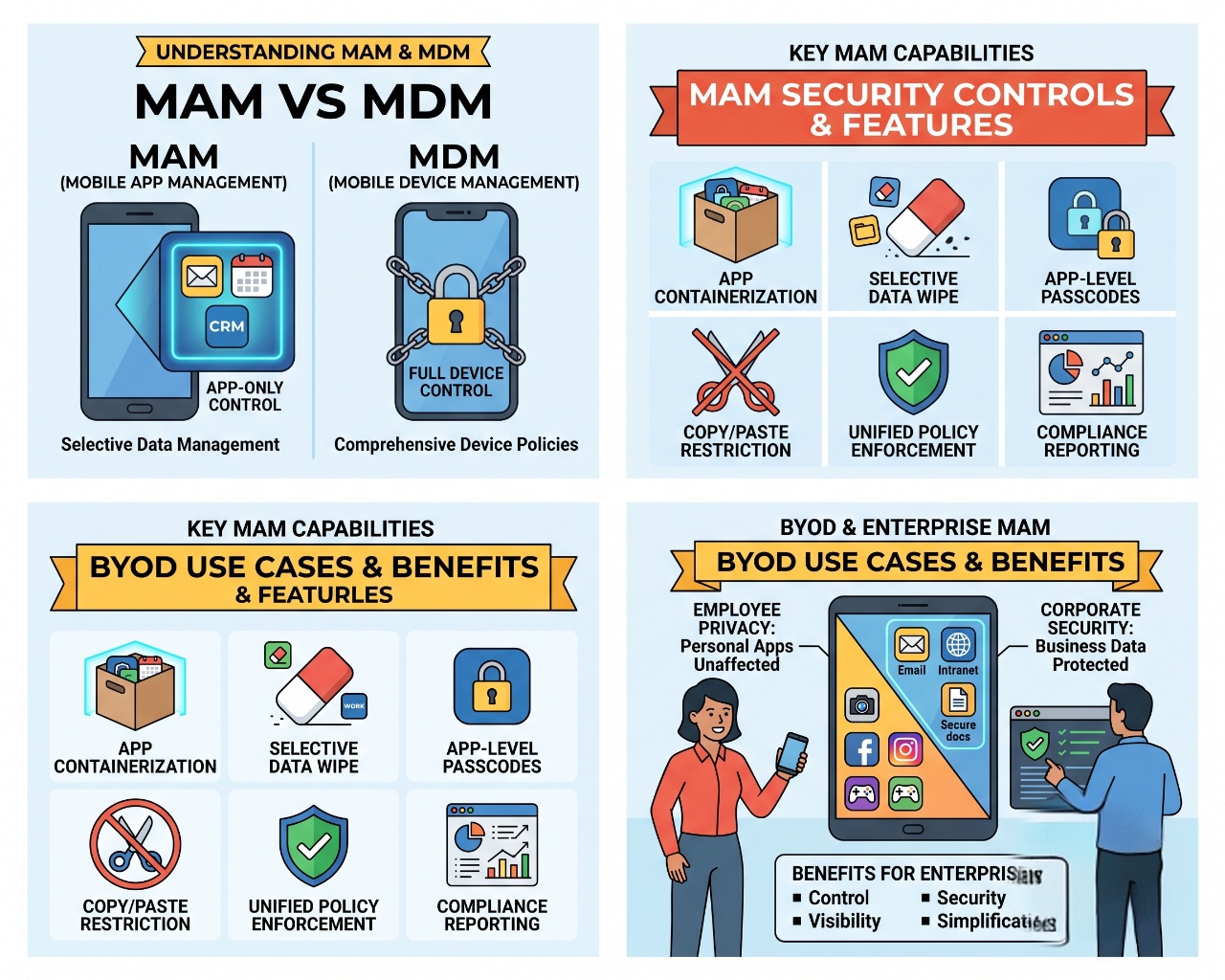
Copy and Paste Controls
Organizations may use application-management policies to control whether corporate information can be copied from managed applications into unmanaged applications.
These controls can help reduce accidental movement of sensitive business information.
Data Sharing Controls
MAM can provide controls that restrict how corporate information is shared between applications.
For example, organizations may limit the transfer of corporate data to applications that are not approved for business use.
Application Authentication
MAM can work with identity and authentication systems to control access to business applications.
Organizations can apply authentication requirements according to their security policies and application requirements.
Application Access Control
Organizations can define which users or groups are permitted to access specific business applications.
Application access can be managed according to roles, departments, business requirements, or other organizational policies.
Remote Application Actions
Depending on the platform, administrators may be able to remove corporate application data or perform other supported application-management actions remotely.
This can be useful when an employee leaves the organization, loses access privileges, or a device becomes unsuitable for accessing corporate information.
MAM vs MDM
Mobile Application Management and Mobile Device Management address different levels of enterprise management.
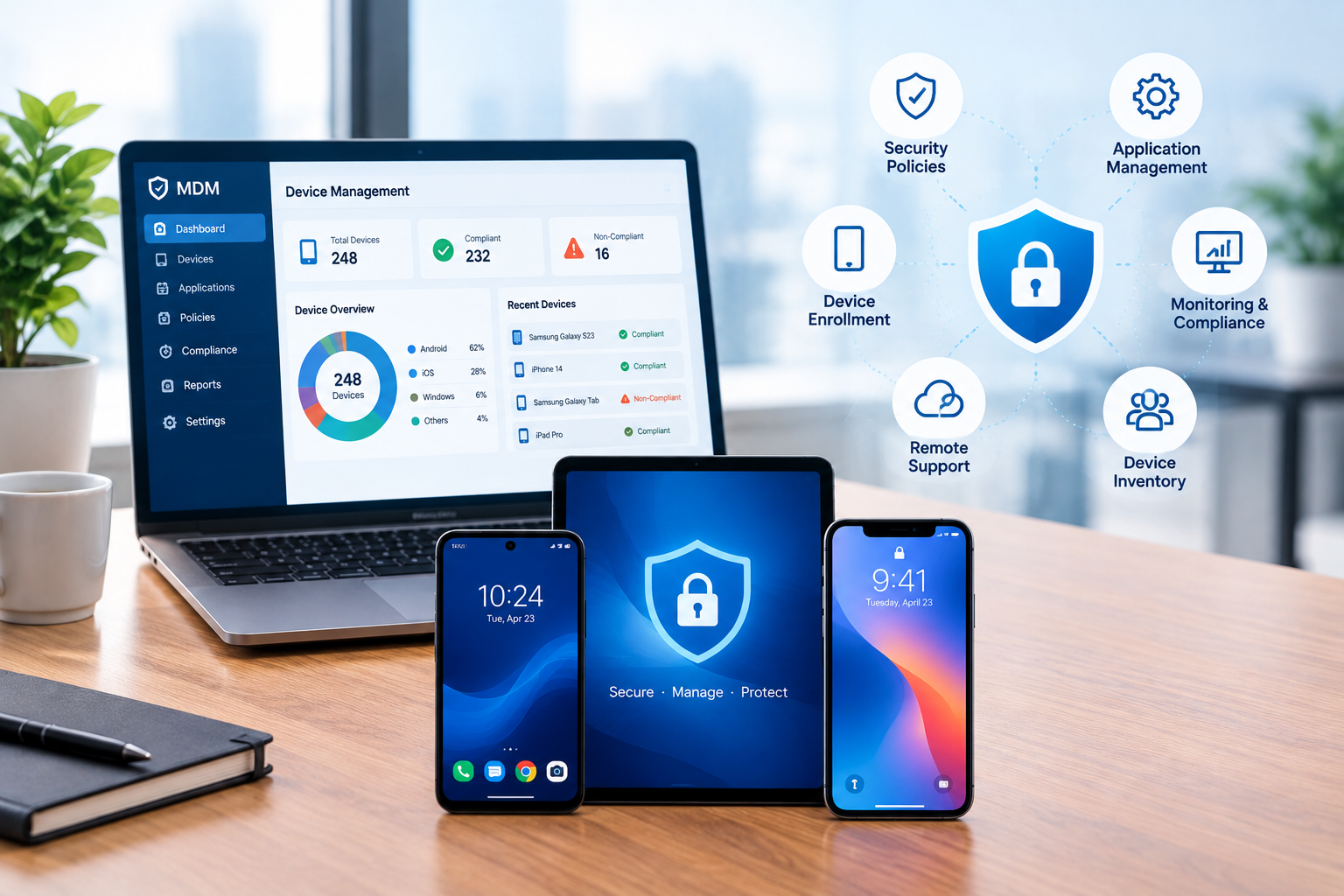
MDM primarily focuses on managing the device, while MAM focuses on managing and protecting supported applications and corporate data.
- MDM manages the mobile device.
- MAM manages supported business applications.
- MDM can apply device-level configuration policies.
- MAM can apply application-level security policies.
- MDM can manage device settings and restrictions.
- MAM can help protect corporate data inside managed applications.
- MDM can provide centralized device inventory.
- MAM focuses on application access and data protection.
The two technologies can also work together.
An organization may use MDM for corporate-owned devices while using MAM capabilities to provide additional protection for business applications and data.
MAM vs UEM
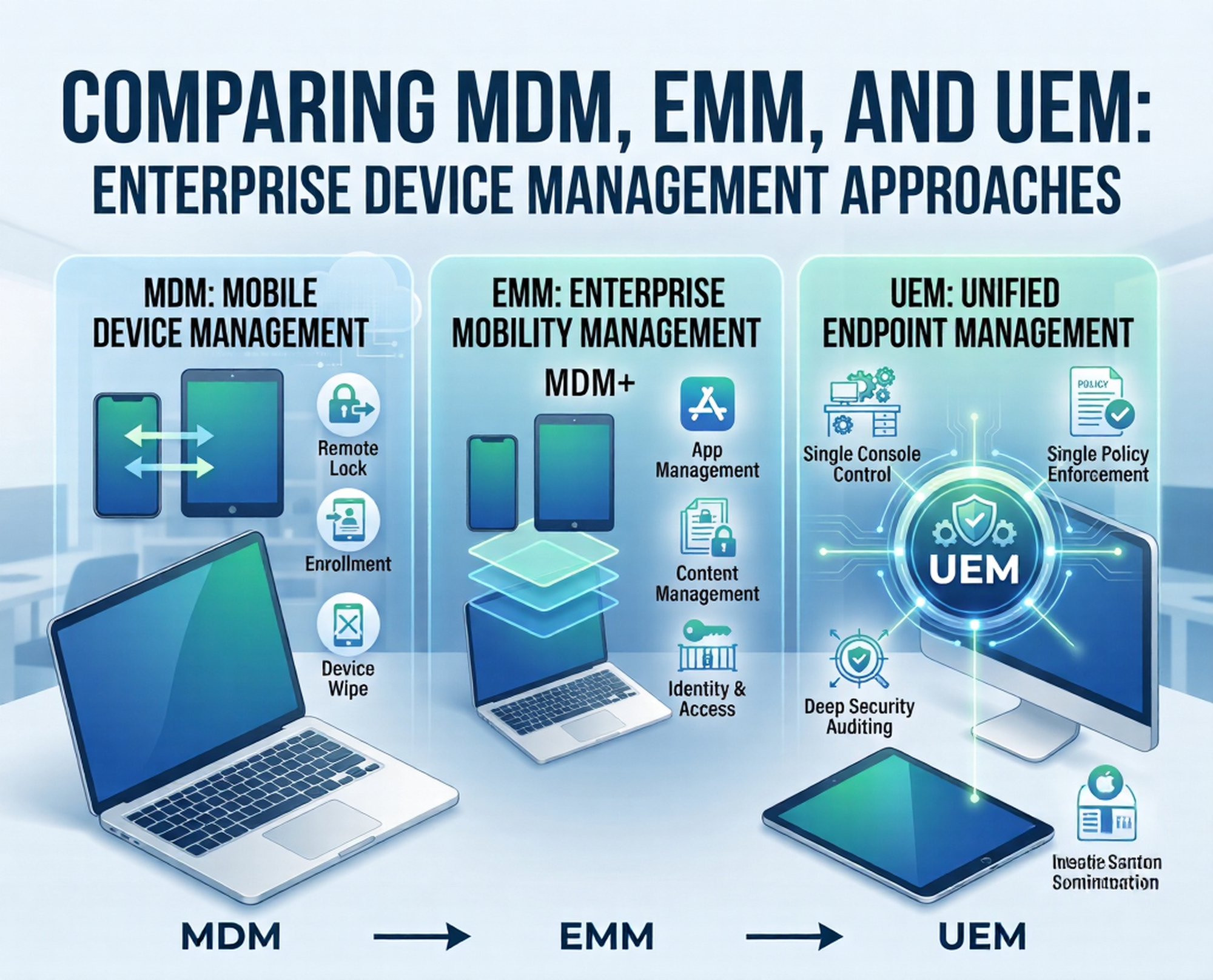
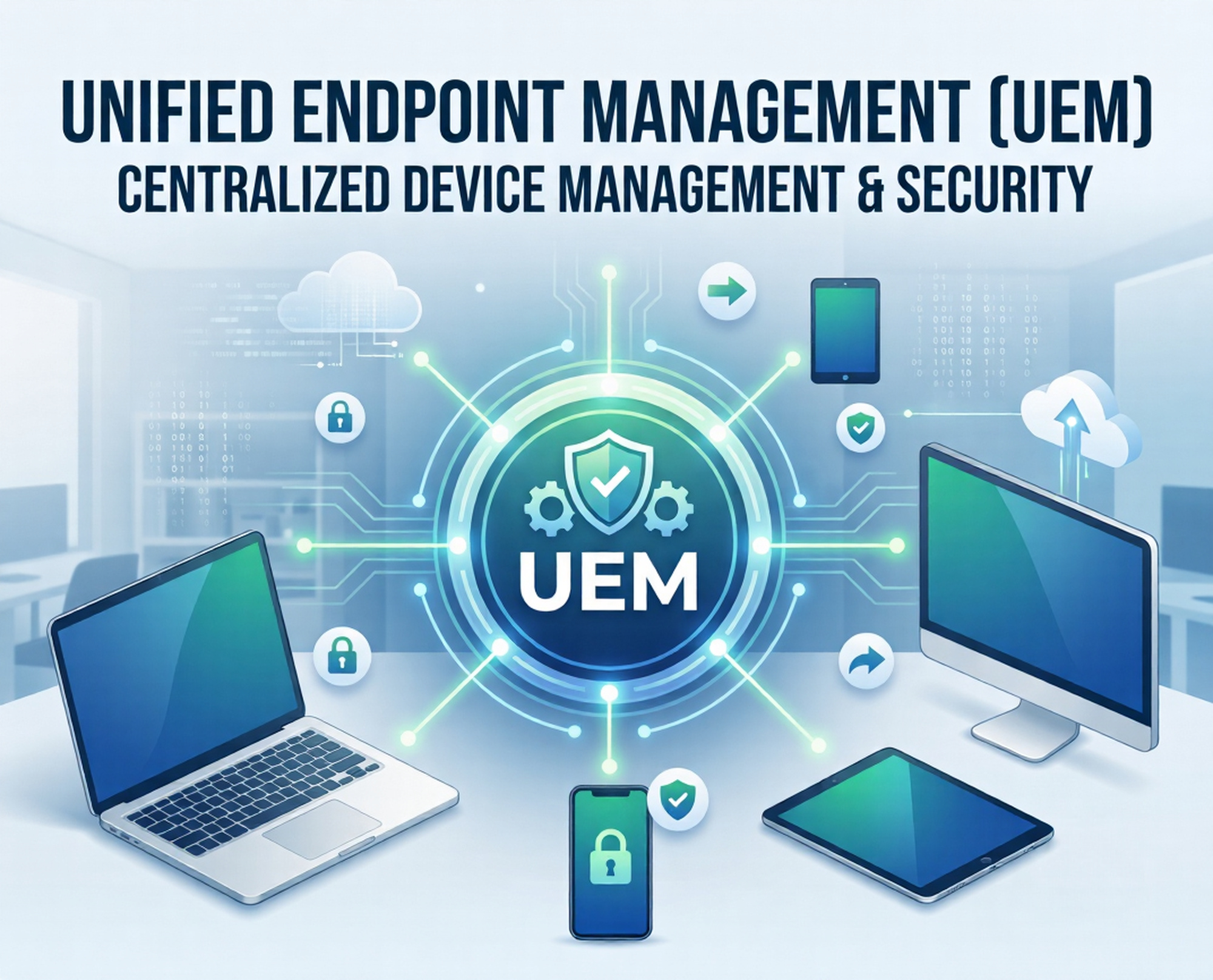
Unified Endpoint Management provides a broader approach to endpoint management than MAM.
UEM can manage supported devices, applications, configurations, compliance policies, and other endpoint-management functions.
MAM focuses specifically on applications and the corporate data handled by those applications.
- MAM focuses on application management.
- UEM provides broader endpoint management.
- MAM can protect business application data.
- UEM can manage devices and applications.
- MAM can support BYOD scenarios.
- UEM can support corporate-owned and personally owned devices depending on the platform.
MAM can therefore be one component of a broader UEM strategy.
MAM vs EMM
Enterprise Mobility Management is a broader approach to managing and securing mobile technologies within an organization.
EMM can include MDM, MAM, mobile security, and other enterprise mobility capabilities.
MAM focuses specifically on applications and application data, while EMM can combine multiple mobile-management technologies.
NIST describes EMM as a technology approach that can include MDM, MAM, Mobile Threat Defense, and other management technologies.
MAM and BYOD
Bring Your Own Device allows employees to use personally owned smartphones and tablets for business activities.
BYOD creates a unique challenge because the same device contains both personal and corporate information.
MAM can help organizations protect corporate applications and data without requiring complete control over the employee's personal device.
- Protect corporate applications.
- Protect business data.
- Control corporate application access.
- Reduce unnecessary management of personal applications.
- Apply application-level security policies.
- Support separation of work and personal information.
- Allow employees to continue using personal applications where permitted.
The exact level of separation depends on the operating system, application architecture, management platform, and security policies used by the organization.
MAM and Corporate-Owned Devices
MAM can also be used on corporate-owned devices.
Organizations may combine MAM with MDM or UEM to provide both device-level and application-level controls.
This approach can provide multiple layers of management and security for devices that contain sensitive enterprise information.
- Device configuration through MDM or UEM.
- Application management through MAM.
- Application access controls.
- Corporate data protection.
- Compliance monitoring.
- Security-policy enforcement.
MAM and Corporate Data Protection
One of the primary purposes of MAM is protecting corporate information accessed through mobile applications.
Employees may access sensitive information such as customer records, business documents, financial information, internal communications, and authentication data from mobile devices.
Application-level security controls can help organizations reduce the risk of accidental or unauthorized data movement.
Preventing Unapproved Data Transfer
Organizations may restrict the movement of corporate information between managed and unmanaged applications where supported.
These controls can reduce the risk of sensitive information being copied into personal applications or unauthorized services.
Protecting Business Documents
MAM policies can help organizations control how business documents are accessed and shared through supported applications.
Organizations should define appropriate document-management and data-sharing policies according to their business and compliance requirements.
Protecting Corporate Accounts
MAM can work with identity and authentication systems to help ensure that only authorized users can access business applications.
Strong authentication and appropriate access policies should be used as part of a broader identity-security strategy.
MAM and Application Security
Application security is an important part of mobile security because applications can process sensitive corporate information and interact with device capabilities.
Organizations should evaluate applications before allowing them to access corporate data.
- Review application security requirements.
- Use trusted application distribution methods.
- Maintain supported application versions.
- Monitor application access.
- Restrict unauthorized applications where appropriate.
- Protect sensitive application data.
- Review application permissions.
- Integrate application security with identity controls.
MAM and Mobile Threat Defense
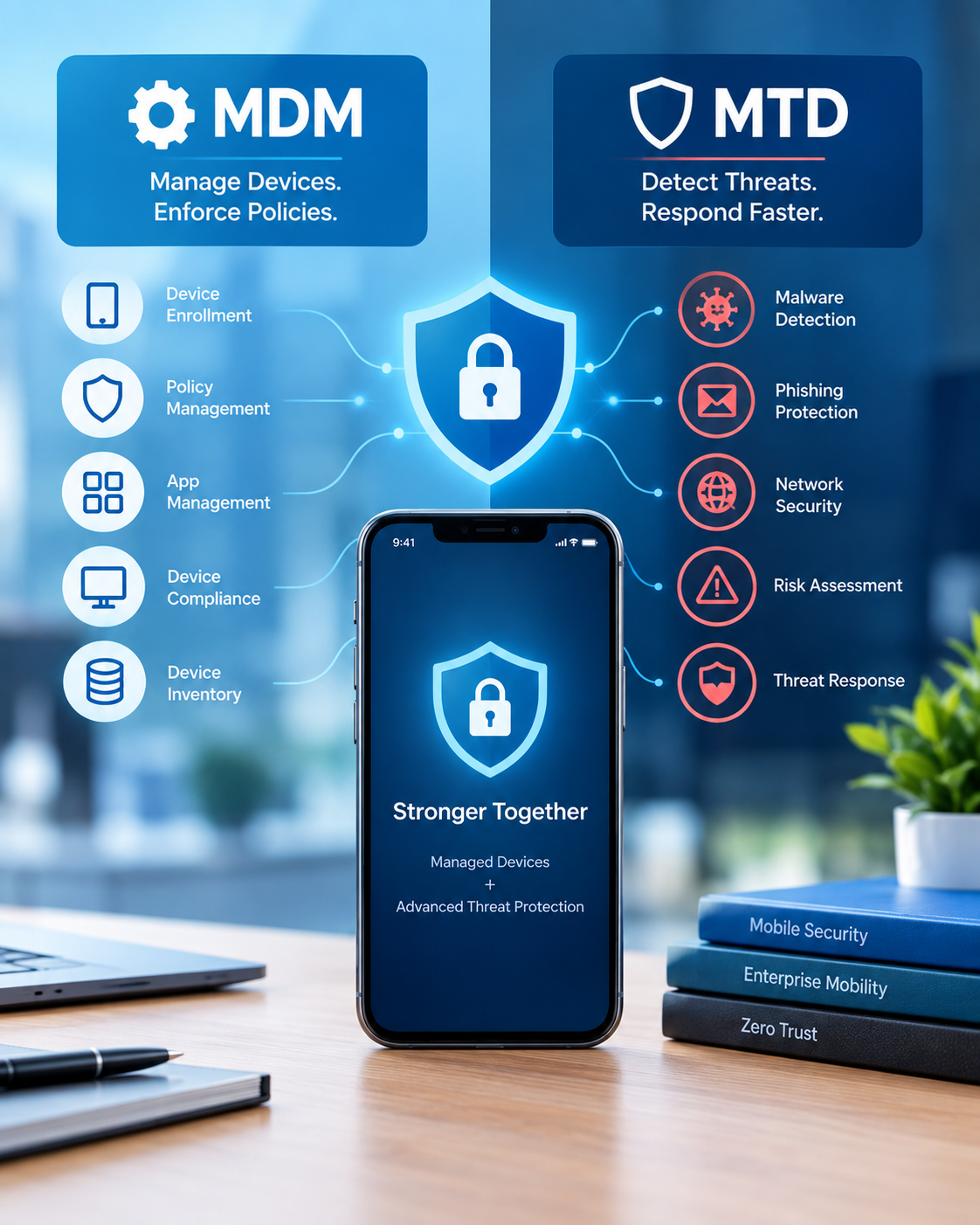
Mobile Application Management and Mobile Threat Defense solve different security problems.
MAM focuses on managing applications and protecting corporate application data.
Mobile Threat Defense focuses on detecting and responding to threats affecting mobile devices, applications, networks, and users.
- MAM manages supported business applications.
- MAM protects corporate application data.
- MTD detects mobile security threats.
- MTD analyzes security-related signals.
- MTD can detect malicious applications and other mobile threats.
- MAM and MTD can complement each other in a broader mobile-security strategy.
Using both technologies can help organizations address application-management requirements while also improving visibility into mobile security threats.
MAM and Identity Security
Mobile applications often provide access to important enterprise resources, making identity security an important part of application management.
MAM can work with identity platforms to control access to supported business applications.
- User authentication
- Application access control
- Multi-factor authentication
- Conditional access
- Device-risk evaluation
- Application compliance
- Role-based access
The exact capabilities depend on the identity and application-management platforms used by the organization.
MAM and Zero Trust
Zero Trust security requires organizations to evaluate access based on identity, device security, application context, resource sensitivity, and other available signals rather than automatically trusting a user or device.
MAM can contribute to this model by applying application-level controls to corporate resources.
- Verify the user's identity.
- Protect business applications.
- Evaluate available device-security information.
- Apply appropriate access policies.
- Protect sensitive corporate data.
- Limit unnecessary data sharing.
- Continuously evaluate access conditions where supported.
MAM for Remote and Hybrid Work
Remote and hybrid work environments have increased the importance of application-level security.
Employees may access corporate applications from homes, offices, public locations, and other networks outside the organization's direct control.
MAM allows organizations to maintain application-level controls even when employees use devices outside the traditional corporate environment.
Benefits of Mobile Application Management
Improved Corporate Data Protection
MAM can help organizations protect sensitive corporate information inside supported business applications.
Support for BYOD
MAM can allow organizations to protect business applications and data without necessarily applying complete device management to personally owned devices.
Reduced Data Leakage Risk
Application-level controls can help reduce accidental movement of corporate information between approved and unapproved applications.
Better Application Control
Organizations can manage access to business applications and apply policies according to user and business requirements.
Improved User Privacy
When correctly implemented, application-level management can reduce the need to manage personal applications and personal information on employee-owned devices.
Flexible Management
MAM can complement device-management technologies and provide another layer of control for organizations with different device ownership models.
Common Challenges in MAM
Application Compatibility
Not every application supports the same management capabilities.
Organizations should verify whether their business applications support the required MAM features before deployment.
Operating System Differences
Mobile operating systems provide different application-management and security capabilities.
Organizations should validate the exact features available on their supported devices and operating-system versions.
Privacy
Privacy is especially important when MAM is used in BYOD environments.
Organizations should clearly communicate what corporate information is managed and what personal information remains outside the organization's management scope.
Application Complexity
Organizations may use a mixture of public applications, private applications, web applications, and custom business applications.
Each application type may require a different management and security approach.
User Experience
Security controls that interfere too heavily with normal application usage can reduce employee productivity and adoption.
Organizations should balance application security requirements with usability.
Integration Requirements
MAM may need to integrate with identity providers, application platforms, UEM systems, security technologies, and other enterprise services.
Poorly planned integrations can increase administrative complexity.
How to Choose a MAM Solution
Organizations should select a MAM solution based on their application environment, data-protection requirements, device ownership model, identity architecture, and security needs.
- Identify the business applications that require protection.
- Determine what types of corporate data those applications handle.
- Identify supported mobile operating systems.
- Determine whether BYOD is required.
- Evaluate application-management capabilities.
- Review application protection policies.
- Check data-sharing and copy-and-paste controls.
- Evaluate authentication and identity integrations.
- Review application deployment capabilities.
- Evaluate remote data-removal capabilities.
- Check reporting and compliance capabilities.
- Review privacy and data-collection controls.
- Test the solution with representative applications and devices.
- Evaluate scalability and administrative complexity.
MAM Best Practices
- Identify applications that handle sensitive corporate information.
- Use trusted application-distribution methods.
- Maintain supported application versions.
- Apply appropriate application-protection policies.
- Use strong authentication for business applications.
- Restrict unauthorized data sharing where appropriate.
- Separate corporate and personal information.
- Define clear BYOD policies.
- Monitor application compliance.
- Integrate MAM with identity and endpoint-management platforms.
- Train employees on mobile application security.
- Review application policies regularly.
- Test policies before large-scale deployment.
MAM and the Mobile Device Lifecycle
Application security should be considered throughout the mobile-device and application lifecycle.
- Identify business applications and data requirements.
- Define application-management policies.
- Deploy approved applications.
- Configure application-security controls.
- Enroll users and devices where required.
- Monitor application usage and compliance.
- Update applications regularly.
- Respond to security or access issues.
- Remove corporate application data when access is no longer authorized.
- Retire applications that are no longer required.
NIST recommends considering security throughout the mobile-device lifecycle, including deployment, use, and disposal.
MAM vs MDM: Simple Example
Consider an employee who uses a personally owned Android smartphone to access corporate email and business documents.
With traditional full-device management, the organization may manage a broader range of device settings and controls.
With an application-management approach, the organization can focus primarily on protecting the business applications and corporate information accessed from the smartphone.
For example, the organization may require authentication for the business application and restrict the movement of corporate data into unauthorized applications where supported.
This approach can provide a useful balance between corporate security requirements and employee privacy.
Is MAM Enough for Enterprise Security?
MAM provides important application and data-protection capabilities, but it is not a complete enterprise security solution.
Organizations may also need device management, identity security, mobile threat defense, endpoint protection, vulnerability management, network security, and security monitoring.
MAM should therefore be considered one component of a broader enterprise security architecture.
Frequently Asked Questions About Mobile Application Management
What does MAM stand for?
MAM stands for Mobile Application Management. It refers to technologies and policies used to manage and protect business applications and corporate data on mobile devices.
Is MAM the same as MDM?
No. MDM primarily manages the device, while MAM focuses on managing and protecting supported business applications and corporate application data.
Can MAM be used for BYOD?
Yes. MAM can be particularly useful for BYOD because organizations can focus on protecting corporate applications and data without necessarily managing the entire personal device.
Does MAM replace MDM?
No. MAM and MDM address different management requirements. Organizations can use MAM independently in some scenarios or combine it with MDM or UEM for broader endpoint management.
Is MAM part of UEM?
MAM can be a component of a broader UEM platform or enterprise endpoint-management strategy. The exact capabilities depend on the platform.
Is MAM part of EMM?
Yes. MAM is commonly considered one of the technologies that can form part of an Enterprise Mobility Management strategy.
Can MAM protect corporate data?
Yes. MAM can provide application-level controls designed to help protect corporate data within supported applications.
Can MAM prevent copying of corporate data?
Some MAM solutions can apply copy-and-paste and data-transfer restrictions between managed and unmanaged applications. The exact controls depend on the platform and operating system.
Can MAM work with MTD?
Yes. MAM and Mobile Threat Defense can complement each other. MAM focuses on application and data management, while MTD focuses on detecting and responding to mobile security threats.
Is MAM a cybersecurity solution?
MAM is an important application-security and data-protection capability, but it is not a complete cybersecurity solution. Organizations may need additional security technologies to protect devices, identities, networks, applications, and data.
Conclusion
Mobile Application Management provides organizations with a way to manage and protect business applications and corporate data on mobile devices.
Unlike traditional device management, which focuses primarily on the device itself, MAM focuses on applications and the information handled by those applications.
This makes MAM particularly useful for BYOD environments where organizations need to protect corporate information without unnecessarily controlling an employee's personal device.
MAM can work alongside MDM, UEM, EMM, identity security, and Mobile Threat Defense to create a broader mobile-security strategy.
The right MAM approach depends on the organization's applications, data-protection requirements, device ownership models, operating systems, privacy requirements, and security architecture.
By combining application-level protection with appropriate device, identity, and threat-defense controls, enterprises can provide secure access to business applications while maintaining a practical user experience.
Recommended Solution
See how MOBISEC solves this in practice
Topics