Linux Endpoint and Server Hardening Using CIS Benchmarks: A Practical Guide
Linux systems are widely used for servers, cloud workloads, applications, databases, development environments, network services, and enterprise infrastructure. Their flexibility and extensive administrative capabilities make them powerful, but insecure configurations can also create significant opportunities for attackers.
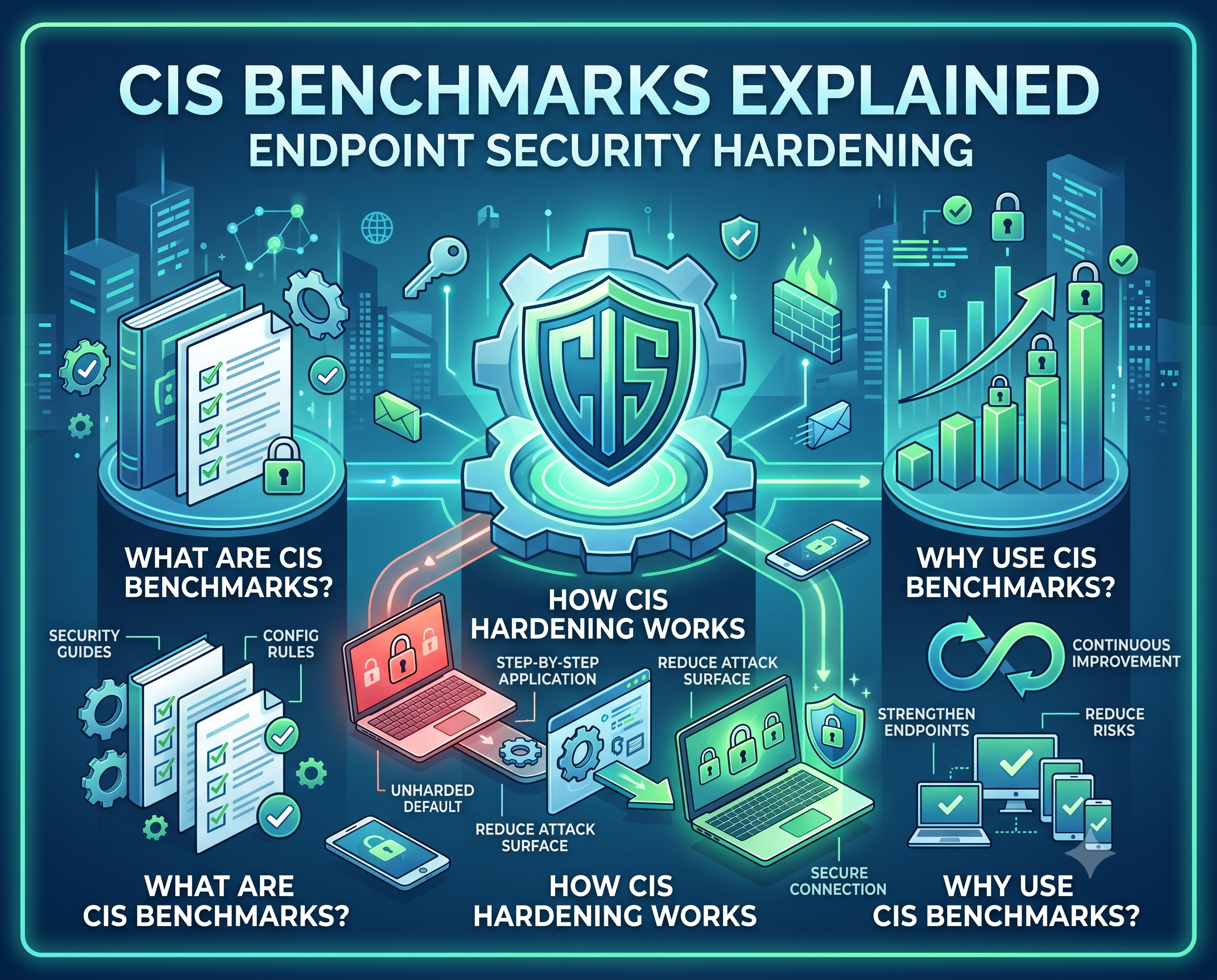
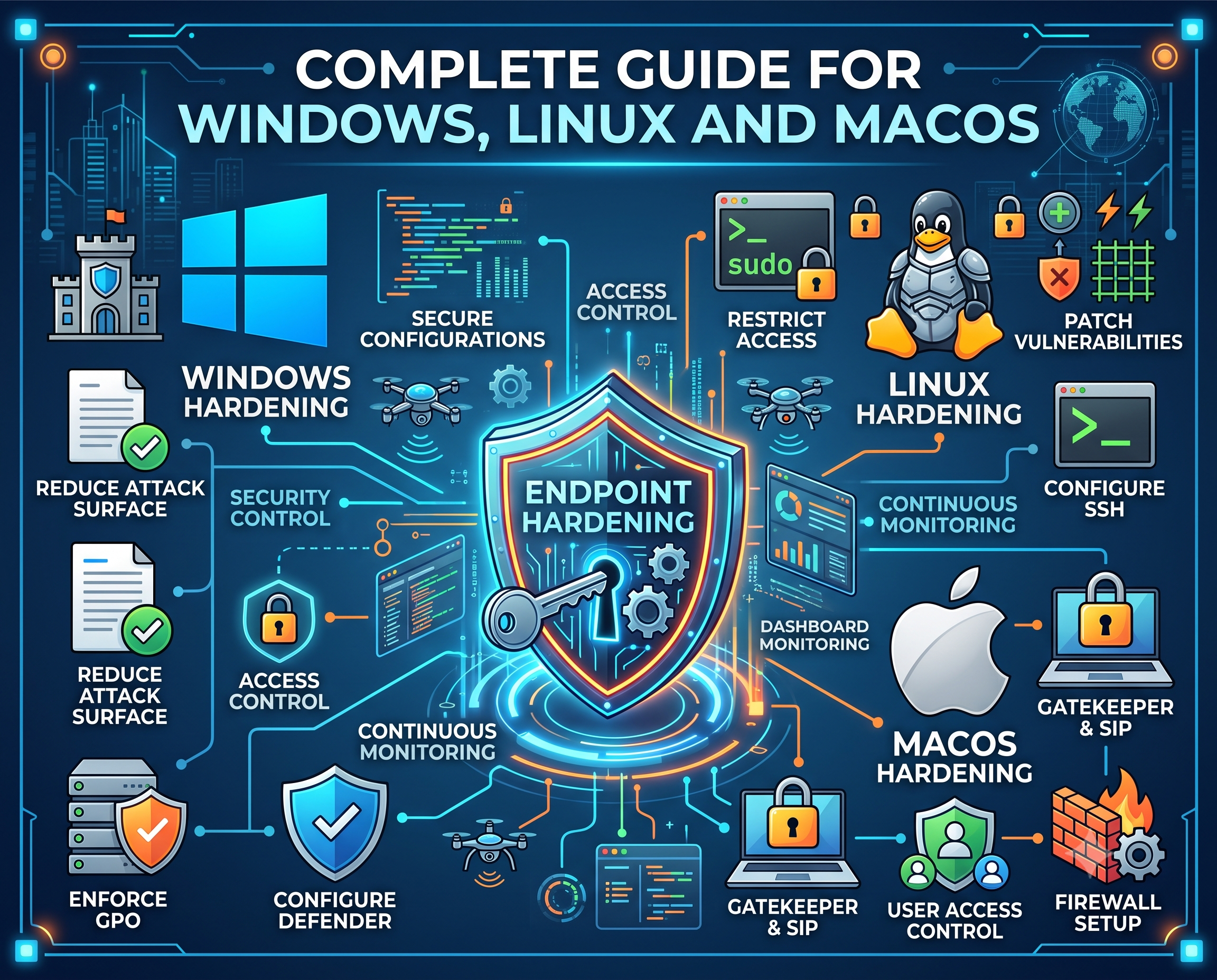
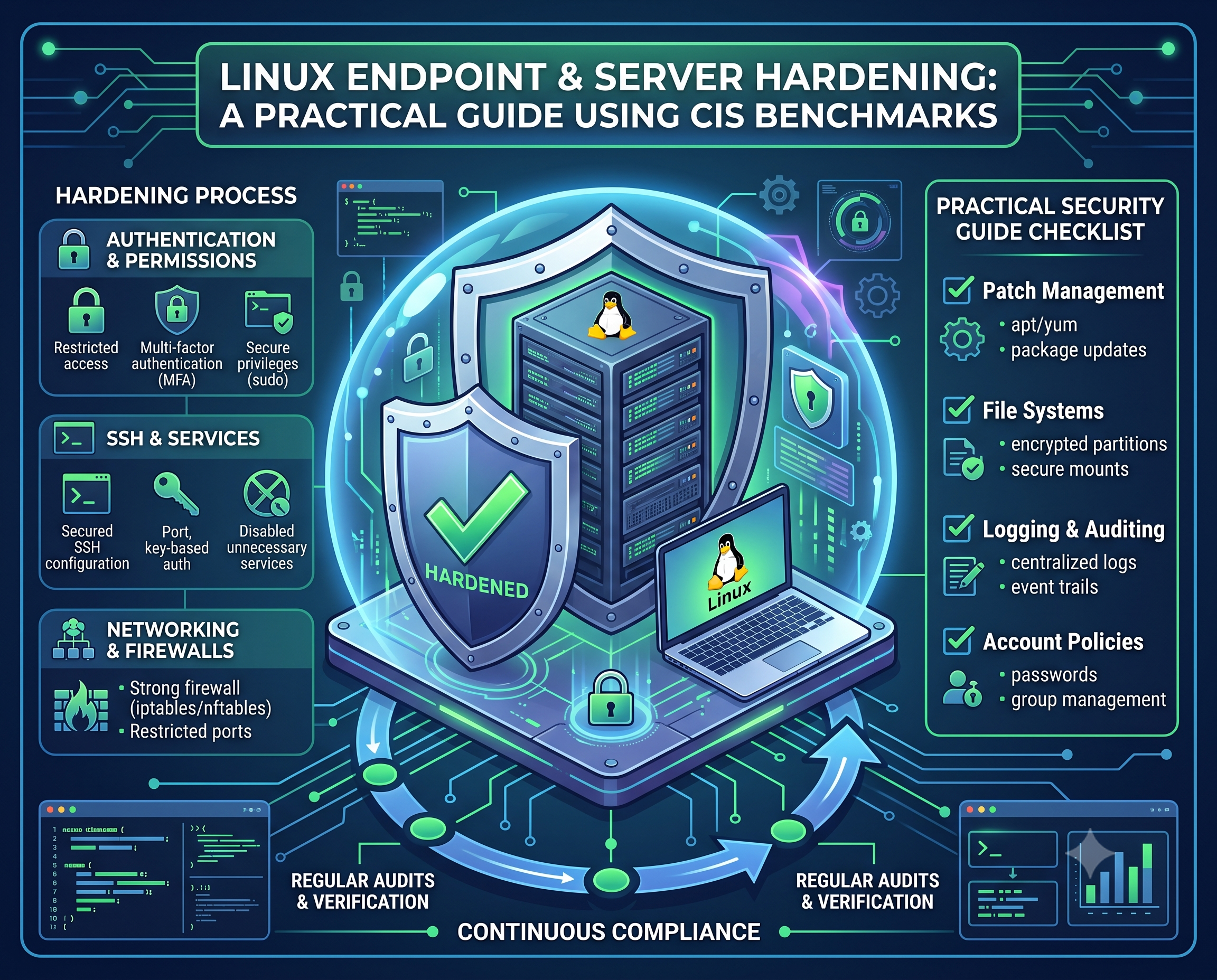
Linux endpoint and server hardening is the process of reducing unnecessary attack surface and configuring Linux systems according to defined security requirements. CIS Benchmarks provide structured secure configuration recommendations that organisations can use to establish a stronger baseline for supported Linux distributions and technologies.
Effective Linux hardening is not simply about disabling everything that is unnecessary. Security teams must understand the system's purpose, identify required services and applications, test configuration changes, document exceptions, validate the final state, and continuously monitor systems for configuration changes.
What Is Linux Hardening?
Linux hardening is the process of strengthening the configuration of a Linux system to reduce security weaknesses and limit the opportunities available to attackers.
A hardened Linux system should expose only the services and functionality required for its business purpose while applying appropriate controls around authentication, privileges, network access, logging, software, file systems, and system configuration.
- Reduce unnecessary attack surface
- Remove or disable unnecessary services
- Strengthen authentication
- Apply least privilege
- Secure administrative access
- Harden SSH and remote access
- Configure host-based firewalls
- Protect sensitive files and directories
- Enable appropriate security logging
- Maintain patch compliance
- Control installed software
- Monitor configuration changes
- Maintain a defined security baseline
Why Use CIS Benchmarks for Linux Hardening?
CIS Benchmarks provide a structured approach to secure configuration. Instead of developing every Linux security requirement from scratch, organisations can use applicable CIS recommendations as a starting point for establishing a consistent baseline.
CIS publishes Benchmarks for multiple technology platforms and Linux distributions. The exact Benchmark should be selected based on the operating system, distribution, version, workload, and environment being secured.
- Provide structured security configuration recommendations
- Create repeatable hardening standards
- Support configuration assessment
- Help identify security misconfigurations
- Provide a baseline for compliance measurement
- Improve consistency across Linux systems
- Support security audits
- Help security teams prioritise configuration improvements
CIS Benchmark recommendations should be treated as a security baseline rather than a replacement for an organisation's complete security architecture.
Select the Correct Linux CIS Benchmark
Linux is not a single operating system configuration. Different distributions, versions, workloads, packages, and deployment models can require different security controls.
Before implementing hardening recommendations, identify the exact Linux environment and select the applicable CIS Benchmark.
- Identify the Linux distribution
- Identify the distribution version
- Identify server and endpoint roles
- Identify installed applications
- Identify network-facing services
- Identify cloud and on-premises systems
- Select the applicable CIS Benchmark
- Confirm the Benchmark version
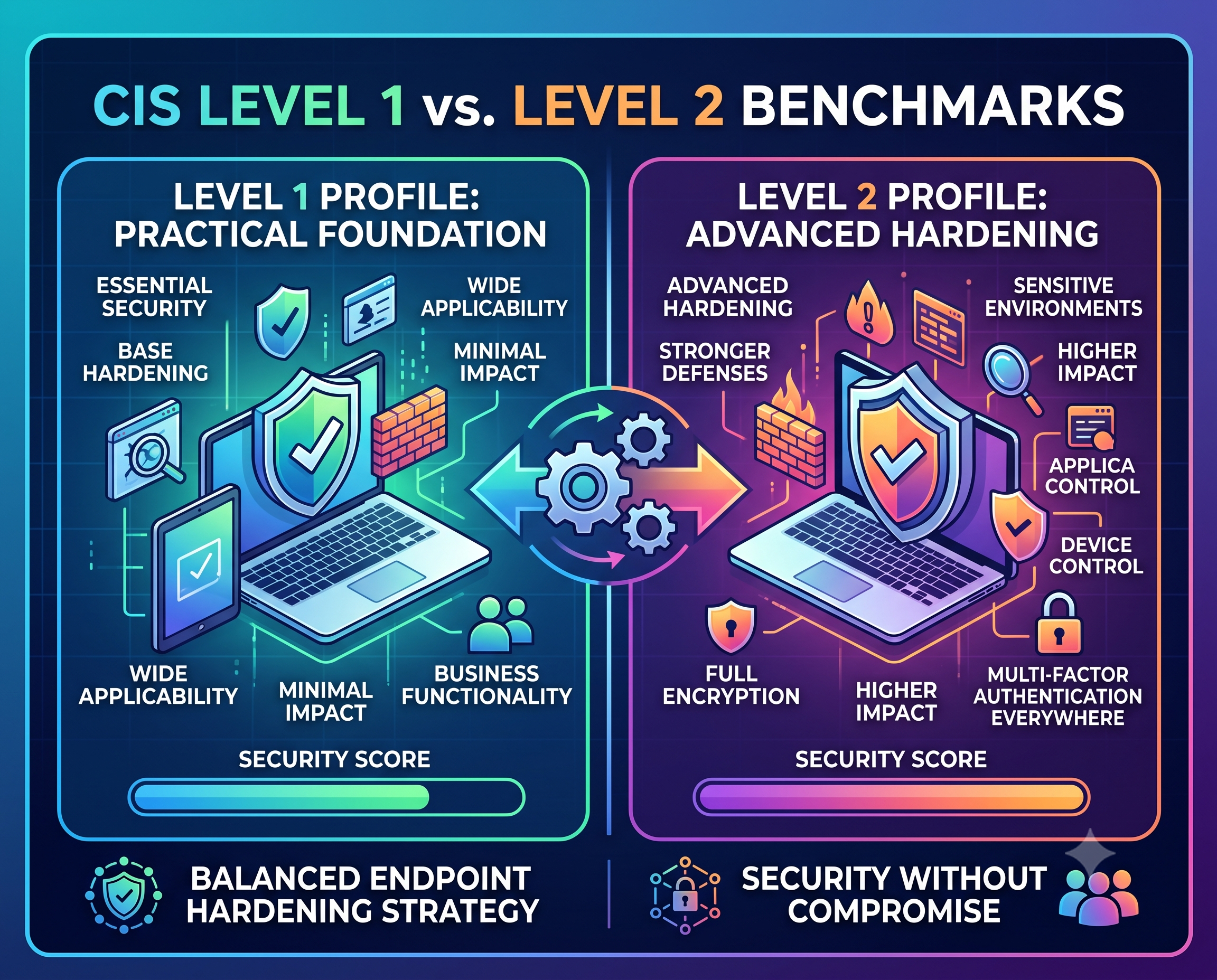
- Review the selected security profile
- Document organisational requirements
A configuration that is appropriate for one Linux server may not be appropriate for another. A database server, web server, development system, container host, and employee workstation can have very different security requirements.
Linux CIS Hardening Checklist
The following checklist provides a practical framework for Linux security hardening. Exact settings should always be validated against the applicable CIS Benchmark for the specific Linux distribution and version.
User Accounts and Authentication
Linux authentication controls should prevent unauthorised users from gaining access while ensuring that legitimate administrative and application workflows remain functional.
- Review all local user accounts
- Remove unused accounts
- Disable unnecessary accounts
- Review system accounts
- Configure appropriate password policies
- Apply appropriate password aging requirements
- Review inactive accounts
- Restrict unnecessary login access
- Use strong authentication mechanisms
- Review privileged accounts
- Protect administrative credentials
- Monitor authentication failures
User accounts should be regularly reviewed because old or unused accounts can become an unnecessary access path into critical systems.
2. Root Account and Privileged Access
The root account provides extensive control over a Linux system. Protecting privileged access is therefore one of the most important aspects of Linux hardening.
- Restrict direct root access where appropriate
- Use controlled privilege escalation
- Review sudo configuration
- Apply least privilege
- Limit administrative permissions
- Review sudoers entries
- Remove unnecessary privileged users
- Monitor privileged command execution
- Protect administrative credentials
- Separate administrative and standard accounts where appropriate
Administrative access should be granted based on job requirements rather than convenience. Excessive privileges increase the potential impact of compromised credentials.
3. SSH Hardening
SSH is commonly used for remote Linux administration and is therefore a high-value security control. Weak SSH configuration can expose systems to credential attacks, unauthorised access, and abuse of privileged accounts.
- Restrict SSH access to authorised users
- Disable unnecessary SSH access
- Review SSH authentication methods
- Prefer strong authentication mechanisms
- Restrict direct root login where appropriate
- Review password-based authentication requirements
- Use key-based authentication where appropriate
- Review SSH protocol and cryptographic settings
- Restrict SSH access through network controls
- Monitor SSH authentication failures
- Monitor unusual SSH activity
- Keep the SSH service updated
SSH should be treated as a privileged administrative interface. Access should be restricted to systems and users that genuinely require it.
4. File and Directory Permissions
Linux file permissions are a fundamental security mechanism. Incorrect permissions can allow unauthorised users or processes to read, modify, or execute sensitive files.
- Review permissions on sensitive system files
- Review ownership of critical files
- Restrict write access
- Restrict unnecessary execute permissions
- Review world-writable files
- Review group-writable sensitive files
- Protect configuration files
- Protect authentication-related files
- Review permissions on application data
- Monitor changes to sensitive files
File permissions should follow the principle of least privilege. Users and applications should receive only the access required for their function.
5. File System Hardening
File systems can provide additional security boundaries when appropriately configured. Security teams should review file systems and mount options according to system requirements and applicable CIS recommendations.
- Identify mounted file systems
- Review temporary file systems
- Review sensitive mount points
- Restrict unnecessary executable content
- Review removable storage
- Apply appropriate mount restrictions
- Protect critical directories
- Review permissions on mounted file systems
- Monitor unexpected mount changes
File system controls should be tested carefully because incorrect mount restrictions can affect applications and system operations.
6. Linux Services
Every enabled network-facing or system service can increase the attack surface. Linux systems should run only the services required for their intended role.
- Inventory enabled services
- Identify unnecessary services
- Disable unused services
- Review network-facing services
- Review service startup configuration
- Restrict service privileges
- Remove obsolete packages where appropriate
- Monitor changes to critical services
- Document required services
- Review services after major software changes
A hardened server should have a clearly understood purpose and a controlled set of services supporting that purpose.
7. Package and Software Management
Unnecessary software increases the number of components that require security maintenance. Linux systems should therefore be reviewed regularly for installed packages and applications.
- Maintain an inventory of installed packages
- Remove unnecessary packages
- Use trusted package repositories
- Keep security-related packages updated
- Monitor package changes
- Restrict unauthorised software installation
- Review packages with elevated privileges
- Remove obsolete software
- Track unsupported software versions
Software inventory should be connected with vulnerability and patch management so that security teams understand both configuration risk and software exposure.
8. Security Updates and Patch Management
A hardened configuration does not protect a Linux system from vulnerabilities that have not been patched. Security updates should therefore be treated as a core part of endpoint and server security.
- Monitor available security updates
- Apply security patches according to organisational timelines
- Prioritise critical vulnerabilities
- Monitor patch compliance
- Identify systems missing important updates
- Review failed update deployments
- Maintain supported operating system versions
- Test critical updates where required
- Document patch exceptions
Patch management and CIS hardening address different security risks but should be managed together. Hardening reduces insecure configuration while patching addresses known vulnerabilities in software and operating systems.
9. Host-Based Firewall
A Linux host firewall provides an additional layer of network protection by controlling which network connections are permitted.
- Enable the appropriate host firewall
- Review inbound rules
- Restrict unnecessary ports
- Restrict unnecessary services
- Review outbound traffic requirements
- Remove obsolete rules
- Document approved exceptions
- Monitor firewall configuration changes
- Test firewall policies against application requirements
Firewall rules should be based on the actual services required by the system. Unnecessary open ports should be treated as potential attack surface.
10. Network Configuration
Linux servers can expose network services and protocols that are not required for their intended role. Network hardening should minimise unnecessary exposure.
- Identify listening ports
- Identify network-facing services
- Disable unnecessary protocols
- Restrict unnecessary interfaces
- Review routing configuration
- Review network access controls
- Restrict management interfaces
- Monitor network configuration changes
- Document approved network exceptions
Network hardening is particularly important for internet-facing systems because exposed services can be targeted continuously by automated scanning and attack activity.
11. Logging and Auditing
Security logs provide visibility into authentication events, privilege changes, system activity, service behaviour, and configuration changes.
- Enable appropriate system logging
- Configure audit logging where required
- Monitor authentication events
- Monitor failed authentication attempts
- Monitor privileged activity
- Monitor account changes
- Monitor configuration changes
- Protect log files
- Define log retention requirements
- Forward important logs to central monitoring systems where appropriate
Logging should support security monitoring and incident response rather than simply generating large volumes of data.
12. Audit Configuration
Linux audit capabilities can provide detailed information about security-relevant activity. Appropriate audit configuration helps organisations investigate suspicious activity and demonstrate control over important system operations.
- Review audit configuration
- Monitor authentication-related events
- Monitor privileged operations
- Monitor account changes
- Monitor permission changes
- Monitor sensitive file access
- Protect audit logs
- Review audit events regularly
- Integrate important events with central monitoring
Audit policies should be designed around the system's security requirements and operational role.
13. Kernel and System Configuration
Linux kernel and system-level settings can influence how the operating system handles networking, processes, memory, access, and other security-sensitive operations.
- Review kernel security configuration
- Review network-related kernel parameters
- Review unnecessary system capabilities
- Apply approved system security policies
- Restrict unsafe system behaviour
- Review kernel module requirements
- Monitor changes to system configuration
- Maintain supported kernel versions
Kernel-level hardening should be implemented carefully because inappropriate changes can affect system stability, application compatibility, or hardware support.
14. Cron and Scheduled Tasks
Scheduled tasks are commonly used for maintenance, backups, monitoring, and application operations. They can also become persistence mechanisms when attackers gain access to a system.
- Review scheduled tasks
- Review cron jobs
- Review system timers
- Remove unnecessary scheduled jobs
- Restrict who can create scheduled tasks
- Review ownership of scheduled scripts
- Protect scripts from unauthorised modification
- Monitor changes to scheduled tasks
15. Secure Boot and System Integrity
Where supported by the hardware, operating system, and deployment model, system integrity controls can help protect the boot process and critical system components.
- Review Secure Boot configuration
- Use trusted boot components where appropriate
- Protect boot configuration
- Monitor unexpected boot configuration changes
- Restrict unauthorised system-level modifications
- Review system integrity requirements
System integrity controls should be evaluated based on the Linux distribution, hardware platform, workload, and operational requirements.
16. Mandatory Access Controls
Linux security frameworks such as SELinux and AppArmor can provide additional controls around what processes are allowed to access and modify.
- Identify whether SELinux or AppArmor is in use
- Review security policy status
- Avoid disabling mandatory access controls without justification
- Review policy violations
- Maintain appropriate security profiles
- Monitor policy changes
- Document approved exceptions
- Test application compatibility before enforcing restrictive policies
Mandatory access controls can provide valuable defense in depth because they can limit what a compromised application or process is able to access.
17. Removable Media and External Access
Linux systems that interact with removable media or external devices should have appropriate controls to reduce the risk of unauthorised data transfer or malicious content.
- Review removable media requirements
- Restrict unnecessary device access
- Monitor removable storage where appropriate
- Control unauthorised external devices
- Document approved exceptions
- Review access policies regularly
Linux Server Hardening by Server Role
Linux hardening should be adapted to the system's role. A secure configuration for a web server may differ significantly from the configuration required for a database server or application server.
Web Server
- Restrict web-facing ports
- Remove unnecessary services
- Harden the web server software
- Protect application configuration
- Restrict file permissions
- Keep web applications and dependencies updated
- Monitor web server logs
- Restrict administrative interfaces
Database Server
- Restrict database network exposure
- Allow access only from approved systems
- Protect database credentials
- Restrict administrative access
- Review database file permissions
- Keep database software updated
- Monitor database-related services
- Protect database logs
Application Server
- Run only required application services
- Restrict service privileges
- Protect application configuration
- Secure application secrets
- Review listening ports
- Monitor application processes
- Maintain application dependencies
- Monitor configuration changes
Development Server
- Separate development from production systems
- Restrict administrative access
- Control installed development tools
- Protect source code
- Review exposed services
- Avoid storing production secrets unnecessarily
- Monitor configuration changes
- Maintain patch compliance
Linux Endpoint Hardening
Linux desktops and developer workstations also require hardening. While server environments often receive significant security attention, Linux endpoints can contain credentials, source code, cloud access tokens, development tools, and sensitive business information.
- Apply appropriate CIS recommendations
- Restrict local administrative access
- Secure user accounts
- Enable host firewall protections
- Keep operating system packages updated
- Remove unnecessary applications
- Harden browsers
- Restrict unnecessary services
- Protect sensitive files
- Review removable media access
- Monitor configuration changes
- Maintain endpoint security visibility
CIS Benchmark Assessment vs Linux Hardening
Hardening and assessment are two different stages of the security lifecycle. Hardening changes the configuration to meet the desired security baseline, while assessment determines whether the system actually conforms to that baseline.
- Select the applicable CIS Benchmark
- Identify the required security profile
- Assess the current Linux configuration
- Identify failed recommendations
- Prioritise security findings
- Apply approved remediation
- Validate the configuration
- Document exceptions
- Reassess the system
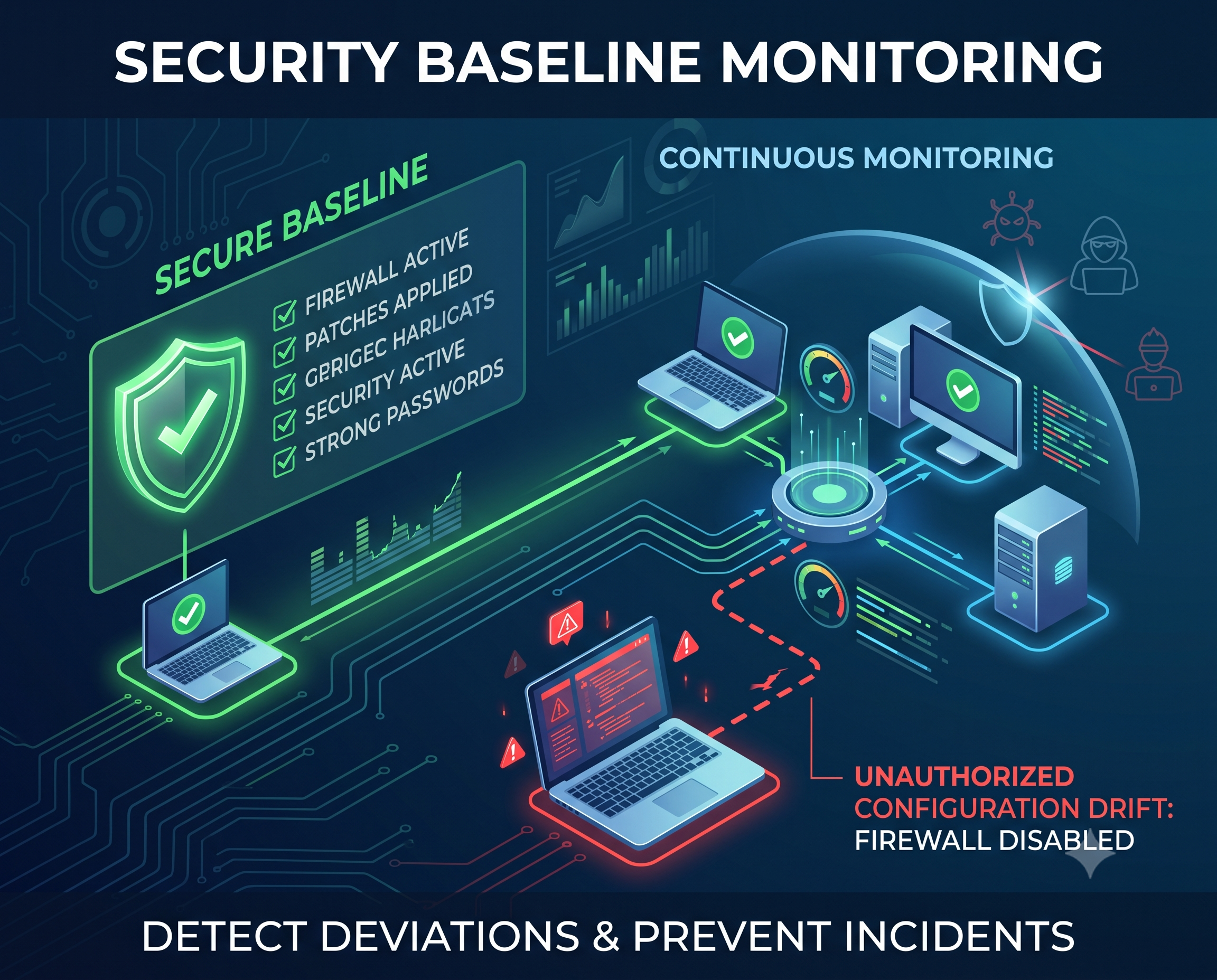
- Continuously monitor for deviations
This assessment cycle is important because manual configuration changes can fail, become outdated, or be overwritten by later administrative and application changes.
Configuration Drift in Linux Environments
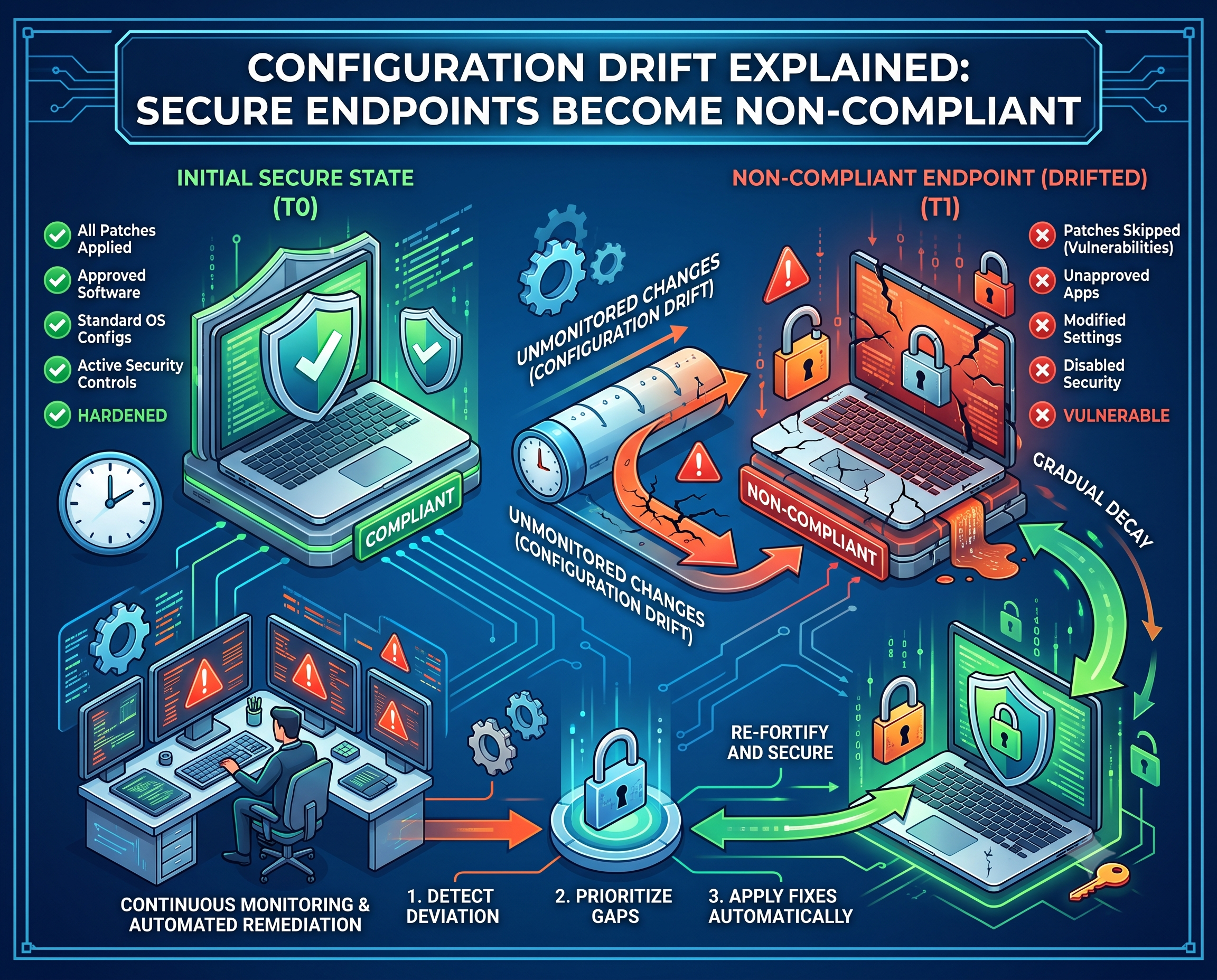
A Linux system that passes a CIS assessment today can become non-compliant later. Administrators may install packages, modify SSH configuration, change firewall rules, enable services, update applications, or change permissions.
These changes can create configuration drift, where the actual system state gradually differs from the approved security baseline.
- Monitor critical configuration files
- Monitor services
- Monitor firewall rules
- Monitor user and group changes
- Monitor privileged access
- Monitor package changes
- Monitor SSH configuration
- Monitor file permissions
- Monitor security policies
- Reassess systems after major changes
Continuous configuration monitoring helps security teams detect these deviations before they become persistent security weaknesses.
Automating Linux CIS Compliance
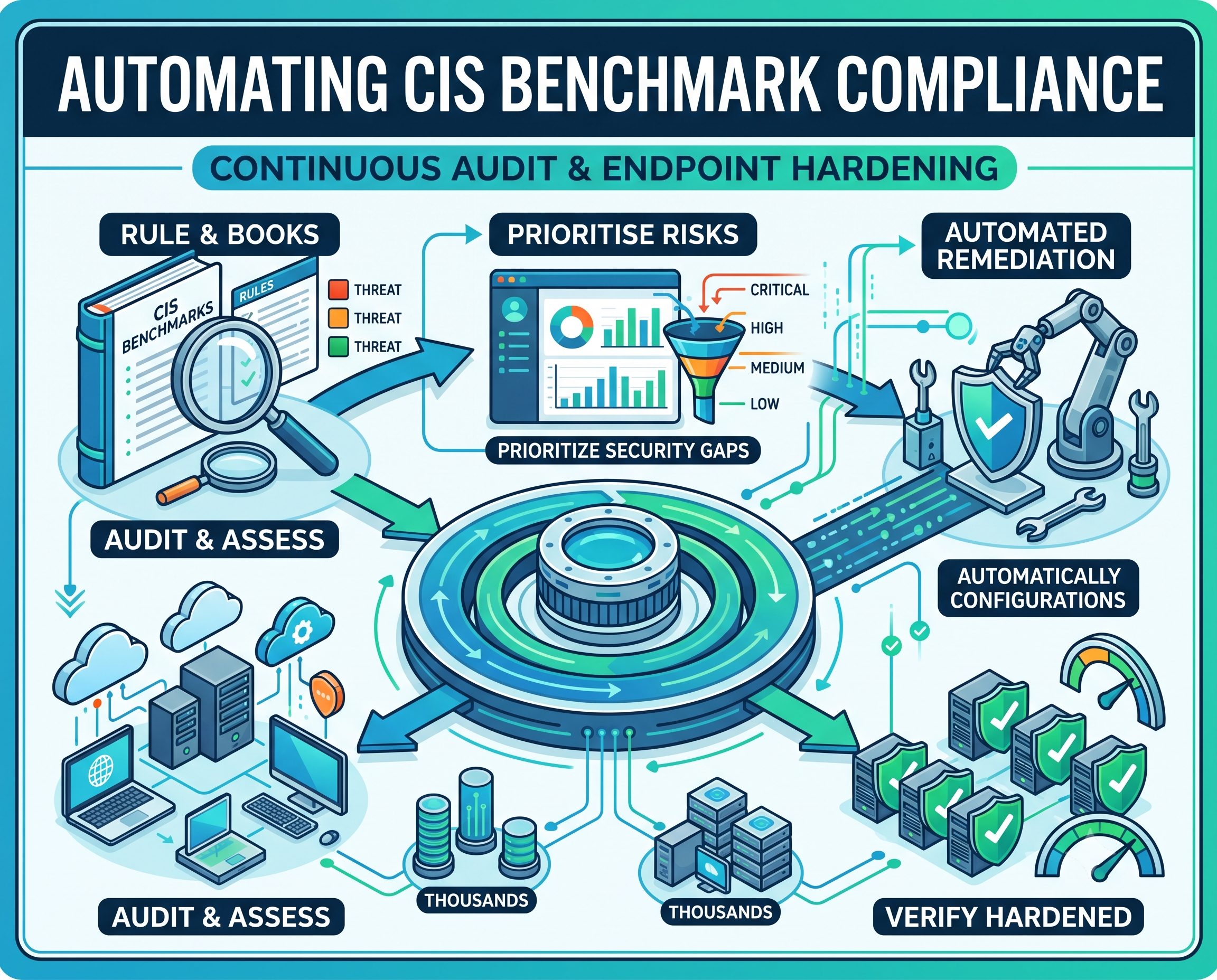
Manual hardening becomes increasingly difficult when organisations manage hundreds or thousands of Linux systems across data centres, cloud environments, development environments, and distributed infrastructure.
Automation can provide consistent assessment and remediation while reducing the operational effort required to maintain secure configurations.
- Discover Linux systems
- Identify operating system versions
- Assess configurations automatically
- Identify failed CIS recommendations
- Prioritise security findings
- Apply approved remediation
- Verify remediation results
- Track compliance by system
- Detect configuration drift
- Generate security reports
- Maintain historical assessment evidence
Automated assessment should still be combined with change management and testing. Not every CIS recommendation should be automatically applied without understanding its impact on the workload.
Common Linux Hardening Mistakes
- Using a generic Linux checklist instead of the applicable CIS Benchmark
- Applying recommendations designed for a different Linux distribution
- Using outdated Benchmark guidance
- Disabling services without understanding dependencies
- Allowing unnecessary SSH access
- Leaving excessive sudo privileges
- Using weak file permissions
- Leaving unnecessary network ports open
- Ignoring system and audit logs
- Failing to patch installed software
- Disabling SELinux or AppArmor without justification
- Ignoring configuration drift
- Applying hardening directly to production without testing
- Failing to document exceptions
- Assuming CIS compliance means complete security
Hardening should be treated as part of a broader security program. Linux systems also require vulnerability management, patch management, identity security, application security, network protection, monitoring, backup protection, and incident response.
Linux Hardening Implementation Checklist
- Identify all Linux systems
- Classify systems by role
- Identify Linux distributions and versions
- Select the applicable CIS Benchmark
- Confirm the Benchmark version
- Select the appropriate security profile
- Assess the current configuration
- Review authentication settings
- Review privileged access
- Harden SSH
- Review file and directory permissions
- Review enabled services
- Review installed packages
- Configure host firewall
- Review network exposure
- Configure logging and auditing
- Review kernel and system settings
- Review scheduled tasks
- Review mandatory access controls
- Apply security updates
- Document exceptions
- Validate remediation
- Monitor configuration drift
- Continuously reassess compliance
How Cyber Auditor Can Support Linux Hardening
Managing Linux hardening at scale requires continuous visibility into endpoint and server configurations. Security teams need to understand which systems are compliant, which configurations have changed, and which findings require remediation.
Cyber Auditor can support a security workflow by helping organisations assess endpoint and system configurations, identify security gaps, monitor security posture, and track remediation activities.
- Centralised security configuration visibility
- Configuration compliance assessment
- Security baseline monitoring
- Security misconfiguration detection
- Endpoint and system compliance tracking
- Configuration drift visibility
- Security posture monitoring
- Remediation tracking
- Centralised reporting
- Continuous security assessment
For organisations managing large Linux environments, automated assessment and continuous monitoring can help maintain a consistent security baseline across systems while reducing manual security operations.
Frequently Asked Questions
What is Linux CIS hardening?
Linux CIS hardening is the process of configuring Linux systems according to applicable CIS secure configuration recommendations to reduce attack surface and establish a stronger security baseline.
Is CIS hardening suitable for Linux servers?
Yes. CIS Benchmarks can provide a structured starting point for securing supported Linux server environments. The applicable Benchmark should be selected according to the Linux distribution, version, and system role.
Should every Linux server use the same hardening configuration?
No. Hardening should consider the system's operating system, workload, network exposure, installed applications, business requirements, and operational role.
Can Linux hardening break applications?
Yes. Certain configuration changes can affect applications, services, authentication, networking, or system functionality. Hardening recommendations should therefore be tested before broad production deployment.
How often should Linux CIS compliance be checked?
Linux systems should be assessed regularly and important security configurations should ideally be monitored continuously. The appropriate frequency depends on system risk, change frequency, operational requirements, and compliance needs.
What is the difference between Linux hardening and patching?
Linux hardening focuses on secure configuration and reducing unnecessary attack surface. Patching focuses on fixing vulnerabilities in the operating system and installed software. Both are required for a strong security program.
What happens when a Linux system becomes non-compliant?
Security teams should identify the failed recommendation, determine the cause, assess the risk, apply approved remediation where appropriate, and reassess the system to verify that the required security baseline has been restored.
Does CIS compliance make a Linux server completely secure?
No. CIS compliance provides a structured secure configuration baseline but does not eliminate every security risk. Linux security should also include vulnerability management, patching, identity protection, network security, monitoring, application security, backups, and incident response.
Key Takeaways
- Linux systems should be treated as critical components of the enterprise attack surface
- CIS Benchmarks provide structured secure configuration guidance
- The correct Benchmark should be selected for the Linux distribution and version
- Linux hardening should be adapted to the system's role
- Authentication and privileged access require careful control
- SSH should be treated as a highly sensitive administrative interface
- File and directory permissions should follow least privilege
- Unnecessary services and network exposure should be reduced
- Host firewalls provide an additional network security layer
- Logging and auditing improve security visibility
- Patching and hardening address complementary security risks
- SELinux or AppArmor can provide additional defense in depth where appropriate
- Hardening should be tested before production deployment
- Exceptions should be documented and reviewed
- Configuration drift can cause secure Linux systems to become non-compliant
- Continuous monitoring helps identify security deviations
- Automation makes CIS assessment and remediation more scalable
- CIS hardening should be part of a broader cybersecurity program
Conclusion
Linux endpoint and server hardening is an important part of reducing attack surface and strengthening enterprise security. CIS Benchmarks provide organisations with a structured foundation for establishing secure configurations across supported Linux environments.
The most effective approach is to select the correct Benchmark, understand the system's role, test security recommendations, deploy approved configurations, validate compliance, and document exceptions. Security teams should avoid applying generic hardening settings without considering application and operational requirements.
Hardening also cannot be treated as a one-time activity. Linux systems change continuously as administrators install software, modify configurations, update applications, change network rules, and perform maintenance. Continuous assessment and configuration monitoring are therefore important for maintaining the intended security baseline.
For organisations managing large Linux environments, automation can make security assessment and remediation more consistent and scalable. By combining CIS Benchmarks with vulnerability management, patching, monitoring, configuration drift detection, and remediation, organisations can build a stronger and more sustainable Linux security program.
Recommended Solution
See how MOBISEC solves this in practice
Topics