Windows Endpoint Hardening Using CIS Benchmarks: A Practical Security Checklist
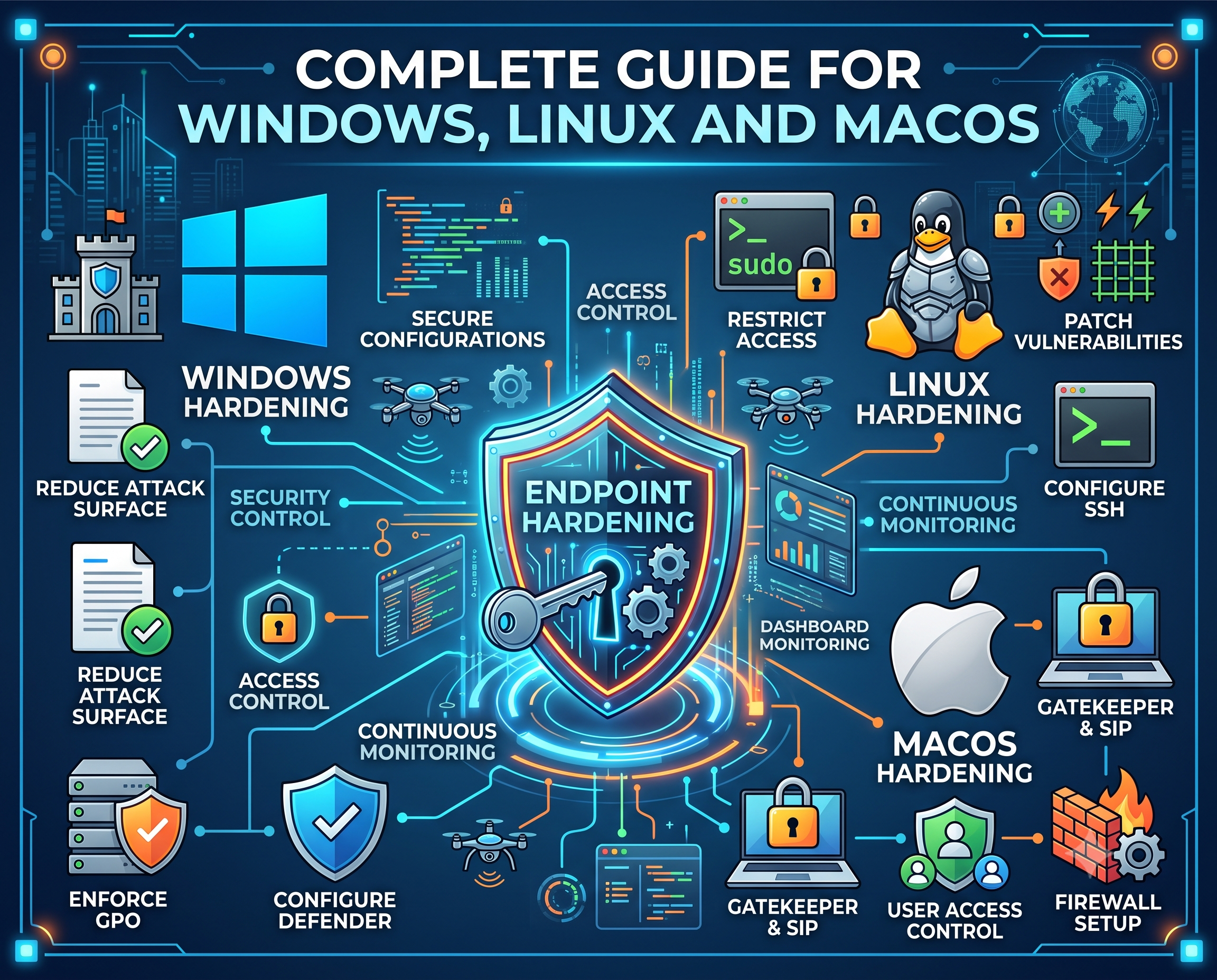
Windows endpoints are a major part of the enterprise attack surface. Laptops, desktops, and workstations are used to access business applications, corporate networks, cloud services, sensitive data, and administrative systems. A poorly configured Windows endpoint can therefore create opportunities for credential theft, malware execution, lateral movement, unauthorized access, and data exposure.
Windows endpoint hardening is the process of reducing unnecessary attack surface and configuring Windows systems according to defined security requirements. CIS Benchmarks provide a structured set of secure configuration recommendations that can be used as a baseline for this process. CIS maintains Windows desktop Benchmarks for supported Windows versions, including Windows 11 Enterprise, and the recommendations are periodically updated as the technology and threat landscape change.
A strong hardening program should not simply apply every setting blindly. Security teams should select the appropriate CIS Benchmark and profile, test changes before production deployment, document exceptions, validate the resulting configuration, and continuously monitor endpoints for changes.
What Is Windows Endpoint Hardening?
Windows endpoint hardening is the practice of strengthening the configuration of Windows devices so that unnecessary services, permissions, protocols, applications, and security weaknesses are reduced or controlled.
The objective is to make endpoints more resistant to common attack techniques while maintaining the functionality employees need to perform their work.
- Reduce unnecessary attack surface
- Strengthen authentication and account security
- Restrict unnecessary services and features
- Improve Windows firewall configuration
- Strengthen audit and logging policies
- Protect sensitive system and security settings
- Reduce unauthorized administrative access
- Improve application and browser security
- Maintain secure configuration baselines
- Detect configuration changes and security deviations
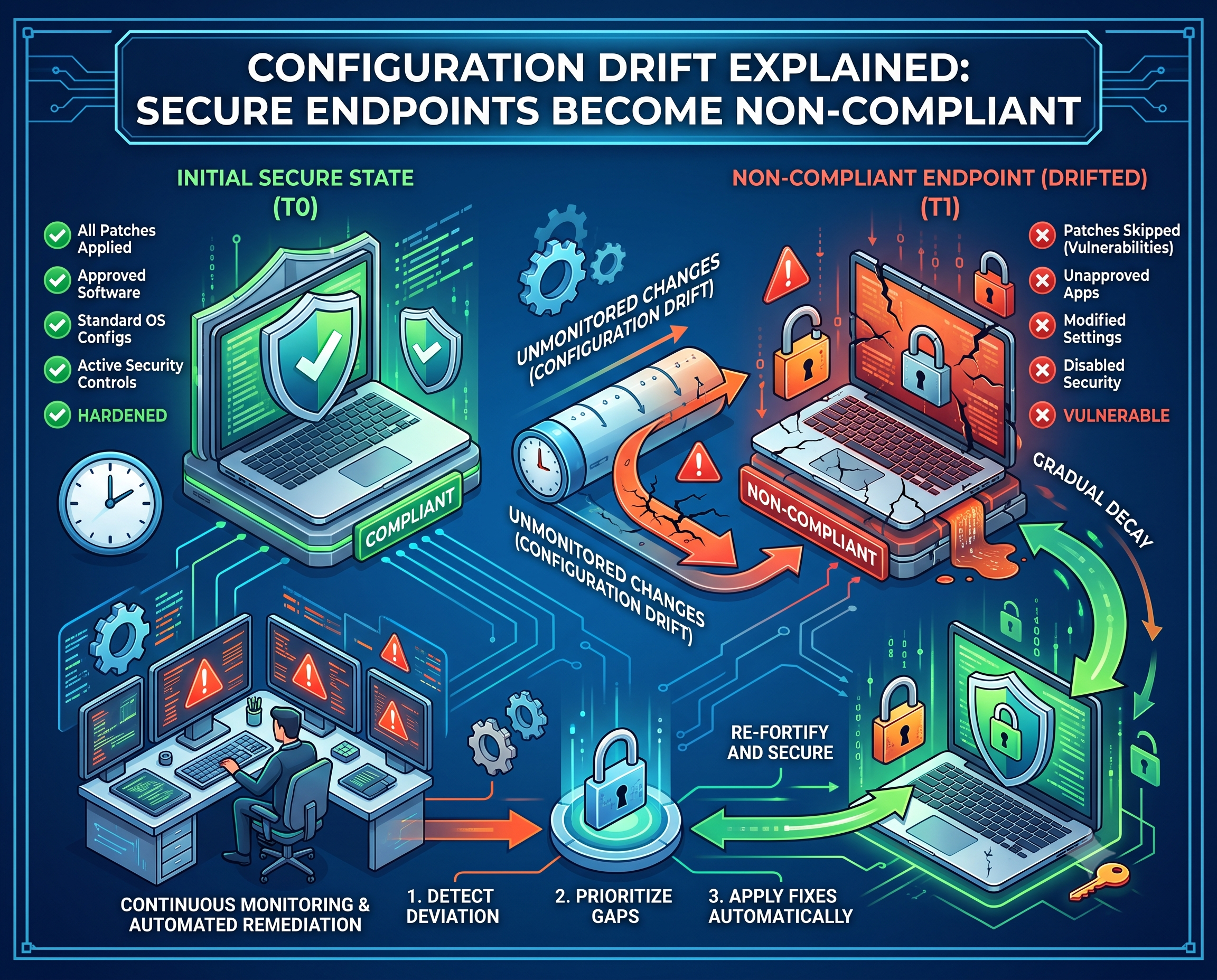
Hardening is not a one-time activity. An endpoint that is secure today can become less secure after a software installation, policy change, administrator action, feature update, application deployment, or configuration change. This is why hardening should be combined with continuous security monitoring.
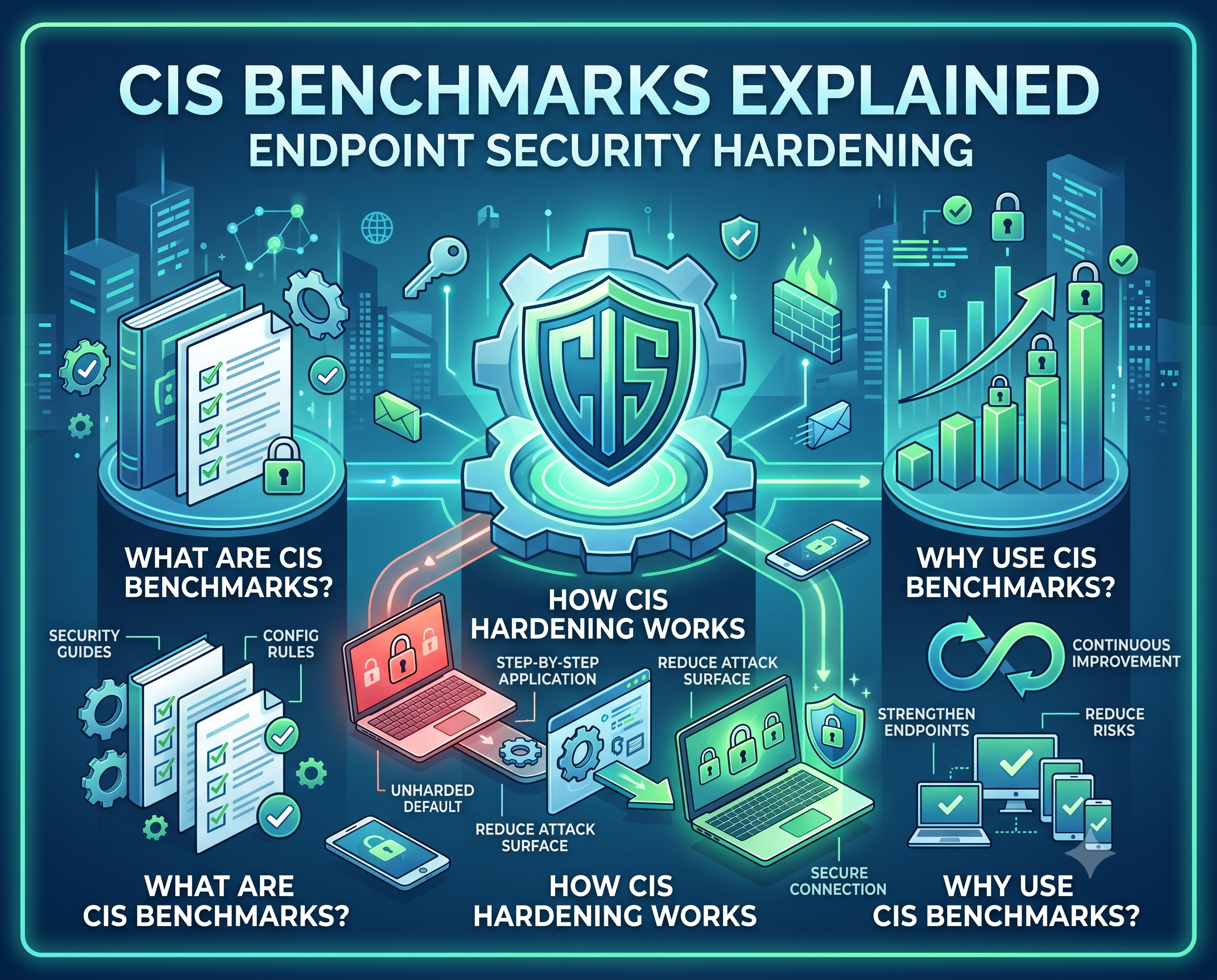
What Are CIS Benchmarks?
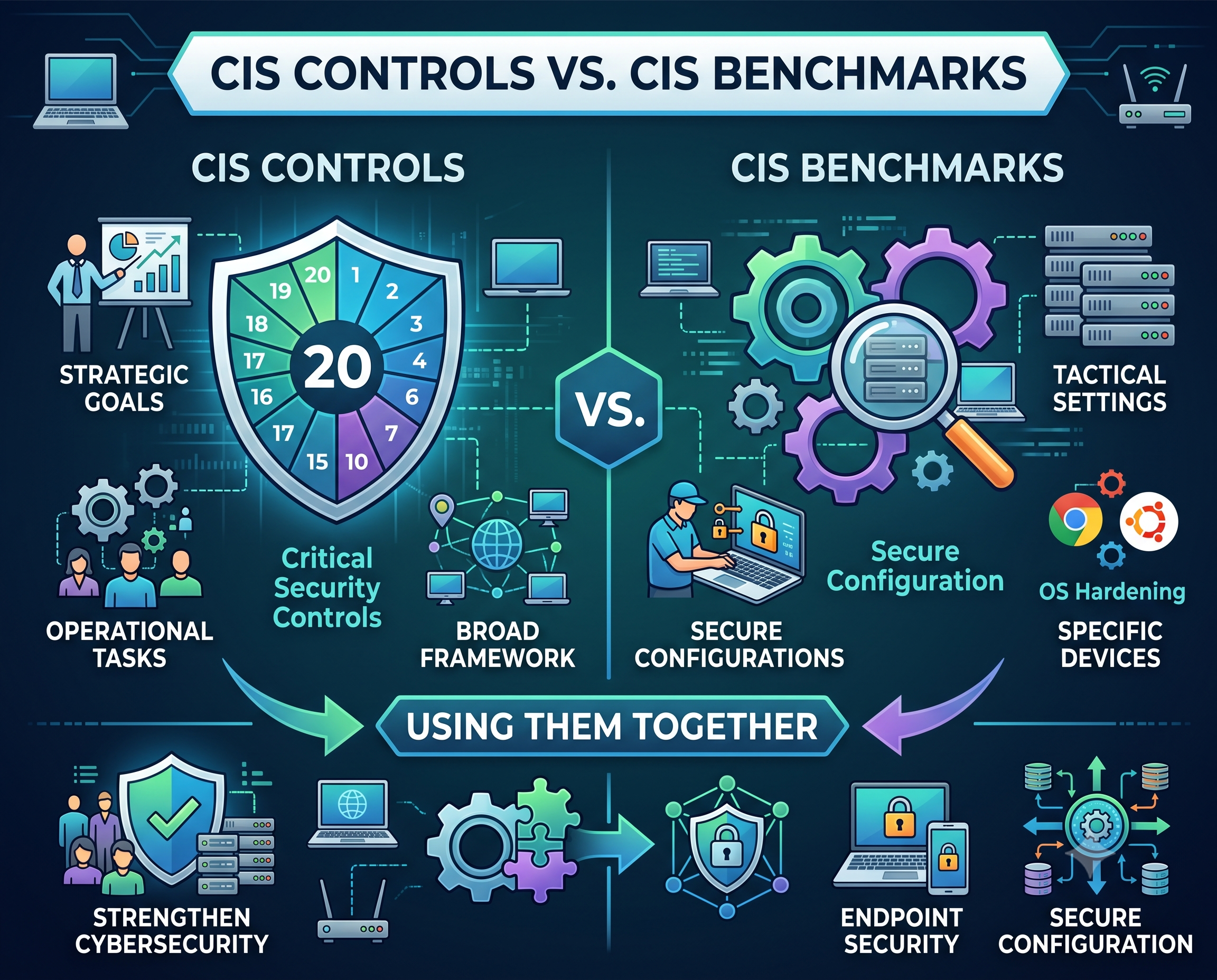
CIS Benchmarks are community-developed secure configuration recommendations designed to help organisations establish stronger security configurations across technology platforms. CIS provides Benchmarks for operating systems, cloud platforms, applications, network technologies, and other technology categories.
For Windows environments, the relevant Benchmark depends on the operating system and technology being secured. CIS currently provides Windows desktop Benchmarks as well as separate Benchmarks for Windows Server and Microsoft Intune for Windows.
A CIS Benchmark recommendation generally explains what should be configured, why the setting matters, how the configuration can be audited, and how it can be remediated. This makes the Benchmark useful not only for hardening but also for security assessment and compliance validation.
Choose the Correct CIS Windows Benchmark
Before changing Windows security settings, identify the exact operating system, edition, management method, and Benchmark version used by the organisation.
- Identify Windows 10 or Windows 11 systems
- Identify the Windows edition
- Determine whether endpoints are centrally managed
- Identify whether Microsoft Intune is used
- Select the appropriate CIS Windows Benchmark
- Record the Benchmark version
- Identify the applicable security profile
- Review the Benchmark change history before large-scale deployment
CIS updates its Windows Benchmarks as Windows and security requirements evolve. For example, the Windows 11 Enterprise Benchmark has received multiple updates, so organisations should avoid treating an old Benchmark version as a permanent security standard.
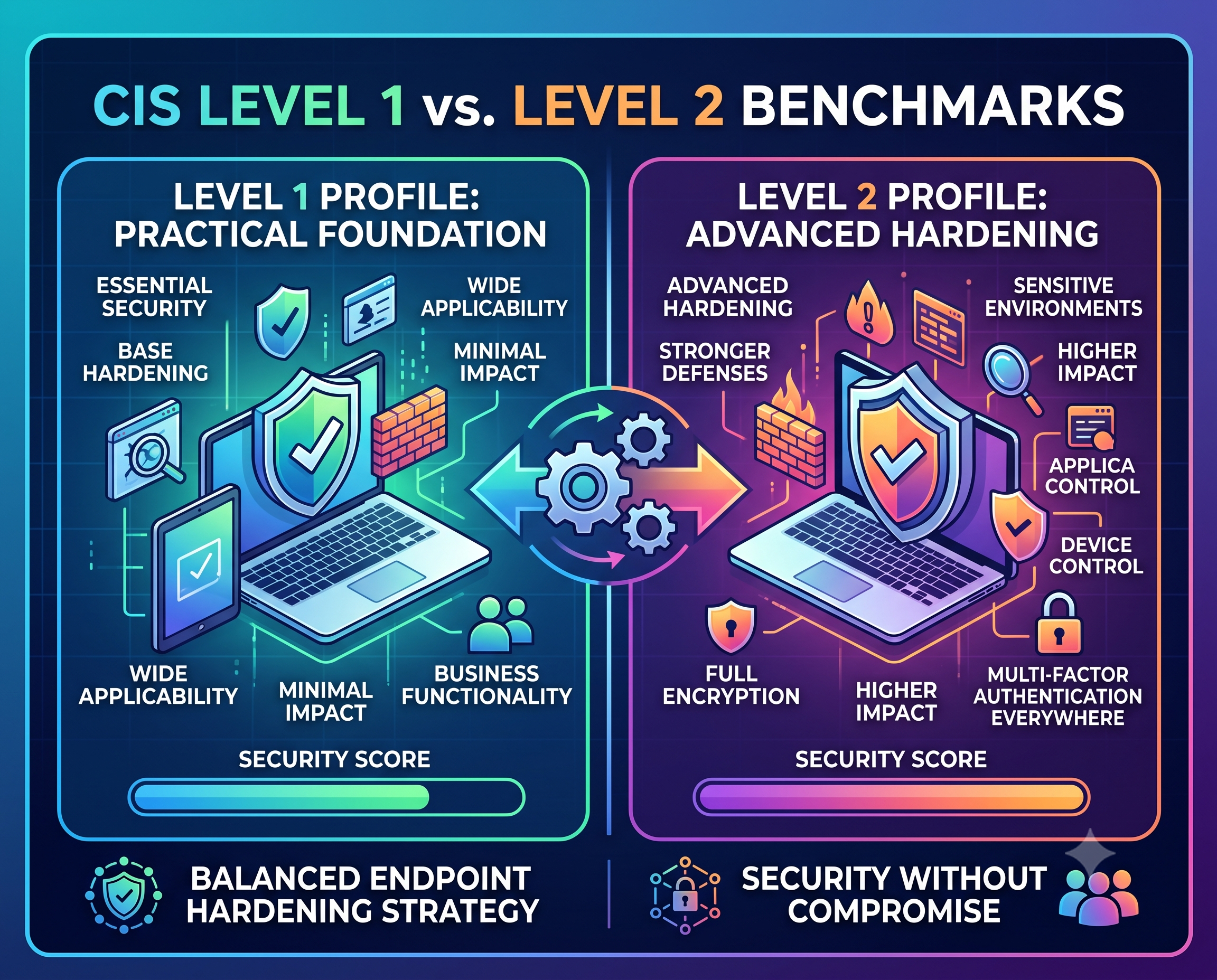
Level 1 vs Level 2 for Windows Endpoint Hardening
CIS Benchmarks can include different configuration profiles. Level 1 is generally intended as a practical baseline that reduces attack surface while limiting disruption to normal business functionality. Level 2 provides additional defense in depth but can introduce greater operational impact if recommendations are implemented without appropriate testing and planning.
- Level 1: Practical baseline for broad endpoint deployment
- Level 1: Focuses on reducing attack surface with limited operational impact
- Level 2: Adds stronger defense-in-depth controls
- Level 2: May affect functionality, compatibility, or performance
- Level 2: Requires more careful testing and change management
- Level 2: Can be appropriate for higher-risk or highly restricted environments
Organisations should not automatically assume that Level 2 is always better for every workstation. The correct profile depends on business requirements, risk tolerance, endpoint role, application compatibility, and operational constraints.
CIS recommends testing Benchmark recommendations in a test environment before implementing them broadly. This is particularly important when applying Level 2 recommendations or making changes that could affect business applications.
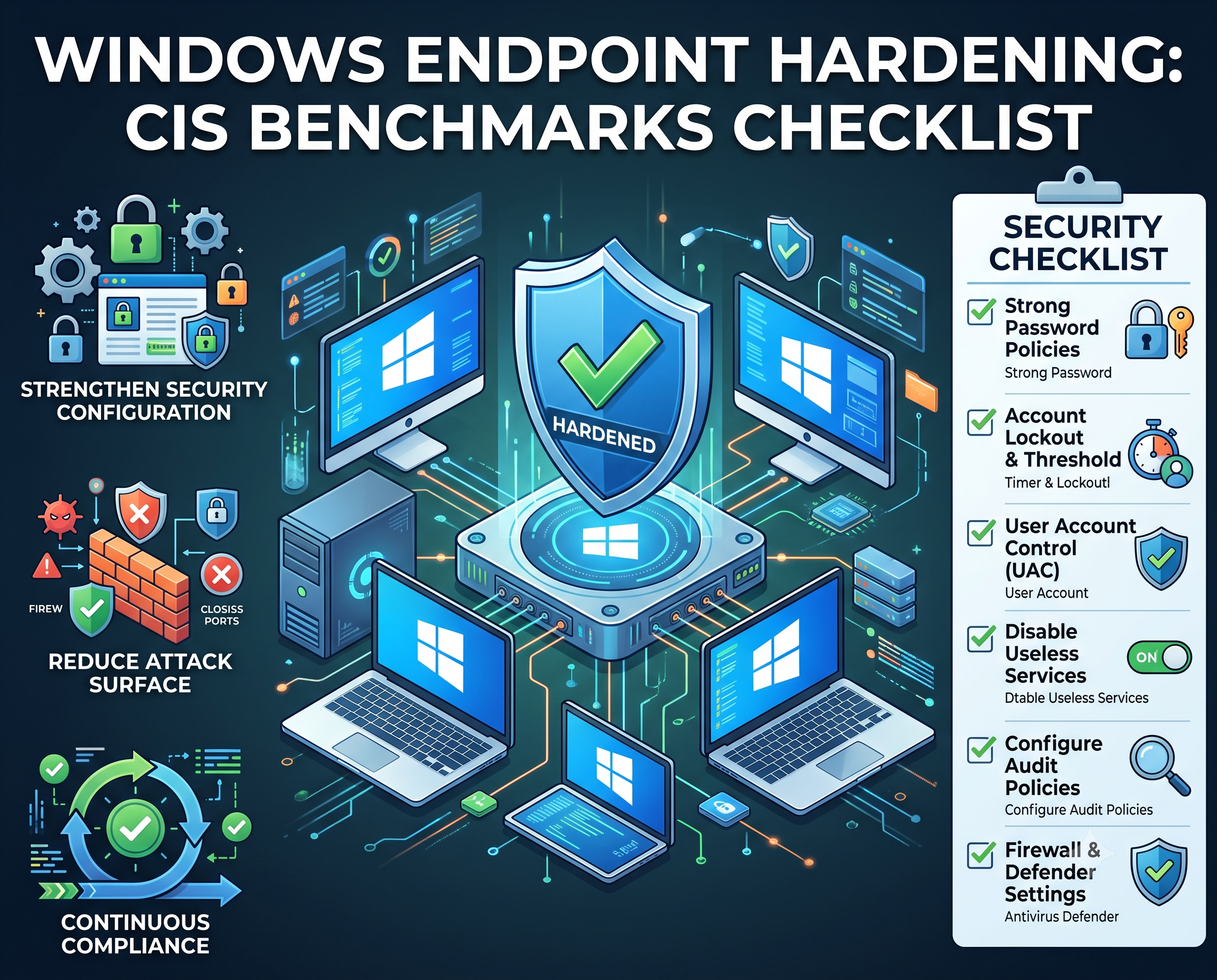
Windows Endpoint Hardening Checklist
The following checklist provides a practical structure for reviewing Windows endpoint security. Exact settings should always be validated against the applicable CIS Benchmark version rather than copied from a generic checklist.
Account and Authentication Security
User accounts are one of the most important areas of endpoint hardening because compromised credentials can allow attackers to bypass other security controls.
- Enforce appropriate password policies
- Configure minimum password requirements according to organisational policy
- Review password history and reuse controls
- Configure appropriate account lockout policies
- Disable or restrict unnecessary local accounts
- Review the built-in administrator account
- Avoid shared administrative credentials
- Limit the number of users with local administrator privileges
- Use separate administrative accounts where appropriate
- Review inactive and unused accounts
- Apply strong authentication requirements where supported
- Protect privileged accounts from unnecessary daily use
The goal is to reduce the likelihood that stolen, guessed, reused, or abused credentials can be used to gain persistent access to an endpoint.
2. Local Administrator Privileges
Excessive local administrator privileges significantly increase the potential impact of malware and compromised accounts. An attacker who gains administrative access can often make security changes, install software, disable controls, and access protected resources.
- Identify users with local administrator privileges
- Remove unnecessary administrative memberships
- Use dedicated privileged accounts
- Apply least privilege principles
- Review administrator group membership regularly
- Prevent standard users from performing unnecessary privileged actions
- Monitor changes to privileged group membership
- Document approved administrative exceptions
Least privilege should be treated as an ongoing control rather than a one-time configuration exercise.
3. Windows Firewall
The Windows firewall provides an important network security layer on endpoints. Hardening should ensure that firewall policies are enabled and that unnecessary inbound and outbound access is controlled according to the organisation's requirements.
- Enable Windows firewall profiles
- Review Domain firewall configuration
- Review Private firewall configuration
- Review Public firewall configuration
- Restrict unnecessary inbound connections
- Review inbound firewall rules
- Remove obsolete firewall rules
- Review rules created by applications
- Restrict unnecessary network services
- Document required firewall exceptions
- Monitor unexpected firewall configuration changes
Firewall hardening should be tested against business applications and approved network dependencies before production rollout.
4. Security Auditing and Event Logging
Endpoint logs provide evidence about authentication activity, privilege changes, policy changes, process activity, and other security-relevant events. Appropriate auditing helps security teams investigate incidents and identify suspicious changes.
- Enable required security auditing policies
- Review successful authentication events
- Review failed authentication events
- Monitor account management activity
- Monitor privileged activity
- Monitor security policy changes
- Monitor group membership changes
- Protect security logs from unauthorized modification
- Forward relevant logs to central monitoring systems where appropriate
- Define log retention requirements
Logging should be aligned with the organisation's incident response, monitoring, and compliance requirements. Excessive logging without a monitoring strategy can create large volumes of data without improving security visibility.
5. Windows Security Policies
Security policies define many of the controls that determine how Windows handles authentication, privileges, auditing, access, and system behaviour.
- Review local security policy configuration
- Review user rights assignments
- Review security options
- Restrict unnecessary privileged operations
- Review interactive logon policies
- Review network access policies
- Review removable media-related policies
- Review security policy changes
- Apply approved organisational Group Policy settings
- Prevent unauthorised policy modifications
Where endpoints are centrally managed, security policies should be deployed consistently rather than configured manually on individual devices.
6. User Account Control
User Account Control helps reduce the ability of applications or users to perform privileged operations without appropriate approval. Hardening should ensure that UAC configuration is aligned with the organisation's security requirements.
- Enable appropriate UAC protections
- Review administrator elevation behaviour
- Review elevation prompts
- Prevent unnecessary privilege escalation
- Ensure UAC settings are not weakened by applications or local administrators
- Monitor changes to UAC-related policies
Disabling security prompts simply to make applications easier to use can weaken endpoint security. Application compatibility issues should instead be investigated and handled through controlled exceptions.
7. Windows Services
Unnecessary services can increase the attack surface of an endpoint. Security teams should review services based on the actual requirements of the organisation.
- Inventory installed services
- Identify unnecessary services
- Disable services that are not required
- Review services that expose network functionality
- Review service startup configurations
- Restrict unnecessary service privileges
- Monitor changes to critical services
- Document services that must remain enabled
Service hardening should be performed carefully because disabling a required service can break applications, management functionality, or endpoint operations.
8. Remote Access and Remote Management
Remote access technologies can be useful for administration and support but can also become attack paths when they are unnecessarily exposed or poorly configured.
- Identify whether Remote Desktop is required
- Restrict Remote Desktop access
- Limit access to authorised users
- Review Network Level Authentication requirements
- Restrict unnecessary remote management services
- Review remote administration permissions
- Monitor remote authentication activity
- Disable unnecessary remote access capabilities
- Restrict remote access through network controls where appropriate
Remote access should be treated as a controlled administrative capability rather than a default service available to every endpoint user.
9. Windows Defender and Endpoint Protection
Endpoint protection should be configured consistently and protected from unauthorised changes. The exact recommendations should follow the applicable Windows and Microsoft Defender Benchmark rather than relying on generic settings.
- Ensure endpoint protection is enabled
- Review antivirus configuration
- Review real-time protection
- Review cloud-based protection settings
- Review security intelligence update configuration
- Monitor protection status
- Restrict unauthorised changes to security settings
- Review exclusions and exceptions
- Remove unnecessary exclusions
- Monitor changes to endpoint protection policies
CIS now maintains a separate Microsoft Defender Antivirus Benchmark alongside Windows Benchmarks, so organisations should consider the applicable Defender guidance when designing their Windows hardening program.
10. Windows Update and Patch Configuration
A hardened endpoint can still be vulnerable if security updates are missing. Patch management and configuration hardening should therefore operate as complementary security controls.
- Enable supported security update mechanisms
- Apply security updates within defined timelines
- Monitor patch compliance
- Identify endpoints missing critical updates
- Review update configuration
- Prevent users from permanently disabling required updates
- Track failed update deployments
- Maintain supported Windows versions
- Test important updates before broad deployment when necessary
Configuration security and vulnerability management address different but connected risks. CIS hardening can reduce insecure configuration, while patch management addresses vulnerabilities introduced through outdated software.
11. Application Security
Applications installed on Windows endpoints can introduce additional attack surface. Hardening should therefore include application inventory, software control, and restrictions on unnecessary or unauthorised applications.
- Maintain an inventory of installed applications
- Remove unnecessary software
- Restrict unauthorised application installation
- Review applications with elevated privileges
- Control potentially unwanted applications
- Restrict untrusted software execution where appropriate
- Review browser security settings
- Control risky application features
- Monitor changes to installed applications
Application controls should be tested against business requirements to avoid disrupting legitimate software used by employees.
12. Browser and Web Security
Modern Windows endpoints are heavily exposed to web-based threats through browsers, downloads, web applications, and browser extensions.
- Keep supported browsers updated
- Review browser security policies
- Restrict unnecessary browser extensions
- Control risky browser features
- Apply organisational browser policies
- Review download and execution controls
- Restrict access to known malicious destinations where supported
- Monitor browser configuration changes
- Review browser extensions and plugins regularly
Browser hardening should complement endpoint protection, secure DNS, web filtering, identity controls, and user awareness rather than operate as an isolated control.
13. Removable Media
USB and other removable media can introduce malware, facilitate unauthorised data transfer, and create additional security risks. Organisations should determine what removable media functionality is required and apply appropriate restrictions.
- Review removable storage requirements
- Restrict unauthorised USB storage where appropriate
- Control automatic execution behaviour
- Review removable media access policies
- Monitor changes to removable media policies
- Document approved exceptions
- Monitor high-risk removable media activity where supported
14. Network and Protocol Security
Windows endpoints may expose network services and protocols that are unnecessary for normal business operations. Hardening should reduce unnecessary network exposure.
- Identify listening network services
- Review unnecessary open ports
- Restrict unnecessary network protocols
- Review SMB configuration
- Review legacy protocols
- Restrict unnecessary inbound traffic
- Review local firewall rules
- Monitor unexpected network configuration changes
- Document required network exceptions
Security teams should prioritise legacy protocols and unnecessary network services because they can increase lateral movement opportunities in compromised environments.
15. PowerShell and Administrative Tools
PowerShell and other administrative utilities are legitimate management tools but can also be abused by attackers. The objective should be controlled use rather than simply disabling administrative capabilities.
- Review PowerShell configuration
- Apply appropriate PowerShell logging
- Restrict unnecessary administrative access
- Monitor privileged PowerShell activity
- Review script execution policies
- Control access to administrative utilities
- Monitor changes to administrative tool configuration
- Investigate unusual administrative tool usage
Security teams should combine preventive controls with monitoring because legitimate administrative tools can be used during both normal operations and malicious activity.
16. Security Baseline Validation
After applying hardening policies, security teams should validate the resulting configuration rather than assuming that the deployment succeeded.
- Assess endpoints against the selected CIS Benchmark
- Identify failed recommendations
- Prioritise critical findings
- Validate remediation
- Document approved exceptions
- Record assessment results
- Compare results across endpoint groups
- Track compliance trends
- Reassess endpoints after major configuration changes
A CIS assessment should answer more than whether a policy was deployed. It should establish whether the endpoint currently conforms to the intended security baseline.
Practical Windows Hardening Workflow
A reliable Windows hardening program should follow a repeatable lifecycle rather than applying configuration changes manually across endpoints.
- Identify Windows endpoint groups and business requirements
- Select the correct CIS Windows Benchmark and version
- Select the appropriate security profile
- Review recommendations and expected operational impact
- Build a test environment
- Assess representative endpoints before remediation
- Prioritise security recommendations
- Apply approved hardening policies
- Validate application and user compatibility
- Reassess endpoints against the Benchmark
- Document exceptions and compensating controls
- Deploy approved configurations at scale
- Continuously monitor endpoint compliance
- Remediate configuration drift
- Review the Benchmark when new versions are released
How to Implement CIS Hardening Without Breaking Business Applications
One of the biggest challenges in endpoint hardening is balancing security with usability. Some security settings can affect legacy applications, remote administration, authentication workflows, network communication, or user productivity.
Organisations should therefore avoid treating hardening as a simple switch that turns every recommendation on immediately.
- Start with a representative test group
- Identify business-critical applications
- Test Level 1 recommendations first where appropriate
- Evaluate higher-risk Level 2 recommendations separately
- Record application compatibility issues
- Create controlled exceptions
- Use compensating controls where necessary
- Obtain business and security approval for exceptions
- Monitor the impact after deployment
- Review exceptions periodically
This approach allows organisations to improve security without creating uncontrolled operational risk. CIS specifically recommends testing Benchmark guidance in a test environment before implementation.
Common Windows Hardening Mistakes
- Applying a generic checklist instead of the correct CIS Benchmark
- Using an outdated Benchmark version
- Applying Level 2 settings without testing
- Disabling business applications to achieve compliance
- Ignoring approved exceptions
- Manually configuring endpoints one by one
- Failing to validate the final configuration
- Treating hardening as a one-time activity
- Ignoring configuration drift
- Not monitoring administrator privileges
- Leaving unnecessary services enabled
- Allowing unrestricted remote access
- Ignoring firewall rule changes
- Failing to review security logs
- Assuming compliance means an endpoint is completely secure
CIS Benchmark compliance is an important security baseline, but it should be integrated with vulnerability management, patch management, endpoint protection, identity security, network controls, monitoring, and incident response.
CIS Hardening vs Continuous Monitoring
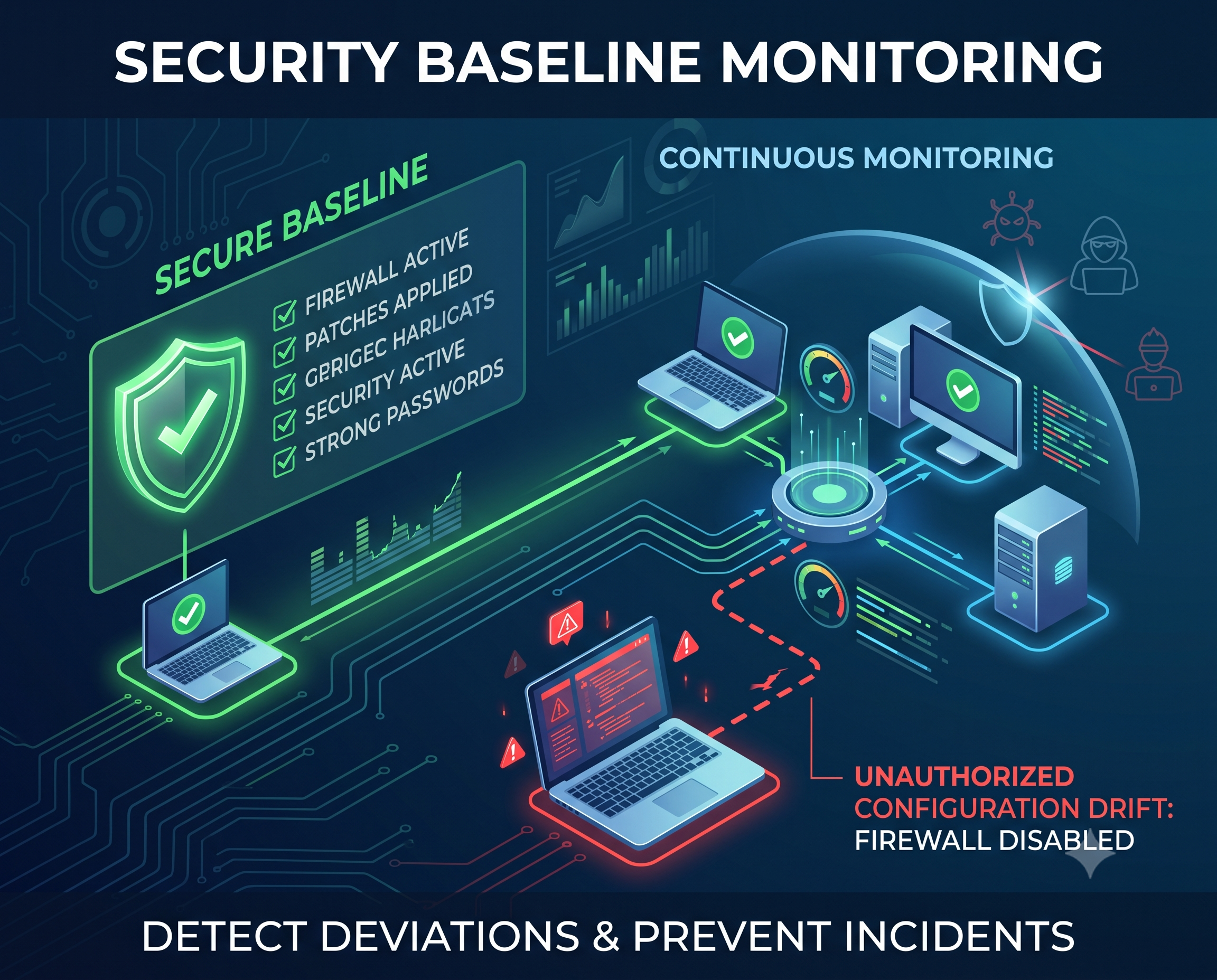
Hardening establishes the desired configuration. Continuous monitoring determines whether endpoints remain within that configuration over time.
For example, a security team may configure a Windows endpoint according to a CIS Benchmark today. A week later, an administrator may install software, change a firewall rule, modify a security policy, enable a service, or alter a configuration. The endpoint can then drift away from its approved baseline.
This is why Windows hardening should be connected with configuration drift detection and continuous security monitoring.
- CIS Benchmark defines the desired security configuration
- Hardening applies the required security settings
- Assessment verifies whether settings are compliant
- Continuous monitoring detects configuration changes
- Configuration drift identifies deviations from the approved baseline
- Remediation restores the required security configuration
- Reassessment verifies that the issue has been resolved
Organisations can learn more about this lifecycle in the guide on configuration drift and in the article on continuous security control monitoring.
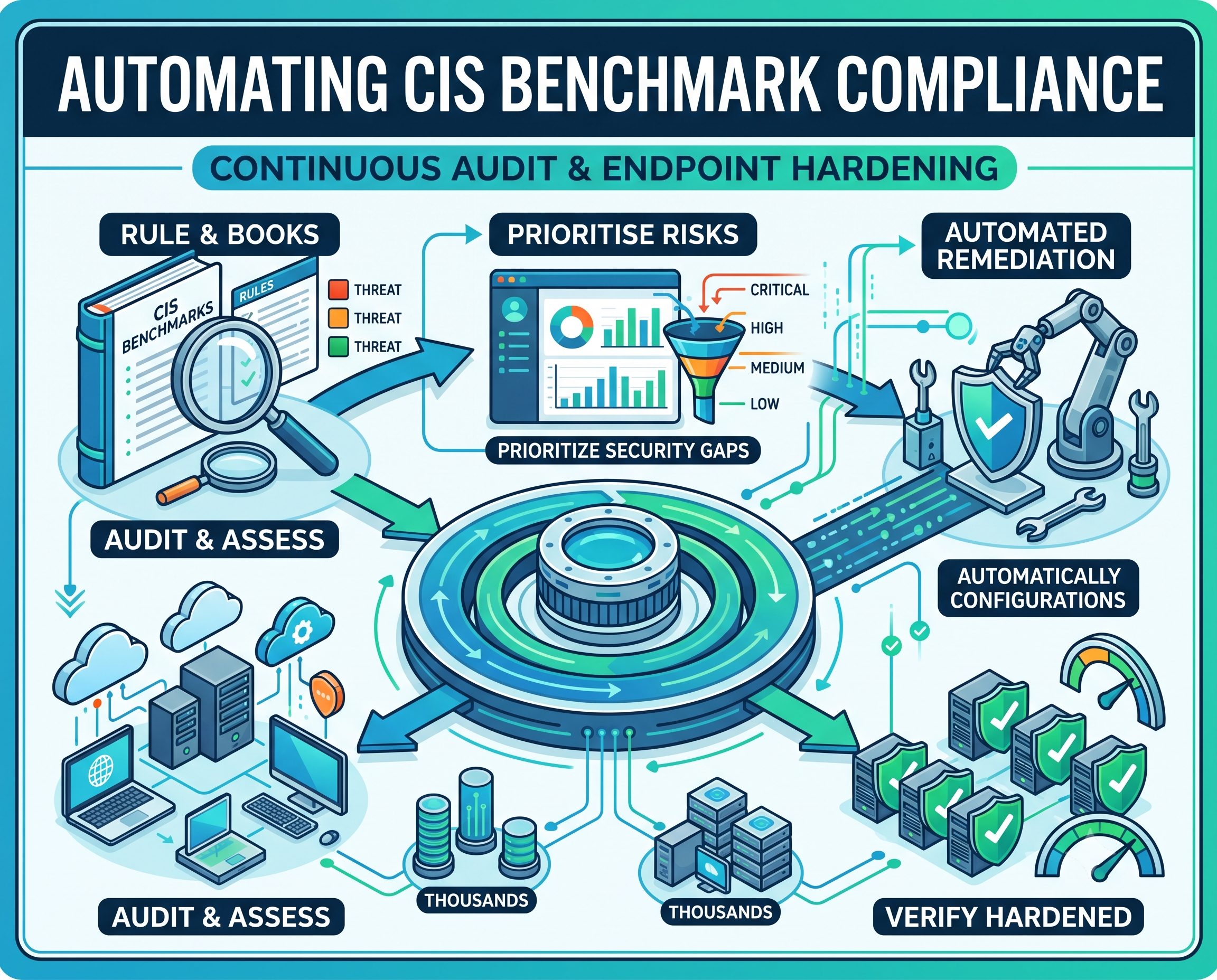
Automating Windows CIS Compliance Across Large Endpoint Environments
Manual Windows hardening becomes difficult when an organisation manages hundreds or thousands of endpoints. Different devices may have different Windows versions, applications, policies, users, and business requirements.
Automation can help security teams assess endpoints consistently, prioritise failed recommendations, apply approved remediation, and verify whether the endpoint returns to the required security baseline.
- Discover and classify Windows endpoints
- Assess endpoint configurations automatically
- Identify failed CIS recommendations
- Prioritise high-risk configuration findings
- Apply approved remediation
- Verify remediation results
- Track endpoint compliance
- Detect configuration drift
- Generate security and compliance reports
- Maintain historical assessment evidence
This approach moves endpoint hardening from a manual configuration project toward a repeatable security control lifecycle.
Windows CIS Hardening Checklist for Security Teams
- Select the correct Windows CIS Benchmark
- Confirm the Benchmark version
- Select Level 1 or Level 2 based on risk and business requirements
- Test recommendations before production deployment
- Review password and authentication settings
- Review local administrator privileges
- Enable and configure Windows firewall
- Review firewall rules
- Enable required security auditing
- Protect security logs
- Review security policies
- Review UAC configuration
- Review Windows services
- Restrict unnecessary remote access
- Review endpoint protection settings
- Review Defender configuration
- Maintain patch compliance
- Review installed applications
- Harden browser configuration
- Control removable media
- Review network services and open ports
- Review PowerShell and administrative tools
- Assess endpoint configuration against the CIS Benchmark
- Document exceptions
- Monitor configuration drift
- Continuously reassess endpoint compliance
How Cyber Auditor Can Support Windows Endpoint Hardening
CIS-based hardening becomes more effective when security teams can continuously understand the configuration state of their endpoints rather than relying only on manual assessments.
Cyber Auditor can support an endpoint security workflow by helping organisations assess security configurations, identify security gaps, monitor compliance, and improve visibility across endpoint environments.
- Centralised endpoint security visibility
- Configuration compliance assessment
- Security baseline monitoring
- Identification of security misconfigurations
- Endpoint compliance tracking
- Security posture visibility
- Configuration drift monitoring
- Remediation tracking
- Centralised reporting
- Continuous security assessment
For organisations managing large Windows environments, automated assessment and continuous visibility can reduce the operational effort required to maintain secure endpoint configurations.
Frequently Asked Questions
What is Windows CIS Benchmark hardening?
Windows CIS Benchmark hardening is the process of configuring Windows endpoints according to applicable CIS secure configuration recommendations to reduce attack surface and improve security posture.
Is CIS hardening the same as Windows security?
No. CIS hardening is one component of Windows security. A complete endpoint security program should also address vulnerabilities, patching, malware protection, identity security, application security, network controls, monitoring, and incident response.
Should every Windows endpoint use Level 2?
Not necessarily. Level 2 provides additional defense in depth but can have greater operational impact. Organisations should select the appropriate profile based on risk, business requirements, endpoint role, and application compatibility.
Can CIS hardening break applications?
Some configuration changes can affect applications or business functionality. This is why CIS recommends testing Benchmark recommendations before broad implementation and documenting required exceptions.
How often should Windows CIS compliance be checked?
CIS compliance should be assessed regularly and ideally monitored continuously for important security controls. The appropriate frequency depends on the organisation's risk, endpoint environment, change rate, and compliance requirements.
Does CIS compliance guarantee that a Windows endpoint is secure?
No. CIS compliance establishes a secure configuration baseline, but it does not eliminate every security risk. Effective endpoint security requires multiple complementary controls.
What happens when a Windows endpoint becomes non-compliant?
The security team should identify the failed recommendation, determine why the deviation occurred, assess its risk, apply approved remediation where appropriate, and reassess the endpoint to verify that the security baseline has been restored.
Key Takeaways
- Windows endpoints should be treated as a critical part of the enterprise attack surface
- CIS Benchmarks provide structured secure configuration guidance
- The correct Benchmark and version should be selected for the Windows environment
- Level 1 provides a practical baseline while Level 2 adds stronger defense in depth
- Hardening should always be tested before large-scale deployment
- Authentication, privileges, firewall, auditing, services, applications, and remote access require careful review
- CIS compliance should be validated rather than assumed
- Exceptions should be documented and periodically reviewed
- Configuration drift can cause previously secure endpoints to become non-compliant
- Continuous monitoring helps identify deviations after deployment
- Automated assessment and remediation can improve security at scale
- CIS hardening should complement patching, endpoint protection, vulnerability management, and incident response
Conclusion
Windows endpoint hardening is an important part of reducing enterprise attack surface. CIS Benchmarks provide security teams with a structured and repeatable foundation for reviewing Windows configurations, identifying weaknesses, and establishing secure endpoint baselines.
The most effective approach is not to treat the CIS checklist as a one-time configuration exercise. Organisations should select the appropriate Benchmark and security profile, test changes, deploy approved configurations, validate compliance, document exceptions, and continuously monitor endpoints for configuration drift.
For organisations managing large Windows environments, automation can make this process more scalable. Continuous assessment, configuration monitoring, remediation, and verification can help security teams maintain stronger endpoint security while keeping visibility into the organisation's overall security posture.
A secure Windows endpoint is not simply an endpoint that was hardened once. It is an endpoint that is continuously assessed, monitored, and maintained against an approved security baseline.
Recommended Solution
See how MOBISEC solves this in practice
Topics