What Is Automated Endpoint Remediation?
Automated endpoint remediation is the process of automatically identifying security misconfigurations on endpoints and applying predefined corrective actions to bring those devices back into an approved security state.
Instead of relying entirely on security teams to manually investigate every configuration issue, an automated remediation workflow can detect a deviation, determine the required corrective action, apply the fix, and verify whether the endpoint has returned to compliance.
This approach is particularly valuable in environments with hundreds or thousands of Windows, Linux, and other managed endpoints where manual remediation becomes slow, inconsistent, and difficult to maintain.
The goal is not simply to identify security weaknesses. Effective endpoint remediation creates a complete cycle of detection, prioritisation, correction, verification, and continuous monitoring.
Why Endpoint Security Misconfigurations Matter
Security misconfigurations can weaken otherwise secure endpoints and create opportunities for attackers to gain access, move laterally, escalate privileges, or maintain persistence.
An endpoint may become misconfigured because of administrator changes, software installations, policy changes, troubleshooting activities, application requirements, or operational exceptions.
- Unnecessary services may be enabled
- Firewall settings may be weakened
- Security policies may be changed
- Local administrator access may be expanded
- Remote access settings may be modified
- Logging or auditing may be disabled
- Password and authentication policies may become weaker
- Security software settings may be changed
- Applications may introduce insecure configurations
- Previously hardened settings may gradually drift
A single misconfigured device may not appear critical in isolation. However, when the same configuration weakness exists across hundreds or thousands of endpoints, the organisation's overall attack surface can increase significantly.
How Automated Endpoint Remediation Works
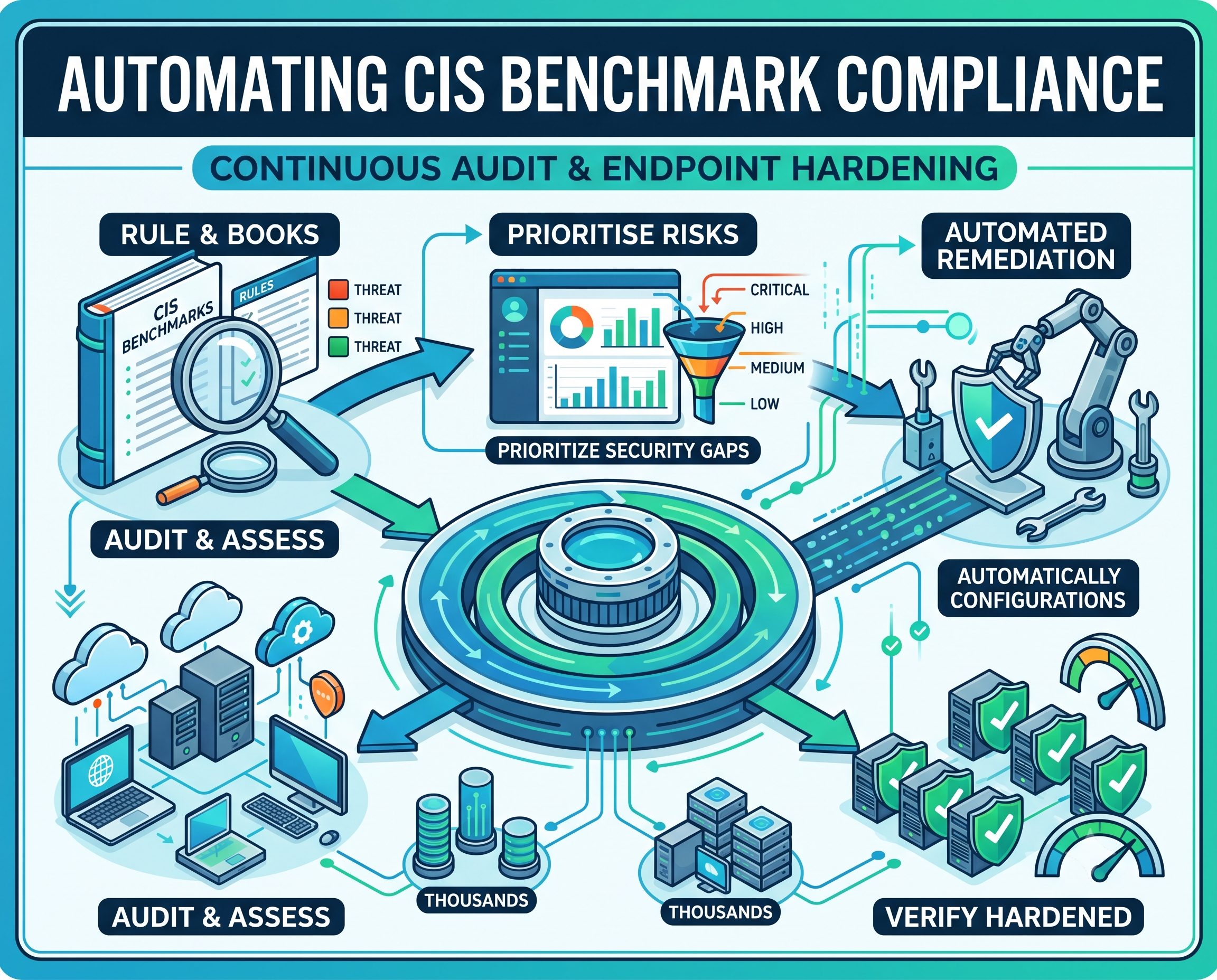
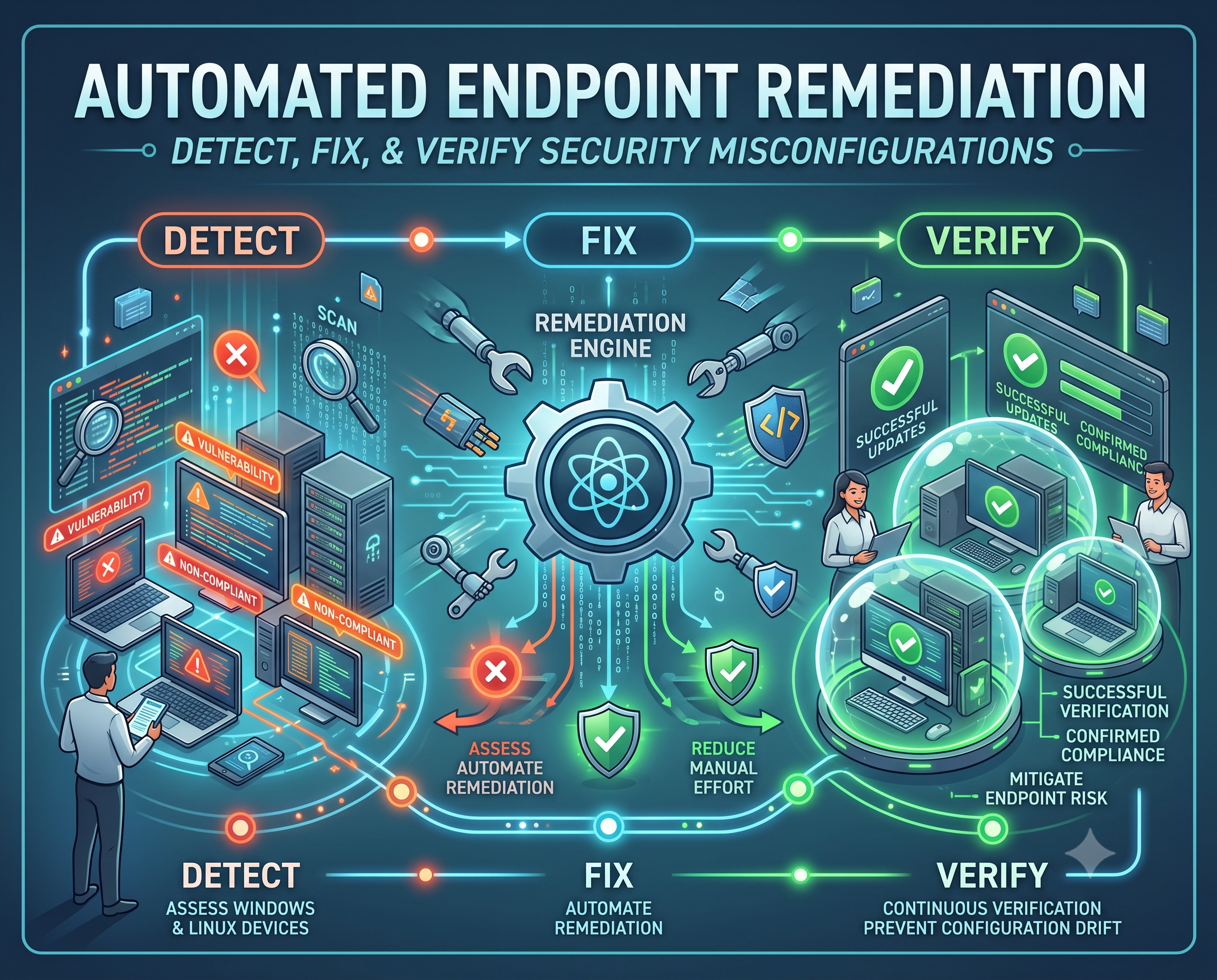
Automated endpoint remediation generally follows a continuous lifecycle. The system first evaluates the endpoint against an approved security baseline or policy, identifies deviations, determines the appropriate corrective action, applies the remediation, and then verifies the resulting configuration.
- Discover and assess the endpoint
- Compare configuration against the approved baseline
- Identify and prioritise security misconfigurations
- Determine the appropriate remediation action
- Apply the corrective configuration
- Verify that the remediation succeeded
- Continue monitoring for future deviations
The most important characteristic of this workflow is the verification stage. A remediation action should not be considered successful simply because a command or configuration change was executed. The endpoint should be assessed again to confirm that the expected secure state has actually been achieved.
Step 1: Discover and Assess Endpoints
Automated remediation begins with visibility. Security teams need to know which endpoints are being managed, which systems are online, what operating systems and configurations they use, and which security controls apply to each device.
An endpoint inventory can provide the foundation for automated security assessment by grouping devices according to operating system, business role, department, location, or security policy.
- Windows desktops and laptops
- Windows servers
- Linux servers
- Linux workstations
- Remote and distributed endpoints
- Privileged administrative systems
- Business-critical endpoints
- Development and testing systems
Accurate endpoint inventory helps ensure that remediation policies are applied to the right systems and that security teams can identify devices that remain outside the expected security state.
Step 2: Compare Configurations Against a Security Baseline
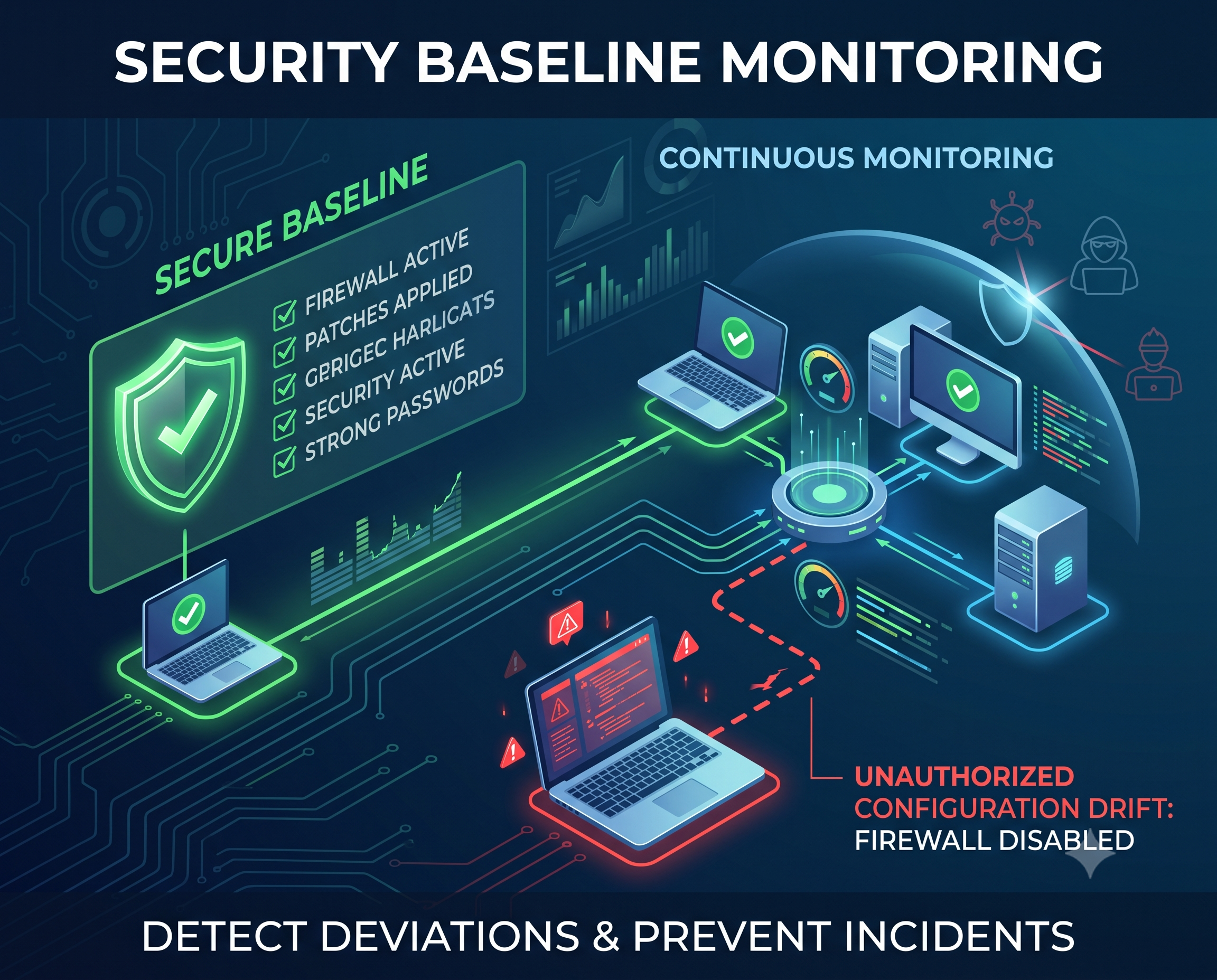
After identifying endpoints, the next step is configuration assessment. Each endpoint can be evaluated against an approved security baseline that defines the expected security state.
A baseline may contain requirements for authentication, firewall configuration, auditing, services, permissions, remote access, security software, operating system settings, and other controls.
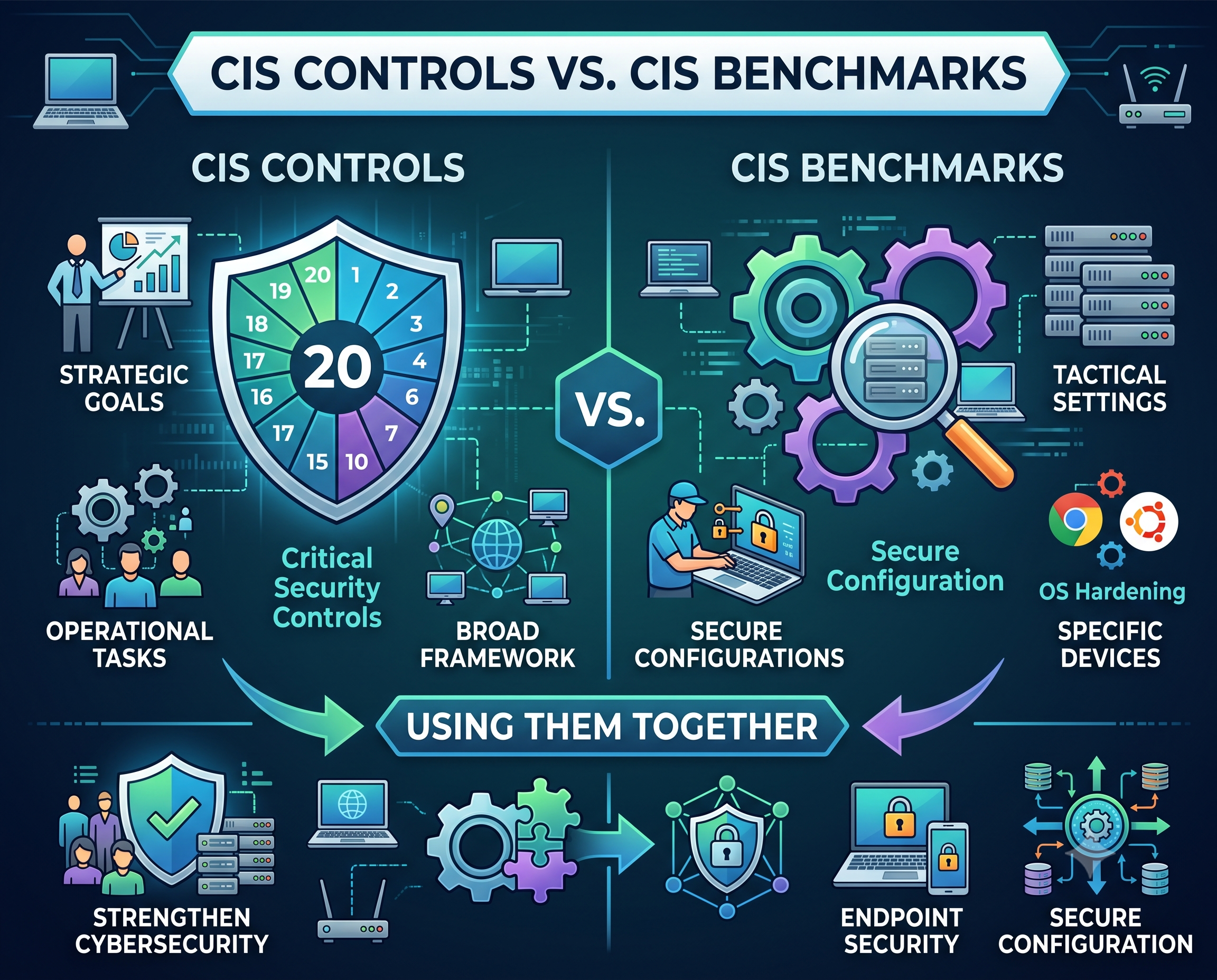
CIS Benchmarks can be used as an important reference for developing secure configuration standards. Organisations can also maintain internal security baselines based on their business requirements, compliance obligations, risk profile, and technology environment.
- Approved security configuration
- Required security controls
- Expected operating system settings
- Authentication requirements
- Network security settings
- Logging and auditing requirements
- Endpoint protection requirements
- Approved exceptions
Step 3: Detect Security Misconfigurations
The assessment process identifies differences between the actual endpoint configuration and the expected secure configuration.
A finding may indicate that a security control is disabled, a configuration value is incorrect, an unnecessary service is running, a required policy is missing, or an endpoint has deviated from its approved baseline.
Automated detection allows organisations to identify configuration problems consistently instead of depending on manual checks performed by individual administrators.
Examples of Endpoint Misconfigurations
- Firewall protection is disabled
- Remote access is enabled without appropriate controls
- Weak password policies are configured
- Unnecessary services are running
- Local administrator privileges are excessive
- Security auditing is disabled
- Required security logs are not being generated
- Unapproved software or services are installed
- Security settings have been changed from the approved baseline
- Endpoint security controls are not configured according to policy
Step 4: Prioritise Remediation Findings
Not every configuration deviation should be treated with the same urgency. Automated remediation should include a risk-based approach that considers the security impact, affected endpoints, business importance, and likelihood of exploitation.
- Critical security control failures
- High-risk configuration weaknesses
- Internet-facing or externally exposed systems
- Privileged administrative endpoints
- Business-critical systems
- Large numbers of affected endpoints
- Lower-risk configuration deviations
Prioritisation helps security teams focus remediation efforts where they can provide the greatest reduction in risk while avoiding unnecessary changes to low-impact systems.
Step 5: Apply Automated Remediation
Once a configuration issue has been identified and an approved corrective action exists, the remediation workflow can apply the required change automatically.
The remediation action depends on the operating system, configuration type, security policy, and organisation's management architecture.
- Restore a required security configuration
- Enable an approved firewall rule or security setting
- Disable an unnecessary service
- Correct authentication policies
- Restore required auditing
- Remove or restrict unnecessary privileges
- Apply approved endpoint security policies
- Return configuration values to the approved baseline
- Correct insecure remote access settings
Automated remediation should use controlled and tested actions rather than unrestricted changes. Every remediation policy should have a clearly defined expected outcome and should be tested before being deployed broadly.
Why Automated Remediation Is Better Than Manual Fixes at Scale
Manual remediation can work for a small number of endpoints, but it becomes difficult to sustain as the environment grows.
- Manual investigation takes more time
- Different administrators may apply different fixes
- Large endpoint populations are difficult to maintain consistently
- Remote endpoints may be difficult to reach
- Configuration drift can return after a manual fix
- Security teams may not have enough resources for repeated remediation
- Manual changes are harder to standardise and audit
Automation provides a repeatable process that can apply approved corrections consistently across large endpoint environments.
Step 6: Verify That the Remediation Worked
Verification is one of the most important parts of automated endpoint remediation. After applying a fix, the system should reassess the relevant security control and confirm that the endpoint now matches the expected configuration.
For example, if an endpoint is found with a disabled security setting, the remediation workflow may enable the setting and then perform another assessment to confirm that the setting is actually enabled.
- Identify the original configuration failure
- Apply the approved remediation
- Reassess the affected configuration
- Compare the result with the expected state
- Mark the finding as remediated only when verification succeeds
- Record the result for monitoring and reporting
If verification fails, the system should retain the finding, report the failure, and provide enough information for security or IT teams to investigate.
Detection Without Verification Is Not Enough
A common weakness in security automation is treating an executed remediation command as proof that the problem has been resolved.
A command may fail, a policy may override the change, an application may restore the previous configuration, or the endpoint may be temporarily unavailable.
This is why a mature remediation workflow should distinguish between remediation attempted and remediation verified.
- Detected
- Prioritised
- Remediation attempted
- Remediation successful
- Remediation verified
- Still non-compliant
This distinction gives security teams a more accurate understanding of their actual security posture.
Automated Remediation and CIS Benchmarks
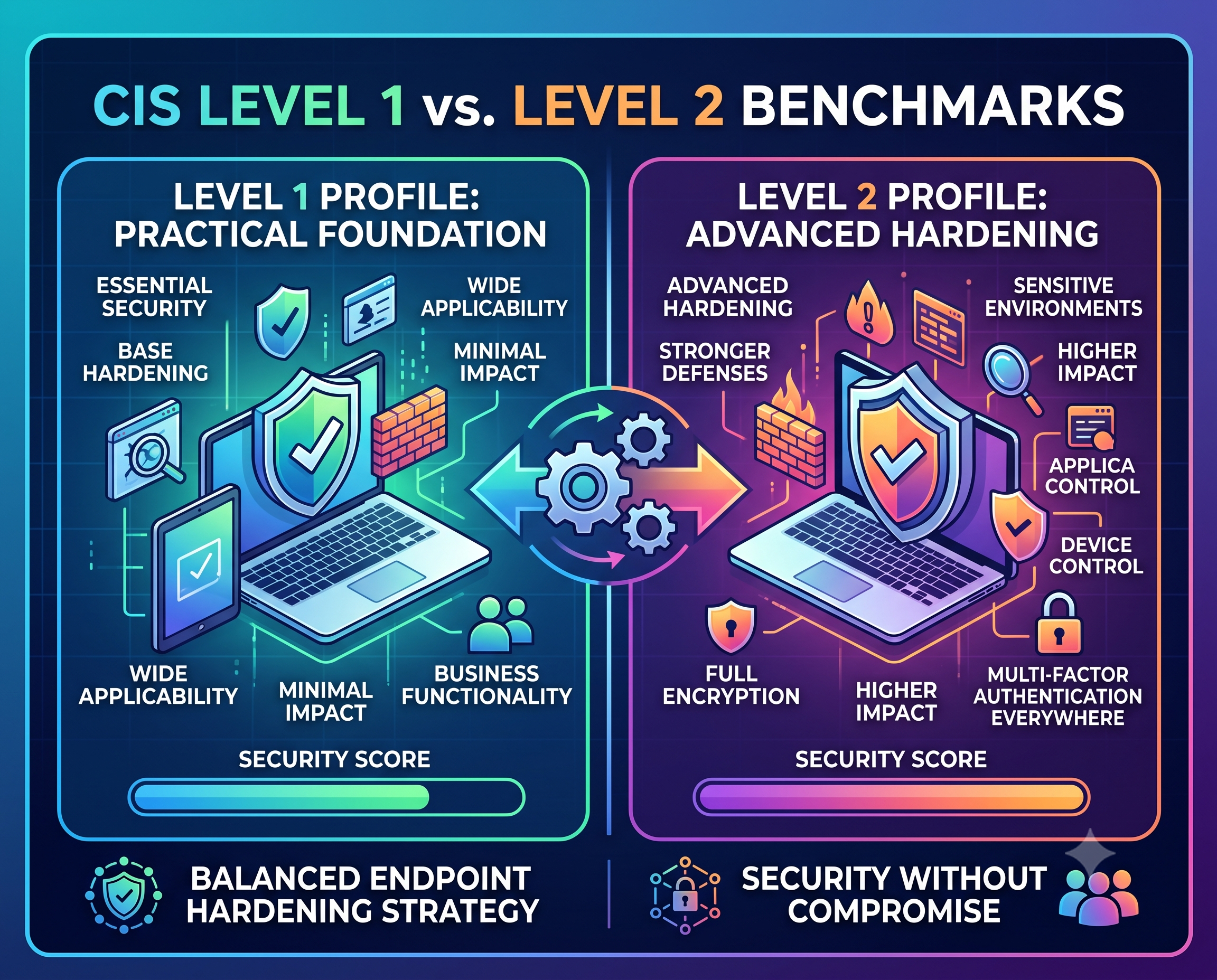
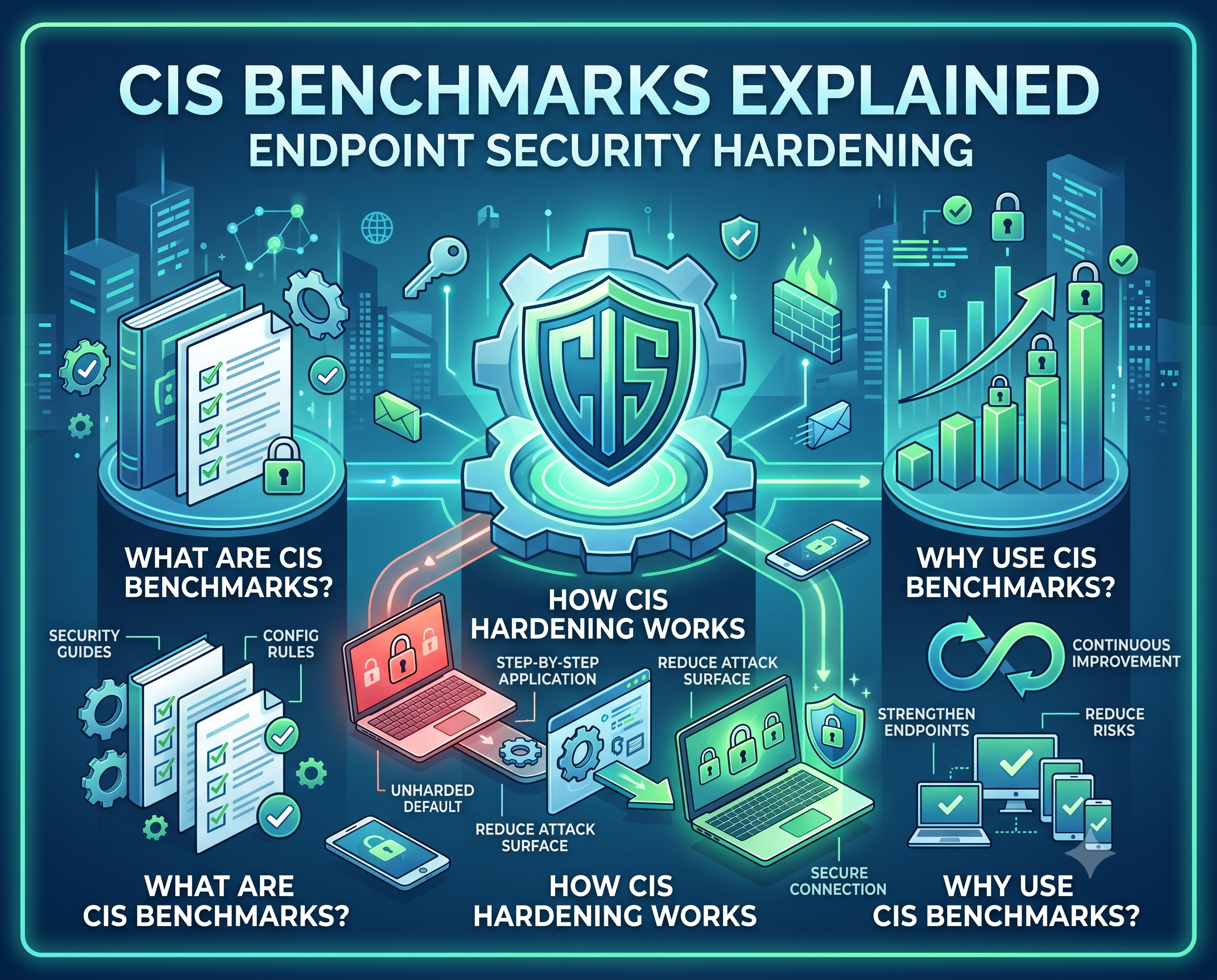
CIS Benchmarks provide secure configuration recommendations for many operating systems, applications, and technologies. Organisations can use applicable Benchmark recommendations as a foundation for defining endpoint security baselines.
Automated endpoint remediation can then help assess systems against those requirements, identify deviations, apply approved corrective actions, and continuously verify compliance.
The combination of security benchmarks and automation creates a repeatable process for maintaining secure configurations across large endpoint environments.
However, organisations should test remediation actions before broad deployment because security settings can affect applications, users, system performance, and business workflows.
Automated Remediation and Configuration Drift
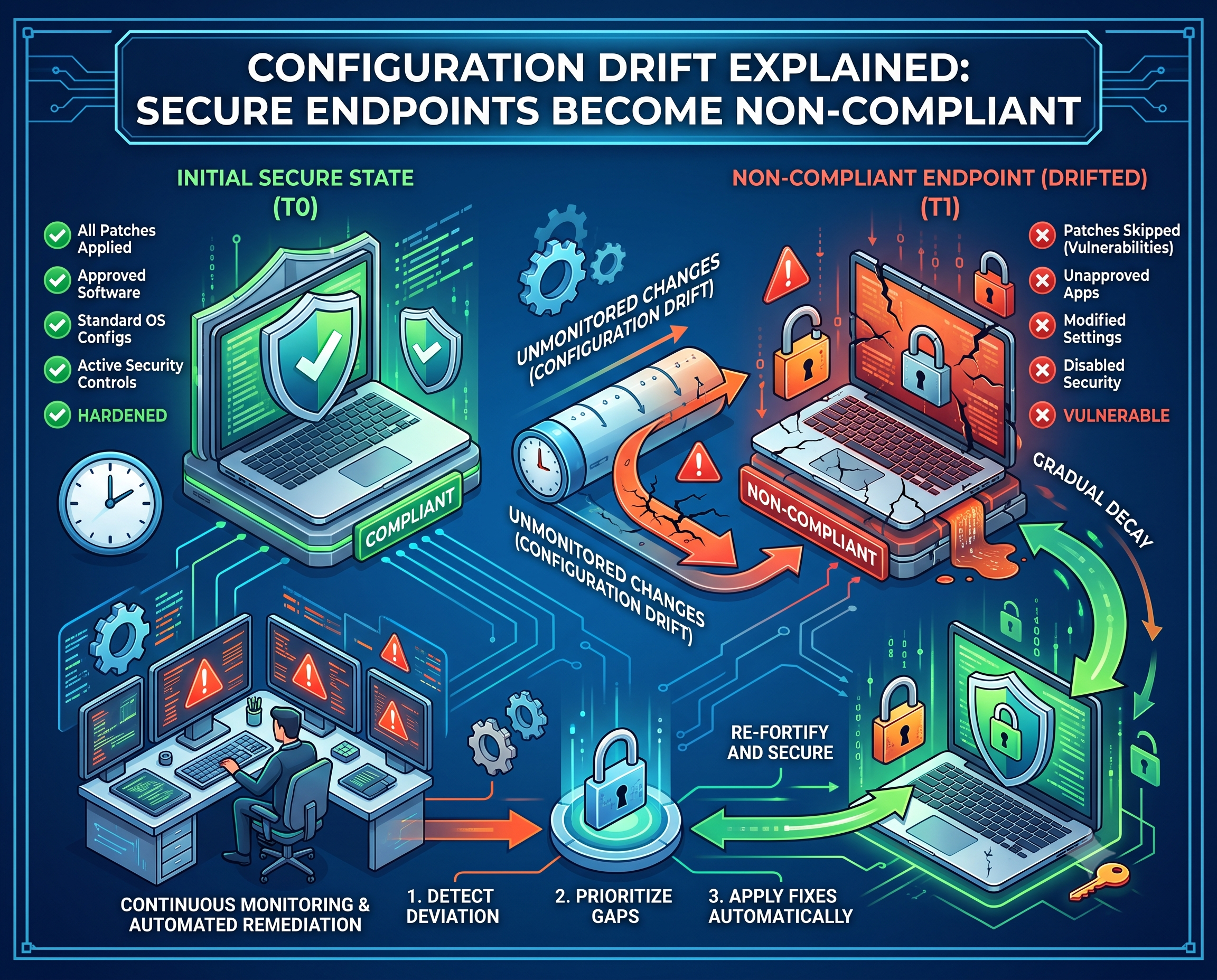
Endpoint hardening is not a one-time activity. Even after an endpoint has been securely configured, its state can change over time.
This gradual change is known as configuration drift. Administrators may change settings, applications may modify configurations, users may install software, and troubleshooting activities may temporarily weaken security controls.
Automated remediation can reduce the impact of configuration drift by continuously detecting deviations and restoring approved configurations where appropriate.
This creates a continuous security cycle rather than treating hardening as a single project.
Automated Endpoint Remediation for Windows
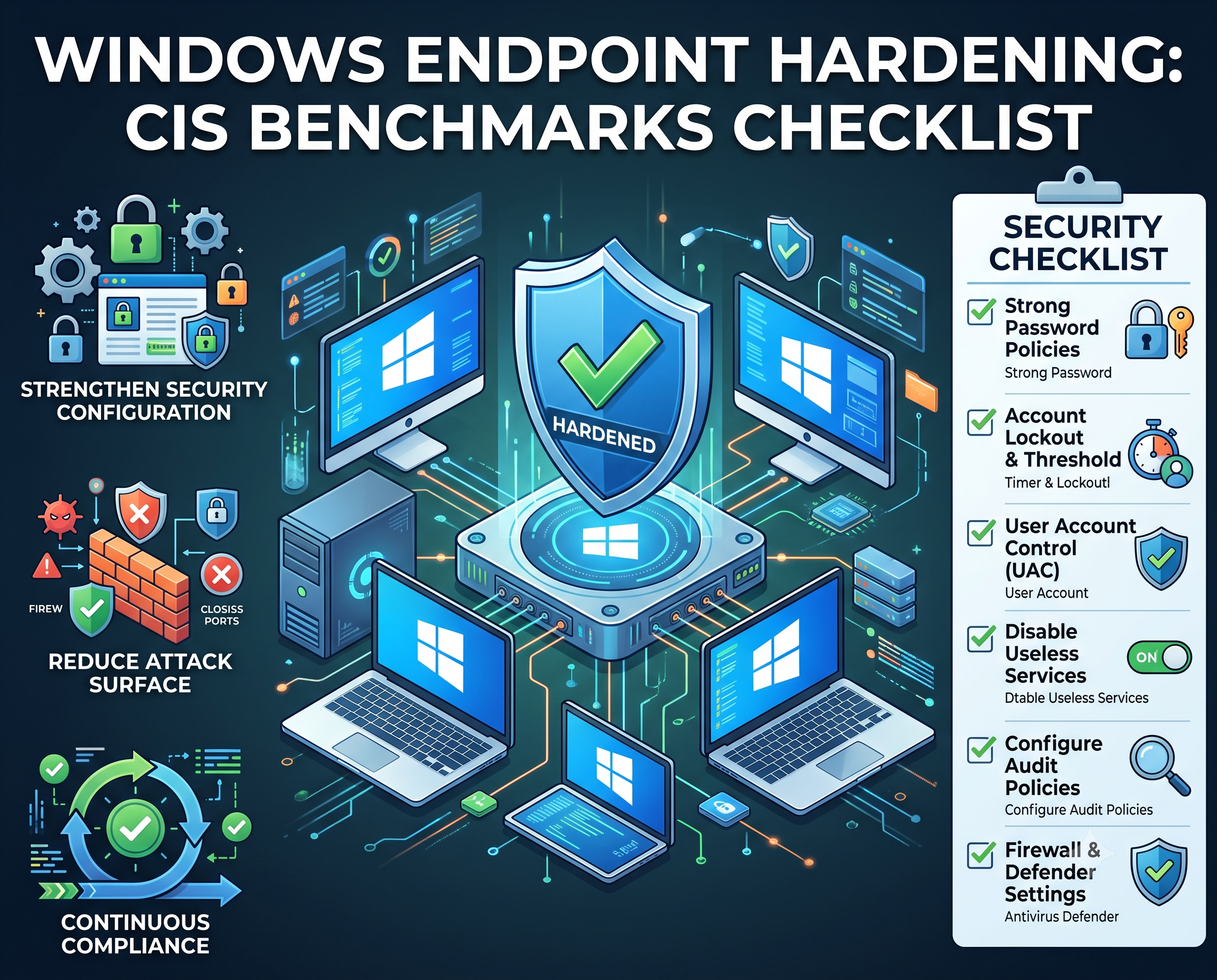
Windows environments often contain large numbers of laptops, desktops, servers, and remote devices. Automated remediation can help maintain consistent security settings across these systems.
- Windows firewall configuration
- User account and privilege settings
- Password and authentication policies
- Remote Desktop configuration
- Security auditing
- Windows security policies
- Unnecessary services
- Security software configuration
- Operating system security settings
- Application and browser security configuration
Windows remediation policies should be aligned with the organisation's approved baseline and tested against representative endpoint configurations before large-scale deployment.
Automated Endpoint Remediation for Linux
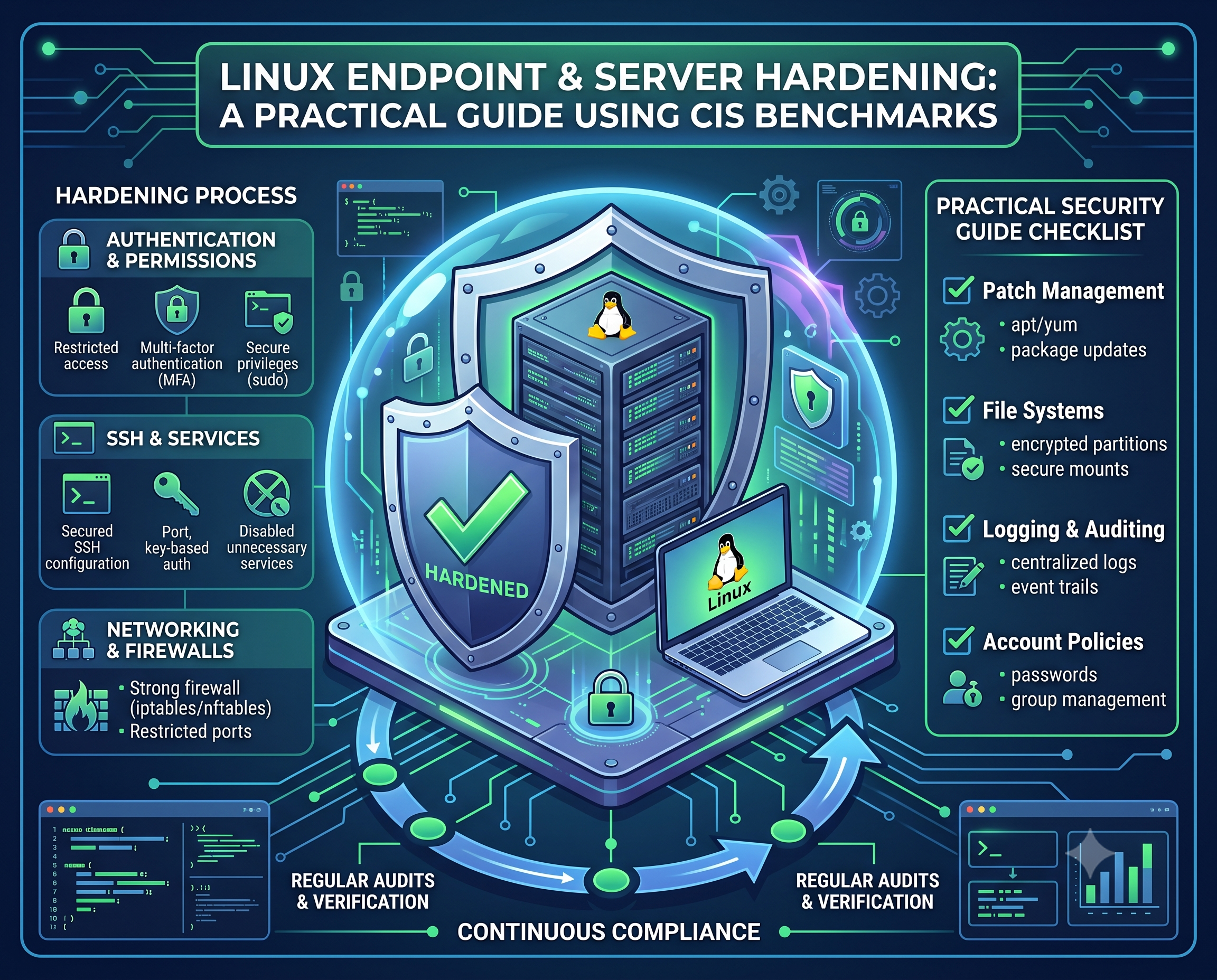
Linux environments can also benefit from automated remediation, particularly where organisations manage large numbers of servers or workstations.
- SSH configuration
- User and privilege management
- File and directory permissions
- Host firewall configuration
- Unnecessary services
- Authentication settings
- System logging
- Audit configuration
- Network configuration
- Kernel and operating system security settings
- Package and security update configuration
Linux remediation should account for the specific distribution, server role, application dependencies, and security baseline being used. A configuration that is appropriate for one Linux workload may not be appropriate for another.
How Automated Remediation Supports Continuous Compliance
Compliance cannot be maintained reliably through a single assessment performed once a year. Endpoint configurations can change between assessments, creating gaps between documented compliance and actual security state.
Automated endpoint remediation supports continuous compliance by repeatedly assessing configurations, identifying deviations, applying approved corrections, and verifying the resulting state.
- Continuous configuration assessment
- Automated finding detection
- Risk-based prioritisation
- Controlled remediation
- Post-remediation verification
- Compliance status tracking
- Historical remediation records
- Exception management
- Continuous monitoring
Automated Remediation and Security Posture
Security posture represents the organisation's overall security condition across its systems, controls, configurations, vulnerabilities, and compliance requirements.
When security misconfigurations remain unresolved, the organisation's security posture can deteriorate. Automated remediation helps improve posture by reducing the number of unresolved configuration weaknesses and maintaining approved security controls.
Security teams can monitor metrics such as the number of compliant endpoints, unresolved findings, remediation success rates, failed remediations, recurring configuration issues, and average remediation time.
Metrics to Measure Endpoint Remediation
- Number of detected misconfigurations
- Number of remediated findings
- Verified remediation rate
- Remediation failure rate
- Average time to remediation
- Average time to verification
- Number of repeatedly failing endpoints
- Number of compliant endpoints
- Percentage of endpoints meeting the security baseline
- Number of configuration drift events
- Number of approved exceptions
These metrics help security and IT teams understand whether automation is actually reducing security risk rather than simply generating more security findings.
Common Challenges With Automated Endpoint Remediation
Application Compatibility
Some security settings can affect business applications. A remediation action that improves security in one environment may cause compatibility issues in another.
Incorrect Remediation Policies
An incorrect remediation action can introduce new problems. Every automated action should therefore be reviewed, tested, and mapped to a clearly understood security requirement.
Endpoint Availability
Remote devices may be offline when remediation is triggered. The system should support retrying or rescheduling remediation when the endpoint becomes available.
Configuration Exceptions
Some systems may require configurations that differ from the standard baseline. Approved exceptions should be documented and monitored rather than repeatedly remediated.
Recurring Drift
If an application, administrator, or policy continuously changes a configuration, the same finding may return after every remediation. Recurring findings should be investigated to identify the underlying cause.
Best Practices for Automated Endpoint Remediation
- Define a clear and approved security baseline
- Use risk-based remediation priorities
- Start with low-risk and well-understood security controls
- Test remediation policies before production deployment
- Use separate policies for different endpoint roles
- Maintain documented remediation actions
- Require verification after remediation
- Track failed and recurring remediations
- Maintain an exception management process
- Keep detailed remediation records
- Monitor configuration drift continuously
- Review remediation policies regularly
- Use staged deployment for high-impact changes
- Provide rollback procedures where appropriate
Automated Endpoint Remediation Workflow
- Discover managed endpoints
- Collect relevant configuration information
- Compare actual settings with the security baseline
- Create security findings
- Prioritise findings based on risk
- Select an approved remediation action
- Apply the corrective configuration
- Reassess the endpoint
- Verify the security control
- Update compliance status
- Record the remediation result
- Continue monitoring for future deviations
This workflow transforms endpoint security from a primarily reactive process into a repeatable and measurable security operation.
How Cyber Auditor Can Support Automated Endpoint Remediation
Cyber Auditor can support organisations that need to assess endpoint security configurations, identify deviations from security requirements, monitor security posture, and improve the remediation lifecycle.
A centralised approach can help security teams move from individual manual checks toward consistent assessment and remediation workflows across managed endpoints.
By combining configuration assessment, security baselines, continuous monitoring, remediation tracking, and verification, organisations can build a more measurable approach to endpoint security.
The objective is not simply to achieve compliance at one point in time. The objective is to continuously maintain a secure and measurable endpoint security state.
Automated Endpoint Remediation Checklist
- Maintain an accurate endpoint inventory
- Define approved security baselines
- Identify applicable CIS Benchmark recommendations
- Continuously assess endpoint configurations
- Detect security misconfigurations
- Prioritise findings based on risk
- Use tested remediation actions
- Apply remediation consistently
- Verify every important remediation
- Track failed remediation attempts
- Monitor configuration drift
- Document security exceptions
- Measure remediation performance
- Review recurring findings
- Maintain audit-ready remediation records
Frequently Asked Questions About Automated Endpoint Remediation
What is automated endpoint remediation?
Automated endpoint remediation is the process of automatically detecting security configuration problems on endpoints, applying approved corrective actions, and verifying that the required secure state has been restored.
What is the difference between endpoint assessment and endpoint remediation?
Endpoint assessment identifies whether a device meets the required security configuration. Endpoint remediation takes corrective action when the device does not meet that requirement.
Why is remediation verification important?
Verification confirms that the intended security configuration was actually restored. Without verification, an organisation may incorrectly assume that a remediation action succeeded.
Can automated remediation be used for Windows and Linux?
Yes. Automated remediation can be designed for both Windows and Linux environments, but remediation policies should account for operating system differences, system roles, application dependencies, and approved security baselines.
Can automated remediation prevent configuration drift?
Automated remediation can reduce the impact of configuration drift by continuously detecting deviations and restoring approved configurations where appropriate. Continuous monitoring is important because configuration changes can occur after remediation.
Should every security finding be automatically remediated?
No. Automated remediation should be risk-based. Some findings may require investigation, business approval, manual review, or exception handling before a corrective action is applied.
How does automated remediation support compliance?
Automated remediation can help organisations continuously assess security configurations, correct approved deviations, verify the resulting state, and maintain evidence of remediation activity.
Key Takeaways
- Security misconfigurations can increase endpoint attack surface
- Manual remediation becomes difficult as endpoint environments grow
- Automated remediation creates a repeatable detection and correction process
- Security baselines provide a defined target state
- CIS Benchmarks can support secure configuration standards
- Risk-based prioritisation helps focus remediation efforts
- Remediation should be followed by verification
- Configuration drift requires continuous monitoring
- Exceptions should be documented and monitored
- Remediation metrics help measure security improvement
- Automated workflows can support continuous endpoint compliance
Conclusion
Automated endpoint remediation is an important part of modern endpoint security because identifying a security weakness is only the first step. Organisations also need a reliable way to correct configuration problems and confirm that the expected security state has been restored.
A mature remediation strategy combines endpoint discovery, continuous configuration assessment, security baselines, risk-based prioritisation, controlled corrective actions, post-remediation verification, and continuous monitoring.
For organisations managing large Windows and Linux environments, automation can reduce manual effort, improve configuration consistency, respond to security deviations faster, and provide better visibility into endpoint security posture.
The strongest approach is not simply to detect more findings. It is to continuously detect, fix, verify, and monitor the security state of endpoints so that secure configurations remain secure over time.
Recommended Solution
See how MOBISEC solves this in practice
Topics