Why High-Risk Endpoint Settings Need Continuous Monitoring
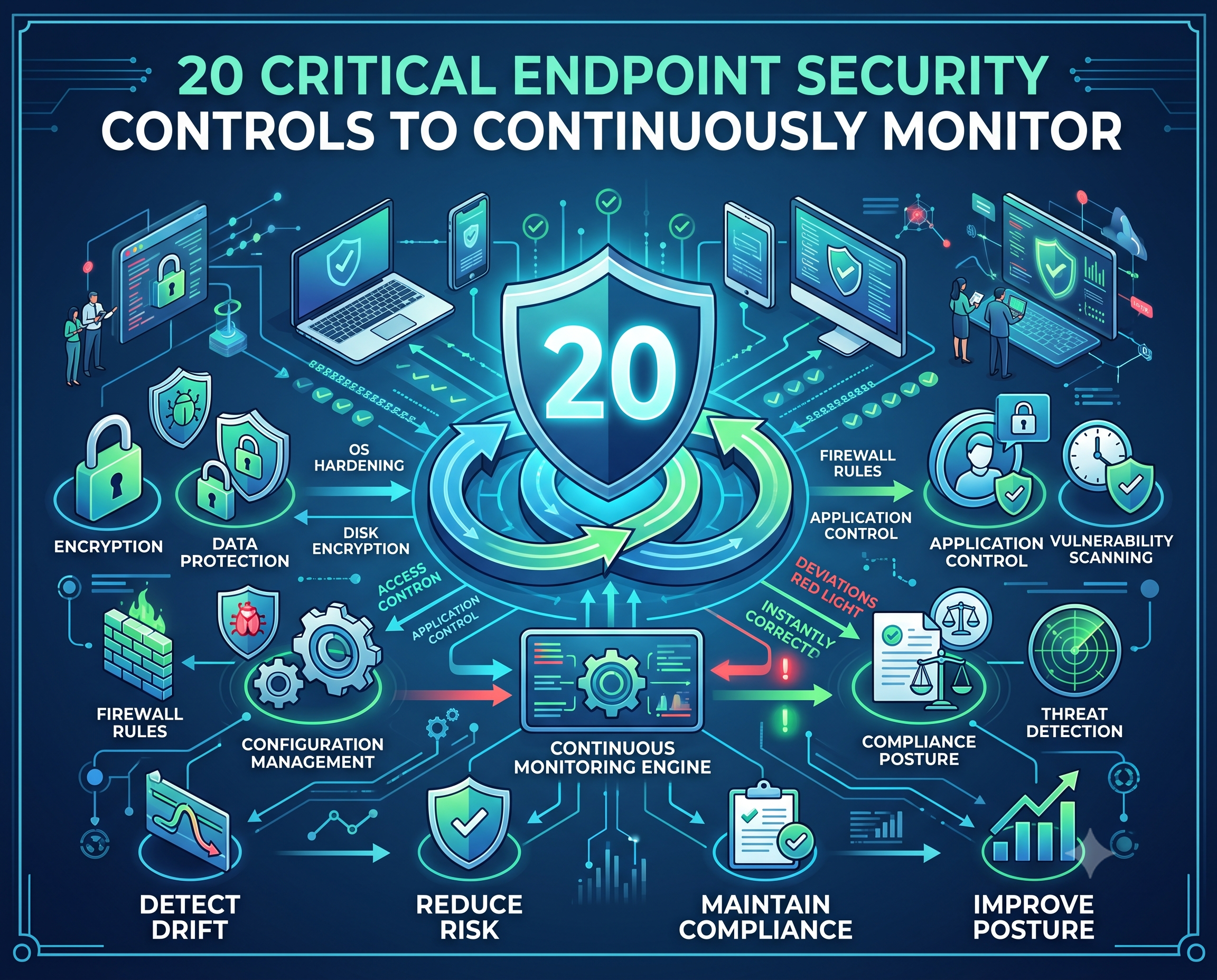
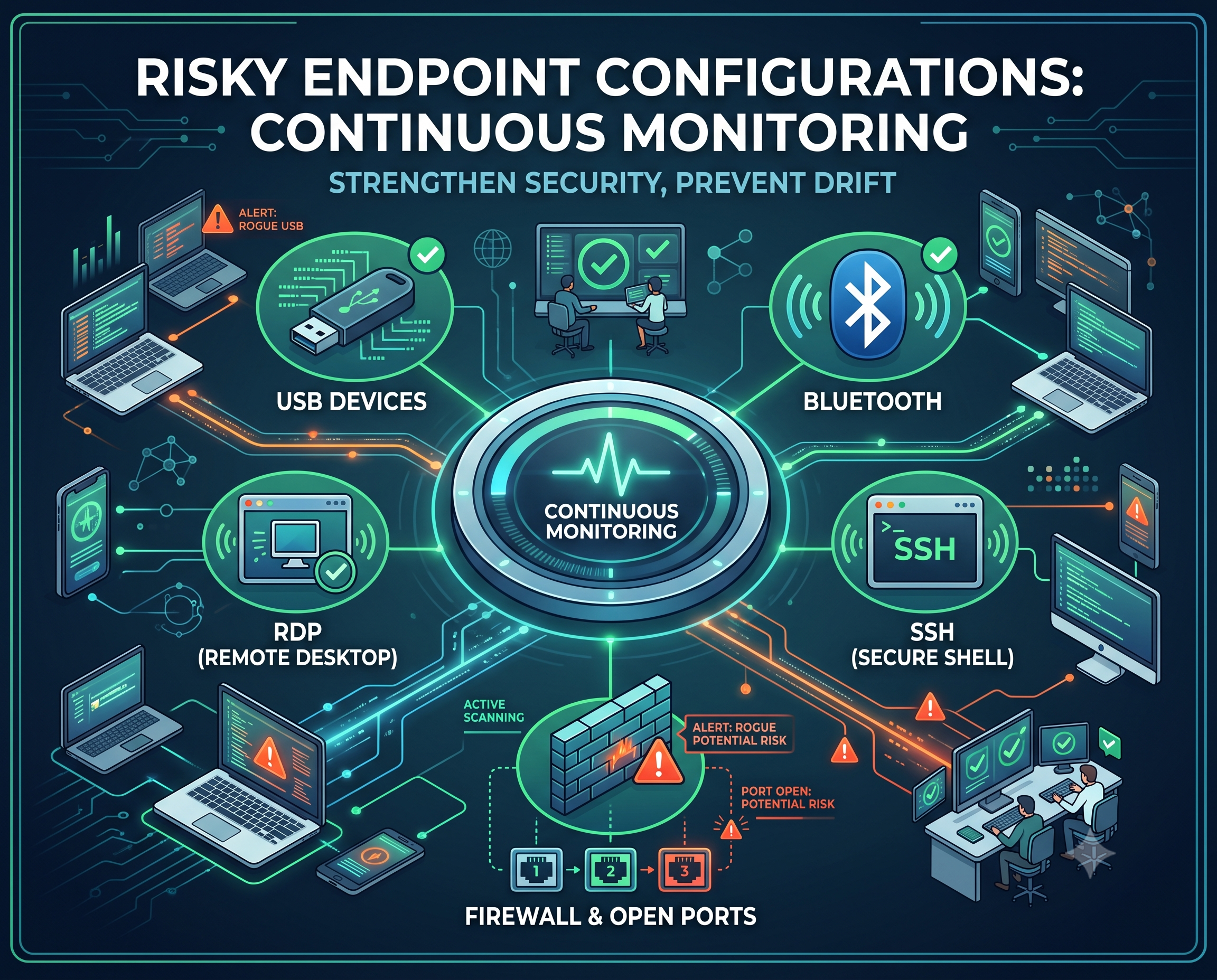
Endpoint security is influenced by many configuration settings that control connectivity, remote access, device communication, and network exposure. Some settings can create significantly greater risk when they are enabled or modified without appropriate controls.
USB, Bluetooth, Remote Desktop Protocol, Secure Shell, firewall configuration, and open network ports are examples of settings that deserve particular attention because they can affect how endpoints communicate with users, devices, and networks.
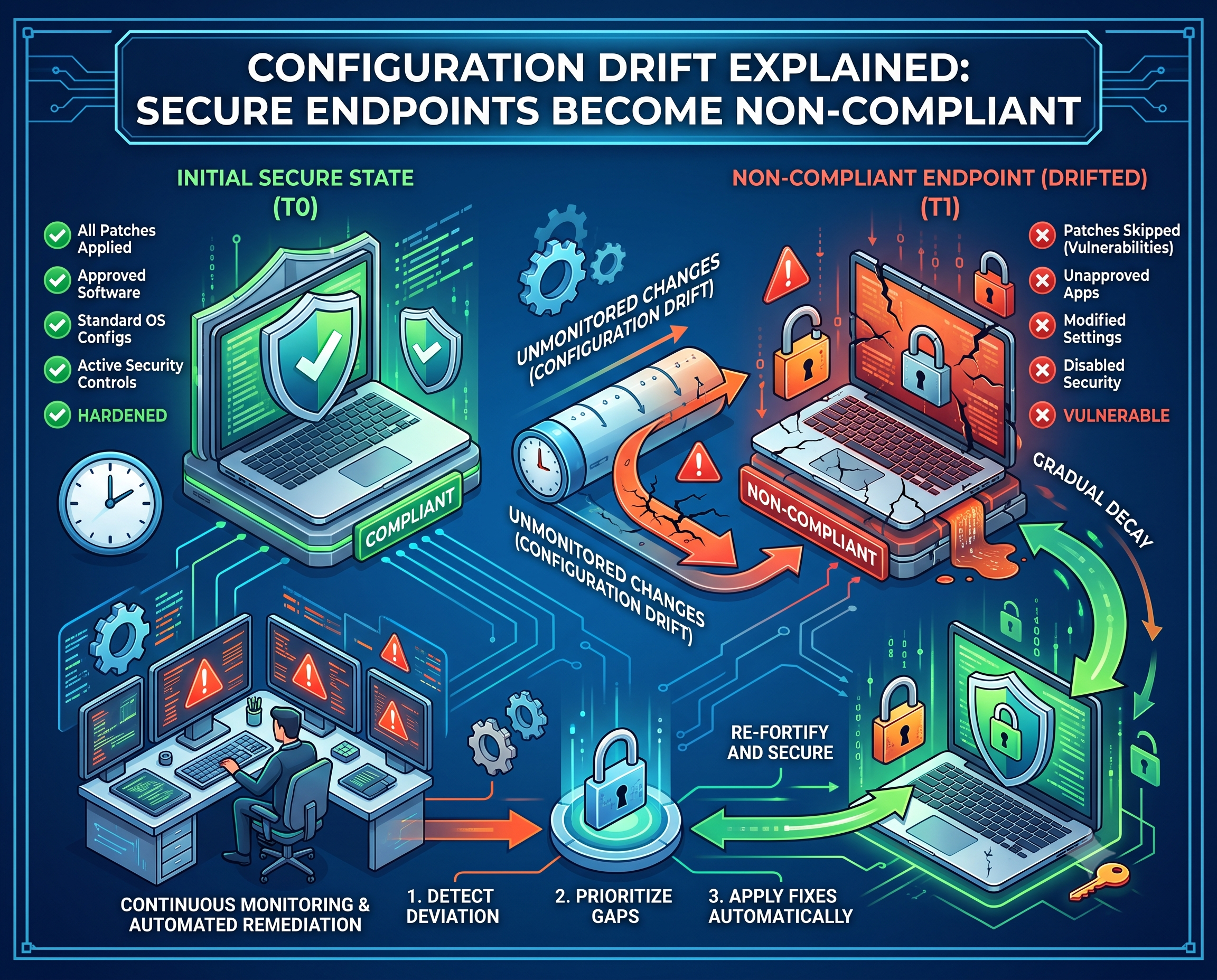
An endpoint may be securely configured during an initial hardening exercise but become more exposed later because of administrative changes, troubleshooting, application requirements, policy modifications, or configuration drift.
Continuous monitoring helps organisations detect these changes and determine whether they are expected, approved, or potentially risky.
What Are High-Risk Endpoint Settings?
High-risk endpoint settings are configurations that can materially influence an endpoint's attack surface, remote accessibility, network exposure, data transfer capability, or security controls.
The risk associated with a setting depends on how it is configured, why it is enabled, where the endpoint is located, what users can access it, and which additional security controls are present.
- Device connectivity settings
- Remote access services
- Network exposure
- Firewall policies
- Open listening ports
- External device access
- Wireless communication
- Administrative access
- Security-sensitive configuration changes
The Six Endpoint Settings Covered in This Guide
This guide focuses on six areas that security teams should consider for continuous monitoring.
- USB and removable media
- Bluetooth
- Remote Desktop Protocol
- Secure Shell
- Firewall configuration
- Open network ports
These settings should not be treated as isolated controls. A change in one area may increase the importance of another. For example, an exposed remote access service combined with an overly permissive firewall configuration can create greater risk than either condition considered separately.
USB and Removable Media Monitoring
USB devices and removable media provide useful functionality for transferring data and connecting peripherals. However, uncontrolled removable media can introduce security and data protection risks.
Organisations should define clear policies for removable media and continuously monitor whether endpoints remain aligned with those policies.
- USB policy status
- Removable media restrictions
- Unauthorised device activity
- Changes to device access policies
- Approved exceptions
- Endpoint groups with different USB requirements
Why USB Security Matters
Removable media can introduce software, transfer sensitive information, or provide an alternative path for moving data between systems.
The objective of monitoring is not necessarily to disable every USB device. Instead, organisations should determine which types of removable media are permitted and ensure that endpoint configurations remain aligned with those requirements.
Unexpected changes to USB security policies should be investigated based on their risk and business context.
2. Bluetooth Security Monitoring
Bluetooth enables wireless communication between endpoints and nearby devices. While useful for keyboards, headphones, mobile devices, peripherals, and other business requirements, Bluetooth configuration can also affect an endpoint's wireless attack surface.
Security teams should monitor whether Bluetooth is enabled where it should not be, whether configuration policies remain compliant, and whether approved exceptions are documented.
- Bluetooth enabled status
- Bluetooth security policy
- Device pairing configuration
- Approved Bluetooth usage
- Unexpected configuration changes
- Security policy deviations
- Endpoint-specific exceptions
Managing Bluetooth According to Risk
Not every organisation needs the same Bluetooth policy. Some environments may require Bluetooth for normal business operations, while highly restricted systems may have different requirements.
A risk-based approach should therefore define where Bluetooth is permitted, which devices may be used, and which endpoint groups require additional restrictions.
Continuous monitoring helps ensure that these decisions remain enforced after initial endpoint configuration.
3. Remote Desktop Protocol Monitoring
Remote Desktop Protocol provides remote access capabilities for Windows systems. When appropriately secured, it can support administration and remote work. When exposed or poorly configured, remote access can increase an endpoint's attack surface.
Security teams should continuously monitor RDP configuration and identify endpoints where remote access does not match approved security requirements.
- RDP enabled status
- Remote access policy
- Allowed users
- Network-level authentication configuration
- Firewall rules associated with RDP
- Remote access exceptions
- Unexpected RDP configuration changes
Why RDP Configuration Should Be Monitored
Remote access configuration can change over time because of troubleshooting, administrative activity, software deployment, or policy changes.
An administrator may temporarily enable RDP to resolve an issue and forget to return the endpoint to its previous state. Continuous monitoring can identify the resulting deviation.
Monitoring should focus on whether remote access is authorised, appropriately protected, and restricted to the systems and users that require it.
4. SSH Monitoring
Secure Shell is commonly used for remote administration of Linux and Unix-like systems. SSH configuration is therefore an important security control for servers and other systems that allow remote administrative access.
Organisations should continuously monitor SSH settings according to their approved security baseline.
- SSH service status
- Allowed users
- Authentication configuration
- Remote administrative access
- Root login policy
- Key-based authentication requirements
- Password authentication policy
- SSH configuration changes
- Approved administrative access
SSH Security and Privileged Access
SSH is particularly important because it is frequently associated with administrative access. Weak SSH configuration combined with excessive privileges can increase the potential impact of compromised credentials.
Monitoring should therefore consider SSH configuration together with account security, privilege management, authentication policies, and network exposure.
5. Firewall Configuration Monitoring
Host-based firewalls provide an important layer of network access control on endpoints and servers.
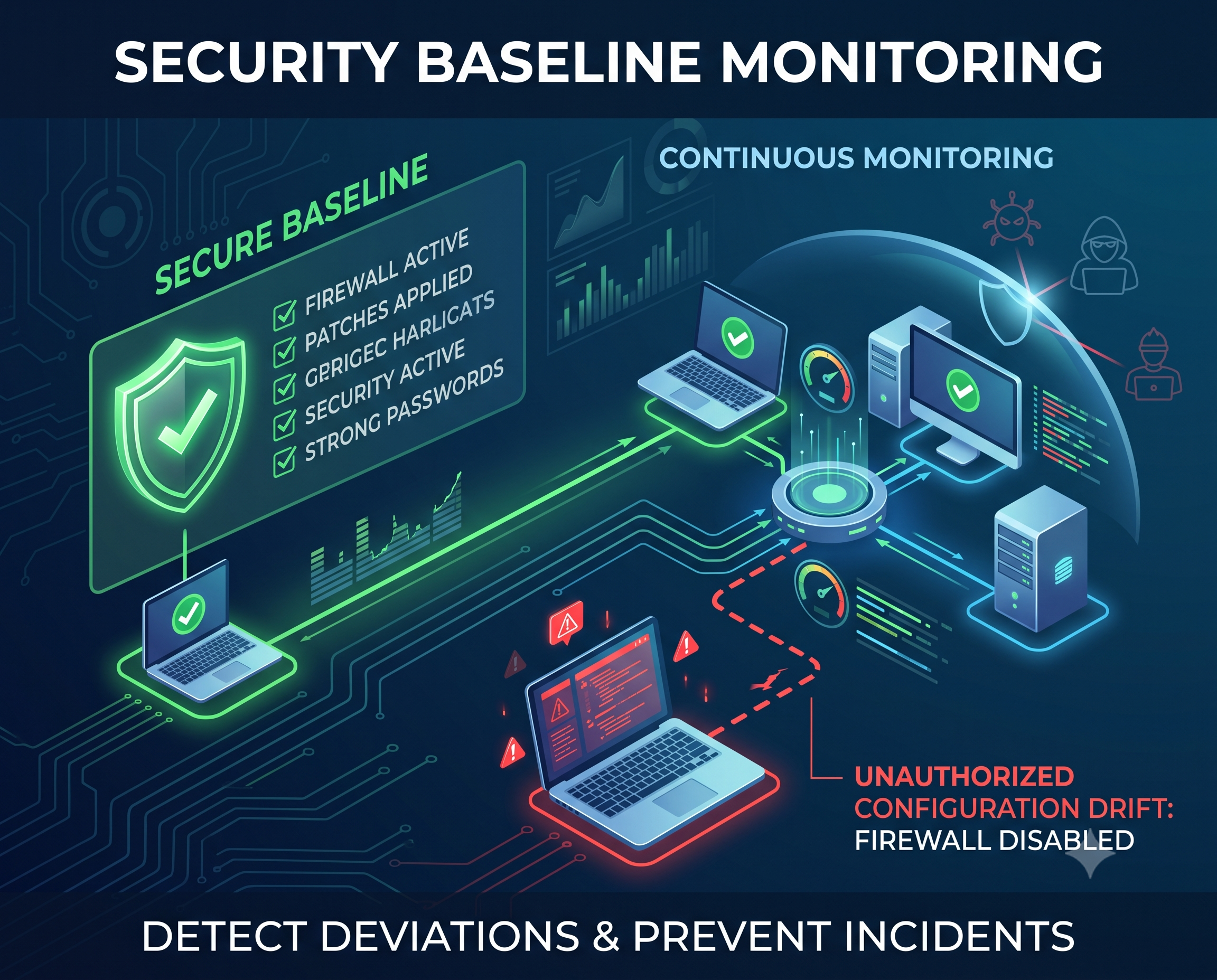
Continuous firewall monitoring should verify that the firewall remains enabled where required and that important rules have not changed unexpectedly.
- Firewall enabled status
- Inbound rules
- Outbound rules
- Allowed ports
- Blocked ports
- Firewall profiles
- Policy changes
- Unexpected exceptions
- Unapproved firewall rules
Why Firewall Monitoring Matters
A firewall can be correctly configured during endpoint deployment and later modified for troubleshooting or application compatibility.
An administrator may add a rule to allow an application and leave the rule in place after it is no longer required. Over time, these changes can increase the endpoint's network exposure.
Continuous monitoring helps identify unexpected firewall changes and compare the current state against an approved security baseline.
6. Monitoring Open Network Ports
Open ports indicate network services that may be listening for incoming connections. Not every open port represents a security problem, but unexpected or unnecessary listening services can increase an endpoint's attack surface.
Security teams should maintain visibility into listening ports and the services associated with them.
- Listening ports
- Associated services
- Port changes
- Unexpected listening services
- Approved ports
- Unapproved ports
- Network exposure
- Endpoint-specific exceptions
Why Open Port Monitoring Matters
A newly opened port can indicate a legitimate application change, an administrative configuration change, or an unexpected service.
Without continuous monitoring, security teams may not know when an endpoint begins listening on a new network port.
Monitoring open ports provides visibility into changes in network exposure and can help identify endpoints that require further investigation.
Understanding the Relationship Between Firewalls and Open Ports
Firewall configuration and open ports should be monitored together.
A service may be listening on a port while the firewall blocks external access. In another situation, the same service may be listening while an unexpected firewall rule allows network traffic to reach it.
Security teams should therefore consider both the service state and network access policy when assessing endpoint exposure.
- Identify listening services
- Identify associated ports
- Review firewall rules
- Determine expected exposure
- Compare with the security baseline
- Investigate unexpected changes
- Remediate approved security deviations
- Verify the resulting state
How These Six Settings Can Increase Endpoint Risk
The individual settings described above can become more significant when several risky conditions occur at the same time.
- Unrestricted USB access
- Unnecessary Bluetooth connectivity
- RDP enabled without appropriate controls
- SSH exposed beyond administrative requirements
- Permissive firewall rules
- Unexpected open ports
For example, an endpoint with remote access enabled, an overly permissive firewall rule, and an unexpected listening service may require more urgent investigation than an endpoint with a single low-risk configuration deviation.
Continuous Monitoring vs Periodic Checks
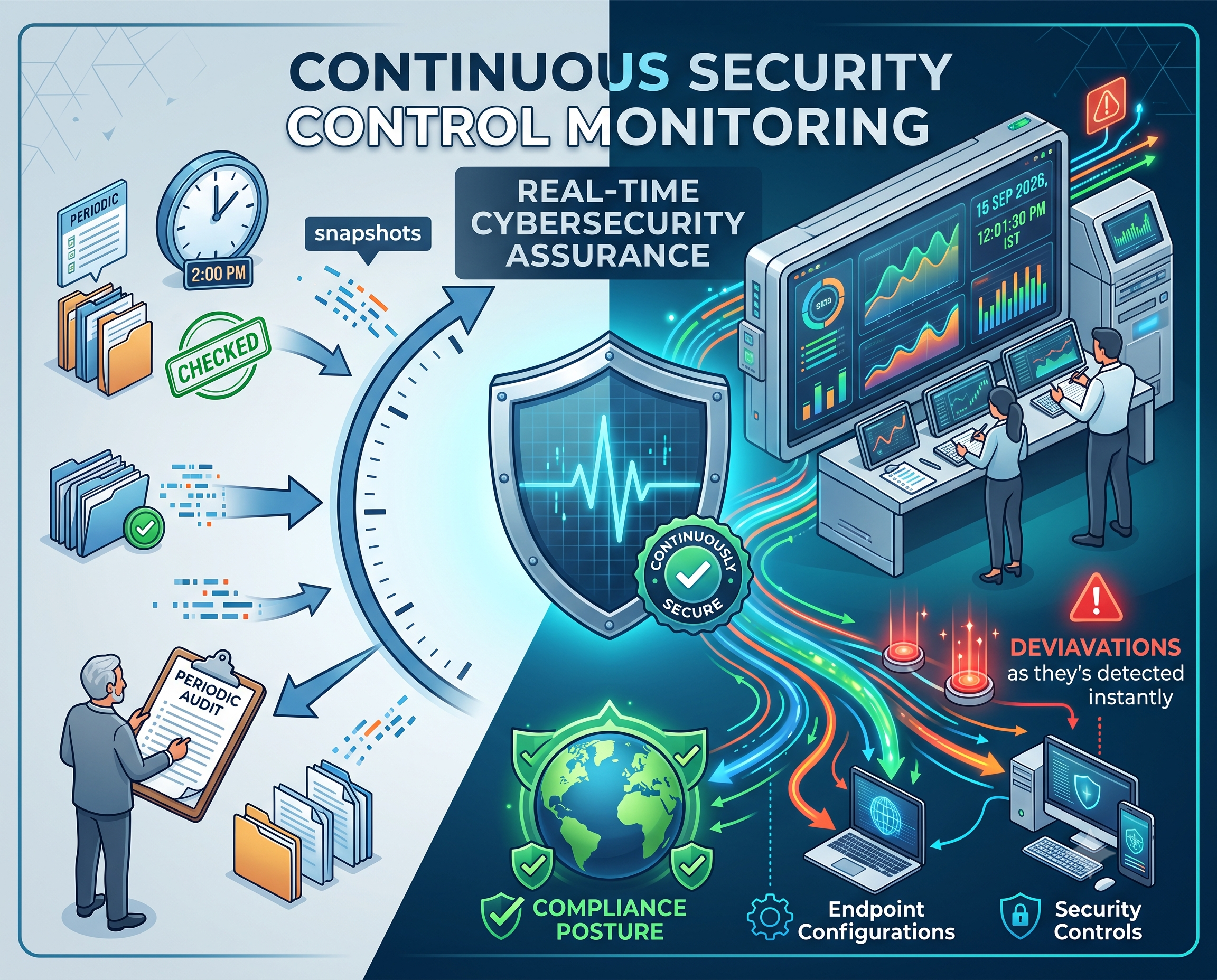
Periodic security checks can identify risky settings at the time of assessment, but they may not detect changes that happen afterward.
High-risk endpoint settings can change quickly because of administrator actions, software installations, troubleshooting, policy updates, or other operational events.
- Periodic checks provide snapshots
- Continuous monitoring identifies changes
- Periodic assessments support formal reviews
- Continuous monitoring supports operational security
- Both approaches can complement each other
Building a Security Baseline for High-Risk Settings
Before monitoring can identify deviations, organisations need to define what the expected security state looks like.
A baseline should specify which settings are permitted, which are restricted, and which require additional controls or approval.
- USB requirements
- Bluetooth requirements
- RDP requirements
- SSH requirements
- Firewall requirements
- Approved network ports
- Approved services
- Endpoint-specific exceptions
Using CIS Benchmarks for Secure Configuration
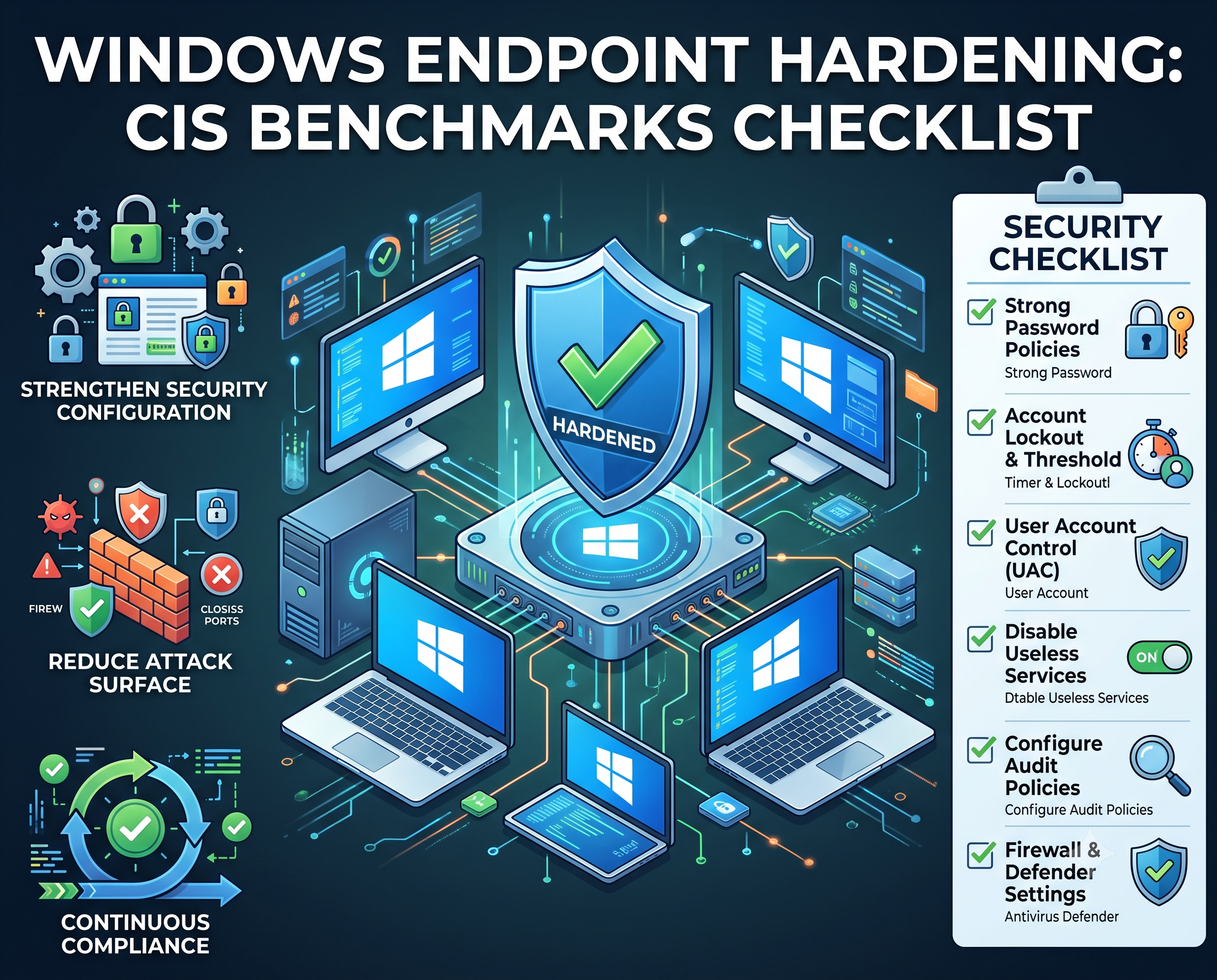
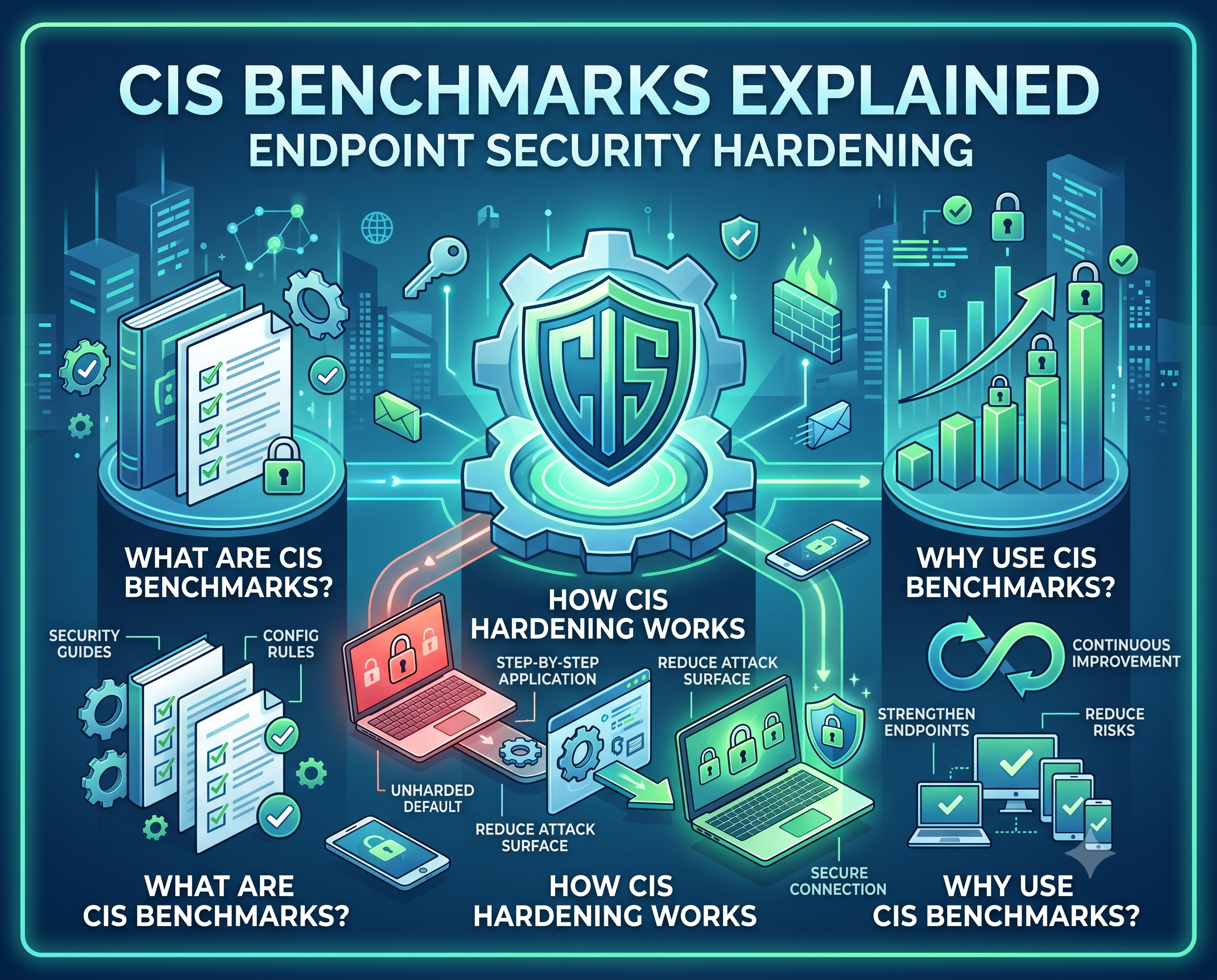
CIS Benchmarks can provide secure configuration recommendations for supported operating systems and technologies. Organisations can use applicable recommendations as part of a broader endpoint security baseline.
High-risk settings should be evaluated according to the applicable operating system, security requirements, endpoint role, and organisational policy.
A Benchmark-based approach can help establish consistent expectations for endpoint configuration while allowing organisations to maintain documented business-specific requirements and exceptions.
Detecting Configuration Drift in High-Risk Settings
Configuration drift occurs when an endpoint moves away from its approved configuration after initial deployment or hardening.
High-risk settings are particularly useful candidates for drift monitoring because changes to connectivity, remote access, firewall rules, or network services can affect the endpoint's exposure.
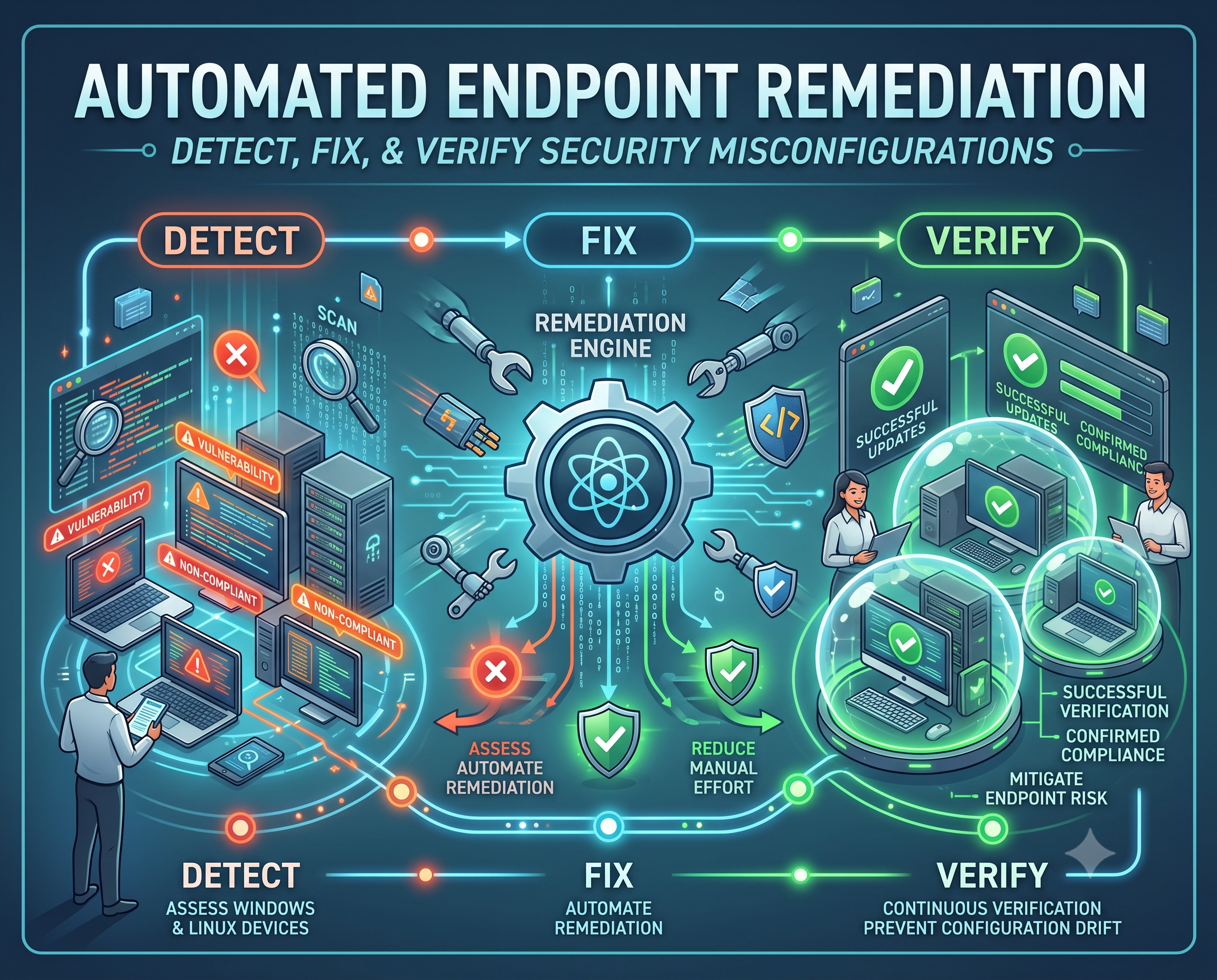
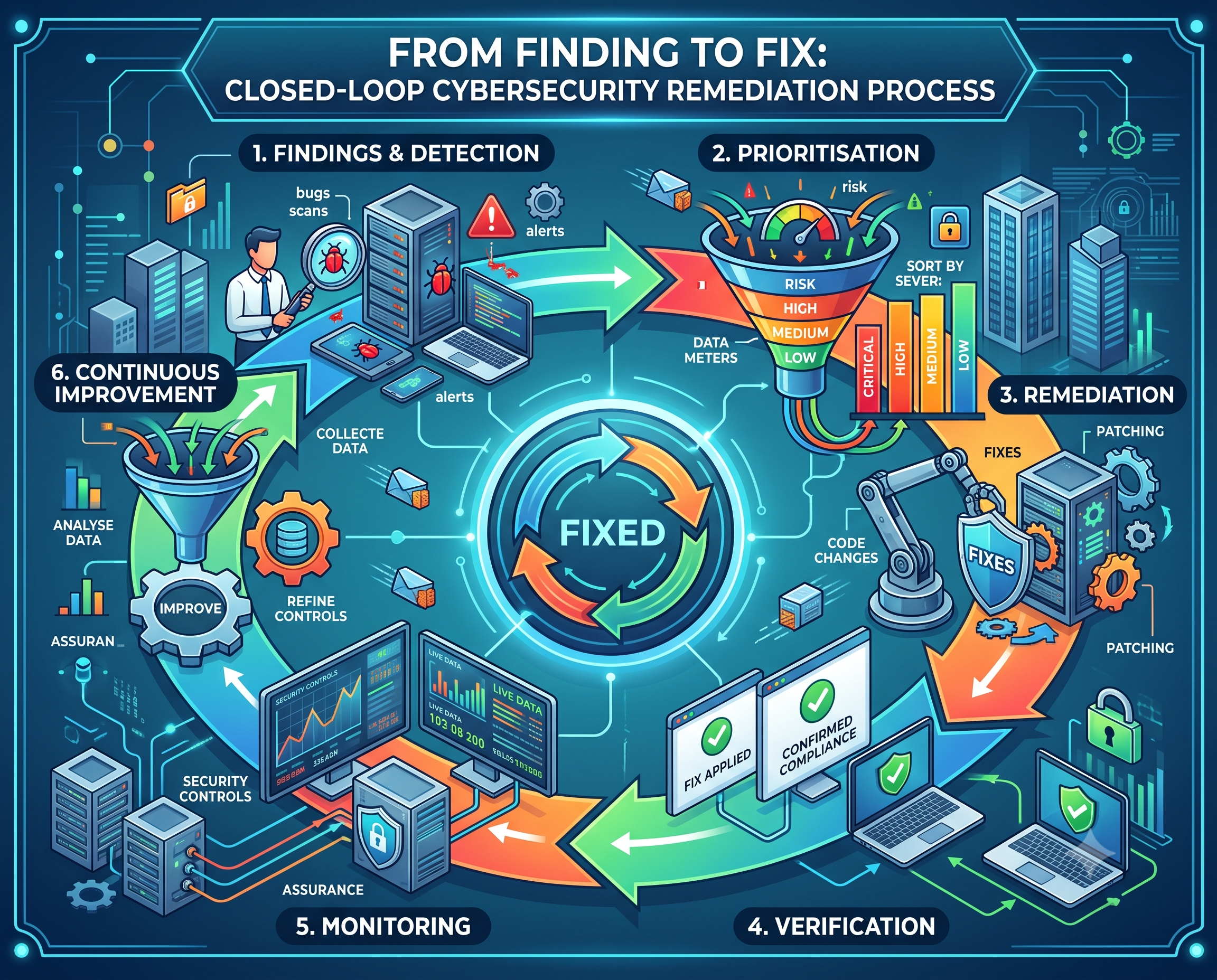
- Record the approved configuration
- Continuously assess the endpoint
- Detect configuration changes
- Determine whether the change is authorised
- Prioritise risky deviations
- Apply remediation where appropriate
- Verify the corrected configuration
- Continue monitoring
Risk-Based Monitoring for USB, Bluetooth, RDP, SSH, Firewalls and Ports
Not every configuration change represents the same level of risk. Monitoring should consider endpoint context and business requirements.
- Privileged administrative endpoints
- Internet-facing systems
- Business-critical systems
- Servers
- Remote endpoints
- Endpoints with sensitive data
- Systems with approved remote access
- Restricted security environments
Automated Remediation for High-Risk Endpoint Settings
Continuous monitoring becomes more effective when appropriate findings can be connected to controlled remediation workflows.
For well-understood and approved configuration deviations, remediation may restore the endpoint to the required security state.
- Detect the deviation
- Validate the finding
- Assess the risk
- Determine whether automatic remediation is appropriate
- Apply the approved corrective action
- Verify the result
- Record the outcome
- Continue monitoring
High-impact changes should be tested before broad deployment, and organisations should maintain appropriate exception and change-management processes.
Monitoring RDP and SSH Together With Account Security
Remote access controls should not be monitored independently from authentication and privilege controls.
An endpoint with properly configured RDP or SSH can still carry significant risk if unauthorised users have administrative privileges or authentication controls are weak.
Security teams should therefore correlate remote access settings with account and privilege information when evaluating endpoint security posture.
Monitoring Firewall Changes and Open Ports Together
Firewall rules and open ports provide complementary information.
A newly opened port may be legitimate if an approved application has been installed. However, the same change becomes more important if it is accompanied by an unexpected firewall rule.
Continuous monitoring should therefore identify relationships between network services, listening ports, and firewall configuration.
- New listening port
- New service
- New firewall rule
- Changed firewall policy
- Unexpected remote accessibility
- Approved application change
- Unapproved configuration change
Monitoring USB and Bluetooth Changes
USB and Bluetooth controls represent another category of endpoint connectivity that can change over time.
Organisations should monitor policy changes and determine whether wireless or removable-device functionality remains appropriate for each endpoint group.
This is especially important for restricted systems where external device connectivity is intentionally limited.
Centralised Monitoring Across Thousands of Endpoints
Large organisations may have thousands of endpoints distributed across offices, remote locations, and different network environments.
A centralised monitoring system can provide a consistent view of high-risk settings across the entire endpoint population.
- Endpoint identity
- Operating system
- USB status
- Bluetooth status
- RDP status
- SSH status
- Firewall status
- Listening ports
- Security baseline status
- Configuration changes
- Remediation status
Metrics for High-Risk Endpoint Monitoring
Security teams should track metrics that demonstrate whether high-risk endpoint settings are being maintained effectively.
- Number of endpoints with RDP enabled
- Number of endpoints with SSH enabled
- Number of unexpected open ports
- Number of unexpected firewall changes
- Number of USB policy deviations
- Number of Bluetooth policy deviations
- Number of configuration drift events
- Number of non-compliant endpoints
- Number of remediation actions
- Verified remediation percentage
- Number of recurring findings
- Number of approved exceptions
Common Mistakes in Monitoring High-Risk Settings
- Checking settings only during annual audits
- Monitoring settings without defining an approved baseline
- Treating every open port as automatically malicious
- Ignoring firewall changes
- Allowing temporary RDP access to remain enabled
- Ignoring SSH configuration changes
- Failing to track USB and Bluetooth policy deviations
- Automatically remediating every configuration change
- Not verifying remediation
- Ignoring approved exceptions
- Failing to correlate related security controls
Best Practices for Continuous Monitoring
- Define approved configurations for each endpoint group
- Monitor high-risk settings continuously
- Track configuration changes
- Correlate related security controls
- Use risk-based prioritisation
- Monitor firewall rules and open ports together
- Monitor remote access with authentication and privilege controls
- Document USB and Bluetooth requirements
- Maintain approved exceptions
- Connect monitoring with remediation
- Verify remediation actions
- Track recurring configuration drift
- Review security baselines regularly
- Maintain historical monitoring records
How Cyber Auditor Can Support High-Risk Endpoint Monitoring
Cyber Auditor can support organisations that need centralised visibility into endpoint security configurations, security control compliance, configuration deviations, and security posture.
A centralised approach can help security teams identify changes to important endpoint settings, understand affected systems, prioritise security findings, and track remediation activities.
By connecting configuration assessment with continuous monitoring and remediation workflows, organisations can maintain greater visibility into high-risk endpoint settings across large environments.
High-Risk Endpoint Settings Monitoring Checklist
- Define USB security requirements
- Monitor USB policy changes
- Define Bluetooth security requirements
- Monitor Bluetooth configuration
- Monitor RDP status
- Monitor RDP access configuration
- Monitor SSH configuration
- Monitor privileged remote access
- Monitor firewall status
- Monitor firewall rule changes
- Monitor listening ports
- Monitor unexpected services
- Compare configurations against security baselines
- Detect configuration drift
- Prioritise high-risk deviations
- Track approved exceptions
- Automate suitable remediation
- Verify remediation results
- Monitor recurring findings
- Review endpoint security posture continuously
Frequently Asked Questions About High-Risk Endpoint Settings
Why should USB settings be continuously monitored?
USB configuration can change after endpoint deployment and may affect removable media access and data transfer. Continuous monitoring helps identify policy deviations and unauthorised changes.
Why is Bluetooth considered an endpoint security setting?
Bluetooth provides wireless connectivity between endpoints and nearby devices. Its security impact depends on the organisation's requirements, device usage, and configuration.
Why should RDP be monitored continuously?
RDP provides remote access to Windows systems. Unexpected or poorly controlled RDP configuration can increase endpoint exposure, making continuous monitoring useful for identifying unauthorised changes.
Why is SSH monitoring important?
SSH is commonly used for remote administrative access on Linux and Unix-like systems. Monitoring SSH configuration helps organisations maintain approved authentication and remote access controls.
Does an open port always mean an endpoint is vulnerable?
No. An open port may be required by a legitimate service. The important consideration is whether the port and associated service are expected, appropriately secured, and permitted by the organisation's security policy.
Why should firewall rules and open ports be monitored together?
Open ports show which services may be listening, while firewall rules determine which network traffic is permitted. Monitoring both provides a more complete view of network exposure.
Can these settings be automatically remediated?
Some well-understood configuration deviations can be remediated automatically when approved policies and tested corrective actions exist. Higher-risk changes may require additional review before remediation.
Key Takeaways
- USB and removable media controls should align with organisational security requirements
- Bluetooth configuration should be monitored according to endpoint risk
- RDP should be continuously monitored because it provides remote access
- SSH requires monitoring because it is commonly used for administrative access
- Firewall configuration directly affects endpoint network exposure
- Open ports should be monitored together with the services using them
- An open port is not automatically a security vulnerability
- Firewall rules and listening services should be evaluated together
- Security baselines provide the expected configuration state
- Configuration drift can reintroduce previously resolved risks
- Remote access settings should be correlated with authentication and privilege controls
- High-risk deviations should be prioritised based on endpoint context
- Suitable findings can be connected to controlled automated remediation
- Remediation should be verified before a finding is considered resolved
- Continuous monitoring helps maintain endpoint security over time
Conclusion
USB, Bluetooth, RDP, SSH, firewall configuration, and open ports can all influence the security exposure of endpoint devices. Their risk depends on how they are configured, why they are enabled, and what additional security controls protect them.
One-time hardening or periodic audits can establish a secure baseline, but endpoint configurations can change after the assessment. Continuous monitoring provides visibility into these changes and helps security teams identify configuration drift before it becomes a larger security problem.
The strongest approach combines defined security baselines, continuous configuration assessment, risk-based prioritisation, controlled remediation, verification, and ongoing monitoring.
By continuously monitoring high-risk endpoint settings and understanding how those settings interact, organisations can reduce unnecessary exposure, maintain more consistent security configurations, and strengthen their overall endpoint security posture.
Recommended Solution
See how MOBISEC solves this in practice
Topics